Editor’s note: This article was updated by Isaac Okoro on 6 August 2026 to refresh library details, pricing/licensing notes, React support, and guidance on choosing the right React scheduler component library.

React remains a default choice for building stateful, dynamic web applications. But as an app becomes more complex, scheduling features can quickly become difficult to build and maintain from scratch.
A basic calendar is one thing. A production scheduler usually needs multiple views, recurring events, drag-and-drop editing, resource planning, timezone handling, localization, accessibility support, and strong performance with large event datasets. A React scheduler component library gives you these patterns as pre-built components, so you can focus on the application logic around them.
In this article, we’ll compare some of the best React scheduler component libraries based on features, ease of use, performance, pricing, and ideal use cases. To get the most out of this article, you should have a basic understanding of how to set up and run a React project.
Here’s a quick starting point if you already know the type of scheduling experience you need:
| Use case | Recommended options |
|---|---|
| Simple event calendar, free | FullCalendar core or react-big-calendar |
| Booking or appointment flow for a smaller app | CalendarKit |
| Enterprise scheduling as part of a broader component suite | KendoReact Scheduler or Syncfusion |
| Resource planning at scale with a one-time license | DHTMLX Scheduler for React |
| Resource or shift planning with a free tier to start | DayPilot React Scheduler |
| Resource-heavy planning with strong grid performance | Bryntum |
| Scheduler for an existing Material UI app | MUI X Scheduler |
| Lightweight, modern FullCalendar alternative | Schedule-X |
| TV guide, streaming schedule, or general timeline UI | Planby |
If you need a free, general-purpose calendar, start with FullCalendar or react-big-calendar. If you need a full enterprise scheduler, evaluate KendoReact, Syncfusion, DHTMLX, Bryntum, or DayPilot. If your app already uses Material UI, MUI X Scheduler is worth watching closely. For more specialized flows, CalendarKit, Schedule-X, and Planby may be better fits.
React scheduler component libraries help developers add scheduling features without rebuilding common calendar interactions from the ground up. They are especially useful when your app needs more than a basic date picker.
Time savings
Scheduler libraries provide pre-built components, views, and editing flows for common scheduling patterns, including day, week, month, timeline, and agenda views. This can reduce development time and let your team focus on domain-specific logic rather than calendar infrastructure.
Performance
Many scheduler libraries are designed to handle large event datasets through virtualization, lazy loading, or optimized rendering. This matters for applications that need to show many events, long date ranges, or resource-heavy timelines.
User experience
Schedulers usually include familiar interactions such as drag-and-drop editing, event resizing, recurring events, keyboard navigation, and responsive layouts. These patterns are difficult to implement well from scratch.
Customization
Most React scheduler libraries support theming, localization, custom event rendering, and configurable date formats. This helps you adapt the scheduler to your product instead of forcing your users into a generic calendar UI.
Cross-platform support
Some scheduler libraries are React-only, while others support multiple frameworks such as Angular, Vue, Blazor, Svelte, or vanilla JavaScript. If your organization works across multiple frontend stacks, cross-framework support may be an important selection factor.
KendoReact Scheduler is a feature-rich React scheduler component from Progress Telerik. It provides out-of-the-box support for timezone conversion, globalization, resource visualization, event grouping, recurring events, and editing:
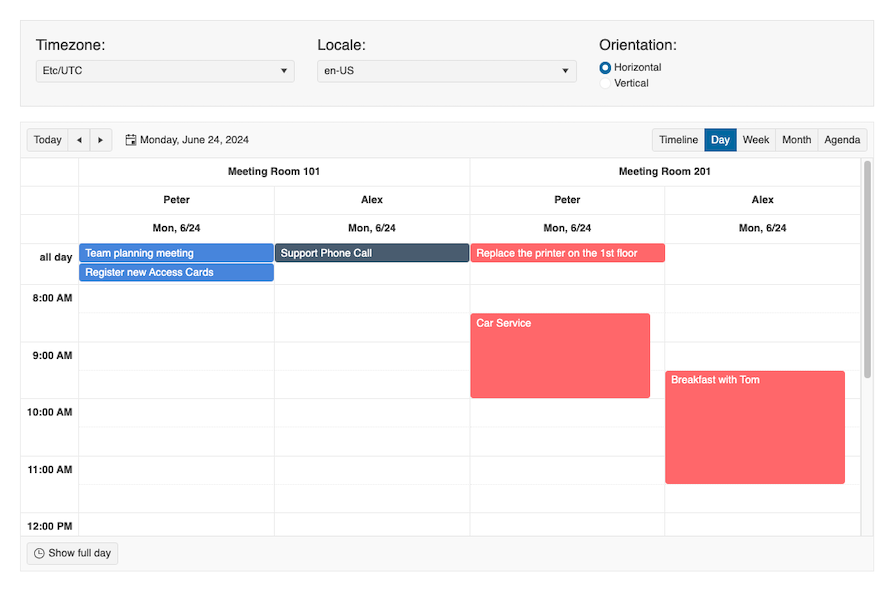
KendoReact Scheduler brings Outlook-style scheduling functionality into a single React component. It is best suited for enterprise teams that already use KendoReact or need a broad commercial component suite.
Features
KendoReact Scheduler includes day, week, work week, month, timeline, and agenda views. It also supports multiple event selection, resource visualization, time zone conversion, grouping, recurring events, and editing. Localization and globalization support make it suitable for applications with international users.
The component includes a built-in recurrence editor, so users can configure daily, weekly, monthly, or annual recurring events. It also supports data binding from arrays of data items.
KendoReact is a paid suite. A license key is required for trial and paid usage, and pricing is suite-based. Check the Telerik pricing page before budgeting because licensing details can change.
Ease of use
KendoReact provides strong documentation, samples, demos, tutorials, and virtual classroom resources. The scheduler has a large API surface, with classes such as AgendaView, DayView, and MonthView. The interface can also be styled with Progress ThemeBuilder.
Performance
KendoReact Scheduler is built specifically for React and supports efficient data binding, so the scheduler can update when the data source changes without reloading the entire component. Accessibility support includes WAI-ARIA attributes, keyboard navigation, and RTL mode.
Syncfusion offers a feature-rich React scheduler component as part of its broader UI component suite:
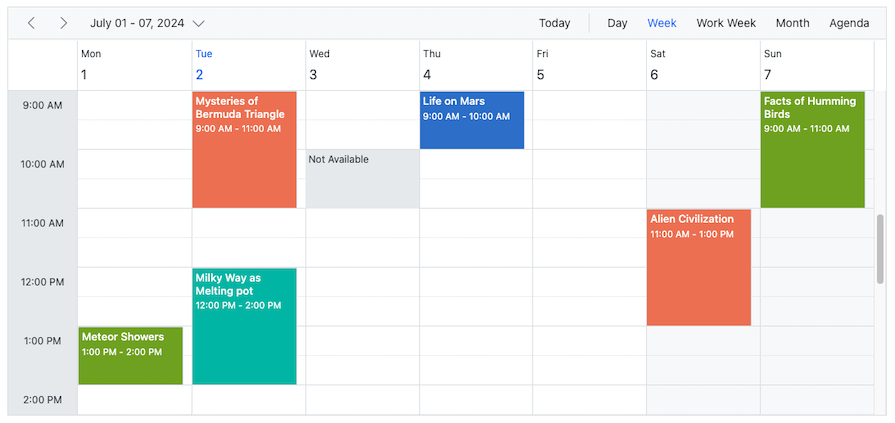
Syncfusion is a good fit for teams that want an enterprise scheduler along with a larger set of UI components across React and other frameworks.
Features
Syncfusion Scheduler supports day, week, work week, month, agenda, year, and timeline views. It also includes recurring events, globalization, localization, and data binding from sources such as JSON and RESTful services.
Syncfusion supports responsive layouts across desktop and mobile devices. It also has component suites for Angular, Vue, Blazor, and other platforms.
Syncfusion is a paid product, but it offers a free community license for qualifying individuals and small businesses, along with a free trial.
Ease of use
Syncfusion provides detailed documentation, samples, and demos. Its API is straightforward for common scheduling tasks, and the broader Syncfusion ecosystem can be useful if your team already uses the vendor’s components elsewhere.
Performance
Syncfusion uses techniques such as virtual scrolling and on-demand loading to reduce rendering cost for larger schedules. It is suitable for apps that need multiple views, external data binding, and enterprise-level customization.
DHTMLX Scheduler is a mature JavaScript calendar scheduler with an official React wrapper. It supports drag-and-drop scheduling, recurring events, customizable views, and other features for building scheduling applications:
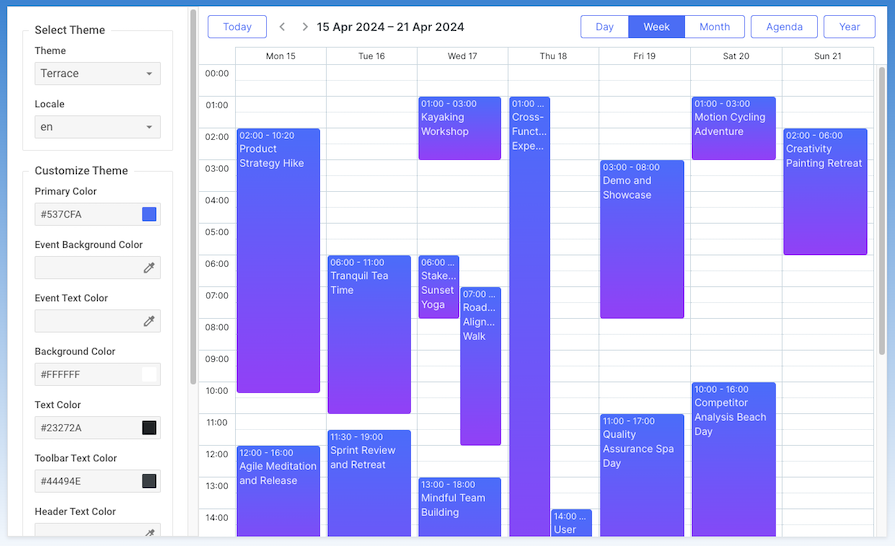
DHTMLX Scheduler is a paid tool with a free trial. It is useful for teams that prefer a one-time commercial license instead of a subscription-based component suite.
Features
DHTMLX Scheduler includes day, week, month, and year views, along with drag-and-drop event scheduling and recurrence support. It also supports globalization and localization, making it easier to customize date formats and language settings.
DHTMLX works across modern browsers and integrates with frameworks and platforms such as React, Angular, Vue, Node.js, jQuery, PHP, Laravel, Ruby on Rails, and Salesforce.
Ease of use
DHTMLX Scheduler has detailed documentation and a large API with methods, properties, and events for configuring behavior and appearance. That flexibility is useful for complex requirements, though it can also mean a steeper learning curve than simpler React-only calendars.
Performance
DHTMLX Scheduler is designed for modern browsers and includes accessibility support such as WAI-ARIA attributes, keyboard navigation, high-contrast themes, and RTL mode.
Bryntum Scheduler is a commercial scheduling component for React with a large feature set and a performance-oriented rendering model:
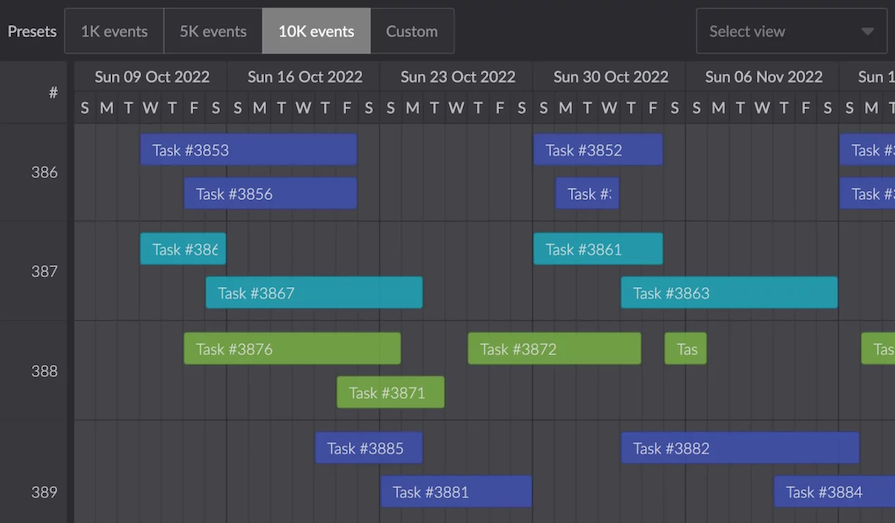
Bryntum is best suited for complex scheduling, resource planning, and timeline-heavy applications.
Features
Bryntum includes drag-and-drop scheduling, event resizing, exporting to PDF, PNG, and Excel, JSX rendering in events and cells, sortable entries, and built-in themes. It is a paid product, and pricing depends on the license type and usage model.
Ease of use
Bryntum provides documentation, tutorials, and demos for React. The API is broad, so it is most useful when your app needs advanced scheduling behavior rather than a simple event calendar.
Performance
Bryntum focuses heavily on performance through virtual rendering, optimized DOM updates, and efficient data handling. This makes it a strong option for demanding scheduling interfaces with many events or resources.
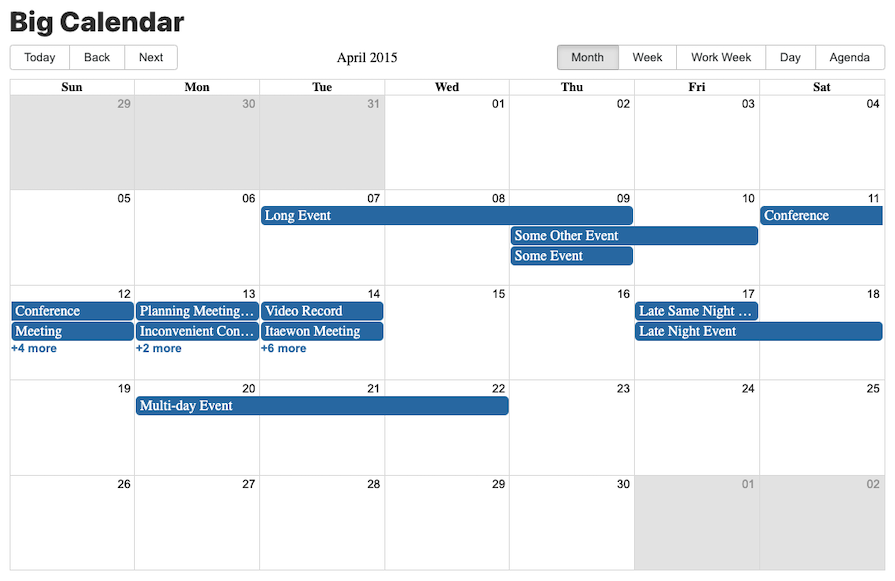
For teams looking for a free React scheduler component library, react-big-calendar is a popular open source option. Instead of a traditional table-based layout, it uses flexbox:
Features
react-big-calendar includes day, week, month, and agenda views. It supports drag-and-drop scheduling, event resizing, customizable tooltips, localization, and theming.
The project also has community support, including a Slack community.
Ease of use
react-big-calendar is straightforward to set up and has documentation and demos for common calendar use cases. It is a good fit for teams that need a free, React-specific event calendar and do not need enterprise resource-planning features.
Performance
react-big-calendar can work well for everyday calendar interfaces, but teams building very large resource schedules should test it against their expected event volume before committing.
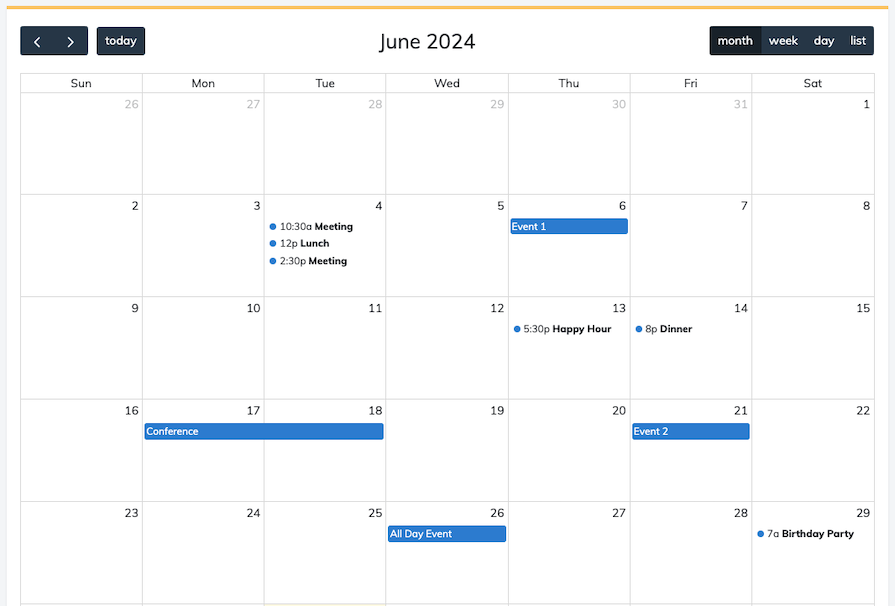
FullCalendar is one of the most widely used calendar libraries in the JavaScript ecosystem. It has an official React connector and a broad feature set, including customizable and draggable events. You can get started with FullCalendar’s core version for free:
Features
FullCalendar provides day, week, month, list, and agenda-style views. It accepts React JSX for rendering nested content and integrates with React, Vue, Angular, vanilla JavaScript, and TypeScript. It also supports theming, Bootstrap 5 compatibility, and integrations with iCal and Google Calendar.
FullCalendar’s core package is MIT-licensed. Premium plugins add features such as resource timelines and advanced views.
Ease of use
FullCalendar has extensive documentation, examples, and a large community. This makes it one of the safer picks for teams that want a general-purpose event calendar with plenty of reference material.
Performance
FullCalendar is optimized for common event-calendar use cases and can fetch event data on demand. If you need resource timelines or large scheduling grids, review its Premium plugins and test against your data size.
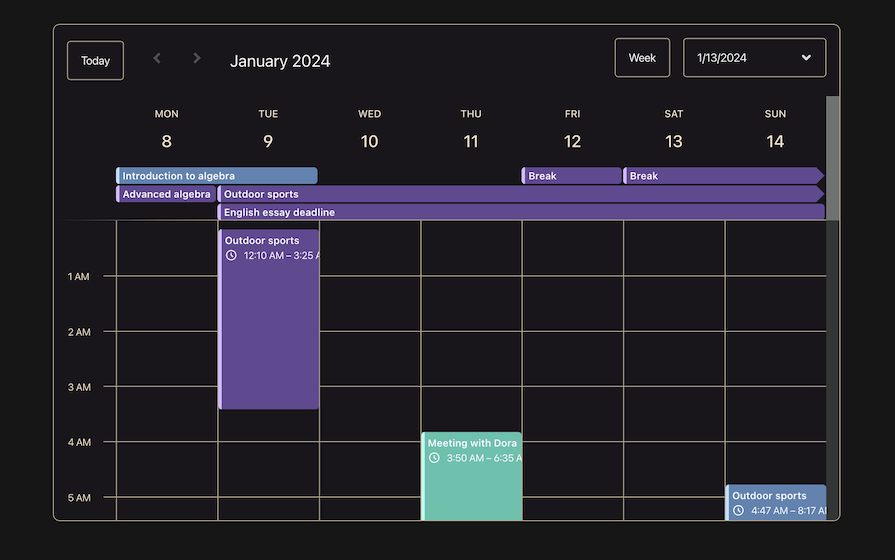
Schedule-X is a modern calendar and date picker library for web applications. It offers material-style calendar components and works well as a lightweight alternative to larger scheduler suites:
Features
Schedule-X supports multiple calendar views, including day, week, and month. It also includes time pickers, dark mode, recurring events, and accessibility-focused UI patterns.
As of Schedule-X v4, the library draws a clearer line between the free and Premium tiers. Drag-and-drop and event resizing, which were previously listed as free features in older versions of this article, now live behind Schedule-X Premium, alongside the Time Grid Resource View. Premium is sold per project based on team size, with yearly subscription and lifetime license options.
Ease of use
Schedule-X has a clean API and approachable documentation. It is a good fit for teams that want a modern, lightweight calendar without adopting a larger enterprise component suite.
Performance
Schedule-X is designed to be lightweight and responsive, making it suitable for many everyday scheduling use cases. As with any scheduler, test it with your expected event volume if your app needs dense calendars or long timelines.
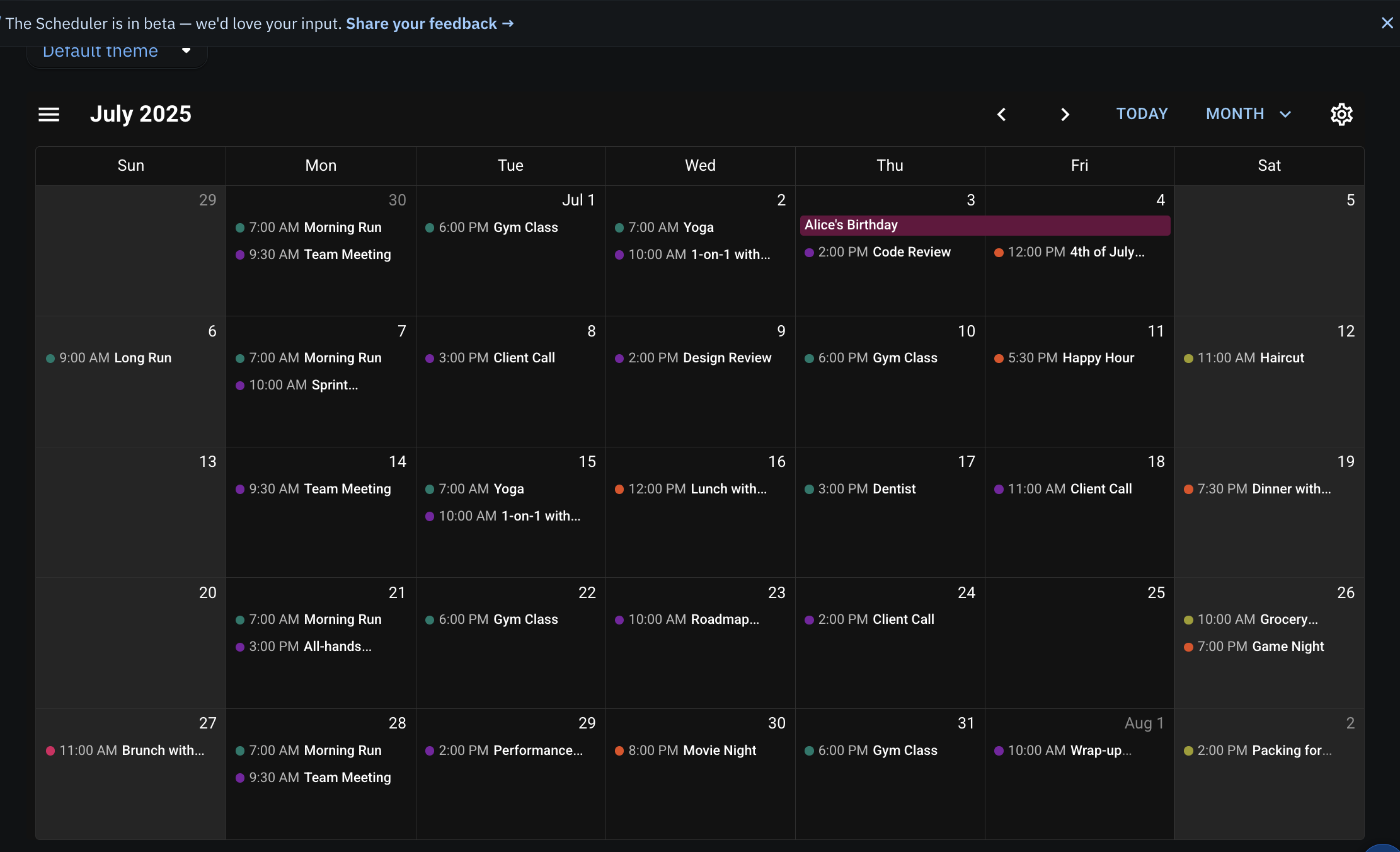
MUI X Scheduler is a newer option from the Material UI team. It is worth including because Material UI is widely used in production React codebases, though the Scheduler is still early-stage compared with more mature libraries.
Features
The Community tier covers multiple views, resource support, drag and drop, resizing, and theming. The Premium tier adds features such as recurring events, exception dates, DST-aware recurrence, lazy loading through data sources, and resource timeline capabilities.
Ease of use
If your app already uses Material UI, MUI X Scheduler should be relatively low-friction. It uses the same design system, theming conventions, and component patterns as the rest of the MUI ecosystem.
Performance
MUI X Scheduler builds on the virtualization patterns used across other MUI X components. The Community tier is suitable for many everyday scheduling interfaces, while teams working with very large event datasets or long date ranges should evaluate the Premium data-source and timeline features.
Because the scheduler is still early-stage, expect some API changes before it reaches the same level of maturity as older scheduler libraries.
DayPilot React Scheduler provides calendar and scheduler components for React, including a free Lite version and a paid Pro version.
Features
DayPilot Lite for React covers basic scheduler use cases, including horizontal timelines, drag-and-drop support, and customizable appearance. DayPilot Pro adds more advanced scheduling features, such as progressive rendering, larger timeline support, event editing, image and PDF export, RTL support, and additional UI controls.
DayPilot is a good fit for resource scheduling, shift planning, and timeline-style interfaces where a horizontal scheduler is more useful than a traditional month calendar.
Ease of use
DayPilot provides React-specific documentation and examples. It is not as broadly discussed as FullCalendar or react-big-calendar, but the Lite version gives developers a practical way to test the scheduler model before moving to a paid plan.
Performance
DayPilot Pro is designed for larger scheduling datasets through features such as progressive rendering. If performance across many resources or long timelines is central to your project, test the Lite and Pro versions with realistic data before choosing a license.
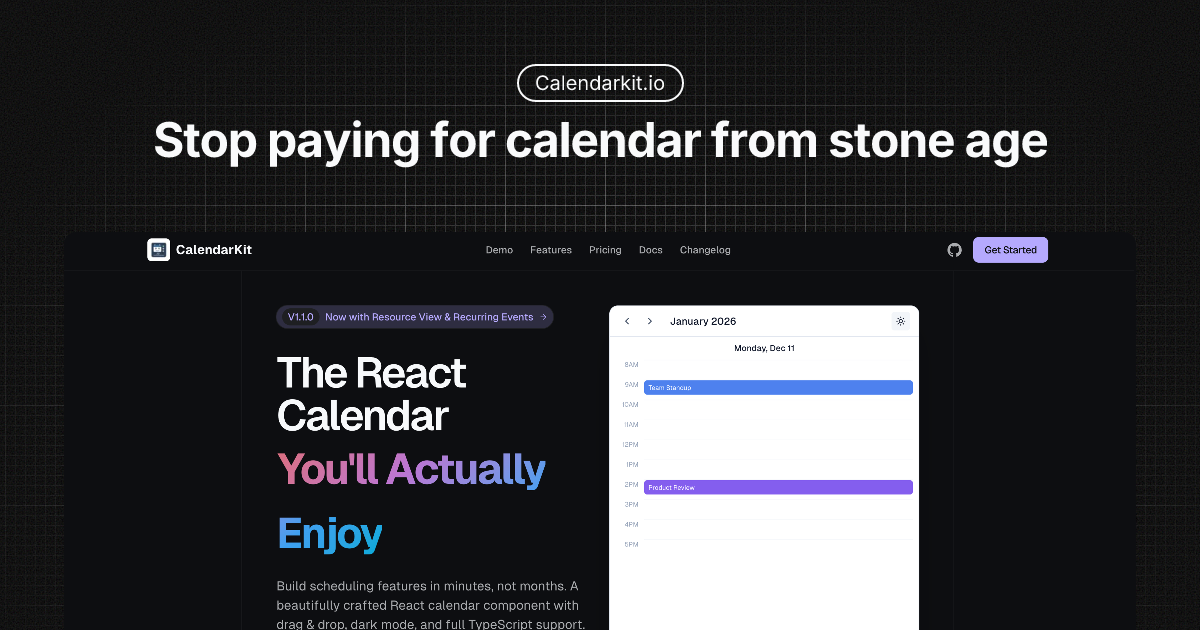
CalendarKit is a newer, lightweight, TypeScript-first calendar aimed at booking and appointment flows.
Features
The basic tier ships as @calendarkit/react, with a BasicScheduler component that can render events from an array of event objects. It includes TypeScript support, dark mode, and a simple drop-in scheduler experience.
CalendarKit also supports deeper customization through props such as renderEventForm, which lets you replace the default event creation and editing modal with your own UI.
The Pro tier adds more production-oriented features, including recurring events and full timezone handling. CalendarKit currently targets React and Next.js; support for Vue, Angular, Svelte, and Solid is planned under a future Universal license but is not available yet.
Ease of use
CalendarKit is quick to get running and is especially appealing for booking or appointment flows. It is less suitable if you need a cross-framework scheduler today.
Performance
CalendarKit provides pre-built timeline, day, and week interfaces, which can reduce the amount of custom layout, scrolling, and date-math work your team needs to build. As with the other newer options, test it with realistic event density before using it for a large production scheduler.
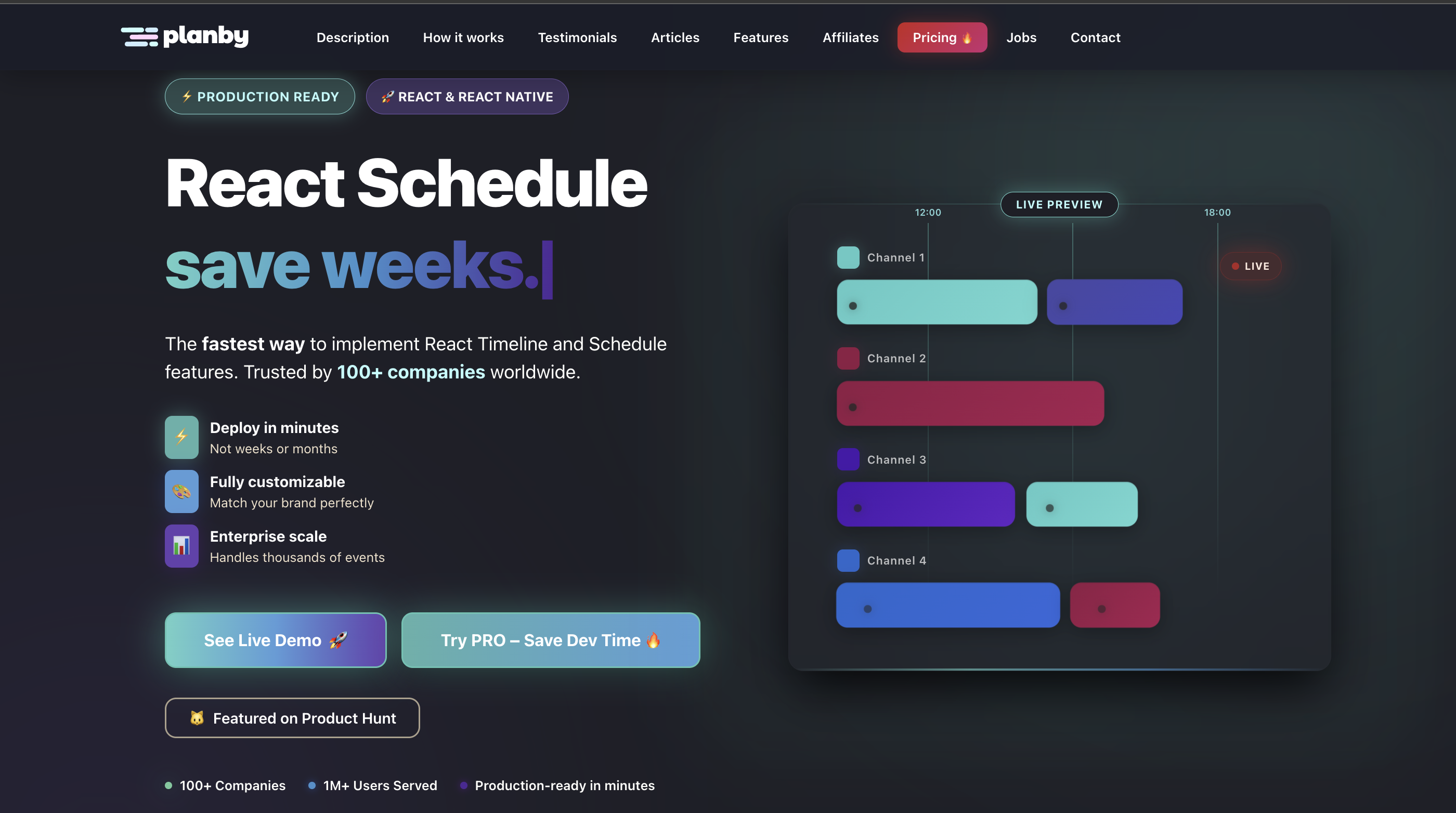
Planby started as an Electronic Program Guide, or TV/streaming schedule, library and has since repositioned as a more general timeline scheduler. Its channels-and-programs model can map well to resources, bookings, shift planning, or conference agendas.
Features
Planby’s core offering uses custom virtual rendering for large datasets and supports timezone-aware scheduling. Its commercial tier adds drag and drop, resizing, advanced grid modes, and priority support.
Ease of use
Planby is built in React and TypeScript, with documentation and live examples. Its API is more specialized than the general-purpose calendars on this list, so it is best for timeline-style interfaces rather than ordinary event calendars.
Performance
Planby is designed around virtualized rendering, drawing only the events and channels currently visible on the screen. This makes it a stronger fit for timeline-heavy applications than for simple calendar widgets.
| Library | License/pricing | React support | Best use case | Other framework support |
|---|---|---|---|---|
| KendoReact Scheduler | Paid suite; trial available | Native React, frequent releases | Enterprise teams already on KendoReact | Angular, Vue, and jQuery through separate Kendo UI suites |
| Syncfusion React Scheduler | Paid suite; free community license for qualifying small teams | Actively maintained React support | Multi-framework enterprise suites | Angular, Vue, Blazor, and more |
| DHTMLX Scheduler for React | Paid, one-time license; trial available | Official React wrapper | Enterprise scheduling with one-time licensing | Angular, Vue, Node.js, jQuery, PHP, Laravel, Ruby on Rails, and Salesforce |
| Bryntum Scheduler | Paid; pricing varies by license | Official React wrapper | Complex resource planning | Angular, Vue, Ionic, Salesforce, and vanilla JavaScript |
| react-big-calendar | Free, MIT | React-focused | Budget event calendars | None, React only |
| FullCalendar | MIT core; paid Premium plugins | Official React connector | General-purpose event calendars | Vue, Angular, vanilla JavaScript, and web component support |
| Schedule-X | Free core; Premium paid | React support plus cross-framework packages | Lightweight FullCalendar alternative | Angular, Vue, Svelte, and Preact |
| MUI X Scheduler | Community and Premium tiers | React, aligned with MUI X | Material UI apps | None, React only |
| DayPilot React Scheduler | Lite free; Pro paid | Documented React integration | Resource and shift planning | Angular, Vue, jQuery, AngularJS, plus server-side editions |
| CalendarKit | Free basic; Pro paid | React 18+ and Next.js | Booking flows and MVPs | None yet; additional frameworks planned |
| Planby | Free core with commercial tier | React and TypeScript | EPG, TV guides, and general timelines | None, React only |
Pricing above reflects publicly listed information as of this update. Check each vendor’s site before budgeting, since pricing and feature tiers can change.
React scheduler component libraries save development time by providing calendar views, recurring event logic, editing interactions, localization, accessibility support, and performance optimizations that are difficult to rebuild from scratch.
The best option depends on what you’re building. FullCalendar and react-big-calendar are strong starting points for free, general-purpose event calendars. KendoReact, Syncfusion, DHTMLX, Bryntum, and DayPilot are better fits for enterprise scheduling and resource planning. MUI X Scheduler is a natural option for teams already invested in Material UI, while Schedule-X, CalendarKit, and Planby are useful for more specialized calendar and timeline interfaces.
Before choosing a scheduler, test it with your real data shape, expected event volume, accessibility requirements, and licensing constraints. A scheduler can look simple in a demo, but production requirements such as recurring events, timezone handling, resource views, and drag-and-drop editing often determine whether the library is actually a good fit.
Install LogRocket via npm or script tag. LogRocket.init() must be called client-side, not
server-side
$ npm i --save logrocket

// Code:

import LogRocket from 'logrocket';
LogRocket.init('app/id');
// Add to your HTML:

<script src="https://cdn.lr-ingest.com/LogRocket.min.js"></script>
<script>window.LogRocket && window.LogRocket.init('app/id');</script>
Explore Vercel’s vgpu, a WebGPU library for AI agents. Learn to build a dynamic shader in Next.js and validate rendering output with headless testing in Node.js.

Explore how looping Transformers reuse layers and compare with traditional GPT models in reasoning tasks.

Learn how one solo developer used multiple Grok Bot AI agents to test, report bugs, fix code, and monitor deployments — hands-free, on a $30/month plan.

Compare the top AI development tools and models of October 2026. View updated rankings, feature breakdowns, and find the best fit for you.
Hey there, want to help make our blog better?
Join LogRocket’s Content Advisory Board. You’ll help inform the type of content we create and get access to exclusive meetups, social accreditation, and swag.
Sign up now
 Learn more →