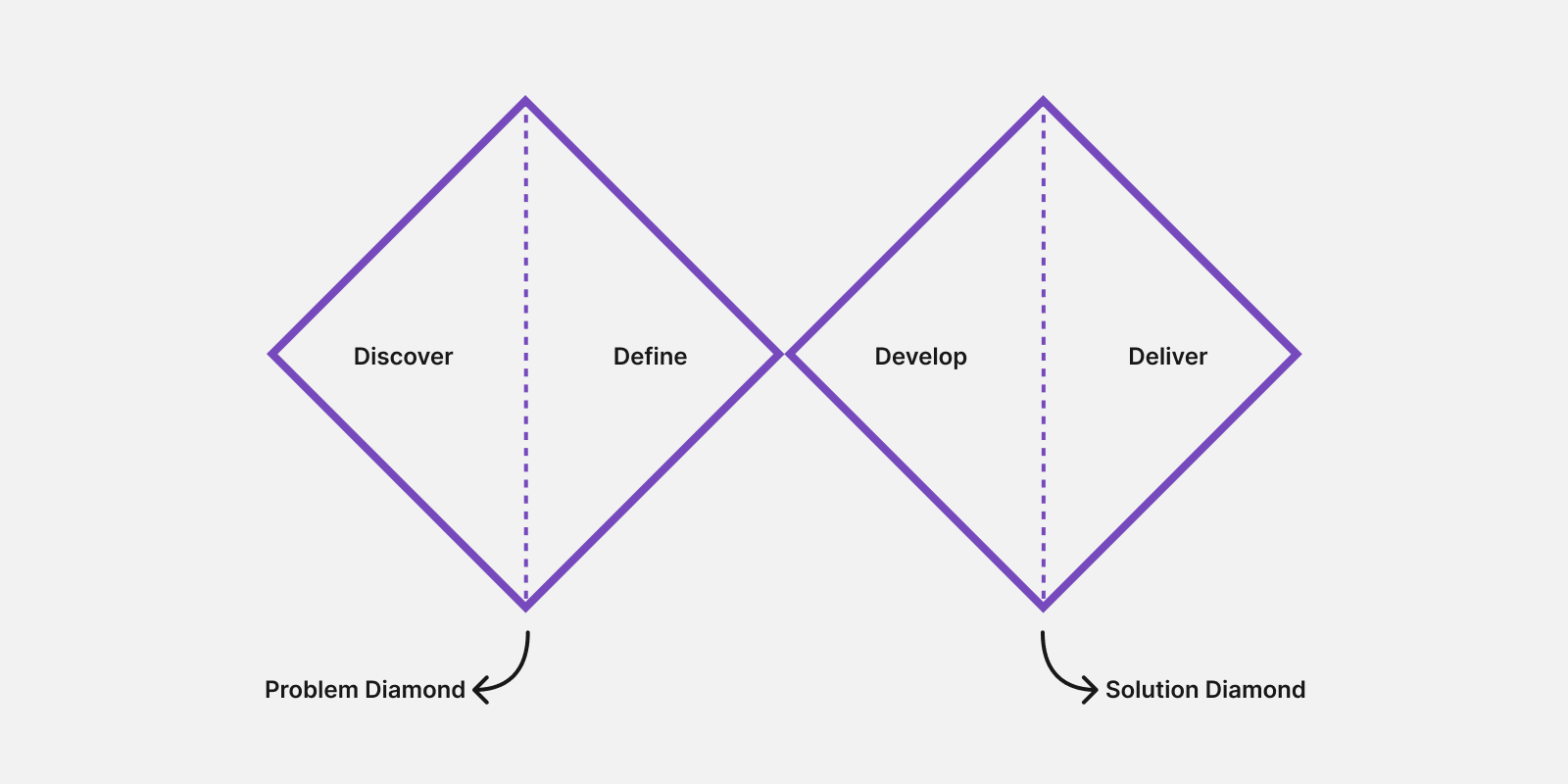
The Double Diamond design process is a UX framework introduced by the British Design Council in 2005 to help teams move from identifying a problem to delivering a user-centered solution. The framework is organized into two diamonds:
Each diamond begins by exploring many possibilities (divergence) before narrowing down the most promising direction (convergence):
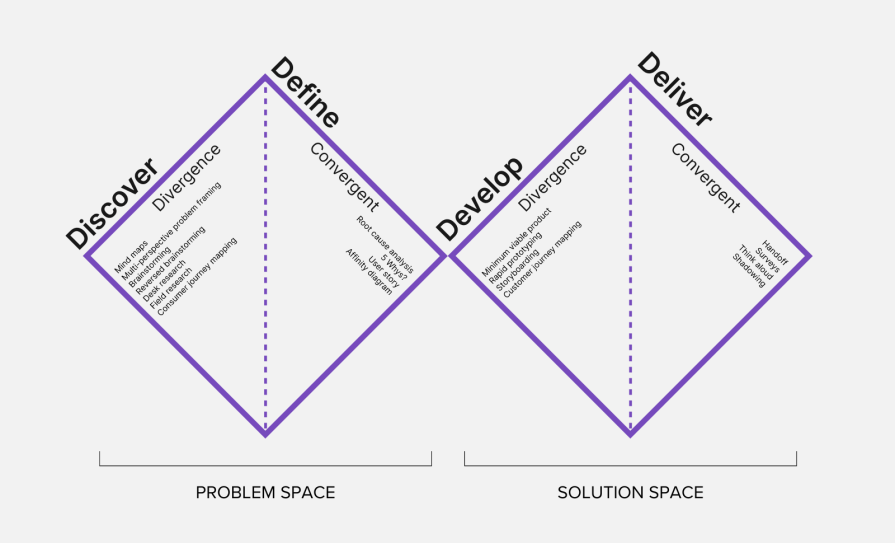
Here’s how it works in a nutshell: teams first seek to understand the problem before defining a clear design brief. They then explore multiple possible solutions, prototype and test them, and refine the strongest option before delivery.
Editor’s note: This article was updated on July 28, 2026, to include new guidance on when to use the Double Diamond process, how it compares to design thinking, and why many modern product teams use it as a flexible framework rather than a rigid sequence of steps. It was previously updated by Edward Chechique in 2025.
The first diamond focuses on exploring the problem space in depth. It consists of two phases: Discover and Define. While it’s often compared to the Empathize and Define stages of design thinking, the Double Diamond is a distinct framework that emphasizes divergent and convergent thinking across the problem space.
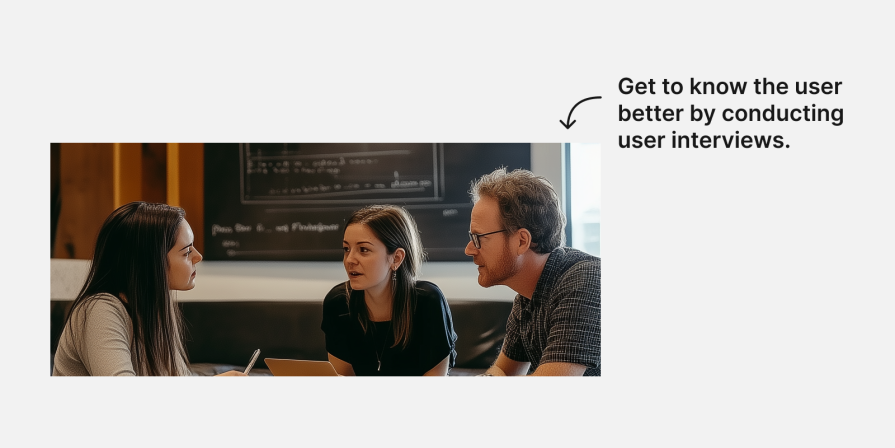
In the Discover phase of the first diamond, designers use UX research techniques, such as user interviews, surveys, net promoter scores, and analyzing data from analytics tools, to understand users’ needs and pain points:
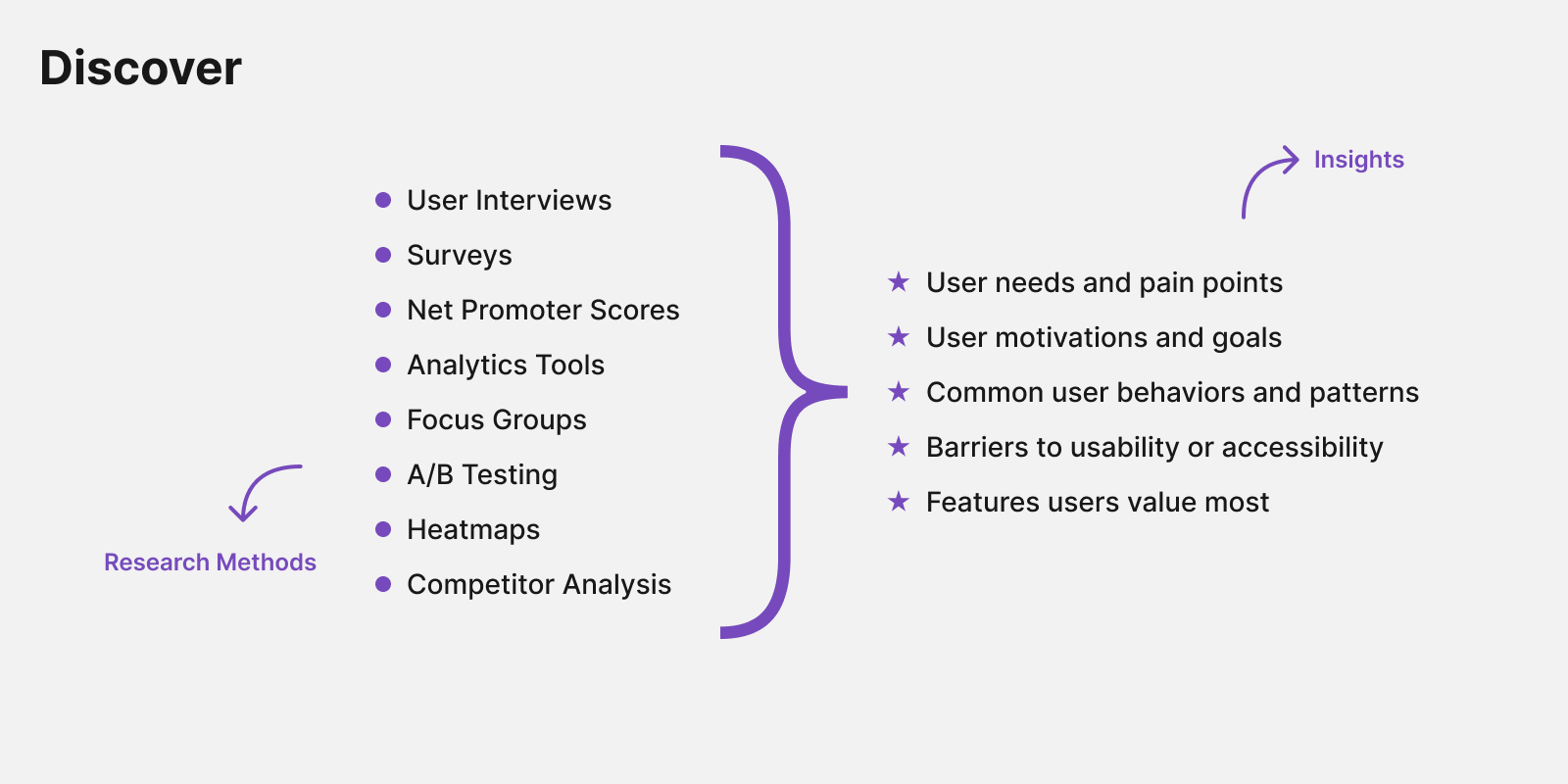
Once you’ve collected the data you need from your users, you can organize it in a document that allows your team to quickly understand the insights.
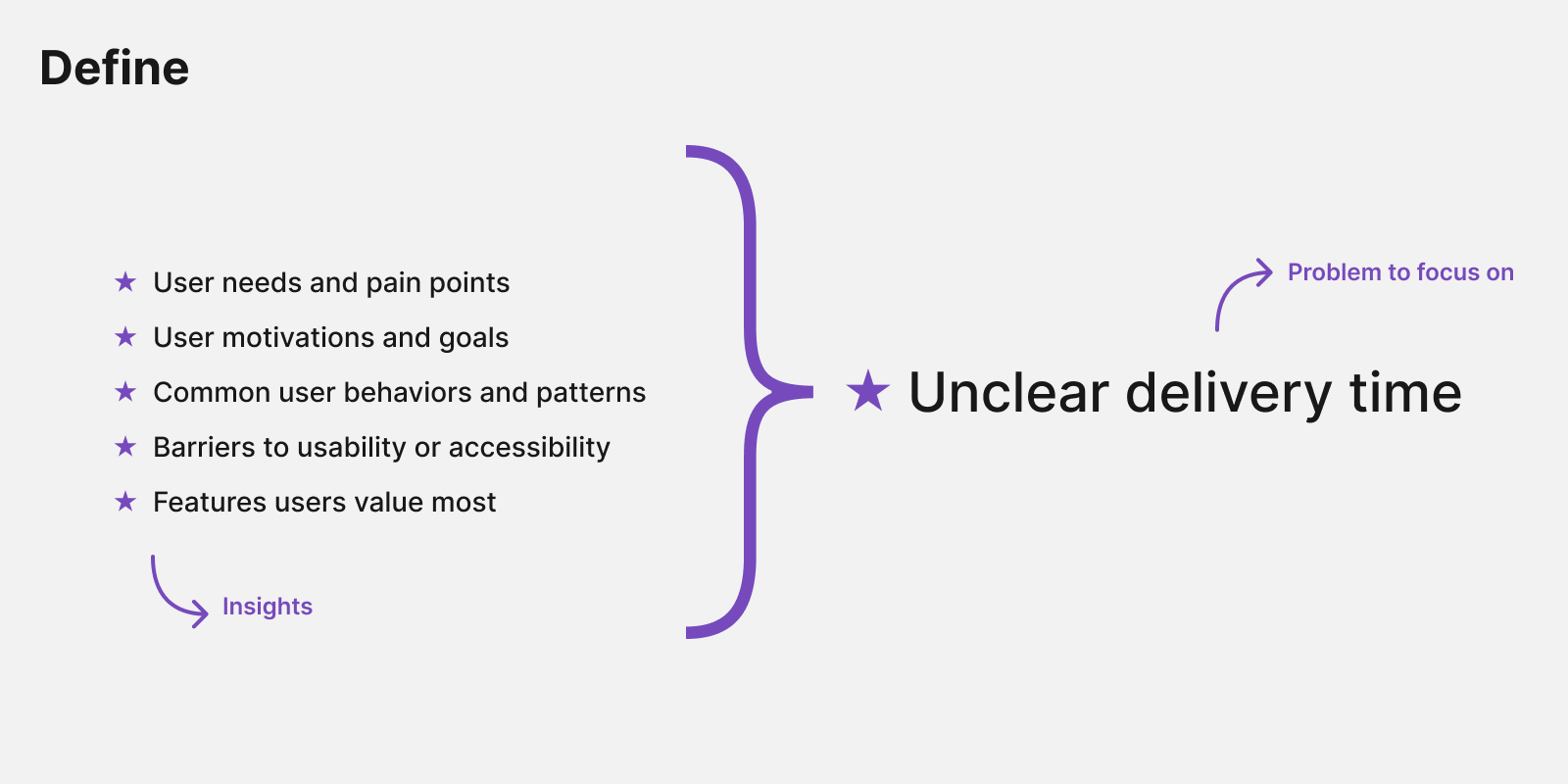
In the Define step, the designer works to understand all the processes users pass through when buying on the website. This convergent stage allows you to take all the raw insights from the discovery process and analyze them with tools.
Imagine that a user of a hypothetical ecommerce grocery website wants to cook broccoli soup. They enter the website, search for broccoli, and add it to their cart. However, they see that delivery will take 2 days, so they decide not to buy it because they want to cook it today.
After the designer analyzes this information, they can start the convergence process. They select what they think will be the main pain point that will move the needle, so users will buy more food from the website. It could be:
Next, the designer will choose the most suitable solution from the available options to address the main problem:
The second diamond shifts from understanding the problem to exploring and refining potential solutions. It consists of two phases: Develop and Deliver, where teams generate ideas, prototype them, test with users, and prepare the strongest solution for implementation.
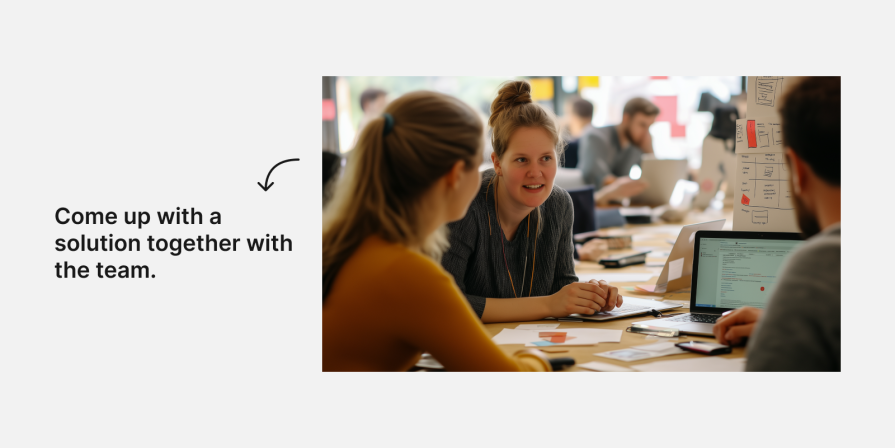
While developing a solution, designers work collaboratively to explore multiple ideas. Repeated testing and refinement will guide you to solutions that meet user needs and are technically feasible. It’s important to differentiate between the idea of how to solve the issue and the visual solution the designers will provide for it.
For example, if we find that users don’t buy because of slow delivery, we can inform them about the delivery time before they add the product to the cart. We could also offer another solution, such as suggesting frozen broccoli if there is no fresh broccoli available for same-day delivery.
Another example is solving navigation issues. We can improve the navigation menu, but we could also explore solutions such as semantic search or an AI-powered assistant that helps users find products using natural-language queries and personalized recommendations.
We can ideate many solutions in the divergence process and then narrow down and select the most effective solution through the convergence process:
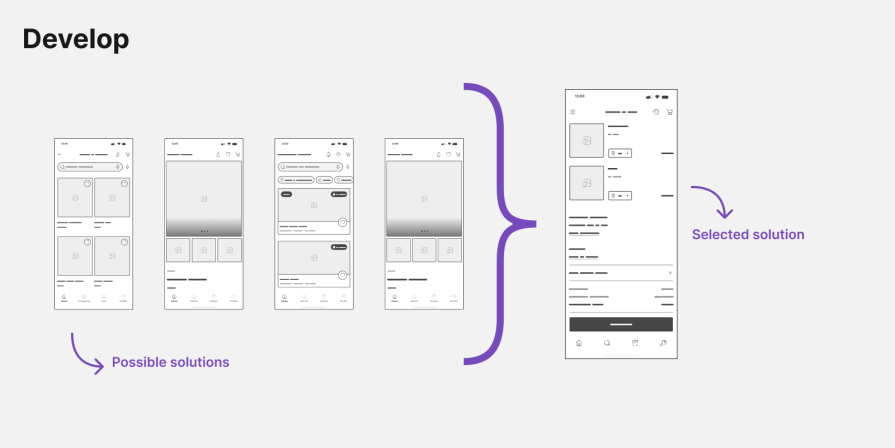
Please note that in this process, it is critical to involve the developers and the product manager to consider technical and business issues.
After choosing a solution, we can design many screens and flows to see how it looks and feels. This is when we’d do more detailed work, like increasing the size of the search input or adding a tooltip saying that the search uses an AI engine to find products faster. It’s also a good idea to conduct usability tests at this point to see if our solution works well.
Once the designers have a final design, they prepare for handoff to development, with quality assurance and usability checks to ensure alignment with project goals.
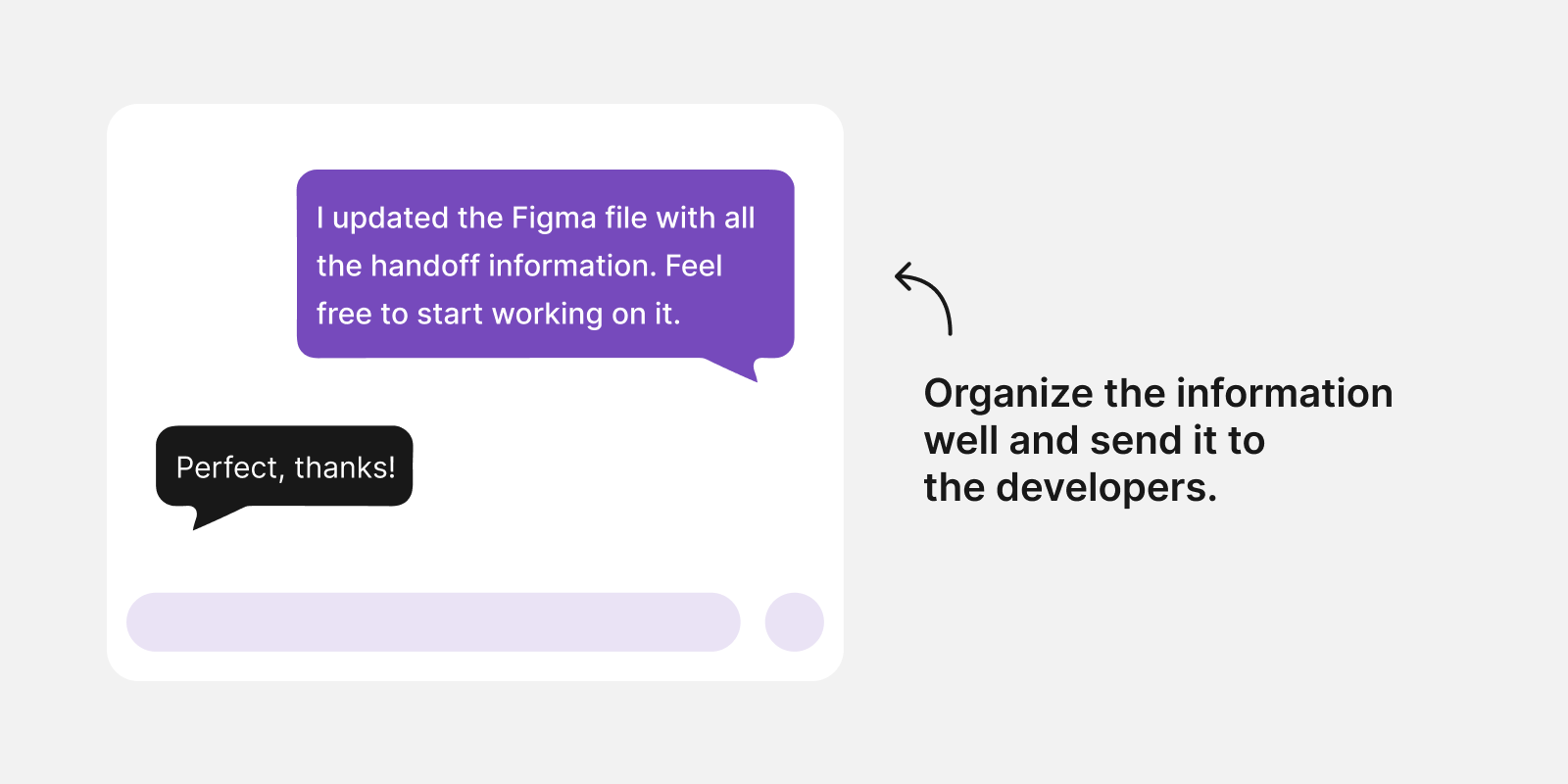
The last step is to deliver the solution to users. It involves organizing all screens, prototypes, and diagrams and sending them to developers. Then the developers convert them to code.
Some designers perform usability testing during this phase. However, from my experience, it is better to do it during the development step, as I suggested before, so you can test the prototype you created in Figma (or another tool).
Once the solution is in the hands of the users, your job is to monitor the solution’s performance and evaluate whether it adequately solves the users’ issues. You should analyze large datasets and conduct user interviews to evaluate the solution:
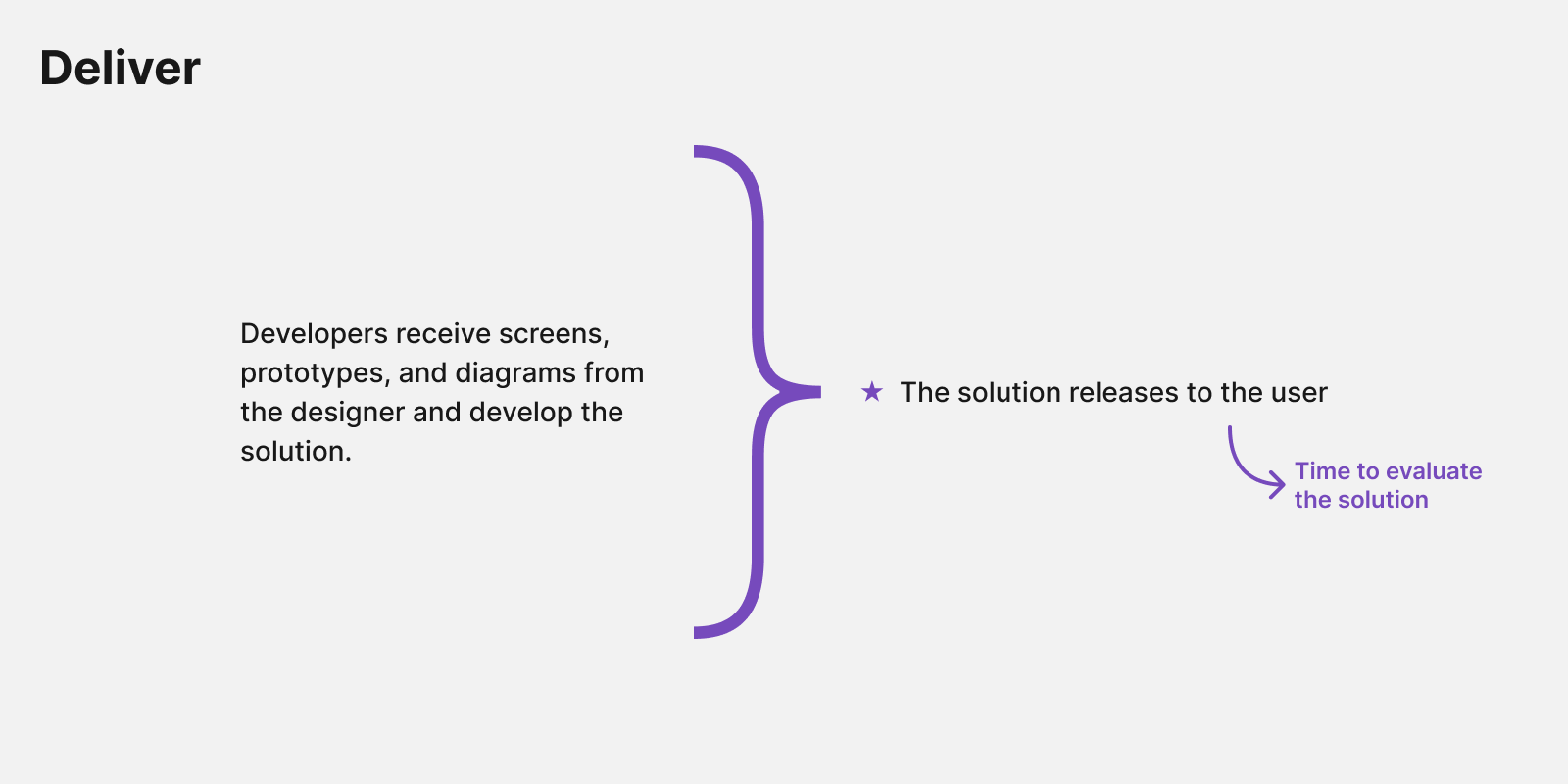
Defining a success metric (for example, users should find food twice as fast) before starting the Double Diamond process will help you assess whether the design achieved the goal. Remember that without measurement, you can’t know whether the design is successful.
One of the Double Diamond model’s biggest strengths is its flexibility. Although it’s often presented as a four-phase framework, teams don’t have to follow it as a rigid linear process. Depending on the problem they’re solving, they may revisit earlier phases, blend activities, or skip steps when the path forward is already clear.
For example, if the problem and the solution are very clear from user interviews and surveys you did in the “Discover” and “Define” phases, you can skip the “Develop” phase and move to the “Deliver” phase:
Let’s say you’re designing an ecommerce product and find that in a checkout process, users are confused as to whether a field labeled “Address” refers to the “Billing Address” or “Shipping Address.” The solution is very clear, so there’s no need for a design thinking process — implementing a UX writing change is enough.
Other benefits of the Double Diamond design process include:
Each phase of the Double Diamond has a different goal, so the methods and tools you use should evolve as you progress. Some techniques help you uncover problems, while others help you synthesize research, generate ideas, or validate solutions.
Here’s a look at the tools that are most useful during each phase:
Discovery is the first step in defining the problem’s scope. The designer or design team explores the user’s problems and challenges to clarify the project’s needs, target audience, delivery methods, etc:
In this step, the design team and I use industry research strategies to collect information about and understand the problem, its impact, objectives, and, of course, the users. Appropriate tools for this phase include:
| Tool to use | Why you should use it | |
|---|---|---|
| User interviews | Get a better understanding of users and their needs by collecting qualitative, detailed data to solve their problems. For example, you can conduct a user interview to understand why users don’t use quick checkout or what would influence them to choose your online store over another. | |
| Surveys | Collect quantitative data from many users and gain statistical insights to validate user usage patterns. For example, ask users about how often they use the product, their search preferences, and any issues with the product. | |
| Competitive analysis | Identify the strengths and weaknesses of your product compared to competitors. For example, analyze the same process in your app compared to competitors to understand which works better. | |
| Stakeholder interviews | Understand stakeholder priorities, constraints, and needs. It will help you align with the team and make more accurate decisions that take into account factors beyond user needs. | |
| Data analytics tools | Use the analytics data from Google Analytics or other tools to understand user behavior patterns in the app. If you work with data analysts, involve them to help you analyze the data better. | |
Be aware that you can use two tools that complement each other. For example, you can start by analyzing user analytics data to identify patterns, then dive into user interviews to understand why users follow a particular path.
The “define” step is convergent, unlike step one, which was divergent and allowed you to consider any information that influenced your decision. In the Define phase, you and the team decide which data is relevant to the problem you want to solve and which should be archived.
As in the “Discover” phase, you should first set your goals and select which tools you want to use. Then:
This process involves many discussions with the team to define the issue and to filter out all research data, user interviews, and personal design assumptions from the discovery phase. Here are some tools you might want to use and why:
| Tool to use | Why you should use it | |
|---|---|---|
| Customer journey mapping | Map out all the steps users take when interacting with your product, and visually identify the pain points. For example, if you have an app that helps users find the best price for a product, but the links are broken many times, you can see exactly when the problem occurs. | |
| Affinity mapping | Organize all the data you collected in the discovery phase, categorizing and grouping similar information to make it easier to analyze. For example, you can organize all users’ complaints from the user interviews you conducted into categories for navigation, checkout, and delivery issues. | |
| Problem framing | With this tool, you frame the problem in a way that is easy to understand. For example, you can use the HMW (How Might We) framework. Instead of writing, “Users have navigation issues with the app,” you will write, “How might we help users find the product faster?” | |
| Empathy mapping | Better understand users and their pain points. For example, if they cannot find what they are looking for, this tool will help you understand what they see, how they feel, what they hear, and what they think. | |
| Problem prioritization | Use frameworks like MoSCoW, RICE, and others to prioritize which problems to solve to get the results you want. To put it simply, if you want to increase sales by 10 percent, what would be more effective and easy to implement: improving email marketing or the app navigation? | |
| User personas | Understand your users better by developing fictitious representations of the product’s end users based on data that you generate from extensive product research. | |
As you can see, there are many tools you can use, and the ones you choose will depend on the method you used in the first step. For example, if you conducted many user interviews, affinity mapping, and customer journey mapping could help you organize data and draw out insights.
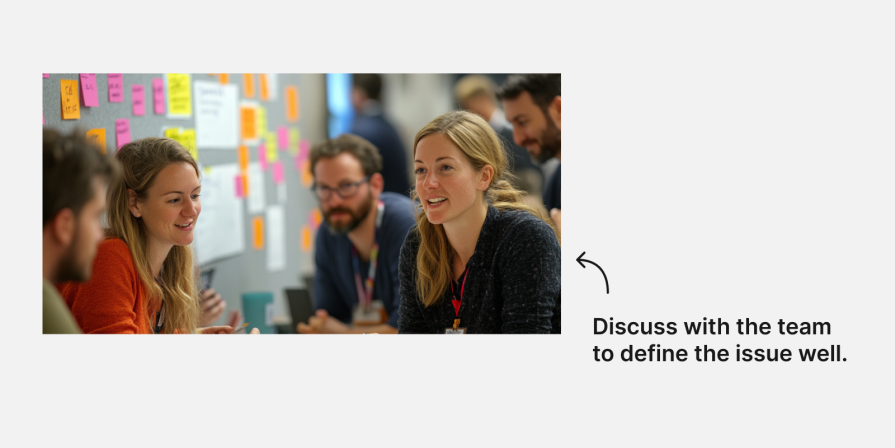
We have now entered the second “Diamond” of the model, which is also the solution phase. The first step in this Diamond is development. At this point, your team has done research and filtered unnecessary data to fully understand the problem. Now it’s time to brainstorm and test ideas:
This step allows you to use the knowledge you’ve acquired to design sketches, wireframes, and prototypes of the solution using tools like the following:
| Tool to use | Why you should use it | |
|---|---|---|
| Brainstorming workshops | Together, you and your team can develop ideas and possibilities for solving the problem you identified. Getting everyone involved in resolving the issue through ideation exercises like Crazy 8s, dot voting, and more ensures better alignment between team members. | |
| Idea sketching | Sketch many ideas for solving the issue using paper or a tablet. This is meant to be a very fast method that allows you to think freely and find ideas to solve the issue. For example, if you have a problem with navigation, you can create different solutions, like a side or top menu, and then start evaluating them. | |
| Low-fidelity wireframes and high-fidelity screens | Wireframes allow you to quickly get a sense of how the real solution might work without needing to be highly accurate. However, with the UI kits and design systems available today for quickly generating high-fidelity screens, wireframes are becoming less popular for showing different solutions to the team. Having said that, I sometimes prefer working with wireframes rather than high-fidelity screens when I want to show the team a process and avoid them focusing on details like colors or labels. | |
| Prototyping | With prototypes, you can test your solution, connect the screens, and add functionality. Today, it is very easy to do this in Figma or another design tool. AI-assisted prototyping has already accelerated early design exploration, and these tools continue to improve. Even so, designers still need to validate generated solutions with users before moving forward. | |
| Usability testing | Once you have a workable prototype, you can conduct usability tests with users to evaluate if the solution you offer meets their needs. In many cases, companies skip this step before development due to time limitations, but it is one of the most effective ways to evaluate your design. | |
In this phase, your design team selects a solution and then hands off the information to the developers, who will convert the design into code before delivering the final product to the users. This straightforward step mainly involves organizing and explaining the information:
Here are some tools and processes to leverage during this stage and why you might want to use them:
| Tool to use | Why you should use it | |
|---|---|---|
| Figma or another design tool | Ensure the development team has all the necessary information organized clearly so they can understand how to develop the solution. | |
| Miro, FigJam, or another whiteboard tool | Organize all the diagrams for the developers, for example, user flow or information architecture. | |
| Hand-off meeting | Meet with the development team to explain the solution so they know how to find the information and ask questions if they have any. | |
| Usability test | To get real feedback, conduct a usability test with real users to evaluate the solution and ensure there are no gaps to close. | |
Note that you can also switch up the usual design-to-code process and follow a code-to-design workflow instead if that works better for your design and development teams.
While the traditional Double Diamond begins by understanding the problem before exploring solutions, some teams work in the opposite direction. The reverse Double Diamond flips the order by starting with a solution, releasing or testing it quickly, and then using research to validate, refine, or rethink that decision.
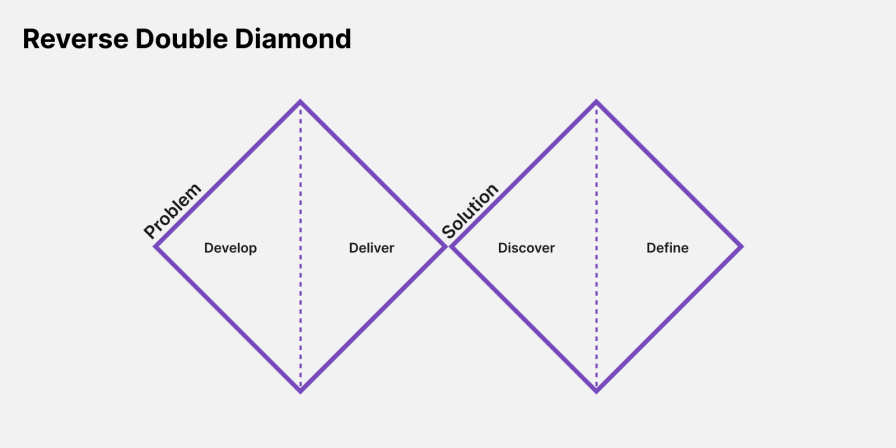
The idea here is to first develop a solution and see if it moves the needle instead of starting with analyzing the problem. This iterative approach is great for products and apps that need quick iterations to find solutions.
Instead of spending significant time validating a problem upfront, teams begin with a promising solution or hypothesis, ship it quickly, and then use user research, analytics, and feedback to determine whether the solution actually solves the right problem.
After the product is released, the team moves to the discovery phase, where they evaluate if the solution helps the user or the business. This flipped model is great for products where evolving user needs are the core of the work, and it’s important to quickly deliver solutions to users.
Let’s look at two different products that use the reverse model instead of the traditional one.
Imagine you released an onboarding process for an email analysis product. Some users complained to your customer success team that the onboarding process is very complex and hard to understand.
In that case, you already have some data to work with regarding what the problem is. You can therefore start focusing on the solution right away by asking yourself how to simplify the onboarding process. Then, after developing and releasing a solution with the team, research whether the solution you offer users improves the onboarding process.
Let’s imagine another scenario involving a SaaS translation application. The team launched a system to translate text into many languages at once, but customers weren’t using it.
Based on the hypothesis that customers either didn’t know about the updated feature or couldn’t understand how to use it, the team sought a solution. The team decided to mark the new feature in bold. After releasing the solution, the team can monitor usage and see whether more users use the new feature.
If more people use it, the problem is solved. If not, you can research why people do not use it.
The main difference between the two options is that the traditional model focuses on solving a defined process. The reverse model is better suited to products that undergo ongoing iterations.
The table below highlights when each approach is most appropriate:
| Factor | Traditional Double Diamond | Reverse Double Diamond |
|---|---|---|
| Purpose | Define a problem and then solve it using four steps: discovery, definition, development, and delivery. | Iterative feedback and adaptive cycles enable continuous refinement of both the problem and the solution. |
| Focus | A polished, final solution based on initial understanding. | Developing solutions based on post-implementation feedback. |
| Feedback | Early feedback influences the initial solution. | First solution, then feedback. |
| Key Outcomes | Single, fixed solution. | A solution that adapts to user needs, feedback, and external conditions. |
| Use Cases | One-off projects with a final deliverable (e.g., redesigning a product). | Projects and systems with recurring challenges (e.g., post-launch product refinements). |
| Scalability | Suitable for smaller projects or specific problems. | Suitable for large, complex systems. |
Let’s take a look at some tips that will help you use the flip double diamond process:
Like the traditional Double Diamond, the reverse model isn’t a rigid process. Teams often move back and forth between research and solution development as they gather new evidence.
The Double Diamond remains one of the most widely used UX frameworks, but it’s not without criticism. One common concern is that it can appear overly linear, suggesting that teams should move neatly from discovery to delivery without revisiting earlier decisions. In reality, few product teams work that way. Time constraints, evolving business priorities, and continuous user feedback often require designers to revisit research, redefine problems, or test new ideas throughout a project.
Rather than treating the Double Diamond as a rigid sequence of steps, many modern teams use it as a flexible mental model for balancing divergent and convergent thinking. The reverse Double Diamond approach discussed above is a good example of how the framework has evolved to support faster, more iterative product development. Teams may also skip phases, combine activities, or move back and forth between the problem and solution spaces as new evidence emerges.
Ultimately, the value of the Double Diamond isn’t in following every phase perfectly. It’s in reminding teams to spend time understanding the problem before committing to a solution and to keep validating both as the product evolves.
No. Although the two frameworks are closely related and are often used together, they are not the same.
Design thinking is a broader, five-stage methodology that typically includes Empathize, Define, Ideate, Prototype, and Test. It emphasizes building empathy with users and iteratively solving problems through human-centered design.
The Double Diamond, by contrast, is a four-phase framework built around alternating between divergent and convergent thinking across the problem and solution spaces: Discover, Define, Develop, and Deliver.
Many teams use design thinking methods within the Double Diamond process—for example, conducting user interviews during Discover or usability testing during Develop—but the terms aren’t interchangeable.
The first diamond focuses on understanding the problem before attempting to solve it. During the Discover and Define phases, teams gather research, identify user needs, synthesize findings, and narrow their focus to the most important problem to address.
The second diamond shifts from understanding the problem to creating and validating solutions. Teams explore multiple ideas, prototype promising concepts, test them with users, and prepare the final solution for implementation.
The most effective tools depend on the phase you’re in. Research methods such as user interviews and surveys support Discover, while affinity mapping and journey mapping help during Define. Prototyping and usability testing are central to Develop, and design handoff, QA, and post-launch monitoring support Deliver.
The reverse Double Diamond starts with developing and testing a solution before conducting deeper research. It’s particularly useful for iterative digital products where teams need to validate ideas quickly and refine them based on real user feedback after release.
Yes, but most teams treat it as a flexible framework rather than a rigid sequence of steps. Designers frequently revisit earlier phases, combine activities, or adapt the process to fit agile product development while still using the Double Diamond as a guide for balancing exploration with decision-making.
In this article, we explored the Double Diamond framework and how its four phases — Discover, Define, Develop, and Deliver — help teams move from understanding a problem to delivering a user-centered solution.
We also looked at the tools and techniques that support each phase, from design thinking, user research, wireframes, prototyping, and usability tests. Finally, we explored the reverse Double Diamond, a more iterative variation that reflects how many modern product teams work today.
Whether you’re designing a brand-new product or improving an existing one, the Double Diamond is best viewed as a guide rather than a rigid process. Teams rarely move through every phase in a perfectly linear way, but the framework remains valuable because it encourages thoughtful exploration before committing to a solution—and continuous validation as products evolve.
Ultimately, the Double Diamond isn’t about following a prescribed sequence of steps. It’s about helping teams ask the right questions at the right time, balancing exploration with decision-making to create better products for users.
LogRocket's Galileo AI watches sessions and understands user feedback for you, automating the most time-intensive parts of your job and giving you more time to focus on great design.
See how design choices, interactions, and issues affect your users — get a demo of LogRocket today.
The need for human centered design will only grow as technology evolves. Embracing these principles now will set you up to not meet but exceed the expectations of your users.
Synthetic users can generate convincing answers, but what do those answers prove? Learn how to challenge AI research claims and keep UX decisions grounded in real user behavior.
Your UX copy documentation isn’t just for human writers anymore. Here’s how to build a copy ecosystem that AI tools and agents can understand too.
Colors in UI aren’t just decoration. They’re the key to emotional impact, readability, and accessibility. This blog breaks down how to pick colors that don’t just look good — they work for your users.

 Learn more →