Editor’s note: This article was last updated by Emmanuel John in October 2026 to reflect the latest features and capabilities of Qodo, Traycer, CodeRabbit, and Sourcery. The update replaces CodeAnt AI with GitHub Copilot and refreshes the tool comparisons, testing results, and final recommendations.

It’s 2025, and AI code review tools are everywhere. They promise to catch your bugs, lock down your app, and even write parts of your test suite. The real question is whether any of them actually deliver.
So I lined up five of the leading tools, ran them on the exact same codebase, and compared how they performed in practice.
In this article, I’ll walk through that head-to-head test of the top AI code review tools in 2026 and what’s changed about each one:
All of them support GitHub integration for PR reviews, but that’s not what we’re focusing on here. The goal is simple: see how well they review code when you put them to work directly.
Before diving into each tool individually, here’s a quick head-to-head comparison so you can see how they stack up at a glance:
| Tool | Speed | Setup Time | Detail Level |
|---|---|---|---|
| Qodo | Very fast | Very fast | Very detailed |
| Traycer | Fast | Fast | Detailed |
| CodeRabbit | Fast | Fast | Moderate |
| Sourcery | Slow | Fast | Moderate |
| Github Copilot | Slow | Fast | Moderate |
Before getting into the results, we need a basic setup. You don’t need much, just enough to run the same tests I did:
To properly test these tools, you need a project with real issues. A simple Hello World app won’t reveal much – you want bugs, shaky security, and a few bad patterns sprinkled in. So I put together a small but realistically messy codebase for this comparison.
For the tools that accept prompts, I used four focused review prompts:
Across all tools, I evaluated three things:
And all of the prompts were built around three core themes:
First up is Qodo.
Qodo – formerly known as Codium – is an AI code review tool built to take the grunt work out of reviews and boost test coverage along the way. Qodo has repositioned entirely around what it now calls “Code review for agents. Governance for humans.” With Qodo 3.0, the product is no longer just a fast IDE review assistant; it’s a governance layer for organizations whose agents write most of the code: a context-aware PR review agent and a risk-intelligence dashboard tracking findings and resolution rates across every repo.
Qodo Gen is available for both VS Code and the JetBrains ecosystem. Getting started is straightforward: install the extension, sign in, and you’re ready to run your first review:
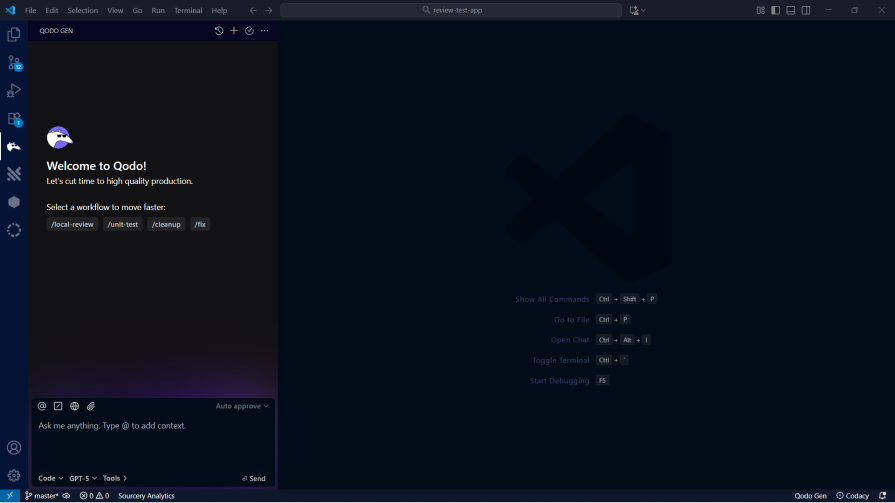
Let’s get into trying the test prompts on Qodo.
This is the prompt I used for the security review:
Perform a review of the changes in the codebase, focus on injection risks, authentication /authorization, secret exposure, insecure crypto, error handling, and dependency risks.
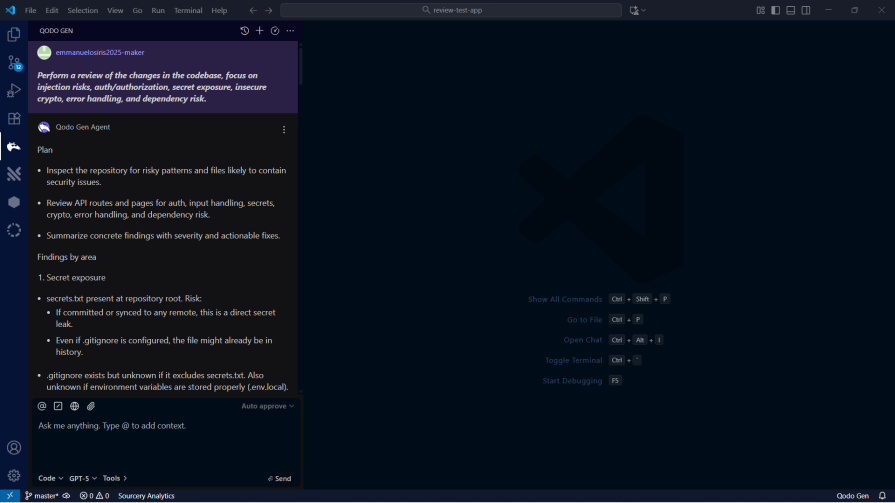
I understand this is a fairly small and less complex codebase, but it took Qodo less than a minute to scan and make a security review of the codebase. I consider this very impressive:

It’s pretty obvious the test app is packed with security issues.
I then went on with the next prompt:
Assess whether the changes in the codebase align with the feature intent. Also, identify any mismatch with API contracts or environment configurations.
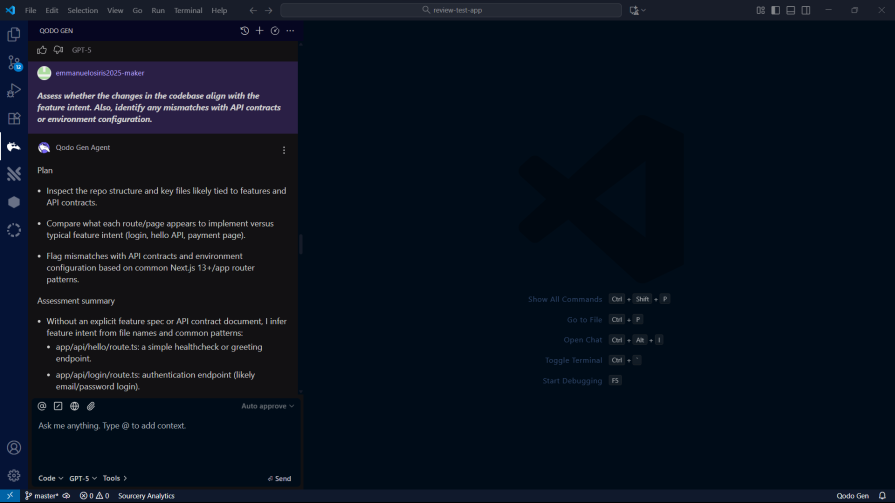
Qodo once again did not let me down, as it brought forth context alignment issues in the tested codebase even more than what I could spot out myself:

Now, let’s examine how Qodo handles modularity and design. A well-structured codebase is important for long-term maintainability, and AI tools should be able to identify and suggest improvements in this area.
I used the following prompt to test this:
Review the changes in the codebase for modularity and Flag tight coupling, leaky abstractions, or cross-layer concerns.
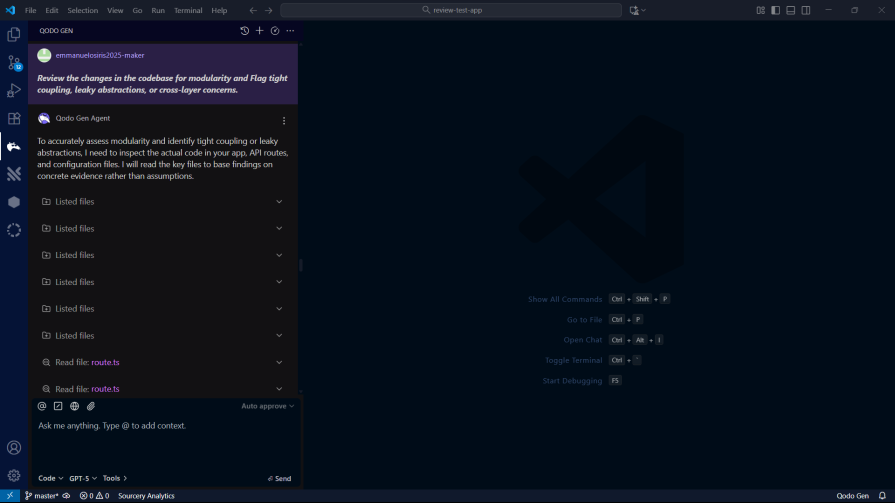
Qodo’s analysis of the codebase’s modularity was impressive. It identified several areas where the code could be refactored to improve separation of concerns:

The suggestions were not just generic best practices but were tailored to the specific context of the application. I have to say that Qodo is living up to the hype.
Finally, I asked Qodo to generate a consolidated report. I prompted it to:
Produce a review for this codebase covering security, context, and modularity.
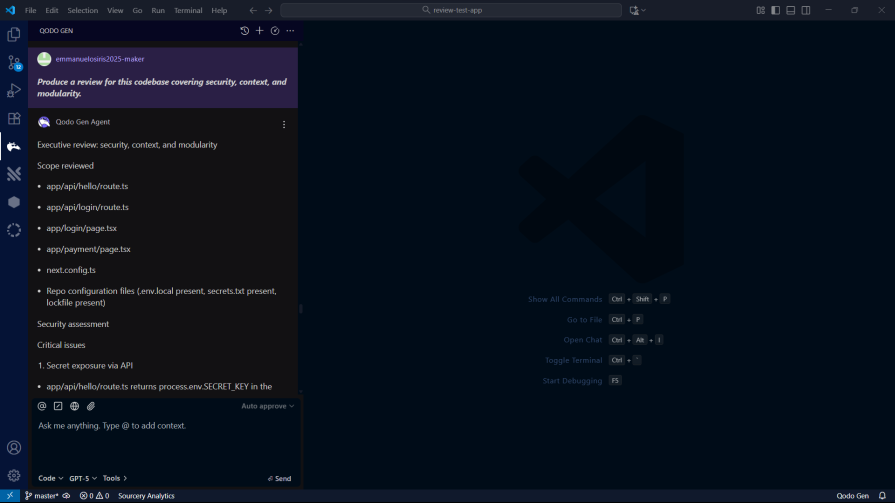
For the last prompt, Qodo took less than a minute to come up with what I expected it to do with the prompt.

Qodo really shines on speed. In my tests, it took under two minutes to scan the entire codebase and produce full reviews with clear suggestions.
It also doesn’t hold back on depth. Qodo breaks issues into critical, high, medium, and low severity, and explains each one with enough detail that you actually understand the risk and how to fix it.
If you’re choosing a tool for an organization running agent-written code at scale, Qodo’s Rules System and risk-intelligence layer are now arguably its bigger differentiator than raw review speed.
Traycer is the next tool I tested. It’s free for the first seven days, and after that you’ll need a paid plan to keep using it.
Traycer has moved the furthest of any tool in this comparison. It now bills itself as “The Nerve Center for Agentic Coding,” a workspace that orchestrates Claude Code, Codex, Cursor, and OpenCode side by side, lets agents communicate with each other, and ships built-in skills for planning, debugging, documenting, and reviewing.
You can install Traycer as an extension in your preferred editor. Once it’s installed, just log in with your Traycer account, and you’re set.
Traycer currently supports:
After logging in, you’ll see a screen like this:
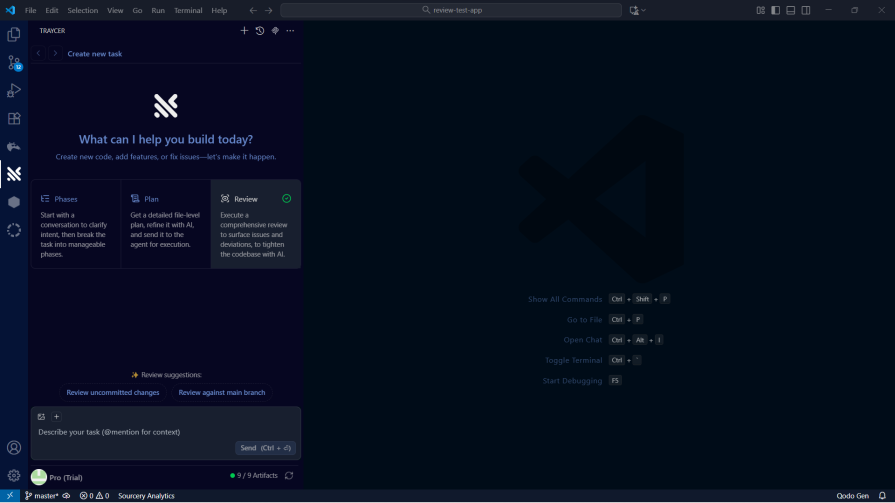
Here’s the first prompt I tested Traycer with:
Perform a review of the changes in the codebase, focus on injection risks, authentication /authorization, secret exposure, insecure crypto, error handling, and dependency risks.
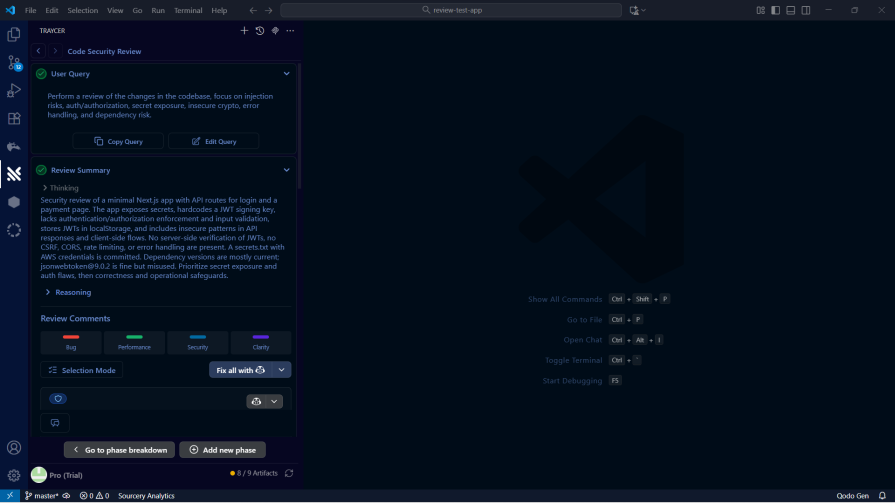
Traycer flagged several potential security risks, including an SQL injection in the codebase:
I then tested Traycer with the second prompt:
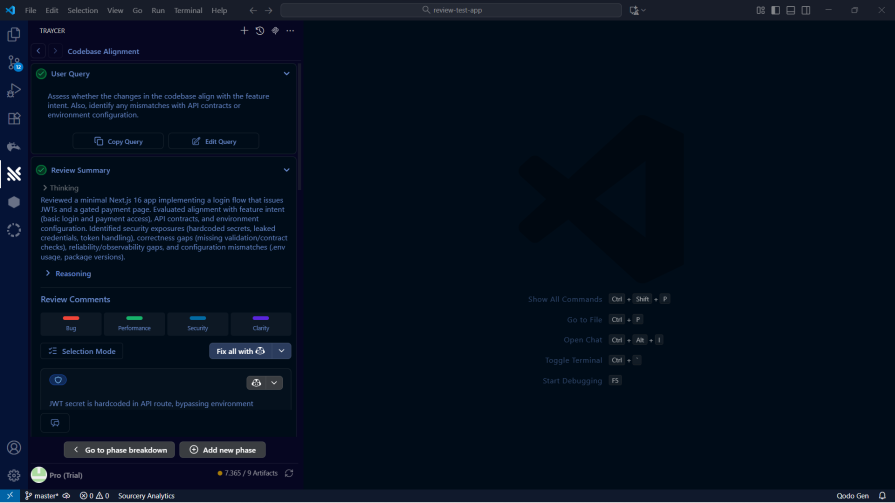
Assess whether the changes in the codebase align with the feature intent. Also, identify any mismatches with API contracts or environment configurations.
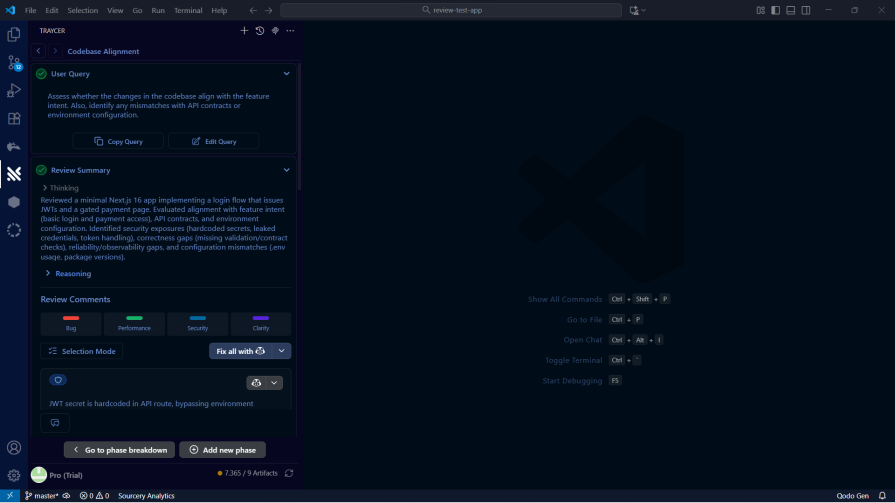
Traycer uses a minimal, list-style interface that surfaces items to fix or improve in the codebase. It took a little over a minute to generate its review, and even with that extra time, the output wasn’t as detailed as what Qodo produced earlier:
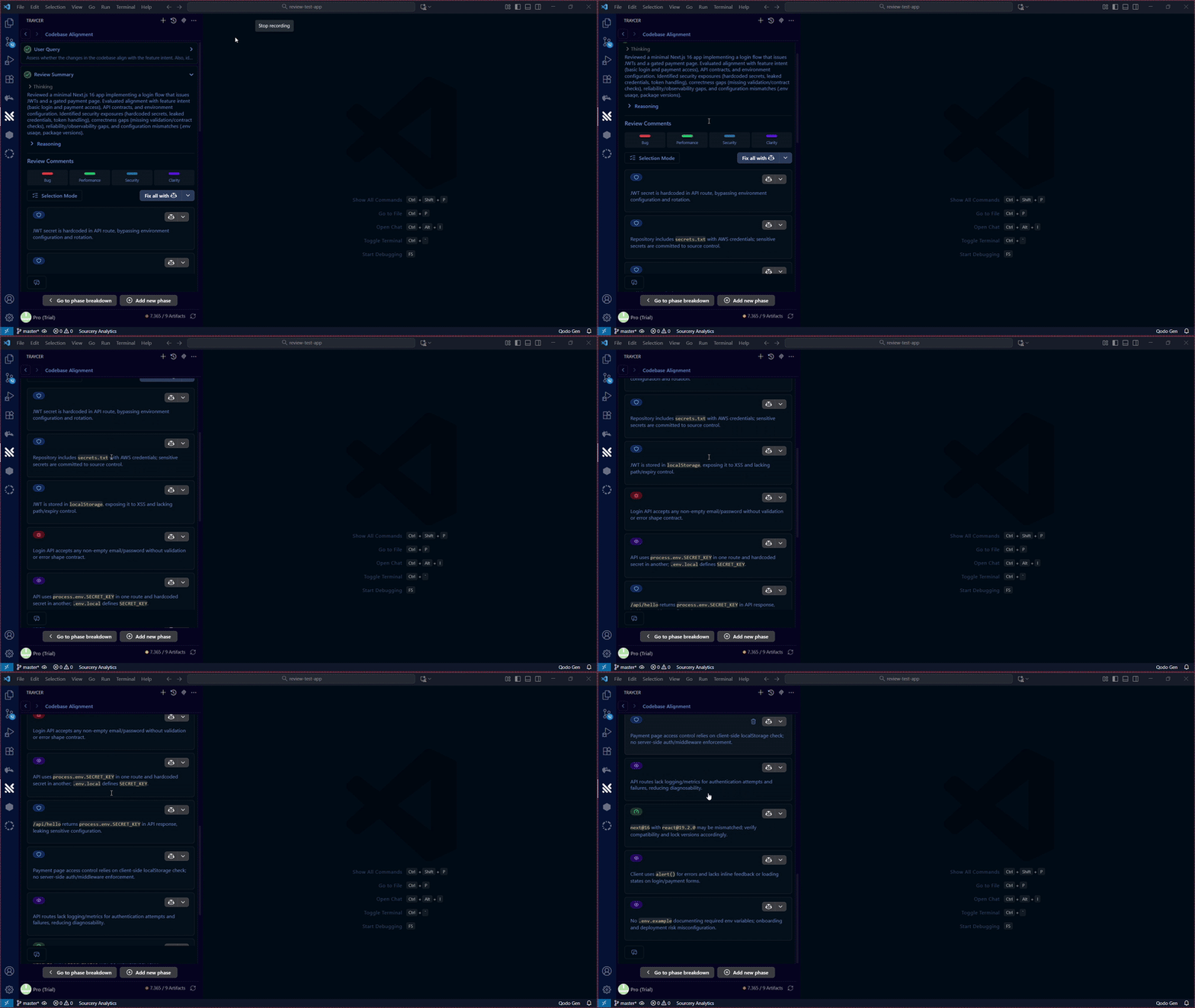
Traycer seemed to have been very accurate in getting the intent of the codebase and how the codebase has veered off its intent:

Next, I tested Traycer’s modularity and design analysis capabilities. I used the same prompt as before to see how it would fare.
Review the changes in the codebase for modularity and Flag tight coupling, leaky abstractions, or cross-layer concerns.
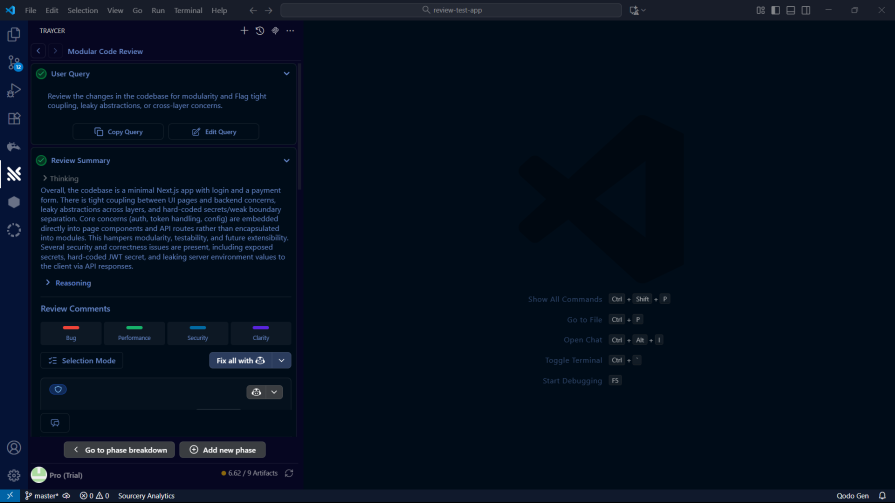
Traycer’s suggestions were relevant, but they lacked the depth and context that Qodo provided.
Finally, I asked Traycer for a consolidated report. This would show how well it can bring together all the different aspects of the code review into a single, actionable report.
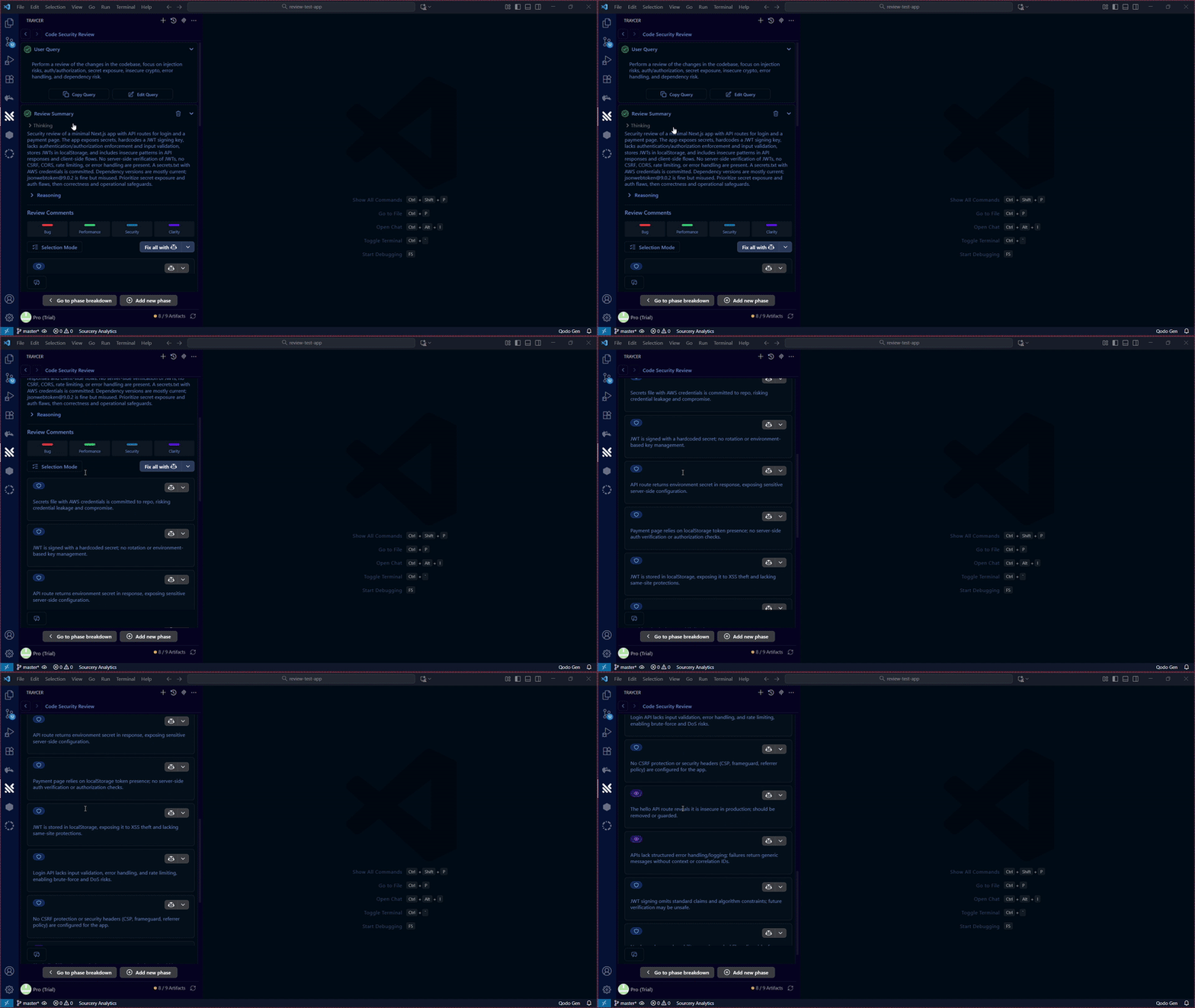
Produce a review for this codebase covering security, context, and modularity.
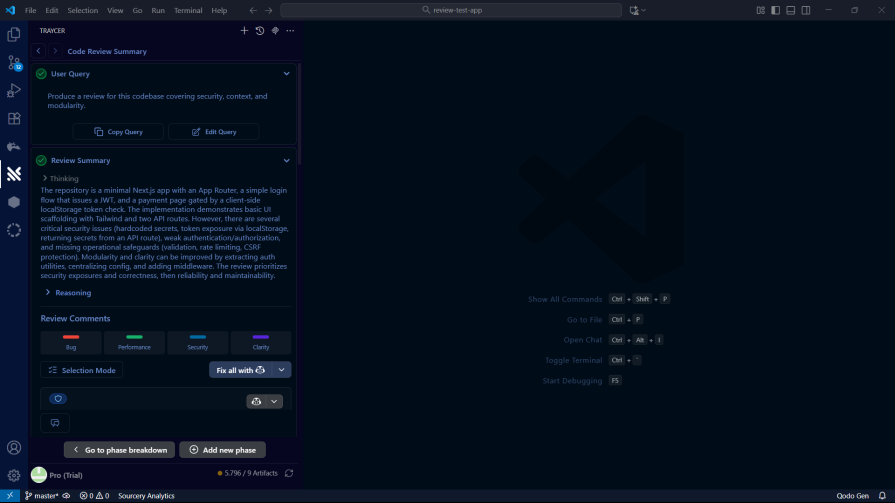

One thing Traycer does well is how it organizes the issues it finds. Everything gets grouped under categories like bug, performance, security, and clarity, which makes the results easy to skim and work through:
Verdict on Traycer
Traycer is painless to set up – install the extension, log in, and you’re ready.
On speed, though, it lags behind Qodo. It took a little over a minute to generate its analysis. Not a deal breaker, but you feel the difference.
The reports themselves weren’t as thorough either. Traycer leans more toward high-level, whereas Qodo digs deeper into each issue. Tracer also incorporates a multi-agent orchestration layer, meaning you can have multiple review agents running at the same time.
Next up is CodeRabbit. It’s a well-known AI code review tool that pitches itself as a way to cut review time and bugs in half. It now frames itself around “agentic change management” with four pillars: Review (the original PR review, now with configurable Quiet/Chill/Assertive profiles and a “Codegraph” context engine), Triage (scoring, ranking, and routing a flooded PR queue), Change Stack (turning thousand-line agent-generated diffs into semantic summaries and blast-radius diagrams), and Security (continuous AI-driven vulnerability monitoring, not just pattern matching).
CodeRabbit works in VS Code, Cursor, and Windsurf. The setup is the same as the others: install the extension, sign in, and you’re good to go.
CodeRabbit is built specifically for code review. Unlike the prompt-driven tools, you don’t ask targeted questions. You just run it on your codebase, let it generate a review, and then go through the issues. For smaller items, you can even let CodeRabbit auto-fix them for you:
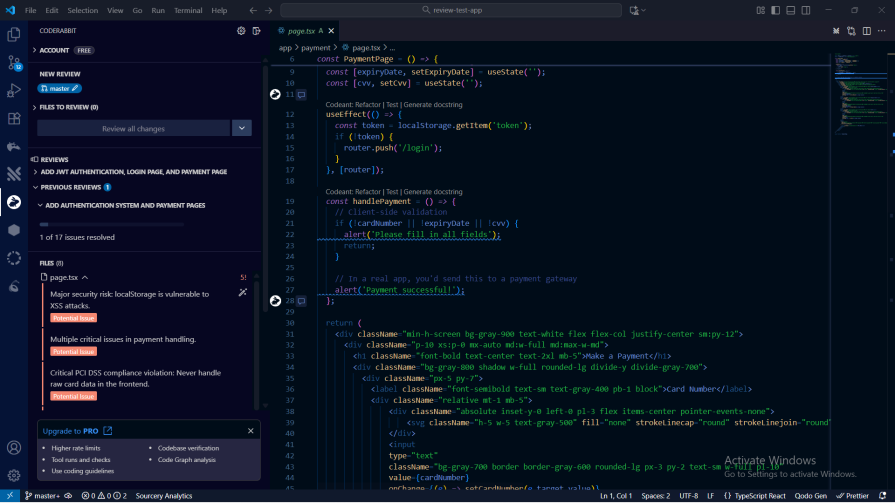
CodeRabbit’s workflow is a little different from the others. There are no prompts – it just scans your code and gives you a list of issues. That’s great if you want a quick, low-effort pass over your project.
The tradeoff is flexibility. Since you can’t steer the analysis, you can’t ask it to focus on security, or modularity, or API alignment the way you can with the prompt-based tools. That makes it a bit less adaptable.
Even so, it is a solid option. It’s simple, easy to run, and the feedback it provides is genuinely useful.
CodeRabbit is now the most-installed AI app on both GitHub and GitLab, with over 6 million repositories under review.
Sourcery positions itself as a code review platform built with security and speed in mind.
It now reviews full pull requests directly on GitHub and GitLab, posting a PR summary alongside inline review comments, and it can auto-approve low-risk PRs with no blocking findings so they merge as soon as CI passes. Suggested fixes can be committed straight to the PR in one click. It also adds always-on security scanning, schedules deep scans, and runs per-PR checks for exposed secrets.
You can install Sourcery in several editors, including:
Once the extension is installed, sign in with your Sourcery account, and you’re ready to use it.
I used the same prompt for the security review: Perform a review of the changes in the codebase, focus on injection risks, authentication /authorization, secret exposure, insecure crypto, error handling, and dependency risks.
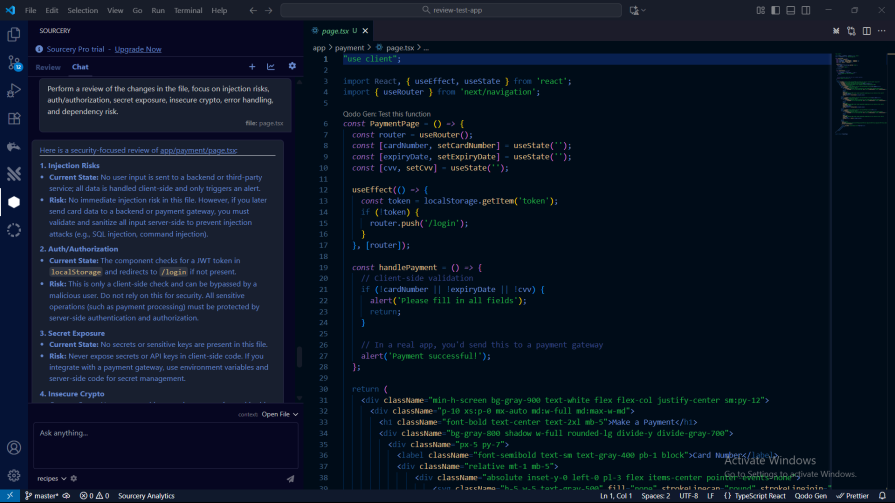
It surfaced a few useful details, but nowhere near the depth you get from Qodo or Traycer:

It also ended up being the slowest tool in the entire lineup.
Assess whether the changes in the file align with the feature intent. Also, identify any mismatches with API contracts or environment configurations.
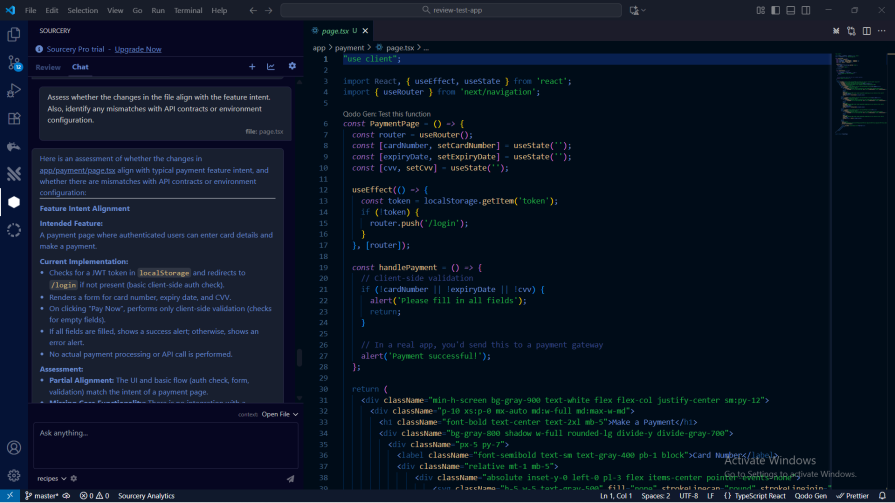

It correctly analysed the intent of the page, the current implementation, and the assessment of the page:
Next, I ran the modularity prompt:

Review the changes in the file for modularity and Flag tight coupling, leaky abstractions, or cross-layer concerns.
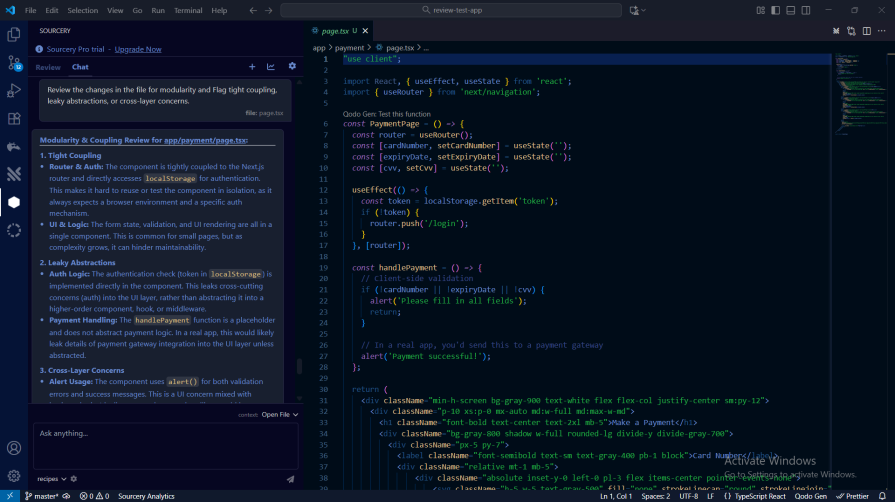
It highlighted issues with poor modularity and tight coupling:
Prompt:
Produce a review for this codebase covering security, context, and modularity.
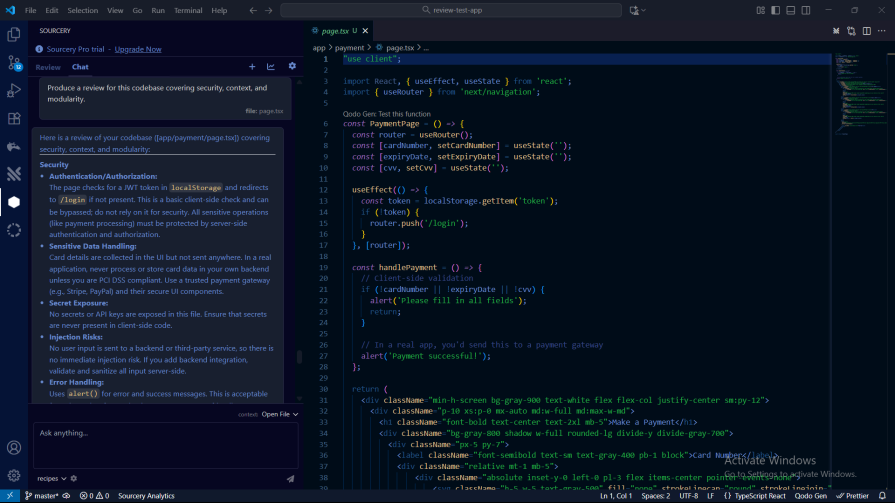
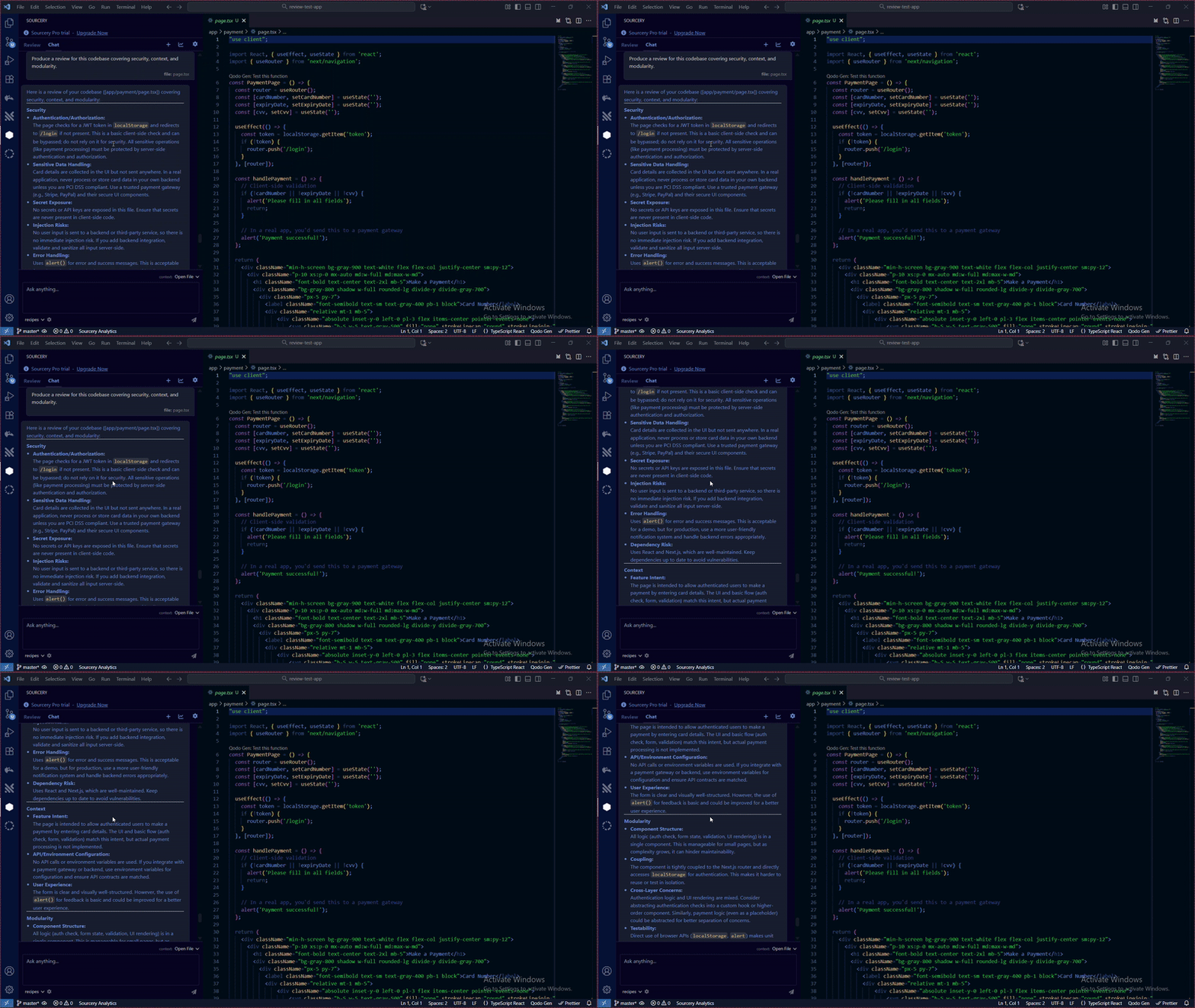
Finally, I asked Sourcery to generate a consolidated report. It was easy enough to read, but it didn’t have the depth or level of detail that Qodo and Traycer delivered.
The single-file limitation that drove most of the 2025 criticism is gone. Sourcery reviewing a whole PR at once, understanding how changed files relate to each other, closes the biggest gap between it and Qodo or CodeRabbit. Combined with auto-approval for low-risk PRs and one-click fix commits, Sourcery is more like a lightweight, security-focused alternative to CodeRabbit, still not as deep as Qodo’s governance layer, but a credible, lower-friction PR bot on its own merits.
GitHub Copilot now ships a dedicated code review capability on top of its familiar autocomplete and chat features. It works two ways: as a reviewer, you can request it directly on a GitHub pull request, and as an in-editor reviewer through Copilot Chat in VS Code, which is what we used here to keep the comparison consistent with the other IDE-based tools.
If your team already has a GitHub Copilot seat, there’s effectively nothing to install. Copilot Chat ships with VS Code’s built-in GitHub Copilot extension, so there’s no separate sign-up, no new account, and no extra extension to add. You open Copilot Chat, make sure you’re signed in with a Copilot-enabled GitHub account, and you can start reviewing immediately:
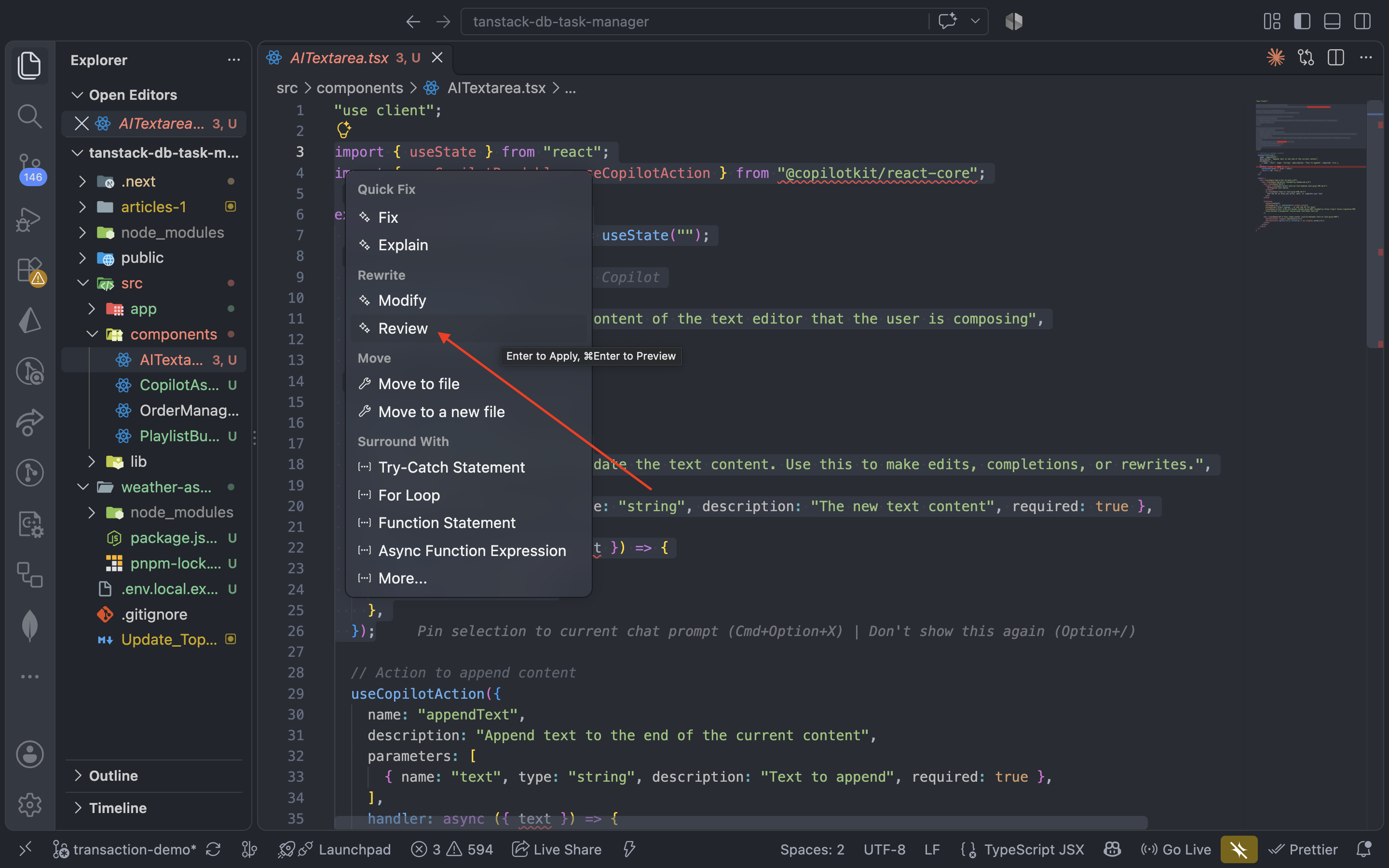
To review a section of your code, highlight the code block, then click on the yellow bulb icon and click Review.
Here is the outcome of our review:
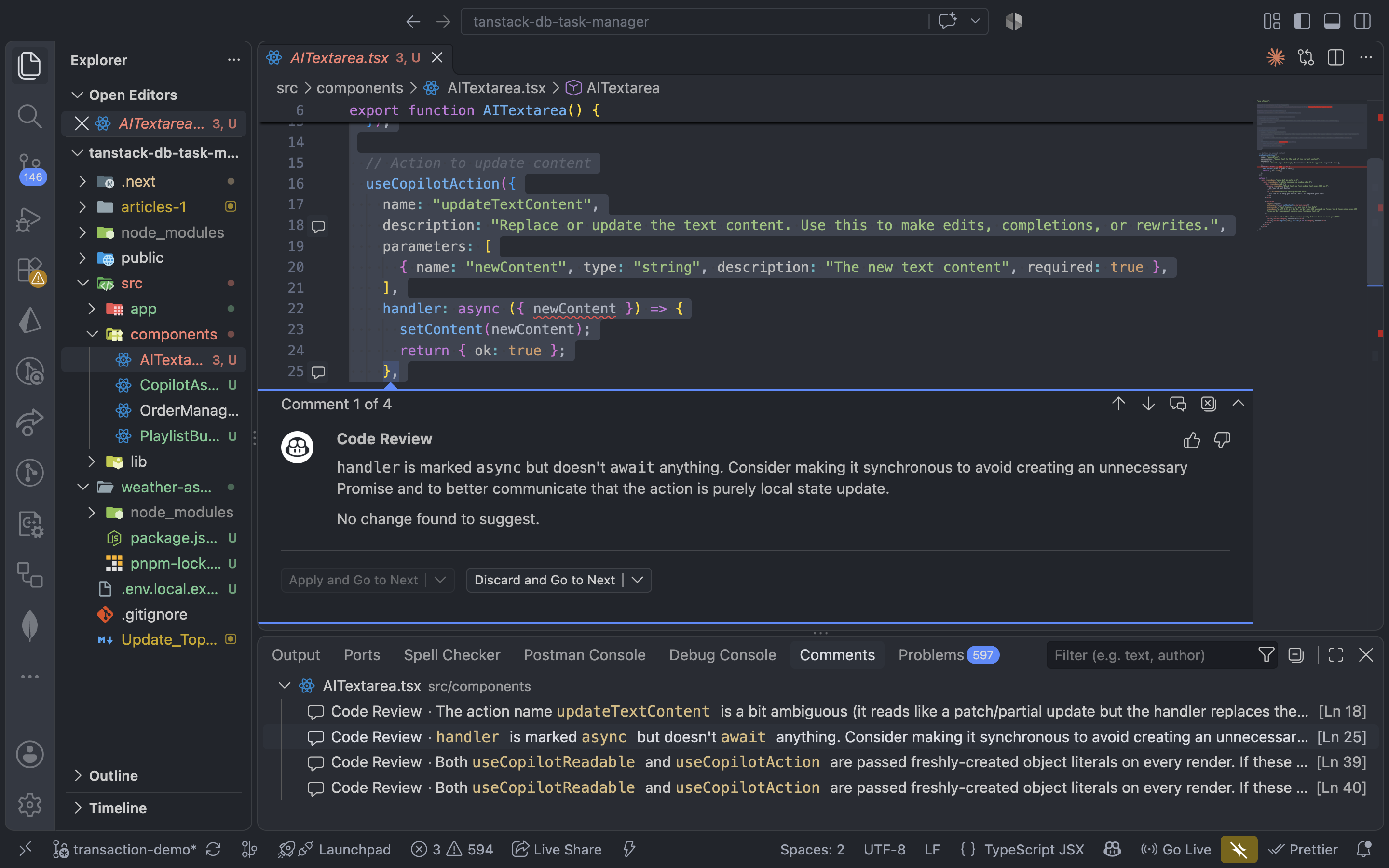
You can also review changes locally before committing your changes:
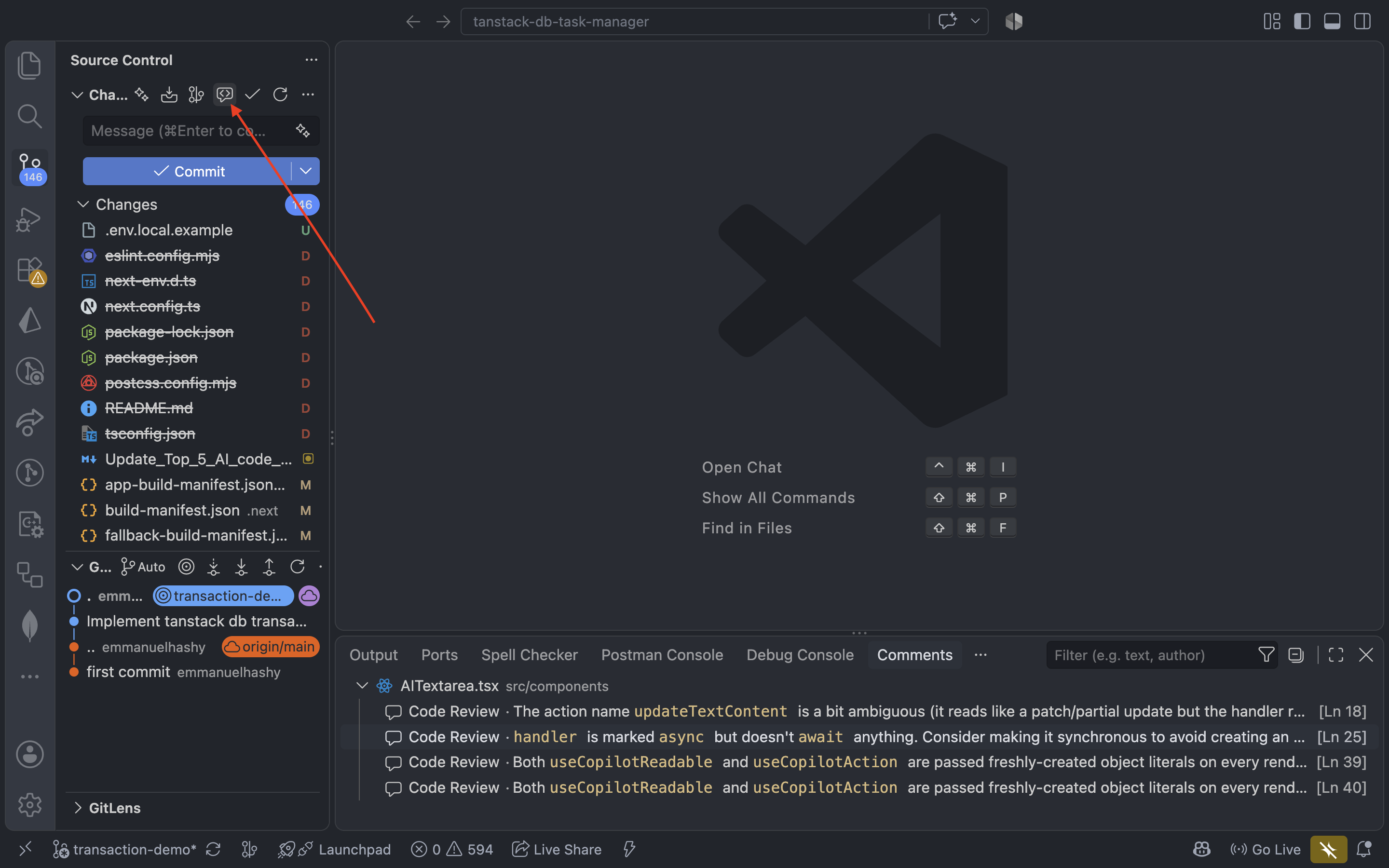
Also, you can use the chat interface for specific review prompts.
GitHub Copilot’s biggest advantage isn’t speed or depth; it’s that most teams already have it. There’s no new vendor to onboard, no separate account, and no extra seat to budget for if you’re already paying for Copilot. On a GitHub pull request, you can also just request Copilot as a reviewer directly, no prompting required, closer to CodeRabbit’s zero-prompt workflow than to Qodo’s.
After running all the tests, Qodo comes out on top. It’s the fastest, the most detailed, and easily the most flexible tool in the group. The interface is straightforward, and the prompt-based workflow makes it easy to dig into exactly what you want.
Traycer lands in a solid second place. It’s not as quick or as thorough as Qodo, but it still delivers useful insights and is simple to work with. GitHub Copilot is the easiest to integrate since most teams work with GitHub.
CodeRabbit and Sourcery all have their place, but they don’t match what Qodo and Traycer offer. They’re slower, less detailed, and not nearly as adaptable.
If you want the fastest AI code review tool right now, Qodo is the clear pick. If you’re picking one tool today with no other context: start with CodeRabbit for breadth and adoption, and add Qodo if your organization specifically needs standards enforcement and governance across teams.

Compare five React toast libraries for features, bundle size, accessibility, performance, and React 19 compatibility.
See how Tecovas built a patching agent that turns LogRocket’s Galileo AI issue analysis into GitHub PRs, with a developer reviewing every fix before it ships.
Explore OctaneJS, a compiler-first alternative to React. Build a task dashboard and learn about rendering, hooks, asynchronous UI, and React compatibility.

Explore Vercel’s vgpu, a WebGPU library for AI agents. Learn to build a dynamic shader in Next.js and validate rendering output with headless testing in Node.js.
Hey there, want to help make our blog better?
Join LogRocket’s Content Advisory Board. You’ll help inform the type of content we create and get access to exclusive meetups, social accreditation, and swag.
Sign up now
 Learn more →