

When a landing page needs some 3D, Three.js is a common starting point. Even a floating sphere needs a renderer and camera, plus materials and an animation loop. Resize handling adds more code before the scene feels at home on the page.
For a decorative hero, that setup can feel like a lot. A glassy shape and a few orbiting objects can give a page the effect you want without imported models or physics.
GPU Style Sheets (GSS) lets you describe those scenes with CSS-like selectors and @keyframes. Its JavaScript compiler and runtime turn that description into a GPU-rendered canvas. You still ship JavaScript, but GSS handles much of the rendering setup and animation code. The examples here use gss-lang 0.0.7, whose README warns that the syntax may change.
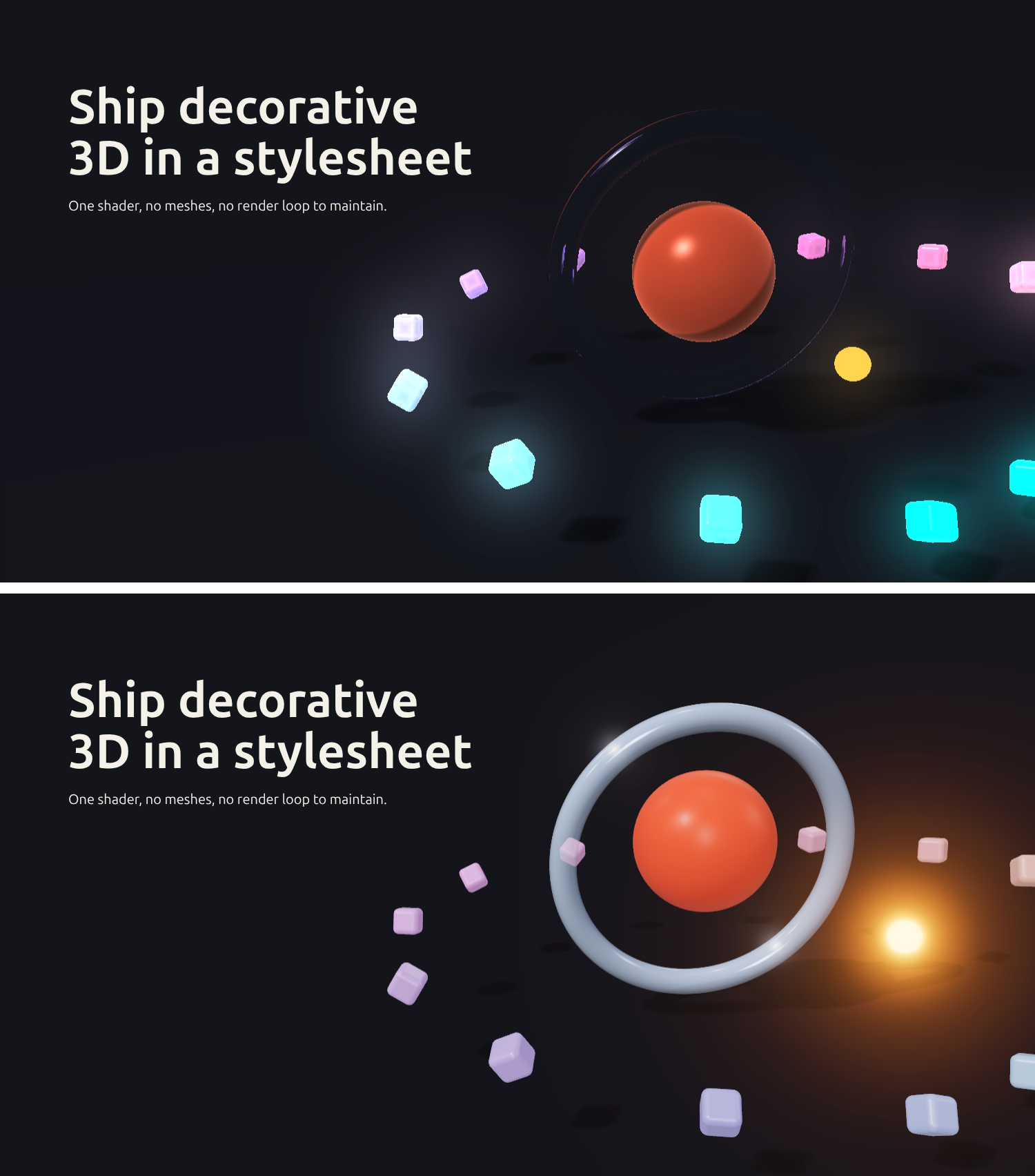
In this article, you’ll build the hero below in GSS one layer at a time and compare it with a Three.js implementation. Then we’ll measure the JavaScript download and examine the rendering costs. These heroes use different material and lighting techniques, so the results describe this demo rather than an equivalent-output benchmark of the two libraries.
The companion repository pins GSS 0.0.7 and Three.js r187. To follow along locally, use Node.js 22.12 or later and pnpm:
git clone https://github.com/Ikeh-Akinyemi/gss-vs-threejs.git
cd gss-vs-threejs
pnpm install --frozen-lockfile
pnpm dev
Open the local URL printed by Vite. The steps/ directory contains the complete scene for each stage; later snippets show the changes to make as you build on the previous version.
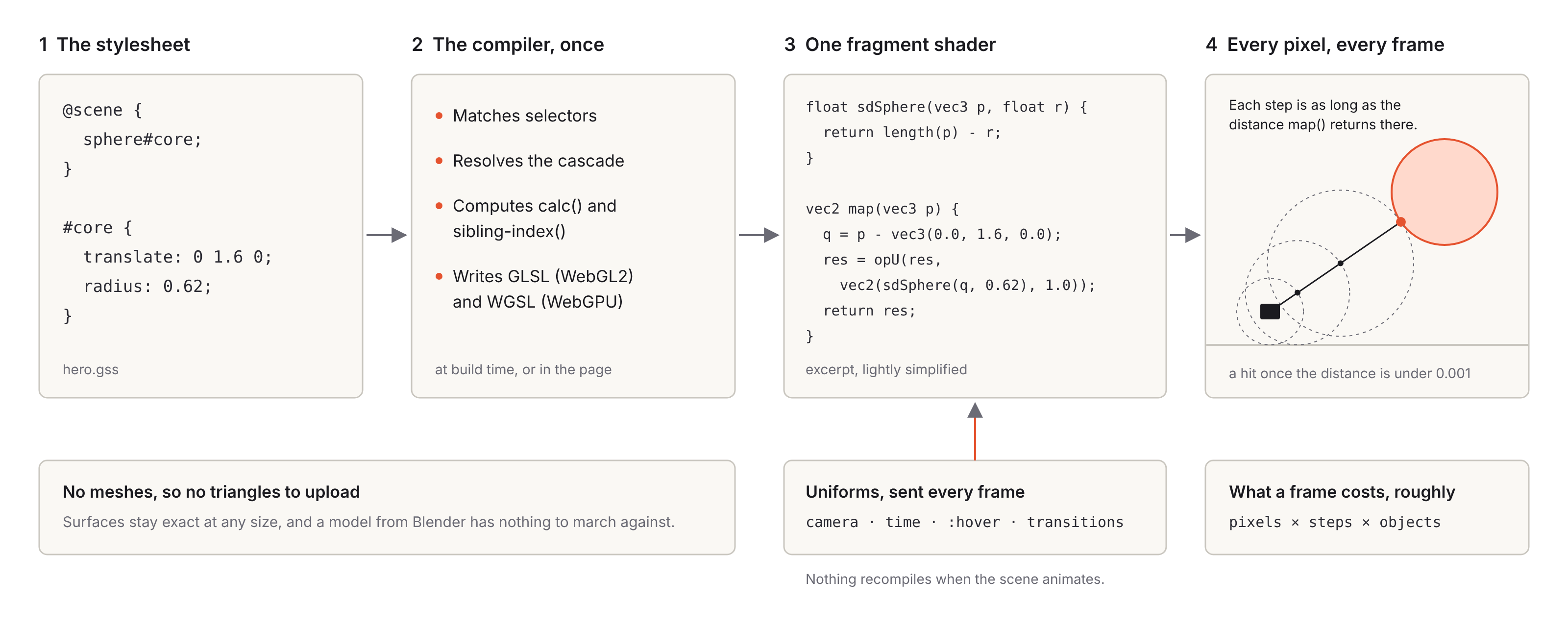
The GSS compiler matches selectors, resolves the cascade, and evaluates static expressions such as calc() and sibling-index(). It emits scene shaders in GLSL for WebGL2 and WGSL for WebGPU. The <gss-scene> element defaults to WebGL2; backend="auto" lets it select a supported backend. Effects such as bloom add postprocessing passes to the base scene render.
Inside the shader, each shape is represented by a signed distance function: a formula that returns the distance from a point to the shape’s surface. For a sphere, that’s the distance to its center minus its radius. For each pixel, the shader sends a ray from the camera and repeatedly advances it toward the nearest surface until it finds a hit or reaches a limit. Camera position and animation time reach the shader as uniforms, so ordinary animation doesn’t require recompiling the GSS source.
GSS draws these shapes without polygon meshes. Curves avoid tessellation artifacts, although their edges can still alias at the canvas’s pixel resolution. Rendering cost depends on how many pixels the scene covers and how much work each ray performs, including shadow and material calculations. GSS 0.0.7 supports its own shapes rather than arbitrary models imported from Blender or a glTF file.
The quickest way to try GSS is the <gss-scene> element. Load the browser module from jsDelivr and write the stylesheet inside the element. Serve the page over HTTP(S), and point poster to an image you have provided. The companion repo includes /poster.png.
<script type="module" src="https://cdn.jsdelivr.net/npm/[email protected]/lib/embed.js"></script>

<gss-scene style="display: block; width: 100%; height: 420px;" poster="/poster.png">
  <script type="text/gss">
    @scene {
      sphere#core;
    }

    scene {
      background: #efe9df;
      floor: none;
      camera-target: 0 1.6 0;
    }

    #core {
      radius: 0.62;
      color: #ff5a36;
      animation: float 3.2s ease-in-out alternate;
    }

    @keyframes float {
      from { translate: 0 1.5 0; }
      to { translate: 0 1.75 0; }
    }
  </script>
</gss-scene>
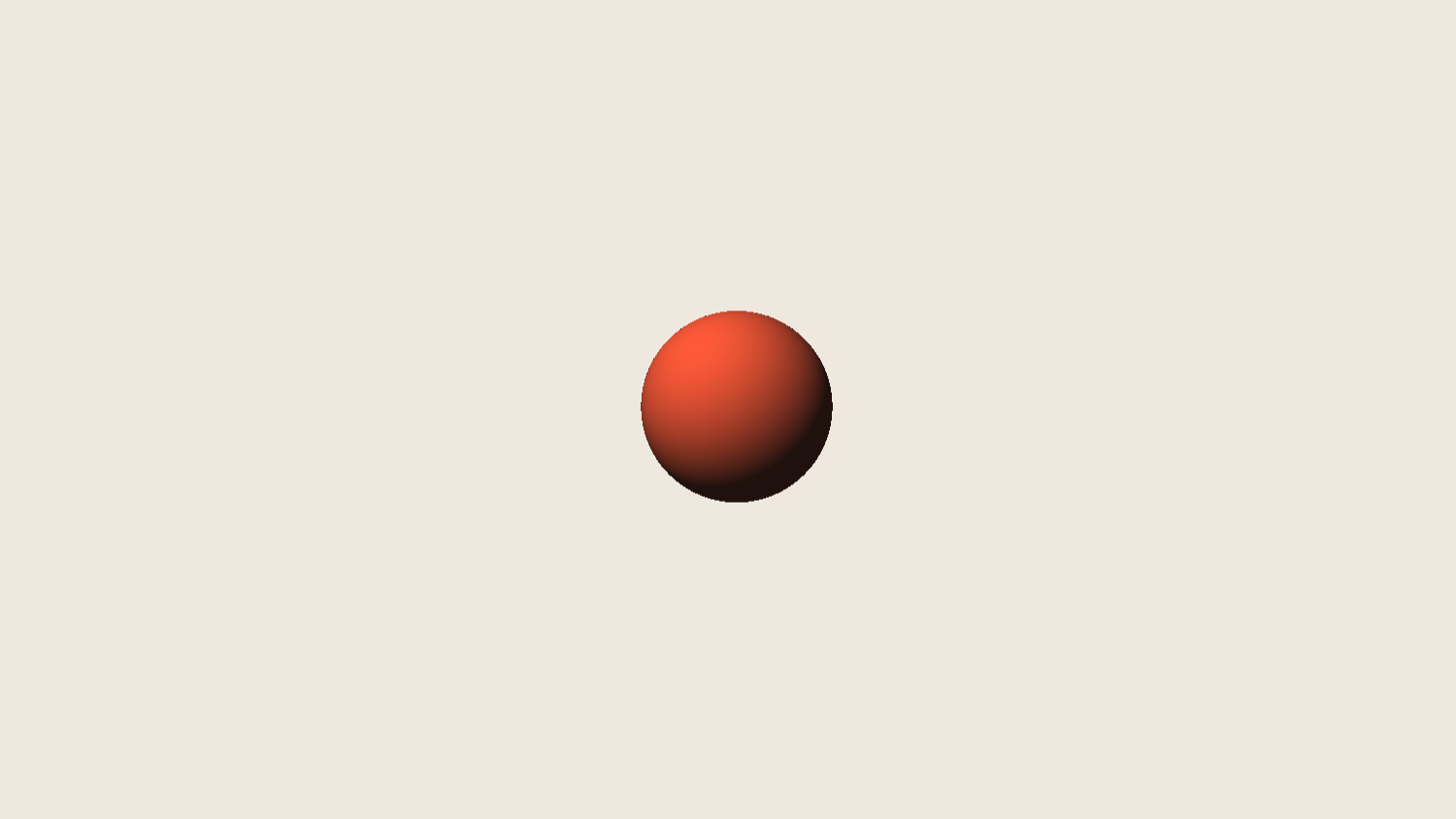
The @scene block declares a sphere with the ID core. The rules below it style that sphere and the scene itself. Here, scene sets the background, disables the floor, and moves the point the camera looks at. Dragging orbits the camera by default, while poster supplies a still image until the scene draws. GSS 0.0.7 uses an opaque canvas, so match its background to the page.
Two defaults differ from CSS. GSS animations repeat forever and use linear easing unless you say otherwise, which is why float keeps bobbing without infinite. You can try this scene in the playground.
For a similar sphere in Three.js, start with <canvas id="scene" style="display: block; width: 100%; height: 420px;"></canvas> in the page. The JavaScript module creates the renderer and camera, then adds lighting and orbit controls:
import * as THREE from "three";
import { OrbitControls } from "three/addons/controls/OrbitControls.js";

const canvas = document.querySelector("#scene");
const renderer = new THREE.WebGLRenderer({ canvas, antialias: true });
renderer.setPixelRatio(Math.min(devicePixelRatio, 2));

const scene = new THREE.Scene();
scene.background = new THREE.Color(0xefe9df);
scene.add(new THREE.AmbientLight(0xffffff, 0.3));
const sun = new THREE.DirectionalLight(0xffffff, 2.5);
sun.position.set(-1, 2, 1);
scene.add(sun);

const camera = new THREE.PerspectiveCamera(37, 1, 0.1, 100);
camera.position.set(0, 4.7, 7.4);
const controls = new OrbitControls(camera, canvas);
controls.target.set(0, 1.6, 0);
Then come the sphere itself, a resize handler and the loop that animates every frame.
const core = new THREE.Mesh(
  new THREE.SphereGeometry(0.62, 64, 32),
  new THREE.MeshStandardMaterial({ color: 0xff5a36 }),
);
scene.add(core);

new ResizeObserver(() => {
  renderer.setSize(canvas.clientWidth, canvas.clientHeight, false);
  camera.aspect = canvas.clientWidth / canvas.clientHeight;
  camera.updateProjectionMatrix();
}).observe(canvas);

renderer.setAnimationLoop((time) => {
  // Each direction takes 3.2 seconds, with sinusoidal easing
  const k = (1 - Math.cos((time / 3200) * Math.PI)) / 2;
  core.position.y = 1.5 + 0.25 * k;
  controls.update();
  renderer.render(scene, camera);
});
The GSS element starts drawing when it enters the viewport, pauses offscreen, and respects prefers-reduced-motion. The short Three.js example above still needs those behaviors. The repository’s finished Three.js hero includes them using an IntersectionObserver and a media query. Its sinusoidal bobbing also approximates the GSS easing curve; it doesn’t reproduce that curve exactly.
The sphere starts to look like a hero once it has a floor, lighting and other objects around it. This version adds a glass ring and a glowing moon, gives the core a jelly material, and turns on the floor, a sun, soft shadows and fog.
@scene {
  torus#ring;
  sphere#core;
  sphere#moon;
}

scene {
  background: #efe9df;
  floor: #e6dfd3;
  light: -50deg 45deg;
  ambient: 0.3 #9db4ff;
  shadows: soft;
  fog: 8 18;
  camera-target: 0 1.6 0;
}

#ring {
  translate: 0 1.6 0;
  rotate-x: 72deg;
  rotate-z: -14deg;
  radius: 1.25;
  thickness: 0.12;
  material: glass(#d9ecff, 1.45);
}

#core {
  radius: 0.62;
  color: #ff5a36;
  material: jelly(0.55);
  animation: float 3.2s ease-in-out alternate;
}

#moon {
  translate: 1.6 1.2 0.8;
  radius: 0.12;
  material: emissive(#ff9d3a, 1.2);
}

@keyframes float {
  from { translate: 0 1.5 0; }
  to { translate: 0 1.75 0; }
}
Each material is a single declaration. glass() takes a tint and refractive index, while jelly() simulates light passing through thin parts. emissive() makes the moon appear bright, but does not illuminate nearby objects. The shadows: soft setting produces a penumbra that widens with distance from the casting object. Fog blends the scene into its background between 8 and 18 units from the camera. Try the materials scene in the playground.
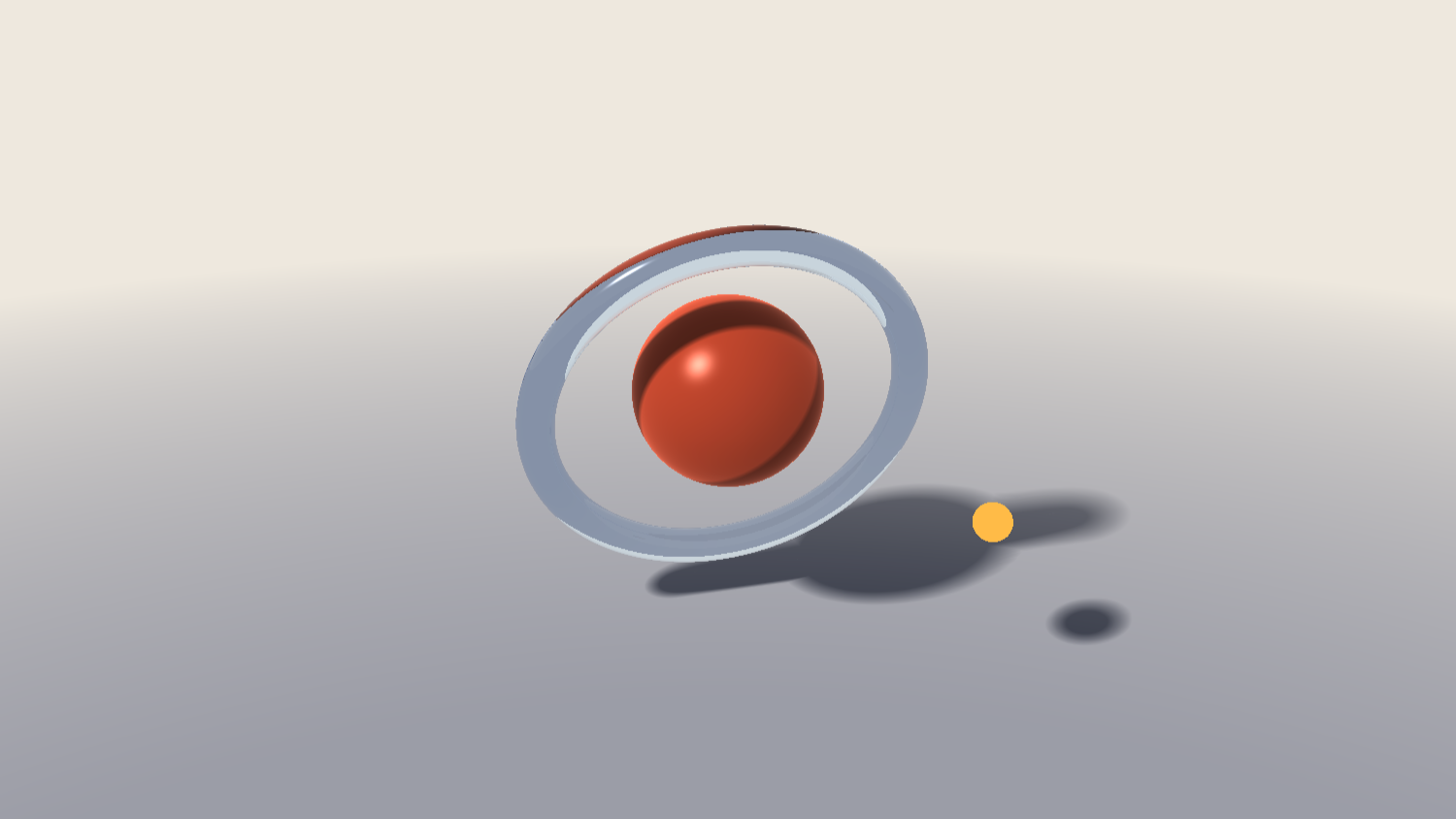
GSS traces refracted rays through its scene to show objects behind the glass. Three.js transmission uses a render of opaque scene content, which doesn’t include the HTML page behind a transparent canvas. In r187, that transmission render also clears to half-transparent white when the renderer’s clear alpha is below 1.
For this demo, the Three.js ring uses a reflective material with reduced opacity. That choice produces a different result from GSS glass and is one reason to treat the performance comparison as specific to these implementations.
Shadows need some setup in Three.js too. The following excerpt configures the existing sun; floor refers to the floor mesh in the complete example:
renderer.shadowMap.enabled = true;
renderer.shadowMap.type = THREE.PCFShadowMap;
sun.intensity = 2.2;
sun.position.set(-4, 5, 4);
sun.castShadow = true;
sun.shadow.mapSize.set(2048, 2048);
sun.shadow.radius = 6;
Object.assign(sun.shadow.camera, { left: -6, right: 6, top: 6, bottom: -6 });
core.castShadow = true;
floor.receiveShadow = true;
The blur radius applies to this light’s shadow map, and its effect depends on the shadow-map type and resolution. GSS soft shadows and glass have their own costs: shadow rays and extra reflection or refraction work add to the raymarching needed for each affected pixel.
Bloom takes one more GSS declaration: filter: bloom(1.4, 40px) on the scene. It can also brighten a light background, so the finished hero enables it only in dark mode.
The Three.js version uses an EffectComposer configured with RenderPass, UnrealBloomPass, and OutputPass. The bloom stage performs several internal passes. This demo also supplies a multisampled render target, since enabling antialiasing on the canvas renderer alone does not antialias the composer’s offscreen targets. Try bloom in the playground.
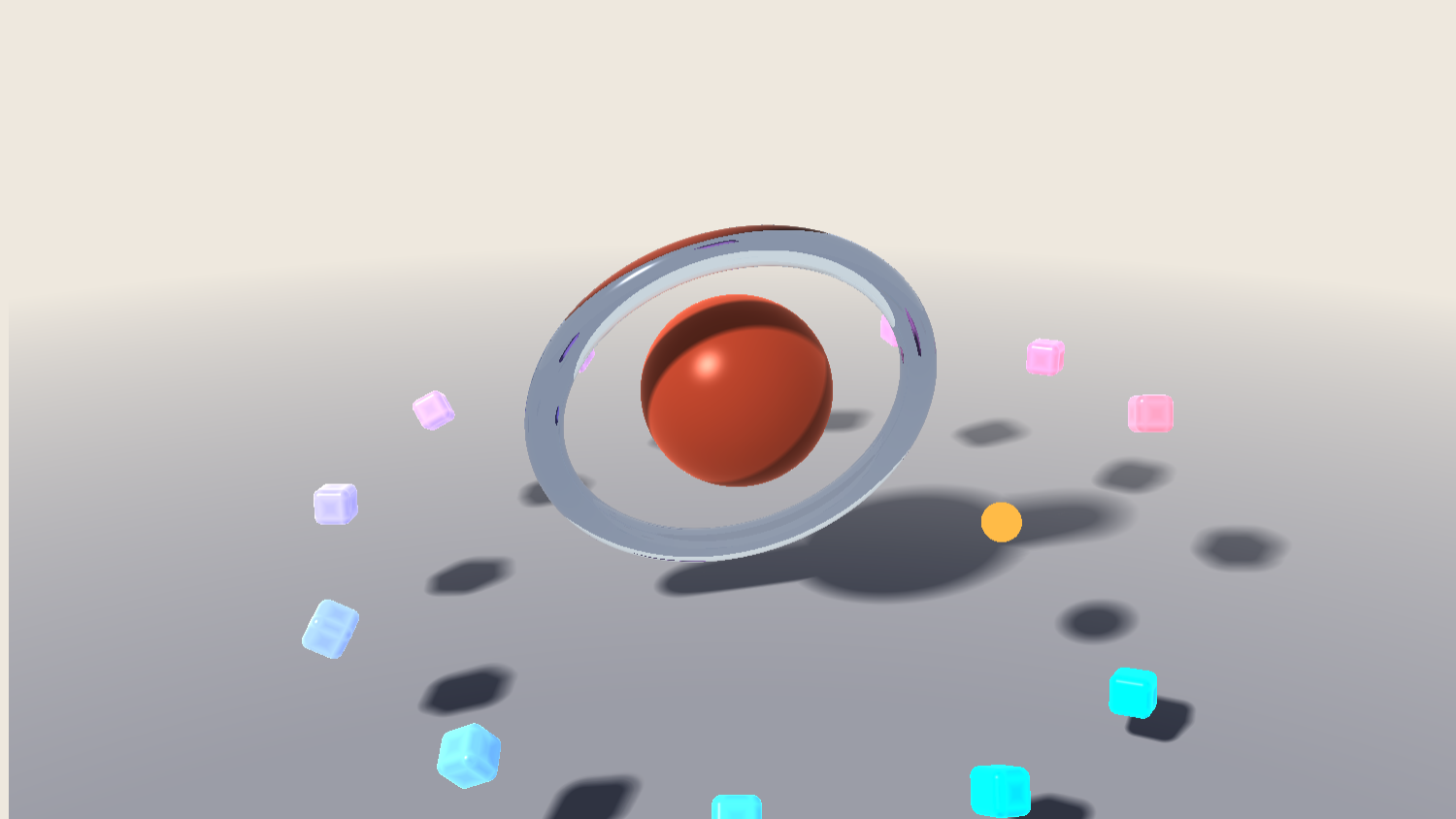
The hero’s ring of shards takes one line in @scene and a single rule. cube.shard * 12 creates twelve cubes with the class shard. Wrapping them in their own group keeps the count to those twelve, because without the group sibling-count() would also count the ring, the core and the moon.
@scene {
  torus#ring;
  sphere#core;
  sphere#moon;
  group#field {
    cube.shard * 12;
  }
}

.shard {
  --a: calc(sibling-index() * 1turn / sibling-count());
  size: 0.24;
  corner-radius: 0.05;
  translate: calc(cos(var(--a)) * 2.7) calc(0.25 + sibling-index() * 0.11) calc(sin(var(--a)) * 2.7);
  rotate-y: calc(sibling-index() * -30deg);
  rotate-x: calc(sibling-index() * 17deg);
  color: oklch(72% 0.15 calc(200 + sibling-index() * 14));
  material: jelly(0.35);
}
sibling-index() and sibling-count() also exist in native CSS, where they became Baseline Newly available in August 2026. GSS evaluates its own implementations at compile time, independently of the browser’s CSS support. Each copy gets an angle around the circle, a little more height, and its own tilt and color along an oklch() gradient. Try the field in the playground.
In Three.js the same field is an InstancedMesh, with a matrix and a color set for each copy in a loop.
import { RoundedBoxGeometry } from "three/addons/geometries/RoundedBoxGeometry.js";

const COUNT = 12;
const shards = new THREE.InstancedMesh(
  new RoundedBoxGeometry(0.24, 0.24, 0.24, 4, 0.05),
  new THREE.MeshPhysicalMaterial({ transmission: 0.65, thickness: 0.4, roughness: 0.3 }),
  COUNT,
);
const matrix = new THREE.Matrix4();
const color = new THREE.Color();
for (let i = 0; i < COUNT; i++) {
  const n = i + 1; // sibling-index() counts from 1
  const a = (n / COUNT) * Math.PI * 2;
  matrix.compose(
    new THREE.Vector3(Math.cos(a) * 2.7, 0.25 + n * 0.11, Math.sin(a) * 2.7),
    // GSS's rotate-x turns the opposite way to Three.js
    new THREE.Quaternion().setFromEuler(new THREE.Euler((-17 * n * Math.PI) / 180, (-30 * n * Math.PI) / 180, 0)),
    new THREE.Vector3(1, 1, 1),
  );
  shards.setMatrixAt(i, matrix);
  shards.setColorAt(i, color.setHSL((200 + n * 14) / 360, 0.75, 0.68));
}
scene.add(shards);
THREE.Color in r187 doesn’t parse oklch() directly. This demo uses HSL as an approximation, which changes the colors slightly. To match them more closely, convert the Oklch values to a supported RGB representation first. When the shards respond to hover, the companion implementation also updates their instance matrices each frame.
The core already floats on @keyframes, and the rest of the hero moves the same way. The ring tilts back and forth, the moon circles the core on a motion path, and the whole scene drifts away as the hero scrolls off the screen. Wrapping everything in a #stage group lets that last animation move the scene as one piece.
@scene {
  group#stage {
    torus#ring;
    sphere#core;
    sphere#moon;
    group#field {
      cube.shard * 12;
    }
  }
}

#stage {
  animation: drift 1s linear both;
  animation-timeline: view();
  animation-range: exit;
}

#ring {
  /* …the declarations from before */
  animation: tilt 9s ease-in-out alternate;
}

#moon {
  translate: 0 1.6 0;
  rotate-x: 78deg;
  rotate-z: -14deg;
  radius: 0.12;
  material: emissive(#ff9d3a, 1.2);
  offset-path: path("M -1.9 0 A 1.9 1.9 0 1 0 1.9 0 A 1.9 1.9 0 1 0 -1.9 0 Z");
  animation: orbit 7s linear;
}

@keyframes drift {
  to { translate: 0 -0.8 0; rotate-y: 50deg; }
}

@keyframes tilt {
  from { rotate-x: 66deg; }
  to { rotate-x: 80deg; }
}

@keyframes orbit {
  from { offset-distance: 0%; }
  to { offset-distance: 100%; }
}
offset-path takes SVG path data, here a circle drawn as two arcs. GSS places that path in the object’s local xy plane. Applying the moon’s rotation tips the orbit around the core; its translation positions the orbit’s center.
The drift uses the same scroll-driven animation properties as CSS. view() follows the canvas as it crosses the viewport, and animation-range: exit plays the keyframes only while the hero leaves the screen, so the stage sinks and turns as the reader scrolls past. In the playground, a Scroll progress slider stands in for the page. You can try the motion in the playground.
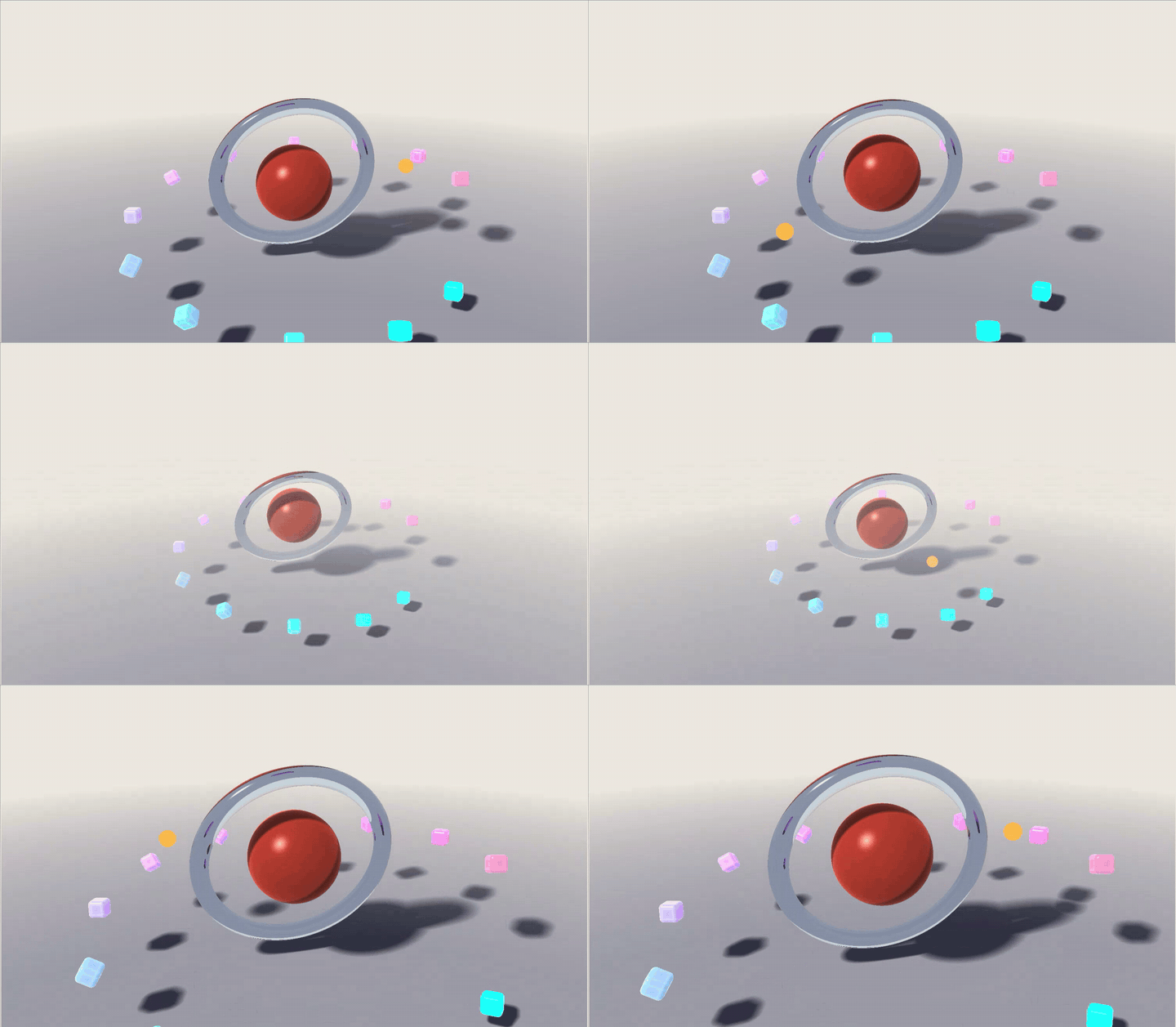
The companion Three.js hero implements these motions in its animation loop. It calculates scroll progress from the canvas position, places the moon with trigonometry, and eases the ring tilt with a helper. Three.js also has an animation system, and you can integrate tweening libraries or scroll tools; the manual approach is a choice made for this example.
:hover and :has()Two rules make the hero respond to the pointer. Hovering the core makes it swell and lighten, and at the same moment every shard grows and turns a quarter of the way around. A transition on each object makes the change glide in and back out.
#core {
  /* …the declarations from before */
  transition: 0.5s ease-out;
}

#core:hover {
  scale: 1.12;
  color: #ff7a3d;
}

.shard {
  /* …the declarations from before */
  transition: 0.6s ease-out;
}

#stage:has(#core:hover) .shard {
  scale: 1.6;
  rotate-y: calc(sibling-index() * -30deg + 90deg);
}
GSS finds the object under the pointer by drawing the scene into a single pixel aimed at the mouse and reading back the ID of the object it hit. The :has() rule then lets the hovered core restyle objects elsewhere in the scene. sibling-index() still works inside that rule, so each shard turns from its own starting angle. In 0.0.7, a :hover rule can only change animatable properties such as transforms and colors, which is why the core grows through scale rather than radius. You can try hovering in the playground.
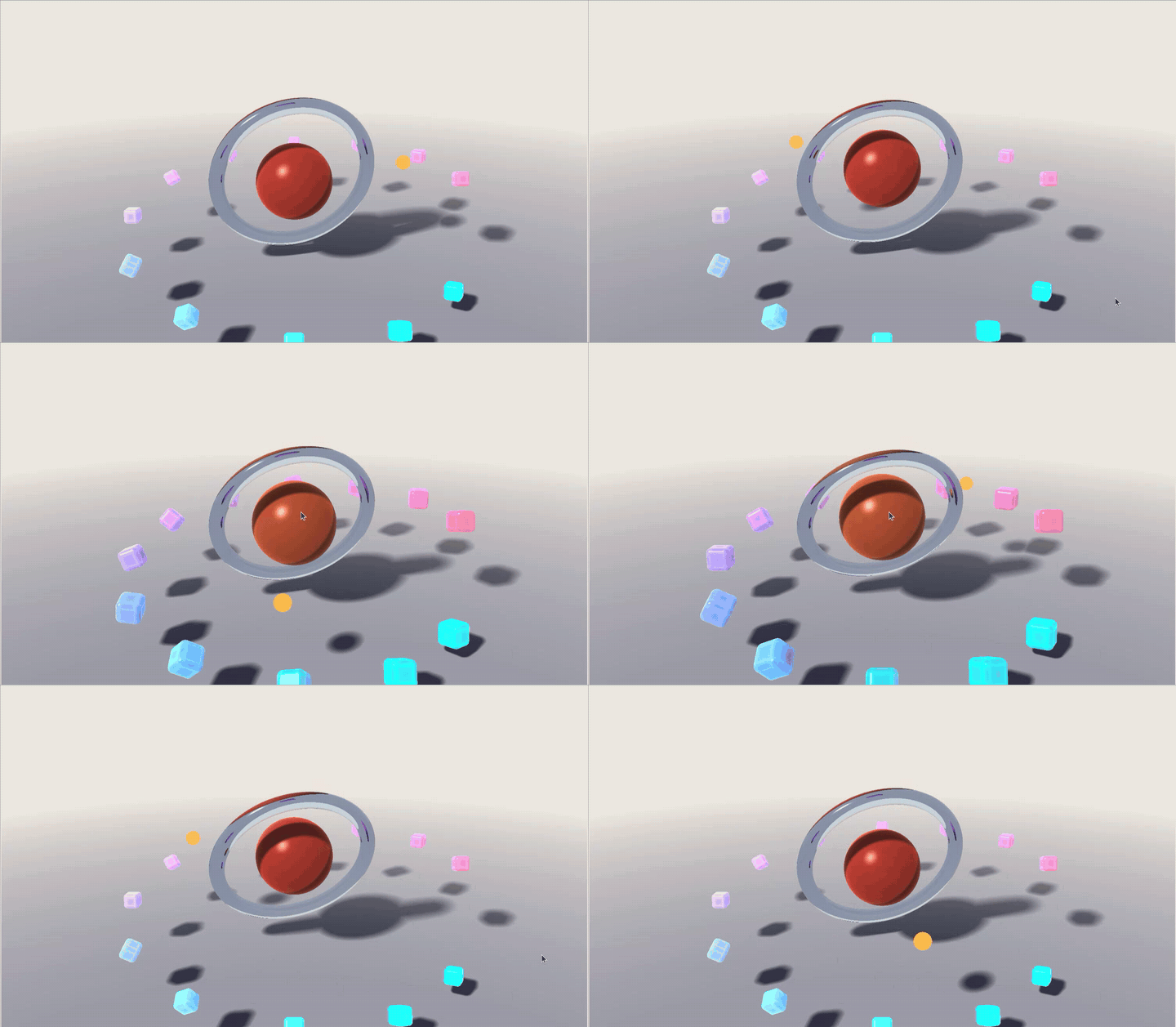
The Three.js example uses raycasting to find the hovered object, then eases a value toward 0 or 1 and applies it to the core and the shard matrices. This excerpt runs inside the completed animation loop, where pointer, dt, and the other variables are already defined:
raycaster.setFromCamera(pointer, camera);
const hovered = raycaster.intersectObject(core).length > 0;
hover = THREE.MathUtils.damp(hover, hovered ? 1 : 0, 6, dt);
Keep this interaction decorative. Put essential information and controls in accessible HTML, where keyboard and touch users can reach them.
A hero should fit the page in dark mode and on a narrow screen. GSS offers familiar syntax for that: light-dark() chooses a color scheme, while @media applies whole rules. You can also use if() with media() to switch an individual value. These expressions are handled by GSS, so their availability does not depend on native CSS support for the same syntax.
scene {
  background: light-dark(#efe9df, #0c0d14);
  floor: light-dark(#e6dfd3, #12131c);
  /* …the rest as before */
}

#ring {
  radius: if(media(width < 640px): 1; else: 1.25);
  /* …the rest as before */
}

@media (prefers-color-scheme: dark) {
  scene {
    filter: bloom(1.4, 40px);
  }
}

@media (width < 640px) {
  scene {
    camera-target: 0 2.6 0;
    camera-distance: 13;
    fog: 13 24;
  }

  .shard:nth-child(even) {
    display: none;
  }
}
Bloom moves into a dark-only rule because it lifts a light background to white. On a narrow screen, the camera pulls back and every second shard drops out. GSS evaluates these queries against the window, like CSS, and switches the scene as soon as one changes. In the playground they follow the width of the render, so narrowing it shows the phone layout. You can try both in the playground.
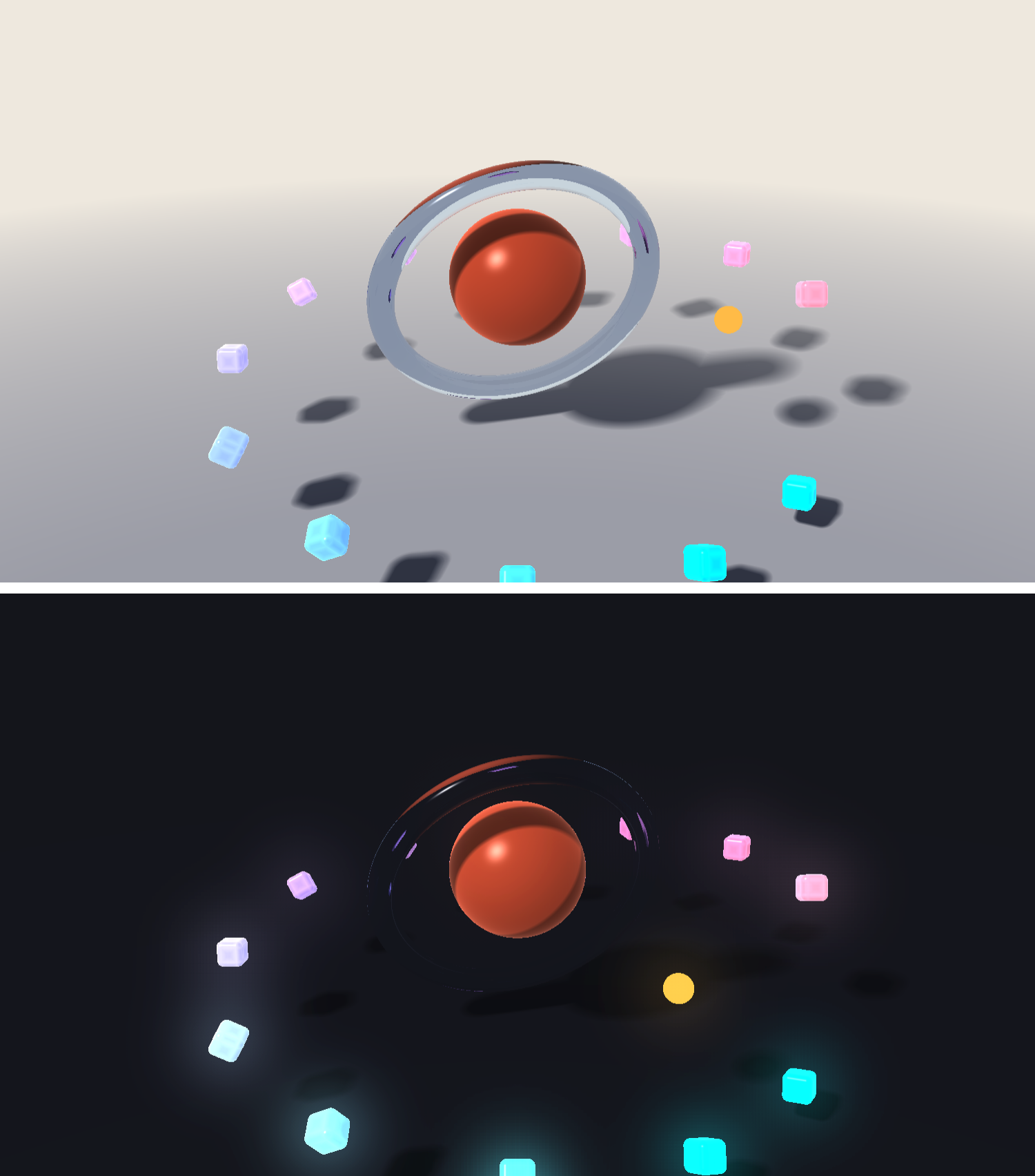
Each distinct media query increases the number of compiled scene variants. GSS 0.0.7 generates every combination and supports up to four distinct queries. Here, light-dark() and the dark-mode rule share a query, so the hero’s two queries produce four variants. Adding another query doubles that count, although the final compressed bundle need not double.
In the companion Three.js implementation, matchMedia() listeners apply the corresponding changes to fog, bloom, camera settings, and shard visibility.
Build-time compilation is central to the size comparison. The GSS Vite plugin compiles .gss imports so visitors download the runtime and compiled scene. The companion repo already configures it. In an existing Vite app, the setup looks like this:
// vite.config.js
import gss from "gss-lang/vite";

export default {
  plugins: [gss()],
};
Save the finished stylesheet as hero.gss. With the canvas from the earlier example in your HTML, import it from your application module:
// main.js
import { mount } from "gss-lang/runtime";
import hero from "./hero.gss";

const canvas = document.querySelector("#scene");
const scene = mount(canvas, hero, { controls: false });
controls: false keeps hover interaction while allowing the page to scroll over the canvas. Call scene.destroy() when removing the scene in a single-page app. For TypeScript projects, add "gss-lang/client" to compilerOptions.types so .gss imports have a type.
Run pnpm measure in the companion repo to reproduce the JavaScript sizes below. The measurement script builds each hero as a separate Vite entry, compresses each emitted JavaScript chunk, and sums the results. These figures use gzip level 9 and Brotli quality 11, with decimal kB. They exclude HTML, CSS, the poster image, and the raw .gss file fetched by the browser-compiled page.
| JavaScript bundle | Raw | gzip 9 | Brotli 11 |
|---|---|---|---|
| GSS, compiled at build time | 400.7kB | 87.4kB | 24.5kB |
GSS, <gss-scene> compiling in the page |
330.7kB | 111.0kB | 94.4kB |
| Three.js | 573.4kB | 140.9kB | 115.2kB |
Build-time compilation produces the smallest compressed JavaScript bundle here. At 24.5kB with Brotli, it is about 79% smaller than the 115.2kB Three.js bundle. With gzip, the reduction is about 38%. Compiling in the browser adds the compiler to the download and saves about 18% with Brotli, or 21% with gzip, compared with this Three.js build.
The scene’s four variants contain repeated shader text, which compresses well when the compressor can refer far enough back in the input. This script gives Brotli a 4MiB window; gzip’s window is 32KiB. Reducing Brotli’s window to 32KiB with pnpm measure --levels increases the build-time GSS result from 24.5kB to 73.8kB. That experiment shows how much the larger window contributes to this result.
Your host’s compression settings determine the transfer size visitors see. The maximum settings above are useful for comparison, but a host may choose a faster level or another encoding. At Brotli quality 1, the script reports 35.5kB for build-time GSS and 162.3kB for Three.js. At Zstandard level 3, the figures are 30.6kB and 147.0kB.
Some services also vary their defaults by plan. Cloudflare’s documentation describes Zstandard as the Free-plan default, subject to browser support and configuration. Check the content-encoding header and transferred size in your deployed page’s Network panel before using these figures in a loading budget.
Rendering needs a separate check. The repository’s benchmark page runs both heroes with WebGL2 at a fixed canvas size and pixel density of 1, with GSS adaptive density disabled. It uses EXT_disjoint_timer_query_webgl2 to measure GPU work, so a supported browser and driver are required. These timings exclude CPU work and page loading.
Each case has a three-second warmup and an eight-second sampling period. The suite runs three times, rotates the case order, and pauses four seconds between cases. The table below reports medians of the three run medians at 1920 × 1080, on Intel Iris Xe and an NVIDIA T4 accessed through Google Colab. The notebook documents the T4 setup. Colab GPU availability can vary.
| Reported GPU time per frame (ms) | Iris Xe, light | Iris Xe, dark | T4, light | T4, dark |
|---|---|---|---|---|
| GSS hero | 30.9 | 39.1 | 7.8 | 9.8 |
| GSS hero, overshooting easing | 54.5 | 62.8 | 14.2 | 16.9 |
| GSS hero, no shadows | 17.9 | 26.4 | 5.8 | 6.4 |
| GSS hero, no shadows, matte | 12.8 | 21.5 | 5.7 | 5.7 |
| Three.js hero | 7.4 | 8.4 | under 4 | under 4 |
On the Iris Xe, the full GSS hero takes about 4.2–4.7 times the GPU time of the Three.js hero. The T4 results put Three.js below 4ms, which is too imprecise to calculate the same ratio. Material and antialiasing differences also limit what this comparison tells us about the rendering engines themselves.
A 60fps frame has a total budget of about 16.7ms. The full-density GSS hero exceeds that budget on the Iris Xe before CPU work is counted. Removing shadows saves roughly 13ms there. Switching from light to dark mode adds around 8ms in these runs; bloom is a major change between those modes, and GSS 0.0.7 blurs full-resolution buffers while Three.js’s UnrealBloomPass uses smaller mip levels.
The overshooting-easing variant is also more expensive, taking about 1.6–1.8 times the baseline GPU time in these results. In GSS 0.0.7, a curve such as cubic-bezier(0.3, 1.4, 0.6, 1) can prevent a conservative bounding-sphere optimization. The benchmark changes that easing without automating pointer movement, so this row does not measure an active hover interaction.
Outside the fixed-density benchmark, GSS starts at a density of 0.5 and adjusts as performance allows. Half density draws one quarter as many pixels as density 1 at the same CSS size, reducing work at the cost of sharpness.
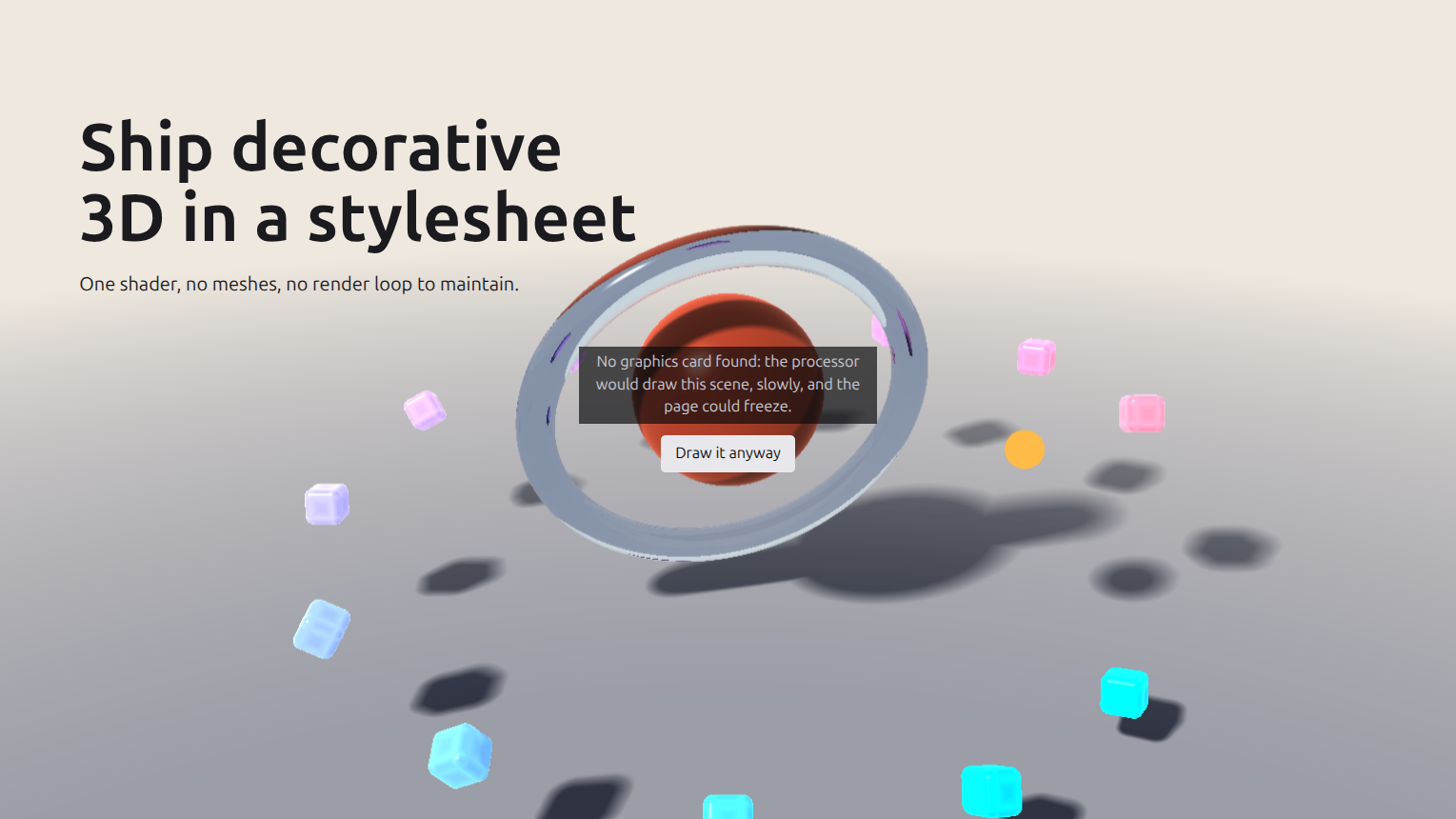
If adaptive rendering remains too slow, GSS pauses the scene, and <gss-scene> offers a button to continue. It also uses a software-rendering check to keep the poster visible and ask before starting in that situation. This check concerns the rendering path, rather than whether the machine physically contains a graphics card.
With mount(), you can use softwareRendering() and the gss-too-heavy event to build a fallback. Provide a useful poster and test the result on the devices your readers use. A Three.js application needs its own fallback policy.
For imported models or a larger interactive scene, Three.js offers a broader set of tools, including GLTFLoader and integrations with separate physics engines. GSS 0.0.7 is better suited to scenes built from its supported shapes.
Edge quality needs testing too. GSS does not antialias silhouettes by default. Its documentation estimates that shape-rendering: geometricPrecision adds about 15% GPU work, although the cost depends on the scene. That estimate is separate from the benchmark above.
Use the scene’s requirements to guide the choice:
| Your requirement | Starting point | What to check |
|---|---|---|
| A decorative hero made from simple shapes | GSS | Rendering cost on target devices and the poster fallback |
| CSS-like hover, scroll, and responsive behavior | GSS | Supported properties and compiled media variants |
| Imported glTF models or complex animation | Three.js | Required loaders and animation setup |
| Collision-based interaction | Three.js with a physics integration | Physics cost and integration complexity |
| The smallest compressed download for this demo | GSS compiled at build time | Your deployed compression and all page assets |
| A demanding GPU budget | Benchmark both implementations | Material differences, pixel density, and acceptable quality |
GSS gives decorative 3D a workflow that feels familiar if you already write CSS. For this hero, build-time compilation produces a small compressed JavaScript bundle, while the full-density scene requires more GPU time than the companion Three.js implementation.
Start with a small scene and measure it on representative hardware. Keep adaptive rendering and a poster fallback in the production version. Pin the GSS release while its syntax is evolving, and check the limitations before committing to a scene that needs imported models or more complex interaction.

Learn how to use browser AI APIs for summarization, translation, and language detection with practical examples and implementation tips.

Build a live task board with Topcoat and Rust, using reactive signals, server-rendered search, and WebSocket updates.
Learn how to build and install three Claude Code mods to monitor usage, protect secrets, and track changes.

I tested Jev against popular LLMs to compare speed, cost, and accuracy on real bank support messages.
Would you be interested in joining LogRocket's developer community?
Join LogRocket’s Content Advisory Board. You’ll help inform the type of content we create and get access to exclusive meetups, social accreditation, and swag.
Sign up now

 Learn more →