

Editor’s note: This article was updated on 30 June, 2022 to include more up-to-date information on Font Awesome and Vue, and a tutorial on adding all Font Awesome icons to a Vue app.

Font Awesome is an icon collection that is, well, awesome — it includes nearly 4,000 icons that are incredibly easy to use, about 1,300 of which are open source and free to use in any application. As a Vue.js programmer, this library seemed like an excellent way to spiff up the application I’m developing.
Font Awesome provides good integration with Vue, allowing us access to lightweight icons in our production application. This allows us to build with less worry about performance and image load time.
In this article, we’ll go over the methods for using Font Awesome icons in a Vue application, the contrast between them, and then go over a couple of Vue-specific methodologies for using icons. Font Awesome supports both Vue 2 and Vue 3. For this demo, we’ll be implementing it in Vue 3.
When developing a Vue.js application, we’re most likely assembling components using npm (the de facto package manager for Node.js) and using webpack for the application. Here’s a GitHub repository containing the code discussed in this article.
As a Vue programmer, you probably have Node and npm installed already. If you don’t, head here for an installable package.
Now, we install the Vue.js CLI tool, because it can provide scaffold applications for us to play with:
npm install -g @vue/cli
# OR
yarn global add @vue/cli
Once that’s installed you can type vue --version to verify its existence.
Let’s now use Vue CLI to create a new Vue 3 project. Go into the terminal and add this command:
vue create vue-font-awesome
This will start creating our Vue 3 boilerplate. We’ll have to select certain options as presets in other to set up the project.
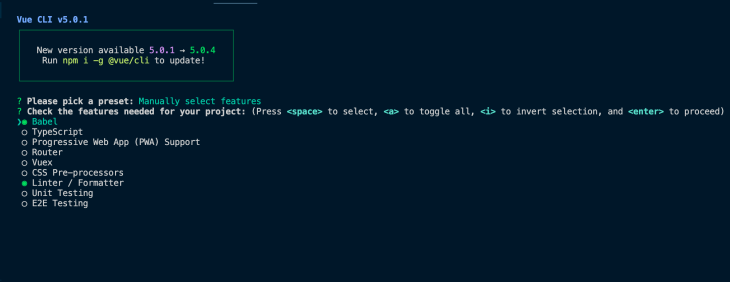
Next, let’s navigate into the project folder:
cd vue-font-awesome
We can now install these Font Awesome packages:
npm install --save @fortawesome/fontawesome-svg-core
npm install --save @fortawesome/free-solid-svg-icons
npm install --save @fortawesome/vue-fontawesome@prerelease
Next, let’s setup Font Awesome in this Vue project.
You can try this on your own, or browse an interactive demo:
In the generated source, first change main.js to this:
import { createApp } from "vue";
import App from "./App.vue";
import { library } from "@fortawesome/fontawesome-svg-core";
import { faPhone } from "@fortawesome/free-solid-svg-icons";
import { FontAwesomeIcon } from "@fortawesome/vue-fontawesome";

library.add(faPhone);

createApp(App).component("font-awesome-icon", FontAwesomeIcon).mount("#app");
This gets the library object and loads the phone icon from the free-solid-svg-icons package. That icon is later added to the library. Next, we load FontAwesomeIcon, which is the Vue component, and register it with Vue as a global component. Finally, we set up the application to render.
Now we need to turn to App.vue, which we replace with the following:
<template>
  <h1>Getting Started with Vue.js and Font Awesome</h1>
  <p>Have a phone call: <font-awesome-icon icon="phone" /></p>
</template>
This is what Vue calls a single-file template. It contains the template, JavaScript, and CSS all in one convenient file. It’s a cool idea, and its implementation is buried in the webpack configuration you’ll see in the directory. We don’t need to investigate the webpack configuration, it’ll be enough to simply use it.
Now when we run npm run dev, the web browser will automatically load this page:
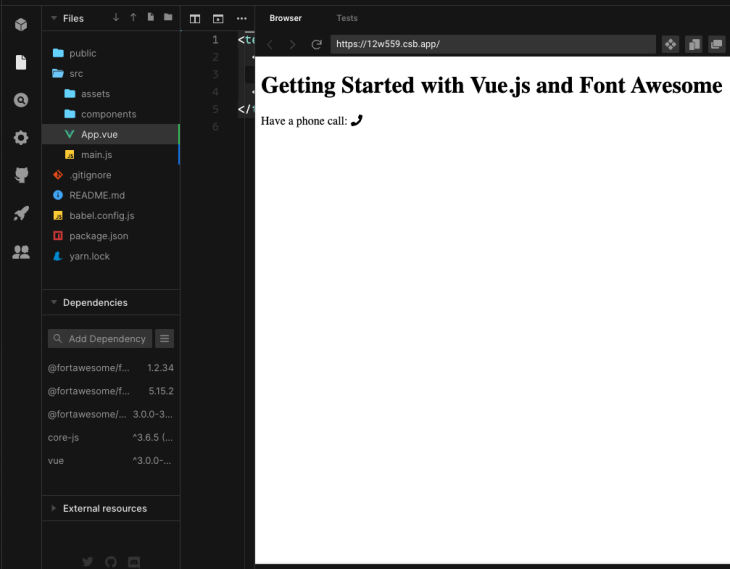
That’s cool — we have this nifty custom HTML tag we can easily use to load in icons. Great. If you glance through the Font Awesome documentation, you’ll see it’s possible to layer icons and add various effects like rotations. It promises to be fun.
The Font Awesome project includes many brand icons for things like JavaScript and Vue.
When we created the demo application, it was stored in a directory called 001-start. Duplicate that directory, calling the new one 002-brands. Or you can view the interactive demo:
In App.vue in the new directory, change the template to the following:
<template>
  <div id="app">
    <h1>Using Font Awesome "Brand" icons in Vue.js</h1>
    <p>Have a phone call: <font-awesome-icon icon="phone" /></p>
    <p>Have a module of JavaScript: <font-awesome-icon icon="js" /></p>
    <p>Have a module of Vue.js: <font-awesome-icon icon="vuejs" /></p>
  </div>
</template>

<script>
export default {
  name: 'App'
}
</script>

<style>
</style>
The second is an attempt to load the JavaScript icon. The Font Awesome website provides a search function. Enter “javascript” and you’ll find js is the code for the JavaScript icon, and likewise, the Vue icon has the code vuejs.
Now run this application with npm run dev, and you’ll see the icons are not there. In the browser JavaScript console, you’ll see an error that the icon was not found. In other words, it’s not all groovy, because we now have to learn a few things.
The first step is to look in the distribution directory:
$ ls node_modules/@fortawesome/free-solid-svg-icons/
This shows a long list of files with names like faCoffee.js. Take a look inside that file and you’ll find a bunch of data, including a string constant named svgPathData, which is clearly meant to drive generation of SVG. We don’t need to worry about the details, just know that it’s here. The important thing is that none of those files contain a JavaScript or Vue icon.
The Font Awesome icon library is not one library but four, and we have only loaded one of them. The total set are:
Next, if we study the icon browser, we see in the sidebar some checkboxes corresponding to those four groups. Try clicking the Free choice first, then clicking on the four groups, and you’ll see the Icon browser shows different subsets corresponding to the choices.
Because the JavaScript and Vue.js icons are in the Brands section, verifiable using the Icon browser, we need to load that package:
$ npm install — save @fortawesome/free-brands-svg-icons
This suggests that main.js should be changed as so:
import { library } from ‘@fortawesome/fontawesome-svg-core’;
import { faPhone } from "@fortawesome/free-solid-svg-icons";
import { faJs, faVuejs } from ‘@fortawesome/free-brands-svg-icons’;
import { FontAwesomeIcon } from ‘@fortawesome/vue-fontawesome’;
library.add(faPhone, faJs, faVuejs);
But this does not help resolve the error message in the browser console. Before we describe the solution to this problem, let’s go over the other ways to use Font Awesome icons.
I suggested creating a directory named 002-brands for the code in the previous section. Duplicate that directory to create 003-css and make a few modifications. Or you can use the online demo:
Otherwise, type this command:
npm remove -S @fortawesome/fontawesome-svg-core
    @fortawesome/free-brands-svg-icons
    @fortawesome/free-solid-svg-icons
    @fortawesome/vue-fontawesome
npm install
This removes the Vue support we just worked with.
Edit main.js like so:
import Vue from 'vue';
import App from './App.vue';
import { createApp } from "vue";

createApp(App).mount("#app");
Then, in App.vue, change the template section as follows:
<template>
  <div id="app">
    <link rel="stylesheet"
        href="https://use.fontawesome.com/releases/v5.2.0/css/all.css"
        integrity="sha384-hWVjflwFxL6sNzntih27bfxkr27PmbbK/iSvJ+a4+0owXq79v+lsFkW54bOGbiDQ"
        crossorigin="anonymous">
    <h1>Using Font Awesome "Brand" icons in Vue.js</h1>
    <p>Have a phone call: <i class="fas fa-phone"></i> </p>
    <p>Have a module of JavaScript: <i class="fab fa-js"></i> </p>
    <p>Have a module of Vue.js: <i class="fab fa-vuejs"></i> </p>
  </div>
</template>

<script>
export default {
  name: 'App'
}
</script>

<style>
</style>
This comes from two pages:
<i> element as shown here<link> element shown hereThe <link>, of course, belongs in the <head> section of your HTML. This particular CSS uses icon fonts for all four of the Font Awesome libraries shown earlier.
Notice that for the coffee icon, the fas class is used, while for the js and vuejs icons, the fab class is used. That’s a side effect of those two being in the Brands library versus the Solid library.
When used this way, displaying a Font Awesome icon uses the <i> tag as shown here. The Font Awesome documentation focuses on using this tag. Therefore, as a Vue programmer, you’ll have to become adept at switching between their documentation and using the provided Vue component (<font-awesome-icon>).
For this example, we completely disposed of the Vue support. It means we have one large CSS file containing the entire collection icons. The trade off is that it’s very convenient to have the entire Font Awesome library available with just one <link> element.
By loading every icon, the downside is memory footprint. Our application is not going to use the entire library; it’s more likely to use only a handful, so why should the browser be given the entire library?
By contrast, the packaging scripts used in the previous example ensures packaging only the required code and nothing more. Impact on the browser is kept small using the previous method at the cost of writing a little bit more code.
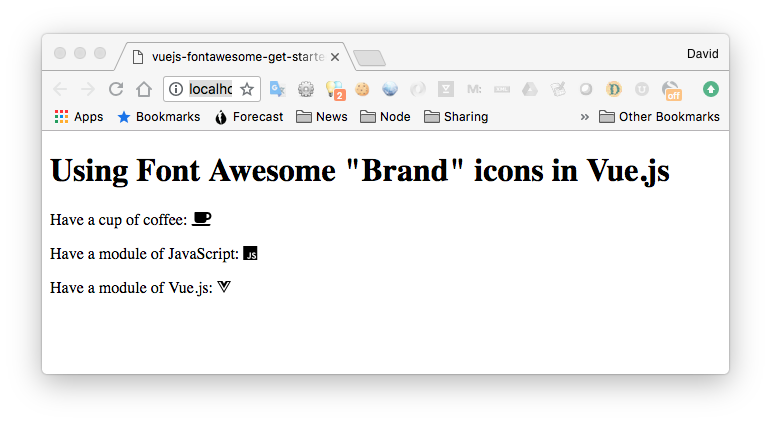
But, hey, it works. Sometimes working code trumps architectural purity.
The fontawesome-free package includes the same files Font Awesome hosts on their CDN.
First, duplicate the 003-css working directory to create a new one, 004-fontawesome-free. If you wish to try the online demo, see below, but be warned that it does not work correctly — you’ll need to perform this step on your laptop.
In that directory, install the package like so:
$ npm install @fortawesome/fontawesome-free — save
Check the installed package:
$ ls node_modules/@fortawesome/fontawesome-free
And you’ll find several directories
/js: all JavaScript files associated with Font Awesome 5 SVG with JS/css: all CSS using the classic Web Fonts with CSS implementation/sprites: SVG icons packaged in a convenient sprite/scss and /less: CSS preprocessor files for Web Fonts with CSS/webfonts: accompanying files for web fonts with CSS/svg: individual icon files in SVG formatThen, in App.vue, change the <link> element to this:
<template>
  <div id="app">
    <link rel="stylesheet"
        href="node_modules/@fortawesome/fontawesome-free/css/all.css">
    <h1>Using Font Awesome "Brand" icons in Vue.js</h1>
    <p>Have a cup of coffee: <i class="fas fa-coffee"></i> </p>
    <p>Have a module of JavaScript: <i class="fab fa-js"></i> </p>
    <p>Have a module of Vue.js: <i class="fab fa-vuejs"></i> </p>
    <h1>Using Font Awesome by referencing SVG files</h1>
    <p>Have a cup of coffee:
          <svg>
            <use xlink:href="node_modules/@fortawesome/fontawesome-free/sprites/solid.svg#coffee"></use>
          </svg>
    </p>
    <p>Have a module of JavaScript:
          <svg>
            <use xlink:href="node_modules/@fortawesome/fontawesome-free/sprites/brands.svg#js"></use>
          </svg></p>
    <p>Have a module of Vue.js:
          <svg>
            <use xlink:href="node_modules/@fortawesome/fontawesome-free/sprites/brands.svg#vuejs"></use>
          </svg></p>
  </div>
</template>

<script>
export default {
  name: 'App'
}
</script>

<style>
</style>
With no more changes, the icons all appear as before. This is as expected, because all we’ve done is load the same file from the local assets.
An alternative method is using the SVG sprites in the package. Another section has been added in this template to reference the raw SVG files.
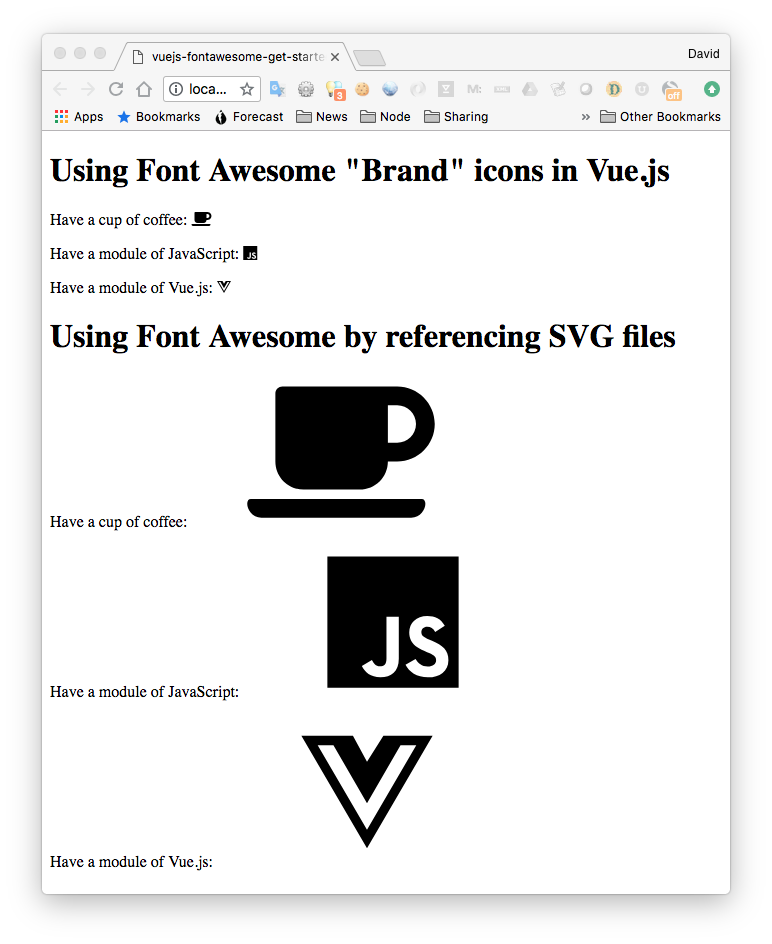
This works, and obviously requires a little more work to get the sizing correct.
A couple sections back, we left off with an unanswered problem: how can we use the JavaScript or Vue (or any other) icons from the Font Awesome brands library in a Vue application?
If we duplicate the 002-brands directory to 005-brands-2, we can start from where we left off. There is also an online demo:
The detour through other aspects of Font Awesome taught us a few details we can now bring to bear on that question.
What we’ve learned is the JavaScript and Vue.js icons are in the Brands library. When using the <i> element methodology, we are supposed to use these patterns:
fas and use <i class=”fas fa-flag”>far and use <i class=”far fa-flag”>fal and use <i class=”fal fa-flag”>fab and use <i class=”fab fa-font-awesome”>The standing problem is that Brands icons do not show up, and we see here one is supposed to use a prefix fab for Brands icons.
The npm package has additional useful documentation that is so useful one wonders why this is not on the Font Awesome website. There is a lot here we’ll explore in due time. The immediate task is to learn how to specify a prefix.
Namely, a prefix is specified using an array syntax:
<font-awesome-icon :icon=”[‘fas’, ‘spinner’]” />
The prefix is the first element in the array, and the icon name is the second. Under the hood, the FontAwesomeIcon component automatically adds the fa- to the front of the icon name, and if the library prefix is not specified, it uses the fas library (Solid). That explains why the JavaScript and Vue.js icons did not load: because we did not explicitly use the fab prefix.
We can remedy this by making the following code change in App.vue:
<p>Have a module of JavaScript:
    <font-awesome-icon :icon=”[ ‘fab’, ‘js’ ]” /></p>
<p>Have a module of Vue.js:
    <font-awesome-icon :icon=”[ ‘fab’, ‘vuejs’ ]” /></p>
And immediately the icons pop right up:
In addition to solving that specific problem, we have a number of special effects to explore. These special effects can be implemented not only with the <font-awesome-icon> component, but also with the <i> approach.
Before we go off and explore the special effects, we must stop and contrast between the two approaches.
The build process for Vue applications ensures that only the required code is packaged and sent to the browser. The approach of defining the <font-awesome-icon> component, and individually importing each required icon, takes a little bit more code, but the gain is that when the application reaches the browser, it does not receive the entire Font Awesome icon library. Instead, it only receives the code and icons your application declared.
The Vue integration of Font Awesome does allow this shortcut:
import { fab } from ‘@fortawesome/free-brands-svg-icons’;

library.add(fab);
That imports every icon in the Brands library in one go, without having to individually import each icon. While this is convenient, we are warned, “Be careful with this approach as it may be convenient in the beginning but your bundle size will be large.” Refer back to the discussion about minimizing application size.
Another issue we are cautioned against is that this approach may not work:
import { faJs, faVuejs } from ‘@fortawesome/free-brands-svg-icons’;
This is an ES6 feature that ensures import of only the requested portions of a given module. At the current time, tools like Babel are used to convert this into equivalent ES5 code, not all of which will support this feature.
Because each icon is stored as an individual file inside the package, an alternative is to use this:
import faJs from ‘@fortawesome/free-brands-svg-icons/faJs’;
import faVuejs from ‘@fortawesome/free-brands-svg-icons/faVuejs’;
This references the individual file inside the package rather than extracting the object from an aggregate package.
Looking at the Font Awesome documentation, we see some tantalizing special effects that are begging to be explored.
Make a duplicate of the 005-brands-2 directory called 006-effects. An online demo for this step is here:
We have a fair bit of surgery to implement a long list of special effects supported by the Font Awesome library.
In main.js, change the imports to this:
import Vue from 'vue';
import App from './App.vue';

import { library } from '@fortawesome/fontawesome-svg-core';
import {
    faCoffee, faSpinner, faWrench, faAmbulance, faEdit, faCircle, faCheck, faChessQueen,
    faPlus, faEquals, faArrowRight, faPencilAlt, faComment, faHeadphones, faSquare,
    faCalendar, faCertificate, faEnvelope, faTimes, faBookmark, faHeart, faPlay,
    faSun, faMoon, faStar
} from '@fortawesome/free-solid-svg-icons';
import { faJs, faVuejs, faFacebookF } from '@fortawesome/free-brands-svg-icons';
import { FontAwesomeIcon, FontAwesomeLayers, FontAwesomeLayersText } from '@fortawesome/vue-fontawesome'

library.add(
    faCoffee, faSpinner, faWrench, faAmbulance, faSquare,
    faEdit, faCircle, faCheck, faChessQueen, faHeadphones,
    faPlus, faEquals, faArrowRight, faPencilAlt, faComment,
    faCalendar, faCertificate, faEnvelope, faTimes, faBookmark,
    faHeart, faPlay, faSun, faMoon, faStar,
    faJs, faVuejs, faFacebookF);

createApp(App).component("font-awesome-icon", FontAwesomeIcon).component('font-awesome-layers', FontAwesomeLayers).component('font-awesome-layers-text', FontAwesomeLayersText).mount("#app");
This brings in a the icons we’ll be using in the demo, plus two new components. The new components implement a form of layered composition. Make sure to import these components so they’re available for use in our components. If not, we’ll get this error: failed to resolve component: font-awesome-icon.
The next stage is in App.vue to change the <template> section to this:
<template>
  <div id="app">

<h1>Icon sizing</h1>
<font-awesome-icon icon="wrench"  size="xs" />
<font-awesome-icon icon="coffee"  size="lg" />
<font-awesome-icon icon="spinner" size="4x" />
<font-awesome-icon :icon="[ 'fab', 'vuejs' ]" size="2x" />

<h1>Rotation</h1>

<font-awesome-icon icon="spinner" rotation="90"  />
<font-awesome-icon icon="spinner" rotation="180" size="lg" />
<font-awesome-icon icon="spinner" rotation="270" size="2x"  />
<font-awesome-icon :icon="[ 'fab', 'vuejs' ]" rotation="270" size="2x"  />

<h1>Flips</h1>

<font-awesome-icon icon="ambulance" flip="horizontal" size="lg"/>
<font-awesome-icon icon="ambulance" flip="vertical" size="lg"/>
<font-awesome-icon icon="ambulance" flip="both" size="lg"/>
<font-awesome-icon :icon="[ 'fab', 'vuejs' ]" flip="vertical" size="lg"/>

<h1>Animation</h1>

<font-awesome-icon icon="spinner" spin />
<font-awesome-icon icon="spinner" pulse />
<font-awesome-icon :icon="[ 'fab', 'vuejs' ]" size="lg" spin />
<font-awesome-icon :icon="[ 'fab', 'vuejs' ]" size="lg" pulse />

<h1>Border</h1>

<font-awesome-icon icon="spinner" border size="lg"/>
<font-awesome-icon icon="ambulance" flip="vertical" border size="lg"/>

<h1>Pull left/right</h1>

<font-awesome-icon icon="spinner" pull="left" />
<font-awesome-icon icon="spinner" pull="right" />
<font-awesome-icon icon="ambulance" flip="vertical" pull="right" border size="lg"/>

<h1 style="clear: both">Power transforms</h1>

<font-awesome-icon icon="spinner" transform="shrink-6 left-4" />
<font-awesome-icon icon="ambulance" size="lg" :transform="{ rotate: 42 }" />

<h1>Masking</h1>

<font-awesome-icon icon="pencil-alt"
    transform="shrink-10 up-.5"
    style="background:MistyRose"
    size="4x" />

<font-awesome-icon icon="pencil-alt"
    transform="shrink-10 up-.5"
    mask="comment"
    style="background:MistyRose"
    size="4x" />

<font-awesome-icon :icon="[ 'fab', 'facebook-f' ]"
    transform="shrink-3.5 down-1.6 right-1.25"
    style="background:MistyRose"
    size="4x" />

<font-awesome-icon :icon="[ 'fab', 'facebook-f' ]"
    transform="shrink-3.5 down-1.6 right-1.25"
    mask="circle"
    style="background:MistyRose"
    size="4x" />

<font-awesome-icon icon="headphones"
    transform="shrink-6"
    style="background:MistyRose"
    size="4x" />

<font-awesome-icon icon="headphones"
    transform="shrink-6"
    mask="square"
    style="background:MistyRose"
    size="4x" />

<h1>Layers</h1>

<font-awesome-layers class="fa-4x">
  <font-awesome-icon icon="circle" />
  <font-awesome-icon icon="check" transform="shrink-6" style="color: white;" />
</font-awesome-layers>

<font-awesome-layers class="fa-4x" style="background:MistyRose">
  <font-awesome-icon icon="circle" style="color:Tomato" />
  <font-awesome-icon icon="times" class="fa-inverse" transform="shrink-6" />
</font-awesome-layers>

<font-awesome-layers class="fa-4x" style="background:MistyRose">
  <font-awesome-icon icon="bookmark" />
  <font-awesome-icon icon="heart" class="fa-inverse"
        transform="shrink-10 up-2"
        style="color:Tomato"/>
</font-awesome-layers>

<font-awesome-layers class="fa-4x" style="background:MistyRose">
  <font-awesome-icon icon="play" transform="rotate--90 grow-2" />
  <font-awesome-icon icon="sun" class="fa-inverse" transform="shrink-10 up-2"/>
  <font-awesome-icon icon="moon" class="fa-inverse" transform="shrink-11 down-4.2 left-4"/>
  <font-awesome-icon icon="star" class="fa-inverse" transform="shrink-11 down-4.2 right-4"/>
</font-awesome-layers>

<h1>Layers text</h1>

<font-awesome-layers full-width class="fa-4x" style="background:MistyRose">
  <font-awesome-icon icon="calendar"/>
  <font-awesome-layers-text
        class="fa-inverse"
        transform="shrink-8 down-3"
        value="27"
        style="font-weight:900"/>
</font-awesome-layers>

<font-awesome-layers full-width class="fa-4x" style="background:MistyRose">
  <font-awesome-icon icon="certificate"/>
  <font-awesome-layers-text
        class="fa-inverse"
        transform="shrink-11.5 rotate--30"
        value="NEW"
        style="font-weight:900"/>
</font-awesome-layers>

<font-awesome-layers full-width class="fa-4x" style="background:MistyRose">
  <font-awesome-icon icon="envelope"/>
  <span class="fa-layers-counter" style="background:Tomato">1,419</span>
</font-awesome-layers>


  </div>
</template>

<script>
export default {
  name: 'App'
}
</script>

<style>
h1 {
  border-bottom: solid 1px black;
}
</style>
There’s a lot here. The examples are divided into sections based on the type of special effect being used.
Specific special effects are designated using attributes on the elements. It’s possible to change the size of the icon with size=”..” attributes. As you might expect, the rotation=”..” attribute rotates the icon, flip=”..” flips the icon, and so on. The attributes are mostly fairly obvious as to their function.
A not-so-obvious attribute is pull=”..”, where the effect is similar to the float property, in that the icon floats at the left or right.
The <font-awesome-layers> component encapsulates a group of other icons, layering them on top of each other. It’s used for compositing new icons from the existing icons, along with the available special effects transformations.
And this is what it looks like.
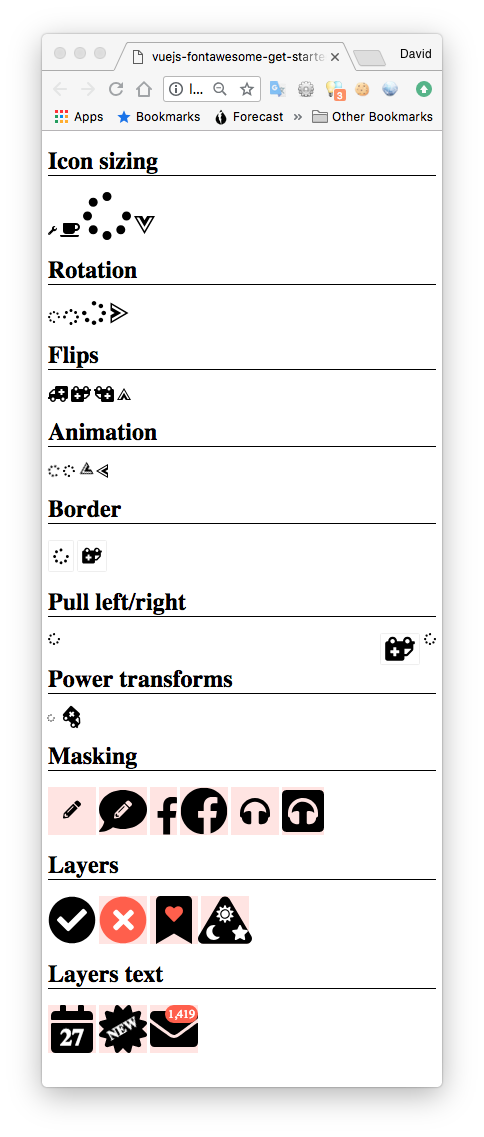
The <font-awesome-icon>, <font-awesome-layers> and <font-awesome-layers-text> components are related to capabilities provided by the Font Awesome library.
Start with the documentation here.
For a last example, let’s consider a common use case for icons: toolbar buttons. And while we’re at it, let’s look at the effect of Vue conditionals on choosing Font Awesome icons to render.
Duplicate the directory 002-brands to be 007-buttons-conditionals. Or try the online demo:
In main.js, change the imports to this:
import Vue from 'vue';
import App from './App.vue';

import { library } from '@fortawesome/fontawesome-svg-core';
import {
  faCoffee, faCocktail, faGlassMartini, faBeer
} from '@fortawesome/free-solid-svg-icons';
import {
  faJs, faVuejs, faJava, faPhp, faPython, faCss3, faHtml5
} from '@fortawesome/free-brands-svg-icons';
import { FontAwesomeIcon } from '@fortawesome/vue-fontawesome';

library.add(faCoffee, faCocktail, faGlassMartini, faBeer,
      faJs, faVuejs, faJava, faPhp, faPython, faCss3, faHtml5);

createApp(App).component("font-awesome-icon", FontAwesomeIcon).mount("#app");
Again, we are importing a few new Font Awesome icons. To put them to use, in App.vue, change the <template> to the following:
<template>
  <div id="app">
    <h1>Icon Buttons and Conditional Icons</h1>
    <p>Drink: {{ drink }}
        <font-awesome-icon icon="coffee"
                           size="4x" v-if="drink == 'Coffee'" />
        <font-awesome-icon icon="cocktail"
                           size="4x" v-if="drink == 'Cocktail'" />
        <font-awesome-icon icon="glass-martini"
                           size="4x" v-if="drink == 'Martini'" />
        <font-awesome-icon icon="beer"
                           size="4x" v-if="drink == 'Beer'" />
    </p>
    <p>Language: {{ language }}
        <font-awesome-icon :icon="[ 'fab', 'js' ]"
                           size="4x" v-if="language == 'JavaScript'"  />
        <font-awesome-icon :icon="[ 'fab', 'vuejs' ]"
                           size="4x" v-if="language == 'Vue.js'" />
        <font-awesome-icon :icon="[ 'fab', 'java' ]"
                           size="4x" v-if="language == 'Java'" />
        <font-awesome-icon :icon="[ 'fab', 'php' ]"
                           size="4x" v-if="language == 'PHP'" />
        <font-awesome-icon :icon="[ 'fab', 'python' ]"
                           size="4x" v-if="language == 'Python'" />
        <font-awesome-icon :icon="[ 'fab', 'css3' ]"
                           size="4x" v-if="language == 'CSS 3'" />
        <font-awesome-icon :icon="[ 'fab', 'html5' ]"
                           size="4x" v-if="language == 'HTML 5'" />
    </p>
    <p>
      <button @click="drink = 'Coffee'">
        <font-awesome-icon icon="coffee" size="4x" />
      </button>
      <button @click="drink = 'Cocktail'">
        <font-awesome-icon icon="cocktail" size="4x" />
      </button>
      <button @click="drink = 'Martini'">
        <font-awesome-icon icon="glass-martini" size="4x" />
      </button>
      <button @click="drink = 'Beer'">
        <font-awesome-icon icon="beer" size="4x" />
      </button>
    </p>
    <p>
      <button @click="language='JavaScript'">
        <font-awesome-icon :icon="[ 'fab', 'js' ]" size="4x" />
      </button>
      <button @click="language='Vue.js'">
        <font-awesome-icon :icon="[ 'fab', 'vuejs' ]" size="4x" />
      </button>
      <button @click="language='Java'">
        <font-awesome-icon :icon="[ 'fab', 'java' ]" size="4x" />
      </button>
      <button @click="language='PHP'">
        <font-awesome-icon :icon="[ 'fab', 'php' ]" size="4x" />
      </button>
      <button @click="language='Python'">
        <font-awesome-icon :icon="[ 'fab', 'python' ]" size="4x" />
      </button>
      <button @click="language='CSS 3'">
        <font-awesome-icon :icon="[ 'fab', 'css3' ]" size="4x" />
      </button>
      <button @click="language='HTML 5'">
        <font-awesome-icon :icon="[ 'fab', 'html5' ]" size="4x" />
      </button>
    </p>

  </div>
</template>

<script>
export default {
  name: 'App',
  data() {
    return {
      drink: "", language: ""
    }
  }
}
</script>

<style>
</style>
As far as active Vue components go, this is pretty simple. We have some buttons that show various Font Awesome icons, and when clicked, those buttons assign a corresponding value to a variable.
In another section of the UI, we display the text code used as well as the corresponding icon. The selection of the icon is performed with Vue conditionals.
After running the application, we can click on the buttons and the corresponding choices show up. The UI might look like this:
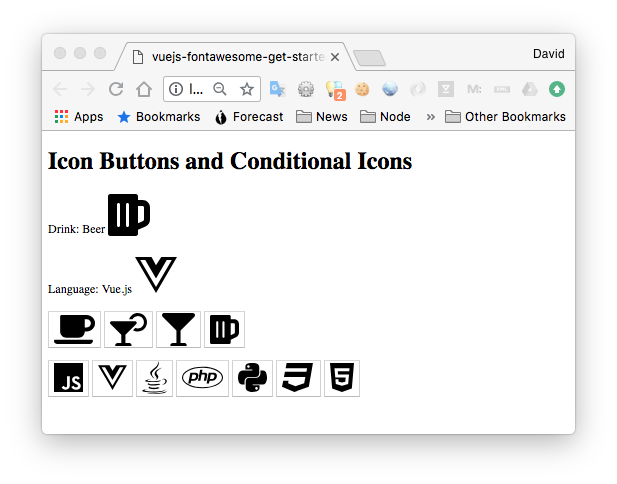
You may encounter certain cases in which you want to import all icons from a single style instead of importing individual icons from these styles. We have to be careful with this, however, because this means we’re importing thousands of icons at once.
You can import all Font Awesome icons to your Vue apps like this:
import { fas } from '@fortawesome/free-solid-svg-icons'
import { createApp } from "vue";
import App from "./App.vue";
import { library } from "@fortawesome/fontawesome-svg-core";
import { FontAwesomeIcon } from "@fortawesome/vue-fontawesome";

library.add(fas)

createApp(App).component("font-awesome-icon", FontAwesomeIcon).mount("#app");
This might affect load time and performance, so we should only use this when necessary.
After running the code above, we can go into our App.js and use our icons like so:
<template>
  <div id="app">
    <h1>Getting Started with Vue.js and Font Awesome</h1>
    <p>Have a phone call: <font-awesome-icon icon="phone" /></p>
    <p>Have a cup of coffee: <font-awesome-icon icon="coffee" /></p>
  </div>
</template>
<script>
export default {
  name: 'App'
}
</script>
<style>
</style>
Icons, of course, add a lot to any graphical application. They convey meaning to a different level of human experience than words, and therefore can make an easier-to-learn application. Also, as symbols, there is less need to translate the user interface (localization) for different languages, because well-chosen symbols are universal.
With this tutorial, we’ve seen how easy it is to add icons from the Font Awesome set into your Vue application, and we’ve dabbled in using the underlying Font Awesome library.
The Vue integration for Font Awesome is built upon that underlying library. Its capabilities are presented as Vue components which expose most of the functionality.
Debugging Vue.js applications can be difficult, especially when users experience issues that are difficult to reproduce. If you’re interested in monitoring and tracking Vue mutations and actions for all of your users in production, try LogRocket.

LogRocket lets you replay user sessions, eliminating guesswork by showing exactly what users experienced. It captures console logs, errors, network requests, and pixel-perfect DOM recordings — compatible with all frameworks.
With Galileo AI, you can instantly identify and explain user struggles with automated monitoring of your entire product experience.
Modernize how you debug your Vue apps — start monitoring for free.

Learn how one solo developer used multiple Grok Bot AI agents to test, report bugs, fix code, and monitor deployments — hands-free, on a $30/month plan.

Compare the top AI development tools and models of October 2026. View updated rankings, feature breakdowns, and find the best fit for you.
Can AI agents debug React bugs across browsers? I tested Chrome, Safari, and Firefox debugging MCPs on four bugs to compare their findings, workflows, and effectiveness.

React 19.3 and modern CSS make several common patterns unnecessary. Here are 10 features that let you delete old React code and simplify your apps.
Would you be interested in joining LogRocket's developer community?
Join LogRocket’s Content Advisory Board. You’ll help inform the type of content we create and get access to exclusive meetups, social accreditation, and swag.
Sign up now

 Learn more →



