“Dolphin, do a flip!” my 2.5-year-old yells enthusiastically from his seat next to me. Carefully choreographed, a dolphin launches out of the water and over the person sitting on a small boat, like so:
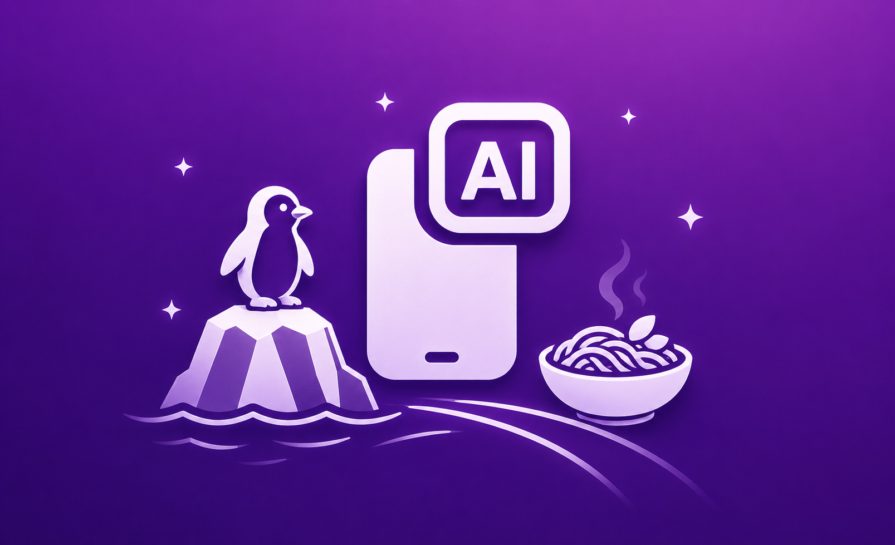

As the dolphins perform their show, I’m connected to an SSH session of a virtual machine at home. This computer has OpenCode installed and is quietly puzzling through how to implement a requested feature.
An orchestrator agent takes my simple requests and delegates them out to specialized agents with specific roles. Each request tries to implement my requested feature, and after it’s done, commit the changes to Git, and push them to GitHub. Another virtual machine on the same computer sees that the repository has changed, clones the repository, builds the app, and sends it to Firebase App Testing. Simultaneously, Dokploy rebuilds the Docker containers for the app and runs the database migrations to upgrade the schema if required.
We’re at the penguin enclosure when my phone buzzes, telling me a new version is available. I update the app and check if my new feature has been implemented, and it has. Mostly, it looks and feels good, but it needs some minor adjustments. I give these comments back to OpenCode, it makes the changes, pushes the code, and the cycle repeats.
What am I doing? I’ve got four weeks to go from zero to app: backend, database, authentication, everything. Why only four weeks? Because I’m participating in the RevenueCat Shipyard competition for a grand prize of $20,000 USD.
As you may have guessed from reading this article (and how I am very much not on a worldwide cruise at the moment), I did not win. But what if the real win was the lessons I learned along the way? I tell myself that in order to cope with, you know, not being $20,000 USD richer. Anyway, moving on.
I was at a random cafe when I got an email about the Shipyard competition. I read this pitch, and it really resonated with me.
“Rebecca hears it constantly: mums are short on time, want financial independence, and need practical help. Build an app that offers everyday money-saving guidance (shopping swaps, batch cooking, cost comparisons, home reno savings) plus an approachable path into investing basics so users can grow what they have, without overwhelm.”
I mean, it’s hard to picture how this wouldn’t be an app that had way too many features. Recipes and investing are fairly disparate, so how would you mesh them into one app? Plus, investment apps don’t really give third-party apps a window into how investments are going.
My approach: instead of trying to deliver on everything, just deliver well on two things: the recipe list and the upcycling projects. For recipes, I would focus on batch-cooking and using one base recipe to spin off multiple other recipes. For upcycling, I would encourage a community-based approach, where people could list the things they wanted to upcycle and sell, and possibly get the help of others.
All good ideas. And then I saw that the deadline for delivering the app was only four weeks away.
A developer that I worked with once, pre-AI era, commented that it would cost fifty grand for a “Hello World” app in the corporate marketplace. Just the time involved to stand up a project team, define requirements, get a developer to write it, and then manage the deployment, etc., was cost-prohibitive. It would take longer than four weeks to deploy an app from zero to usable in a professional corporate environment, even if that app were only “Hello World”.
Four weeks is not a long time. Traditionally, I would set up a basic database schema and then rough out some API actions for the app to interact with. If I were making this app back in the day, the schedule would probably look like this:
Of note: if any of the above steps went overtime (as they frequently did), then it would push everything back. Sometimes this would be immensely discouraging, as you would feel like you couldn’t possibly get the app done in the time allotted.
For all of this, where would I be? At my computer desk. Not that I resent that, of course, I like what I do for a job. It’s just that, being at a computer with a small human who demands constant entertainment is a non-starter.
Four weeks. One app. This is how it went.
I already had access to some AI tooling when the competition timeframe began. At the start, my Google AI Pro subscription had an online app called Jules. In the beginning, Jules seemed like the best option, as I would prompt it to do things, and it would slowly chip away at the issue, and then open a pull request on GitHub, which I would merge.
This cycle was okay, but it was let down by the fact that Google’s AI models probably wouldn’t know whether to run away from or towards a fire. Google released Google Gemini 3.1 Pro, but again, the quality of the models and their ability to concoct a working solution, well, it couldn’t. I wasted a day or so on this.
In Gemini’s defense, the prompts were quite complex. Something like, create a Flutter app and a .NET API app. I want the Flutter app to connect to the API and use Firebase to authenticate. Users will get a JWT key from Firebase which will be used as authentication for this app.
There are quite a few steps in that: make the .NET app, make the Flutter app, wire it all up, etc. But Gemini would also choke on other simpler requests. I’d achieved similar results with Junie by JetBrains only a few months prior; I thought it was too complex of a query.
Fortunately, having a Google AI subscription meant I had access to other models, like Claude 4.5 Opus. But there was another problem. For some reason, while Google has definitive access to the most data on the web for scraping due to their search engines, and some of the best software engineers in the world working for them, they appear physically incapable of producing an IDE that interacts with their own services without breaking.
The problem is best summarized by this post on Reddit:
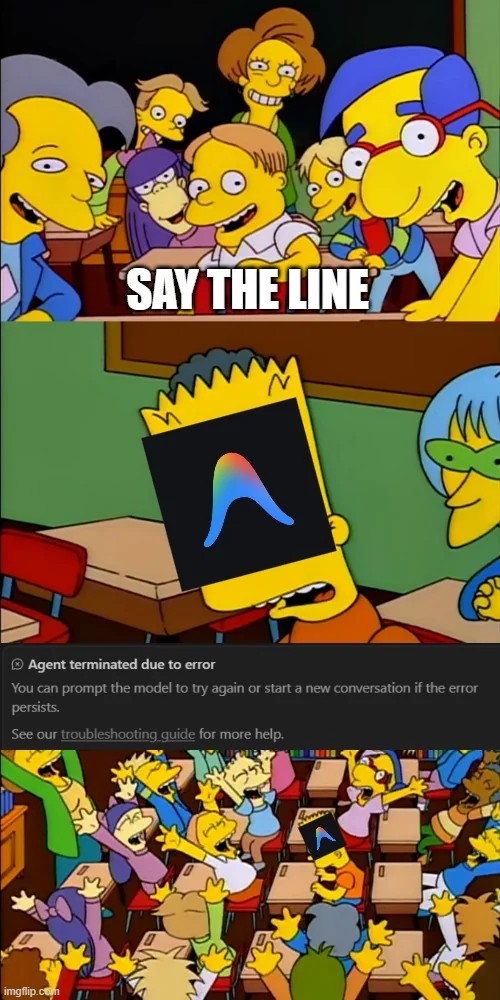
Sometimes you would start a conversation in Antigravity and hit the “terminated due to error” error. Other times, it would happen halfway through the agent’s response. Most annoyingly, the agent would sometimes proceed through a long-winded query and do a good job, only to crash out with the “agent terminated due to error” message. And the only way to get it to proceed was to click the “continue” button. Half-completed queries still used (and wasted) my token allotment, which was annoying.
To give you an example of just how mediocre a design this is: Antigravity is a VS Code fork, which is itself based on Chrome. This means you can open the Developer Tools side-menu. I used AI to write JavaScript that looked for a “continue” button, and if it existed, it clicked it. This opened up productivity, as I wouldn’t be away from my PC only to have it choke mid-query, to then wait for me to show up and hit continue.
Other people’s experiences are subjective, but the only good things about what Google had to offer were that the Gemini 3 Flash model was kind of okay at giving design advice, that they hosted Opus 4.5, and the free tier was far, far, far too generous. Everything else that Google offered (like Antigravity or their own models) was almost unusably bad.
To draw out special condemnation in this regard, Antigravity felt like it was built reluctantly and under constant pressure. Like what you would turn in for a high-school project if you didn’t really understand the source material but knew it was responsible for 90% of your grade.
So I kind of struggled along with using Opus 4.5 through Antigravity with the “continue” button wired up to be pressed when it appeared. The only issue with this was that Antigravity was still bad, and I spent a lot of my time outside of the house chasing my toddler around. If this was going to work, I had to be able to do this, no matter where I was.
OpenCode exists as a neat way to interact with various LLM’s from the terminal, providing something that resembles what you get with Claude Code, but from any LLM.
What really supercharged this, however, was the extensions for OpenCode. oh my opencode would take my prompts, process them via an “Orchestrator”, and then give other tasks to other agents across certain boundaries. A dedicated documentation agent would write documentation, and a dedicated designer agent would come up with designs. This had two benefits: the best agent for the job would take on my task, and those agents would complete their work in parallel before returning their results to the master orchestrator agent.
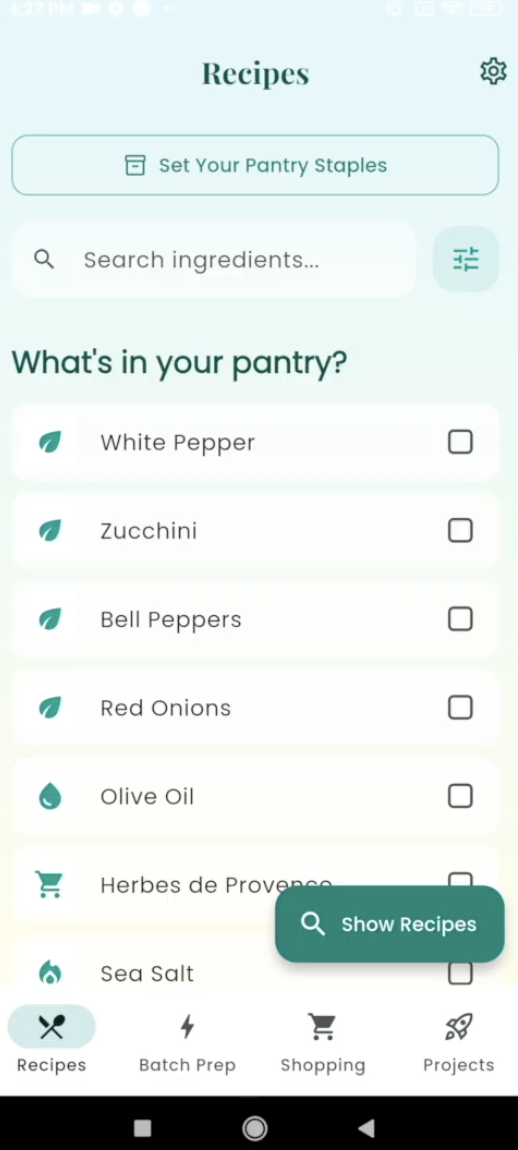
The biggest benefit this had was that if I asked Opus 4.5 to design an app, it would make the UI as a part of that design, but it would look pretty boring. Having OMO (oh my opencode) delegate the task out to an agent exclusively for design, before folding that back into the app itself, led to some pretty good UI designs. Check it out for yourself:
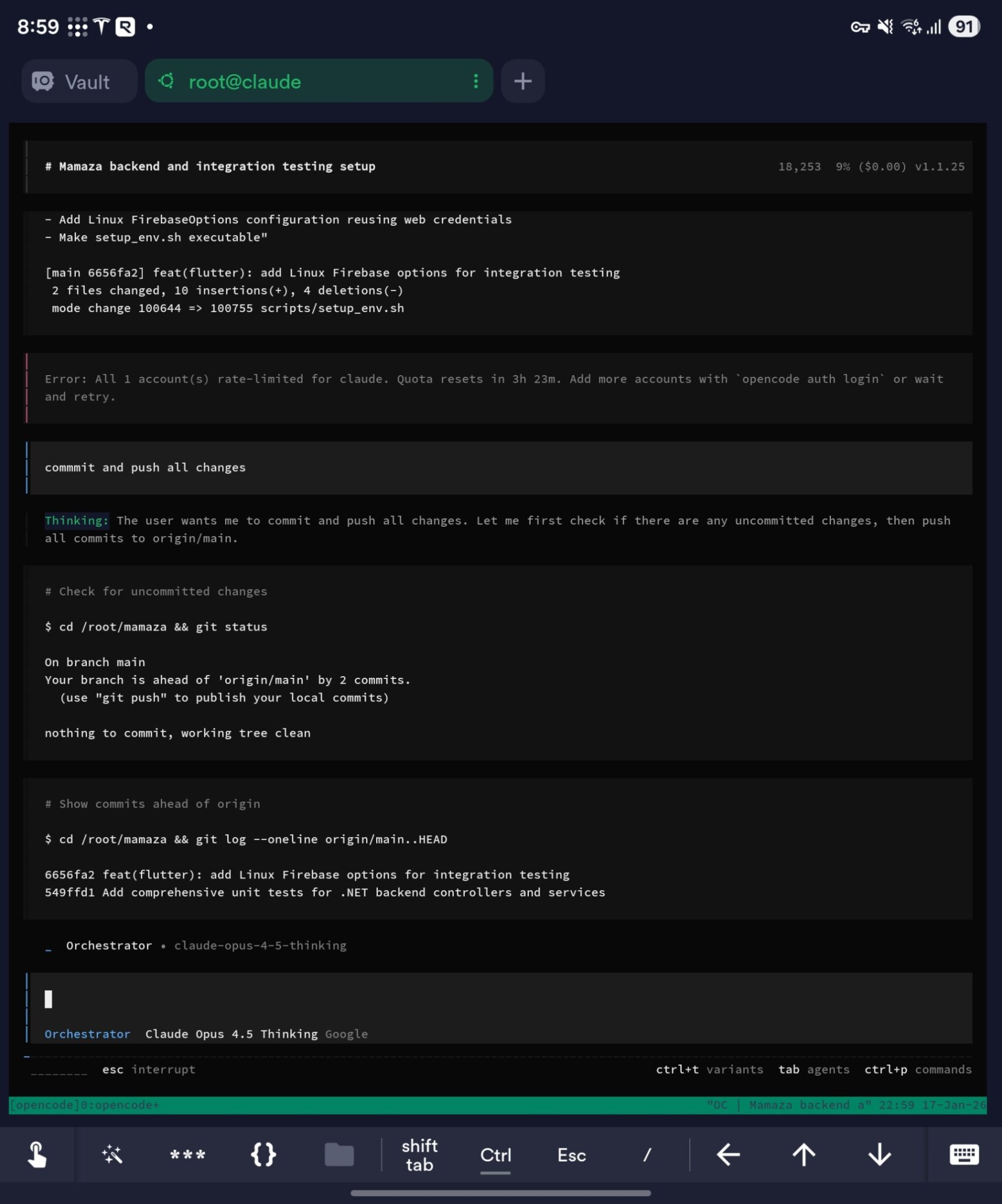
Critically, I wouldn’t have to hack Antigravity to make it work, as OpenCode worked entirely from the terminal. I would just access my virtual machine over SSH and tell it what I wanted. My spelling was atrocious when doing this, as I was trying to type it in on a phone keyboard. But impressively, the various LLM’s at play understood what I wanted each time:
But, it wasn’t all sunshine and roses.
I would have an idea for a new feature that I would like to implement, and so I would prompt OpenCode to implement it. It would chip away at the feature, before coming up with something, and then having those changes implemented into the app I was building.
Most of the time, I would pull in the new build to see how it looked and see that my new feature was implemented. Then I could guide Opus as to what I wanted next. However, sometimes I would check to see how a new feature looked and… there would be nothing. Opus would tell me it had implemented something, only for me to check and see that nothing had been done. I’d then keep prompting Opus, it would keep going, before eventually I would say, “This isn’t implemented, I can’t see it on the xyz screen”, and then the new feature would be visible.
What I realized after was that Opus had tried to implement my feature where it thought I wanted it, because I wasn’t precise enough. When I was actually using my app at a later date in more detail, some screens had a surprising amount of depth in the wrong places. For example, when trying to tune the batch cooking feature, somehow I gave Opus the idea that I wanted the batch cooking functionality on the recipe page itself:
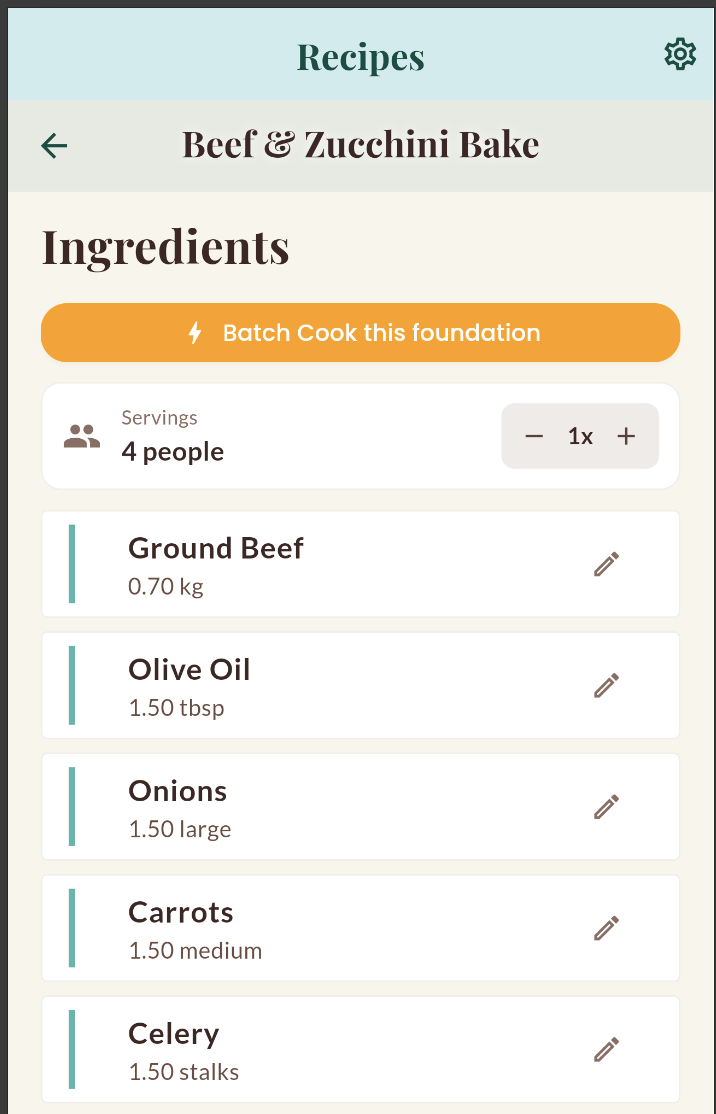
This doesn’t make sense because the point of the app is to create a lot of base recipes and then spin off those base recipes into multiple other final recipes.
Because my attention had been split between trying to tell Claude what app to make and trying to convince my toddler that, unfortunately, patting the polar bear at SeaWorld was not going to happen, some of my prompts were a little shaky. I got very focused on what I wanted to do, not how I wanted to do it.
As a senior software developer, I more-or-less know the right way to achieve a given objective, or at least, the least gross way to do something. Assigning this responsibility to an LLM carte blanche essentially makes it attempt a calculated guess at how something should be implemented. This led to some pretty wild results.
In one case, my project was built, and then the bin directory was accidentally checked in. This introduced a weird bug where, for some reason, the build started failing because it thought it couldn’t find a certain file. The solution was simple: the bin directory just needed to be excluded from the commit. But Claude/Gemini didn’t know that, so it kept ruminating on the problem, adding regex exclusions, adding in and removing things, and just generally tinkering to try to solve the issue.
Because these models can’t just say “I don’t know how to solve that,” they just continue down the most probabilistic pathway to solve the issue. In the end, I had to Google the issue and manually exclude the directory. This is a good example of why replacing your entire test suite with AI agents requires careful oversight — the same blind spots that cause hallucinations in feature development can be just as costly during testing.
At the same time, some surprisingly complex queries were processed, and the right decisions were made. For example, I wanted to know what recipes I could make from a list of ingredients, but also to include a list of ingredients the user already had from their pantry staples. These kinds of difficult queries were produced more or less accurately.
Finally, in this week I also got OpenCode to produce some integration tests, and run them on the virtual machine. It was able to configure a lightweight X Server with XFCE, launch the app with an appropriate PPI (pixels-per-inch), and then tap through the various options and buttons to check that most of it still worked.
All in all, I was pleasantly surprised by how complicated queries and non-intuitive requests were handled.
At this stage, I had a mostly working app that just needed some fine-tuning. But also at about this point, integration between OpenCode and Antigravity stopped working. Worse still, Google heavily neutered the allowance of Opus 4.5 to users, so rate-limiting was happening very quickly.
Because I was so close to having something working, I decided to give Kilo.ai a shot. They would double whatever money I added to it at the time, so I gave $20 and wound up with $40 of credit.
Within the Kilo.ai tool, which is actually based on OpenCode, I got down to fixing the last few issues. However, the CLI tool actually tells you how much money your prompt is costing in real-time.
It is a totally different feeling when you are using something like Antigravity and working through a provided bucket of tokens, as opposed to watching your bucket of money get expended, ten cents at a time. Opus would sometimes go on a bit of a wild goose chase trying to fix something, which would cause it to infer quite a lot, which would mean some simple-ish queries could cost $3-$4 to complete. If you’re looking to avoid this kind of runaway spending, there are practical ways to cut token usage that can save you real money.
Two days before the deadline, I submitted the app and got it all working on the Play Store, and it joined all the other seven thousand submissions.
I won zero dollars. But look on the bright side, I don’t have to pay tax on that!
Would I rather have won 20,000 American dollars? I can say with some confidence that, yes, I would have liked that. But even without that, it was a cool experience in using the wide variety of AI tools that were available to bring together a new app in such a short amount of time. Here were the key takeaways:
If you’re making an app for work or something serious, obviously, don’t try to vibe code it on OpenCode in one hand while keeping your toddler from throwing rocks at cars with the other hand. But for a hackathon, or something that you and your friends might use, it’s probably worth a shot.
We tested five AI code review tools for speed, setup, security, and code quality to compare their strengths and help you choose the right tool.

Compare five React toast libraries for features, bundle size, accessibility, performance, and React 19 compatibility.
See how Tecovas built a patching agent that turns LogRocket’s Galileo AI issue analysis into GitHub PRs, with a developer reviewing every fix before it ships.
Explore OctaneJS, a compiler-first alternative to React. Build a task dashboard and learn about rendering, hooks, asynchronous UI, and React compatibility.
Hey there, want to help make our blog better?
Join LogRocket’s Content Advisory Board. You’ll help inform the type of content we create and get access to exclusive meetups, social accreditation, and swag.
Sign up now

 Learn more →