In my experience, adopting new AI tools always comes with a learning curve, but the real challenges include figuring out how they fit into our existing design process, when to trust their output, and how to help an entire team use them consistently. This has been the focus of my design team for the past few months. We realized that adopting and integrating AI into our workflow would only work if people learned from and supported one another. Through weekly office hours, monthly hackathons, shared experiments, and open discussions about both successful and failed outputs, we’ve seen AI gradually become a natural part of our design process instead of another tool people feel pressured to use. It’s still far from perfect and we continue to experiment, but that’s all part of building an AI culture.
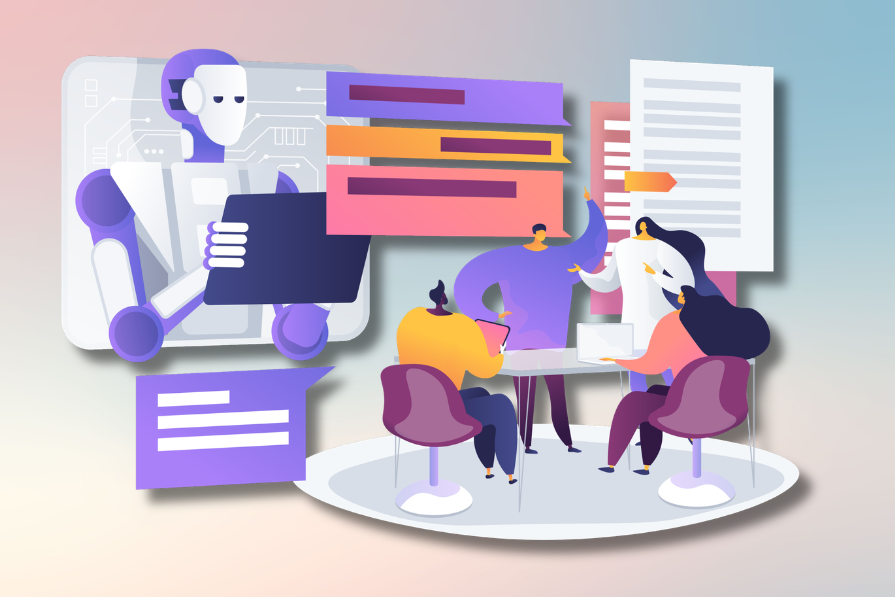
In this article, I’ll share what worked for our team, why building an AI learning culture matters more than rolling out new tools, and a few practical ideas you can use to help your own design team adopt AI with more confidence and consistency.
When organizations invest in AI, the first instinct is usually to choose the right tools. Teams compare Figma Make, Cursor, Claude, ChatGPT, and countless others, experimenting to see what works and what doesn’t.
But simply giving designers access to AI doesn’t mean they’ll use it effectively. On my team, some designers immediately started experimenting with every new feature they could find, using AI to speed up repetitive tasks or explore early concepts. Others were more hesitant to adopt AI due to uncertainty about where it fit into their workflow or how much they could trust its output. Some, including myself, weren’t convinced that introducing AI to parts of their process was an improvement. Everyone was learning independently in silos, so the team wasn’t sharing what they learned. This led to people solving the same problems in isolation. One designer might discover a prompting technique that consistently produced better results, while someone else across the team would spend an hour struggling with the exact same challenge.
Looking back, I realized we were treating AI adoption like a software rollout instead of a culture change. Although we had the licenses to use the same tools, we didn’t all have the same understanding of when to use AI, how much context to provide, or where its limitations were. So using AI less in some areas actually reflected good judgement about where the technology added value.
That’s when we realized our goal wasn’t to get everyone using the same AI tools. It was to create an environment where people could learn from each other’s experiences. Once that became the focus, adoption started happening much more naturally because people were learning from one another instead of relying solely on documentation or training sessions.
Once we realized AI adoption was really a learning problem, we stopped thinking about training sessions and started thinking about building small, repeatable habits. Our goal wasn’t to turn everyone into AI experts overnight. It was to help people become a little more comfortable experimenting each week.
Instead of asking designers to overhaul their entire workflow, we encouraged them to use AI for a single task they were already doing. That might mean generating a few layout ideas with Figma Make before opening Figma, asking Figma Agent to rewrite UX copy and comparing it to their own, or creating a quick prototype instead of building every interaction manually. Sometimes it was as simple as trying one new prompt or building a reusable Figma Skill.
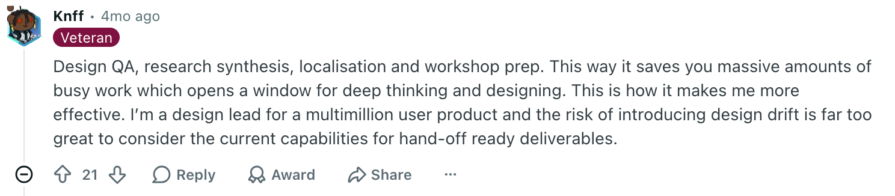
A good example of why we treated these as experiments instead of automatic rollouts is using AI for research synthesis. When reviewing research notes and interview transcripts, AI was useful for summarizing key topics and action items discussed, identifying potential themes and clustering related stickies. But this didn’t mean that we could fully trust its output without reviewing. AI can hallucinate and produce insights that aren’t backed by our own research data.
For our team, researchers were still required to understand the underlying data, and validate the patterns that AI surfaced to ensure that its results made sense, that the insights actually mattered, and that data points weren’t being left out or mixed up. While AI could help speed up the organization and pattern recognition, designers and researchers still have the responsibility to ensure their recommendations are grounded in the research and reflect the context behind it.
The key was that these experiments were intentionally low stakes. Designers didn’t need to master prompting or change their workflow overnight. They only needed to be curious enough to try one new workflow. That made experimentation feel safe instead of overwhelming, and over time those small wins naturally built confidence.
Over time, people naturally became more comfortable deciding when AI was useful, when it wasn’t, and how much they could trust its output. It reminds me of how most of us learned Figma. We didn’t master Auto Layout, components, variables, or prototyping in a single workshop. We learned one feature at a time, applied it to real work, and gradually incorporated it into our daily workflow. Adopting AI has felt much the same.
One of the most effective things we introduced was a recurring AI office hour. It wasn’t a formal training session or a place to present polished work. Instead, it became a dedicated space where designers could bring real problems they were running into and learn from how others approached them.
For example, one designer might ask why Figma Make kept generating interfaces that ignored our design system. Another would explain how they structured their prompt by referencing existing components, product constraints, and user goals instead of simply describing the interface they wanted. Someone else might demonstrate how they used Cursor to automate a repetitive task that previously took twenty minutes.
Those conversations quickly shifted from learning features to developing judgment. We found ourselves discussing questions like:
Having those discussions gave us a better sense of where AI actually fit into our work, although we are still early in adoption and continuing to figure out different ways to effectively use it. We became comfortable using AI for tasks like rewriting UX copy, summarizing documentation, or providing nuanced product context when designing new features. For design exploration and prototyping, we found it more useful as a first pass which could quickly give us ideas to build off of, but have yet to design something with AI that would go straight into production. Usually when we already know exactly what needs to change or if the work depends heavily on product constraints, then doing it ouselves is faster than prompting AI to try and get there.
Our team is also currently experimenting with automated workflows to resolve design debt and other minor UI inconsistencies.
We also realized that many of the challenges people encountered weren’t unique. Someone on the team had usually already solved them. By sharing those experiences openly, we prevented everyone from reinventing the wheel and dramatically shortened the learning curve for the rest of the team.
An unexpected benefit was psychological. Designers who were hesitant to use AI had a safe place to ask questions without feeling like they were falling behind, while experienced users had an opportunity to share workflows they had refined through trial and error. Instead of creating a divide between early adopters and everyone else, office hours gradually brought the team closer together.
Looking back, I don’t think office hours accelerated AI adoption because people learned more features. They accelerated it because they made learning visible. Every question, experiment, and discussion became shared knowledge instead of staying with one person.
When people demo AI, they usually showcase impressive outputs. It’s easy to get excited by a polished mockup or a workflow that saves hours of work. We’ve found those examples inspiring, but the failures have taught us much more.
There have been plenty of times where AI generated polished interfaces that completely ignored our design system, invented components that didn’t exist, or simplified workflows by removing business rules that users actually depended on. On the surface, the designs looked convincing. It wasn’t until we started reviewing them together that we realized how much important context AI was missing.
For example, one designer generated a workflow that looked significantly cleaner than our existing experience. But after discussing it as a team, we realized AI had removed an explicit assignment step that existed for an important business reason. Instead, the AI-generated workflow automatically selected the person it thought should receive the task, removing the step where the manager made that choice themselves. However, a manager needs the flexibility to assign a person manually because of team responsibilities, assignment changes, or other business reasons. The output was optimized for simplicity, but not for the way our customers actually worked because it was the missing context behind it.
The interesting part about this example is how convincing AI made the output seem. It was a shorter, cleaner workflow, which used the right components and removed what appeared to be unncessary friction. If you didn’t already understand why that assignment decision existed, then you wouldn’t have known that something was missing.
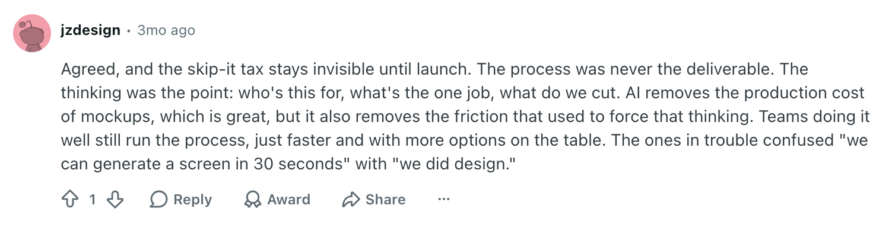
I’ve seen other designers describe this as a false sense of legitimacy that AI tools can create. While AI removes much of the production cost of creating mockups, it can also remove some of the friction that used to force us to think through the problem. As this one designer put it, the mistake is confusing “we can generate a screen in 30 seconds” with “we did design.”
Generating a convincing interface isn’t the same as understanding the problem behind it. In our case, it still took someone familiar with the workflow to recognize that an important decision had disappeared. Otherwise, the team might have continued refining a solution that didn’t address our users’ needs. But instead of dismissing these outputs as “bad AI,” we started asking different questions:
Those conversations completely changed how we approached AI. Instead of judging outputs as simply good or bad, we became much better at identifying why AI succeeded or failed. We learned what context consistently improved the quality of the output, which tasks AI handled well, and where human judgment was still essential. In many cases, our worst AI outputs became our best teaching moments because they revealed exactly what AI was missing.
As our team experimented more, we naturally started saving prompts that produced good results. Eventually, we realized prompts weren’t the most valuable thing to document. The real value was understanding why they worked. Instead of collecting hundreds of prompt templates, we started documenting the context behind successful outputs, like product constraints, assumptions, and design system guidelines, which improved the quality of the response.
For example, asking AI to “design a dashboard” rarely produced anything useful because the request lacked context. But when designers consistently included information like the target users, the decisions those users needed to make, existing design patterns, business constraints, and where the dashboard fit into the overall workflow, the quality of the output improved dramatically.
Over time, we also noticed another benefit. Different designers naturally wrote prompts in different ways, but the underlying information AI needed was remarkably consistent. Whether someone used Figma Make, ChatGPT, Claude, or another tool, good outputs almost always depended on the same ingredients: clear goals, relevant product context, existing patterns, and well-defined constraints.
That’s when we stopped thinking about prompt libraries and started thinking about context more broadly. AI models will continue to evolve, and today’s best prompt might not work the same way six months from now. But understanding what information helps AI produce reliable, consistent results is a lesson that transfers across tools and models. So for context that came up repeatedly, we started experimenting with reusable AI skills that could give the model relevant product and user knowledge without requiring designers to explain everything from scratch. By being able to call upon the skill in addition to receiving a specific prompt, the AI could answer questions and generate designs with the context of what is included in the skill. Some context still needs to come from the designer, but foundational knowledge about the product could be built into the skill to avoid repeating the same details over and over again.
One practice that brought everything together was our monthly AI hackathons. Rather than asking everyone to solve different problems, we’d often give the team the same design challenge and let each designer approach it however they wanted. Some used Figma Make. Others relied on Cursor, Claude, ChatGPT, or a combination of tools. Some barely used AI at all.
At first, I assumed we’d spend most of our time comparing the final designs. Instead, the most valuable conversations happened long before we looked at the output. Why did one designer start by generating twenty concepts while another sketched ideas manually before bringing AI into the process? Why did someone reject AI’s first suggestion? Why did one person use AI to brainstorm while another used it to validate an idea they had already developed?
This is where the hackathons became useful, as designers had to decide what to reject, when more generation wasn’t adding anything useful, and when to take an idea into Figma and continue developing it themselves. But the most valuable part was understanding the reasoning behind other designers’ decisions. We started noticing that when we were generating iterations that were only slightly different than the previous, it was probably time to stop prompting and move into Figma, as AI frequently struggles with getting minor UI details perfect. Over a few months, as we continued the hackathons, we weren’t necessarily becoming experts at using AI, but they helped us recognize when it deserved to be used in our workflow and when we were still better off designing manually.
One of the biggest surprises was how quickly people began adopting parts of each other’s workflows. A designer who had never considered using AI for research synthesis might try it after seeing a teammate demonstrate it. Someone else might adopt a better prompting strategy or start providing more product context after seeing how dramatically it improved another designer’s results. Every discussion expanded the team’s collective toolkit by revealing where AI worked well, where it struggled, and how different designers approached the same problem. This made adopting AI feel like a team effort rather than an individual burden.
The biggest lesson we’ve learned is that successful AI adoption isn’t about choosing the right tools. It’s about creating an environment where people feel comfortable experimenting, asking questions, sharing failures, and learning from one another.
The practices we’ve adopted, like small weekly experiments, office hours, documenting patterns instead of prompts, and collaborative hackathons, aren’t really about AI. They’re about building a culture where learning happens continuously, regardless of how quickly the technology changes.
If you’re introducing AI into your own design team, don’t start by asking which tool everyone should use. Start by thinking about how your team will learn together. Create opportunities to experiment, normalize sharing both successes and failures, and encourage people to learn from one another. The teams that adapt the fastest won’t be the ones using the newest AI tools. They’ll be the ones that have built a culture where people continuously learn from one another.
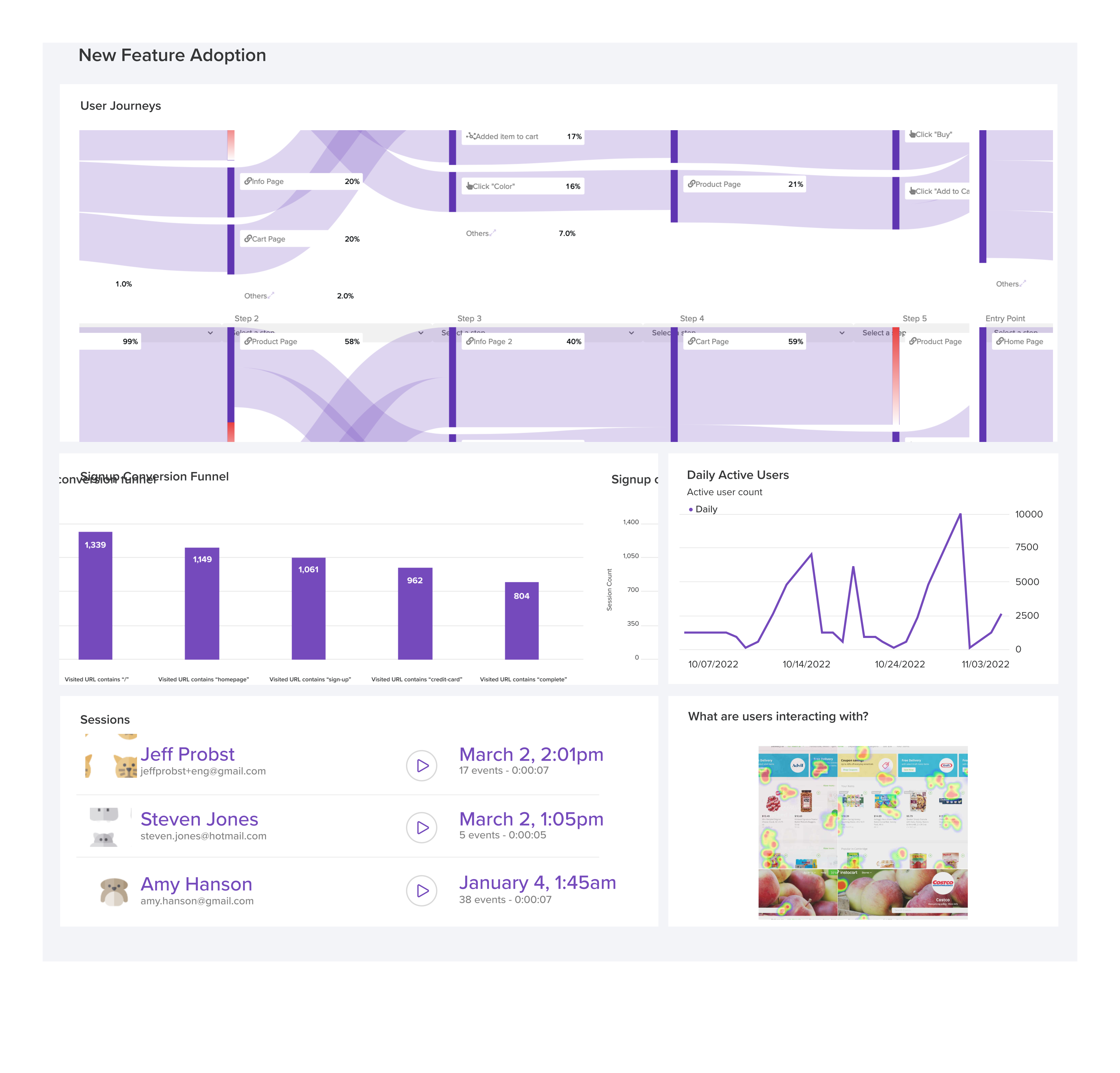
LogRocket's Galileo AI watches sessions and understands user feedback for you, automating the most time-intensive parts of your job and giving you more time to focus on great design.
See how design choices, interactions, and issues affect your users — get a demo of LogRocket today.

Through this step-by-step guide, you can learn how to easily import files from Adobe Illustrator to Figma.

Growth design isn’t just about getting more users to convert. It’s about using research, experimentation, and data to improve activation, retention, and long-term user value without sacrificing trust or the quality of the experience.

Starting with proto-personas can be better than a blank page, but don’t forget — they’re assumption-driven placeholders for the real thing. Research is key to turning them into true personas.
Design thinking workshops are your key to turning big problems into clear solutions. In this blog, I share how to run them efficiently and keep your team aligned.


 Learn more →