The UX content landscape has changed as generative AI has become part of writing workflows. Generative AI is here to stay but how do we navigate it? Gone are the days where UX content writers just used tools for research — these very tools are taking their jobs.
One company I’ve previously worked with laid off all of their SEO content writers, UX writers, and content marketers in favor of using AI to write for them. They even made their managers install a separate AI annotation tool to check the output that their AI writers had generated.
That experience raises a question about accountability, not just writing speed. AI can produce context-sensitive drafts and plausible explanations, but a fluent response does not establish that it reflects users’ needs or the product’s actual behavior. Teams still need people responsible for research, content decisions, and checking what reaches users.
Further, the content that is being mass-produced by AI lacks management and collaboration. AI content shouldn’t be thought of as an end-product but, rather, can be utilized to create correlations between what the business wants to relay to their end-users, the team that sends those messages, and the end-user that receives those signals.
Correlation, however, is — as the saying goes — not causation; and it is most certainly not cognition. This article will cover ways to properly leverage AI-aided correlations, along with common mistakes UX writers make in doing so.
Editor’s note: This article was updated on October 27, 2026 to replace unsupported adoption and efficiency figures with dated evidence, clarify the limits of AI-generated content, and add a practical UX-copy review workflow and example.
Key Takeaways
Knowing how to evaluate AI can be useful for a UX writer, but adoption alone does not establish professional competence or predict who will keep a job. Judge the workflow by the quality of its decisions and outcomes, including when using an approved template or writing directly is the better choice.
The practical distinction is between generating a plausible response and having evidence that it works for the people using the product. Human research, domain expertise, and testing remain necessary inputs; the tool’s confidence is not a substitute for them.
Human cognition is what allows us to spot what’s best for other human beings. This human-centric way of thinking can be a huge part of standing out in the market. And cognition — driven by empathy — produces the kind of creativity that our end users can benefit greatly from.
For smart UX designers, knowing how to weed out bad AI content from the good ones is what will lead to success. UX designers who can use AI at any stage of the process, but it must be utilized wisely. Those who can do so will stand out over those who don’t use it at all, or who use it mindlessly without double-checking.
AI is a tool, but creativity is a human skill. It is this creativity that must lead our management of our AI tools and resources. AI should not be a replacement for human-centered UX content; but it can and should be utilized as a tool for more effective collaboration.
AI can help summarize patterns in research you supply, but a pattern is only as useful as its evidence and coverage. Check whether the source material represents the people, languages, accessibility needs, and situations your product must support.
Imagine you’re a gaming company exploring AI for interface text or dialogue. In the January 2026 GDC State of the Game Industry report, 36% of surveyed game industry professionals said they used generative AI as part of their job; among respondents at game studios, the figure was 30%. These are self-reported figures about generative AI in a particular survey, not a measure of all AI use, every game developer, or the quality of player-facing content.
The great thing about it is that in gaming, UX designers can rapidly visualize great ideas — scripts, interface content, dialogue, etc — using AI. But a lot of these visualizations still need weeding out. This is where human ingenuity can come in — human curation works best for the human end user.
For a role-playing game, the content would be vastly different from a first-person shooter game. And there are many games out there — inventive, quirky, and massively appealing games — that would be very difficult to market with the use of AI alone.
With the end-user in mind, AI can aid humans to look and select the right content for their right niche. A gamer is a whole different niche, than say an e-commerce client. The ability of AI to quickly typify and categorize experiences may prove detrimental to your niche, especially for UX content that tends to be repeatable.
The correlations that AI makes by scanning all types of users can be aided by a UX designer that knows exactly what they’re doing. But hasty, shallow AI content that doesn’t add any uniqueness to your content will not succeed. The key is handling AI with a human touch, so that content can be not only data-driven but hyper-personalized for every user.
Start with a bounded UX writing task, such as generating alternative empty-state messages from an approved brief. Short copy is not automatically low risk: a payment confirmation or destructive-action label can have serious consequences if it misstates what happens next.
AI can reduce drafting time, but there is no universal percentage to apply to a UX content workflow. A 2023 experiment by Shakked Noy and Whitney Zhang involving 453 college-educated professionals found that access to ChatGPT reduced average completion time by 40% and increased assessed output quality by 18% on selected professional writing tasks. That study did not measure an end-to-end UX content process involving product validation, localization, and user testing. Treat it as evidence for those tasks, not a forecast of your team’s savings in 2026 or 2027.
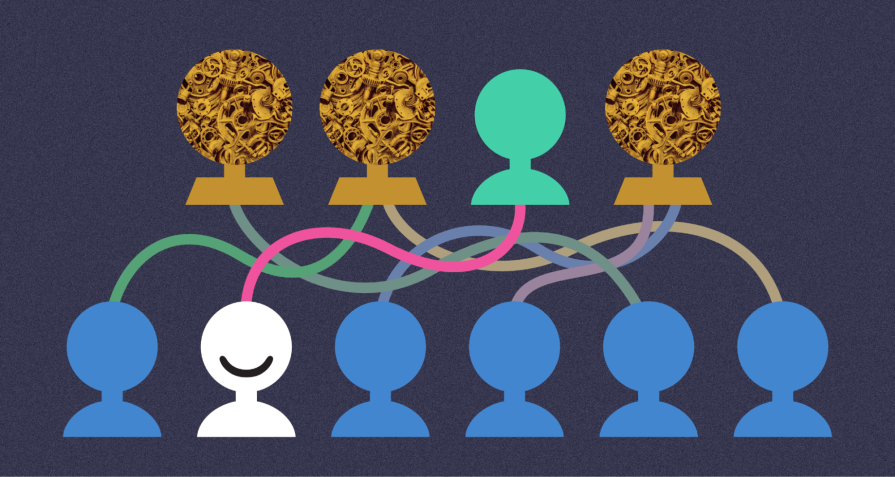
A hybrid model works best — AI generates initial drafts and handles repetitive tasks, while human editors refine the tone, accuracy, and brand alignment. The use of human UX designers is crucial for fact-checking, plagiarism detection, and alignment with a brand’s unique voice. They’re critical to maintaining content integrity and trust with end-users:
Evaluate whether users understand the message and can complete their task. Neither human authorship nor polished AI output guarantees that result.
“Keep a human in the loop” needs to mean more than having someone skim the output. Assign an owner to the content decision and make the acceptance criteria visible before generating alternatives.
Suppose a checkout request times out and the interface cannot confirm whether the payment completed. An AI draft might say, “Payment failed. Try again.” That wording invents a failure state and may prompt an unnecessary second attempt.
A candidate for review is: “We couldn’t confirm your payment status. Check your orders before trying again.” A “View orders” action would make sense only if the product actually provides a reliable order-status view. The content designer must confirm that behavior with the team and test whether users understand the next step.
This is the balance in practice: AI can produce alternatives, but approved product facts determine what the message is allowed to claim. If the team cannot verify the state or recovery route, the copy is not ready to ship.
Have you ever read AI content? Often, it’s generic, devoid of humor or emotion, and seemingly stilted and formal. For UX designers, combining a personalized human touch along with the basic principles of content generation and framing is ideal for targeting your end-users.
AI can lay structural groundwork, allowing human content creators an underlying structure into which they can weave personal insights, stories, and an authentic brand voice. Generic input leads to generic output, in my own experience creating years of content. A specific, well-crafted prompt dramatically improves output quality. Think of creative prompts you can use rather than generic ones. Personalization is all about quality content that connects deeply.
You can also test prompt versions and save effective prompts to help optimize results over time. This makes the process repeatable, but you still need to test whether the output works for the intended audience. And, if utilized well, AI can help keep your archive or history of prompts continuously useful. It can create interesting starting points from what you’ve already established — but always make sure that AI is aiding and augmenting your process, not replacing your unique human sensibilities.
Here are some best practices I’ve done throughout the years, and how I’ve tailored content for the end-user with the help of AI:
It’s wise to partner up with AI, using it as a tool rather than a threat. A human-AI partnership entails smart AI content use from business to UX content designer to end-user. AI drives efficiency and initial creation, while humans ensure quality, ethics, personalization, and brand consistency, thus maximizing the value AI tools bring without losing the human touch to target your end-user.
AI can assist with repetitive work and creative exploration. Neither use guarantees value. For UX content, an accurate, familiar instruction can be better than a novel line: prioritize comprehension, consistency, and successful task completion over originality for its own sake.
This post contains original images by John Hirota. John Hirota is an illustrator working in the fields of design, culture, and education.
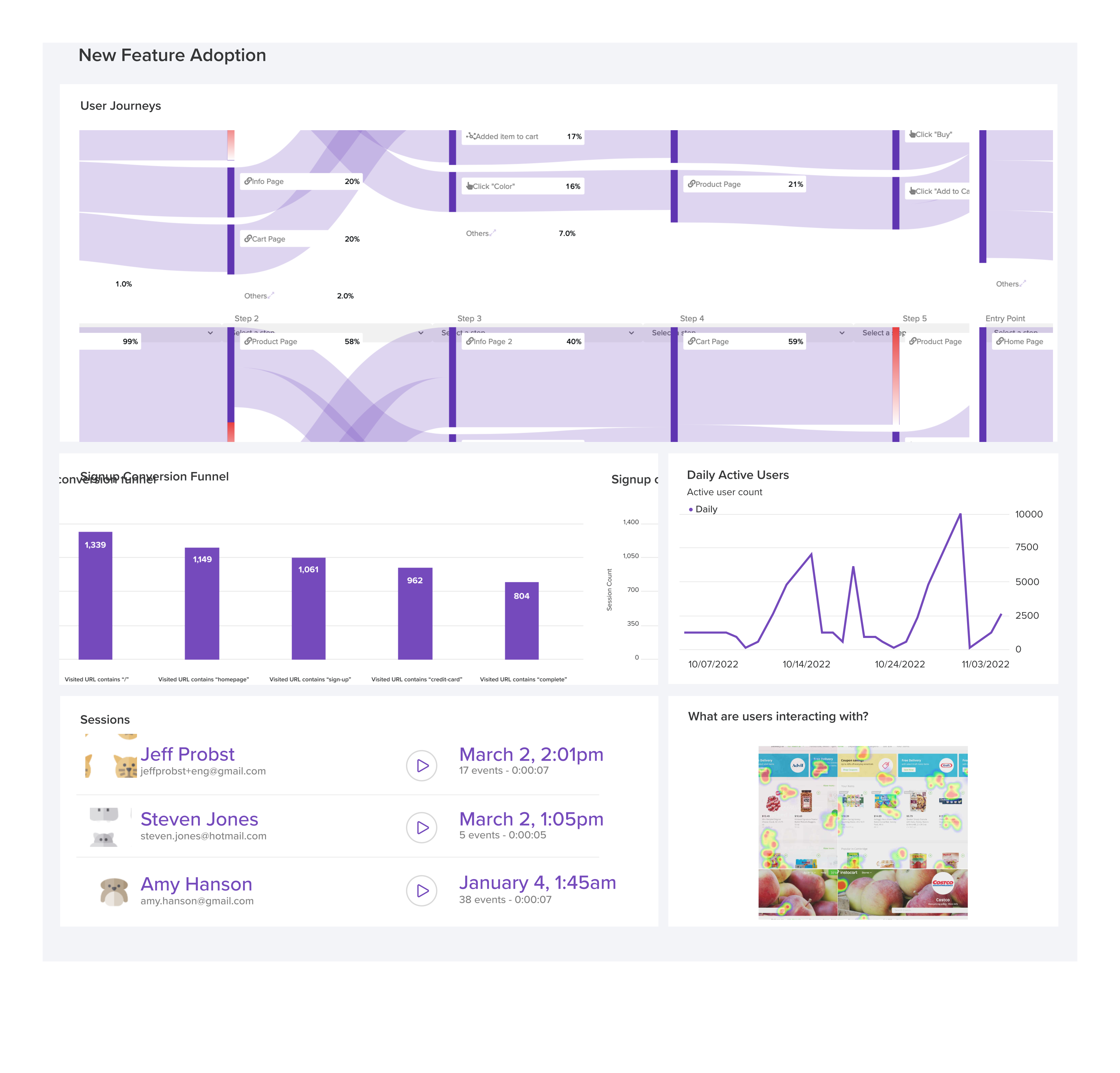
LogRocket's Galileo AI watches sessions and understands user feedback for you, automating the most time-intensive parts of your job and giving you more time to focus on great design.
See how design choices, interactions, and issues affect your users — get a demo of LogRocket today.
A design can look right and still fail in users’ hands. Learn how five kinds of prototype stress tests expose edge cases early, from awkward screen widths and real-world inputs to loading states, unexpected interactions, and accessibility.

Prepare your 2027 UX workflow with a practical guide to visualization tools, AI-assisted analytics, accessible charts, and a worked checkout example. Learn what to verify before acting on the data.

Explore how UX designers can use ADPList to find guidance and share experience, what to check before booking, and how its free and paid options compare with other mentorship platforms.

Compare Figma and Canva for UI design, marketing assets, collaboration, and pricing. Learn where Make, Sites, Buzz, Canva Code, and the separate Affinity app fit into your workflow.

 Learn more →