Your team wants Cursor. Engineering is all-in on Claude Code. Then your security team reviews the architecture and blocks it.

Most AI coding tools work by sending your code somewhere else. When you use Cursor, your code snippets travel to Cursor’s backend (hosted on AWS) before being forwarded to model providers like OpenAI and Anthropic. Claude Code sends files and prompts directly to Anthropic’s servers. This architecture works fine for most teams, but for healthcare companies handling PHI, financial institutions under SOC 2, or government contractors with classified codebases, any external data transmission can violate compliance requirements, regardless of encryption or zero-retention agreements.
OpenCode is an open-source AI coding agent that has gained traction as teams look for compliant alternatives. The key difference: it supports local model execution via Ollama, meaning code never leaves your machine.
This isn’t about OpenCode being superior to Cursor or Claude Code in code quality. It is not. But when security policies block cloud AI tools entirely, OpenCode with local models offers a compliant alternative.
The Replay is a weekly newsletter for dev and engineering leaders.
Delivered once a week, it's your curated guide to the most important conversations around frontend dev, emerging AI tools, and the state of modern software.
OpenCode is available as a terminal-based TUI (text user interface), VS Code extension, or desktop application. The architecture supports 75+ LLM providers through the AI SDK and Models.dev, including OpenAI, Anthropic, Google, and Azure OpenAI, but critically, it also supports local model execution via Ollama.
The tool acts as a local orchestrator. When you configure cloud providers, requests go directly to their APIs. When you configure Ollama with local models, everything runs on your hardware, with no intermediary storage, no telemetry collection, and no data retention policies to negotiate.
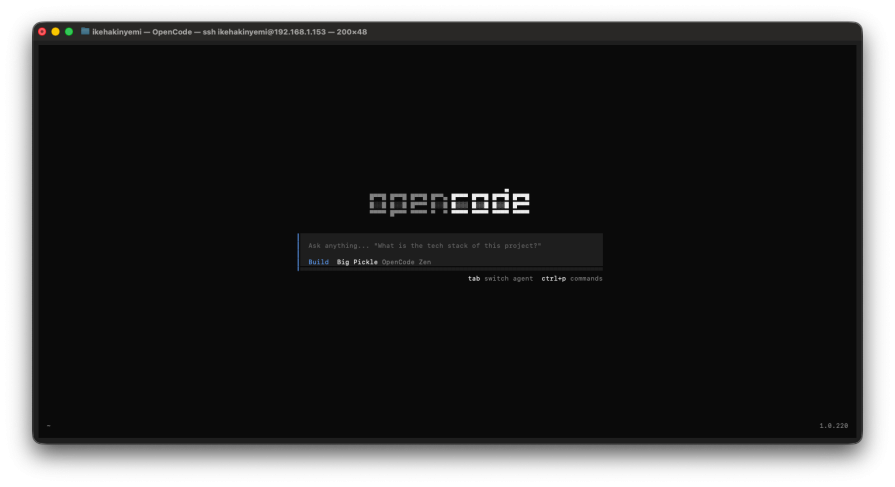
OpenCode supports local model execution through Ollama. Download Ollama separately, then pull models like Qwen 2.5 Coder (7B, 32B), DeepSeek Coder V2 (16B), or CodeLlama (7B, 34B). These will run entirely on your hardware, without a need for API keys or cloud inference.
The performance gap between local and cloud models is significant. Claude Sonnet 4 scores 72.7% on SWE-bench (real-world software engineering tasks). Qwen 2.5 Coder 32B (the strongest local coding model) is competitive with GPT-4o on some benchmarks, but still trails Claude on complex multi-file work.
Smaller models like Qwen 7B handle single-function refactors but struggle with architectural reasoning. Local models also run slower: expect 5–15 tokens/second on consumer hardware versus 50+ tokens/second for cloud APIs.
This isn’t about local models being better. They are not. But for teams where compliance blocks cloud AI entirely, functional code from a local model beats no AI assistance.
# Install Ollama
curl -fsSL https://ollama.com/install.sh | sh

# Pull a coding model
ollama pull qwen2.5-coder:7b

# Verify
ollama list
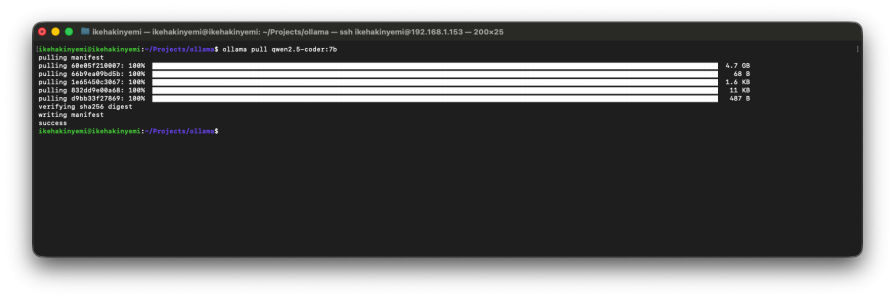
Install OpenCode via npm, then create a JSON config file that points to your local Ollama server. The entire process takes under 10 minutes if Ollama is already running.
# Install OpenCode
npm install -g opencode-ai

# Start Ollama (keep this terminal open)
ollama serve

# Pull a model
ollama pull qwen2.5-coder:7b
OpenCode requires manual JSON configuration for Ollama. Create ~/.config/opencode/opencode.json:
{
  "$schema": "https://opencode.ai/config.json",
  "provider": {
    "ollama": {
      "npm": "@ai-sdk/openai-compatible",
      "options": {
        "baseURL": "http://localhost:11434/v1"
      },
      "models": {
        "qwen2.5-coder:7b": {
          "name": "Qwen 2.5 Coder 7B"
        }
      }
    }
  }
}
Here’s a gotcha to look out for: Ollama defaults models to 4,096-token context windows even if they support more. For tool use (file operations, bash commands, multi-file edits), you need 16K–32K tokens. Create an expanded variant:
# Enter Ollama prompt
ollama run qwen2.5-coder:7b

# Set larger context
>>> /set parameter num_ctx 16384

# Save as new variant
>>> /save qwen2.5-coder:7b-16k

# Exit
>>> /bye
Now update your config file to use the new variant. Edit ~/.config/opencode/opencode.json and change the model key:
{
  "$schema": "https://opencode.ai/config.json",
  "provider": {
    "ollama": {
      "npm": "@ai-sdk/openai-compatible",
      "options": {
        "baseURL": "http://localhost:11434/v1"
      },
      "models": {
        "qwen2.5-coder:7b-16k": {
          "name": "Qwen 2.5 Coder 7B (16k context)"
        }
      }
    }
  }
}
Without this step, OpenCode can fail silently on file edits and multi-step tasks.
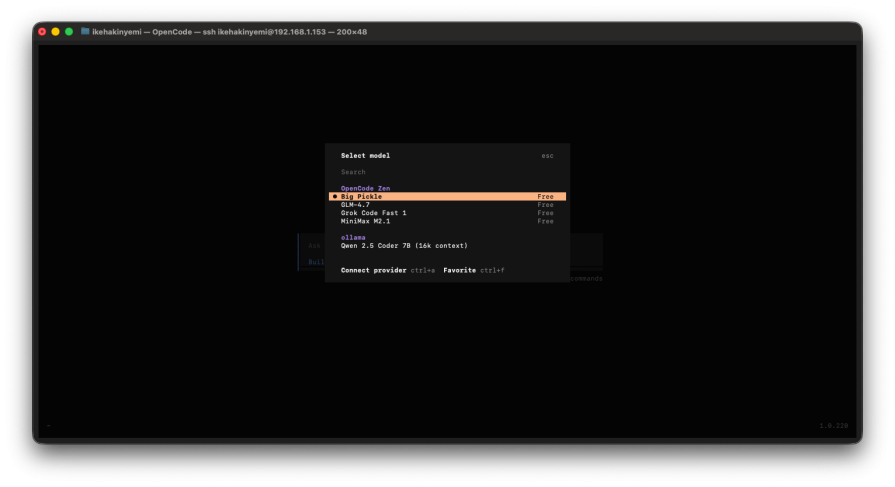
I wanted to see how OpenCode with local models actually performs, so I tested it with Qwen 2.5 Coder 7B on three realistic tasks: refactoring a function, adding validation to an API endpoint, and debugging a failing test.
The model produced working code but made some questionable architectural choices. Instead of splitting by responsibility (validation, transformation, output), it broke the function at arbitrary points. The first attempt created a helper function with seven parameters and a tuple return, defeating the refactoring purpose.
Iteration required: Two rounds with explicit instructions (“separate validation logic from data transformation”). The third attempt finally produced clean separation: one function for validation, one for transformation, one for formatting.
Time: ~3 minutes total. Claude Sonnet 4 would have nailed this in one shot. The local model needed hand-holding on what “good refactoring” actually means.
Success on the first attempt. The model correctly identified required fields, added type checks (string, integer, email format), and returned proper HTTP 400 responses with clear error messages.
What impressed me: It matched project conventions without being told: same validation pattern, same error response structure, same naming conventions from other endpoints. It even added edge case handling for empty strings and null values I had not requested.
Takeaway: Local models excel at well-defined problems with established patterns. For straightforward CRUD operations and common web patterns, they punch above their weight.
Complete failure. The test failed due to datetime objects with different timezone info. The model hallucinated fixture names that did not exist (mock_timezone_handler, datetime_normalizer) and suggested fixes for non-existent syntax errors.
After two retries: It gave up and recommended generic debugging steps (“add print statements,” “check timezone configuration”) instead of actual solutions.
Manual fix: This took 3 minutes. I converted both datetimes to UTC before comparison. The model never identified the root cause, despite it being in the test output.
Why it failed: The issue required understanding relationships between system parts (datetime handling, timezone context, assertion logic). Local models lose the thread on these multi-layered problems.
Local models handle isolated, pattern-matching tasks competently. But they struggle with:
If you’re going local-only, budget 2–3x more time for anything beyond straightforward implementations. Handle architectural decisions yourself, provide extremely explicit refactoring instructions, and plan to manually debug system interactions.
This isn’t a performance argument. Rather, it’s a compliance workaround.
Let’s be clear about what you’re giving up. Cloud-based tools like Claude Code and Cursor offer near-instant responses, sophisticated architectural understanding, and the ability to reason across your entire codebase. They handle ambiguity well. They catch edge cases you did not think to mention. They iterate quickly without you having to spell out every detail.
Local models require more hand-holding. You will spend time crafting precise prompts when you would rather just describe what you want. You will iterate multiple times on tasks that cloud models nail in one shot. You will handle architectural decisions yourself instead of delegating them. And you will hit a wall on complex debugging where cloud models would have connected the dots.
But if compliance requirements block cloud AI entirely, inconvenient beats unavailable.
Healthcare: Developers working with PHI often cannot use cloud-based AI coding tools without Business Associate Agreements that many AI vendors will not sign. Hospital IT teams maintaining internal systems (like EHR integrations, scheduling platforms, patient data pipelines) can run OpenCode locally with Qwen 2.5 Coder for refactoring functions, generating boilerplate, or any task where local models perform adequately.
Finance: Teams under SOC 2 or PCI-DSS constraints face similar blocks. A bank’s developers refactoring legacy authentication systems cannot paste production code into cloud tools. OpenCode running on-premises provides AI assistance within compliance boundaries, even if that assistance is slower and requires more iteration than Sonnet 4.
Government: Contractors handling CUI or classified material can face outright bans on cloud AI. OpenCode is one of few options that exist at all.
If you can use Claude Code or Cursor, use them. The testing results above show where local models struggle. Save yourself the frustration if compliance does not force your hand.
Local models are improving, but the gap between Qwen 7B and Claude Sonnet remains significant. For multi-file refactors, architectural suggestions, and complex debugging, cloud models still provide better results. But regulated industries do not get to optimize purely for performance. Compliance requirements come first.
If your security team blocks cloud AI tools, OpenCode is the compliant path forward. Install Ollama, pull a model, and work within the limitations: slower inference, more iteration, but full data sovereignty.
A side-by-side look at Astro and Next.js for content-heavy sites, breaking down performance, JavaScript payload, and when each framework actually makes sense.
AI-generated tests can speed up React testing, but they also create hidden risks. Here’s what broke in a real app.re

Why the future of DX might come from the web platform itself, not more tools or frameworks.

A hands-on test of Claude Code Review across real PRs, breaking down what it flagged, what slipped through, and how the pipeline actually performs in practice.
Would you be interested in joining LogRocket's developer community?
Join LogRocket’s Content Advisory Board. You’ll help inform the type of content we create and get access to exclusive meetups, social accreditation, and swag.
Sign up now


 Learn more →