Over the past few years, the JavaScript and TypeScript ecosystem has been dominated by debates over runtimes. When Bun arrived, it raised developer expectations by delivering a fast, all-in-one toolchain. However, for many teams, migrating production codebases from Node.js to a completely new runtime like Bun or Deno remains a high-risk endeavor.
This is where Nub comes in. Nub is a lightweight, Rust-based utility that sits directly on top of Node.js.
Rather than replacing the Node.js runtime entirely, Nub streamlines development workflows by combining version management, script execution, package installation, and environment configuration into a single, high-performance binary.
In this guide, we’ll explore Nub’s primary features, see how it accelerates daily development tasks, and analyze benchmark results to evaluate whether its performance gains live up to the claims.
For this, you will need the following:
You can install Nub through three standard methods depending on your operating system and environment.
Through npm, run this command globally in your terminal:
npm install -g @nubjs/nub
If you prefer to use curl on macOS or Linux, run:
curl -fsSL https://nubjs.com/install.sh | bash
You can also install it on Windows via PowerShell:
irm https://nubjs.com/install.ps1 | iex
To verify the installation succeeded, run:
nub --version
This should print the active version of the Nub CLI, confirming that the binary is ready to use in your local environment.
To understand where Nub fits into your current workflow, look at how its unified interface compares with existing tools in the Node.js ecosystem:
| Nub command | Traditional tool it replaces or augments | Purpose |
|---|---|---|
nub app.ts |
node, tsx, ts-node |
Direct TypeScript execution |
nub run dev |
npm run, pnpm run |
script running |
nubx prisma generate |
npx, pnpm dlx |
Binary task execution |
nub install |
npm, pnpm, yarn |
package management |
nub watch app.ts |
node --watch, nodemon |
Core file watching and live reloading |
nub node install 22 |
nvm, fnm |
Node.js version management |
nub pm shim |
Corepack | Integrated package manager shim management |
Now that we see what tools Nub handles, let’s analyze why Node development has historically struggled with tool fragmentation, and look at how Nub addresses this under the hood.
A Node development workspace requires managing several independent dependencies.
While modern runtimes like Bun and Deno solve this by combining these tools natively, they require a total runtime migration.
This brings up another problem. Many teams find Bun or Deno too risky for production because major cloud platforms such as AWS Lambda, Google Cloud Functions, and Azure Functions do not support them natively.
Nub solves this problem while ensuring full compatibility with your standard Node.js production runtimes.
Traditional tooling like npm or pnpm runs on top of Node.js.
For example, when you run npm run build, your shell launches a Node process, parses the package manager’s JavaScript libraries, resolves the command configurations, and finally launches another Node process to run the actual build script.
Nub takes out the intermediate process and uses the following instead:
Nub consolidates the everyday commands you use across your workflow into a unified CLI tool.
Instead of switching between multiple standalone packages, version managers, and runner wrappers, you can use Nub directly in any existing project without altering your project setup or modifying your configuration files.
Let’s explore how it handles everyday developer workflows, from running scripts and executing TypeScript files to managing packages and environments.
If you were to start your development environment, you can do it like this:
nub run dev
Nub allows direct, native execution of TypeScript files without additional tooling or wrappers.
You can go ahead and run a TypeScript file like below:
nub app.ts
Let’s test this in action.
I have a test file named demo.ts with the following code:
enum TaskStatus {
  Pending = "PENDING",
  Complete = "COMPLETE"
}

class BuildTask {
  constructor(
    public readonly name: string,
    public readonly status: TaskStatus = TaskStatus.Pending) {}
}

const task = new BuildTask("Compile CSS");
console.log(`Task [${task.name}] status is: ${task.status}`);
Now, run this typescript file directly through the terminal:
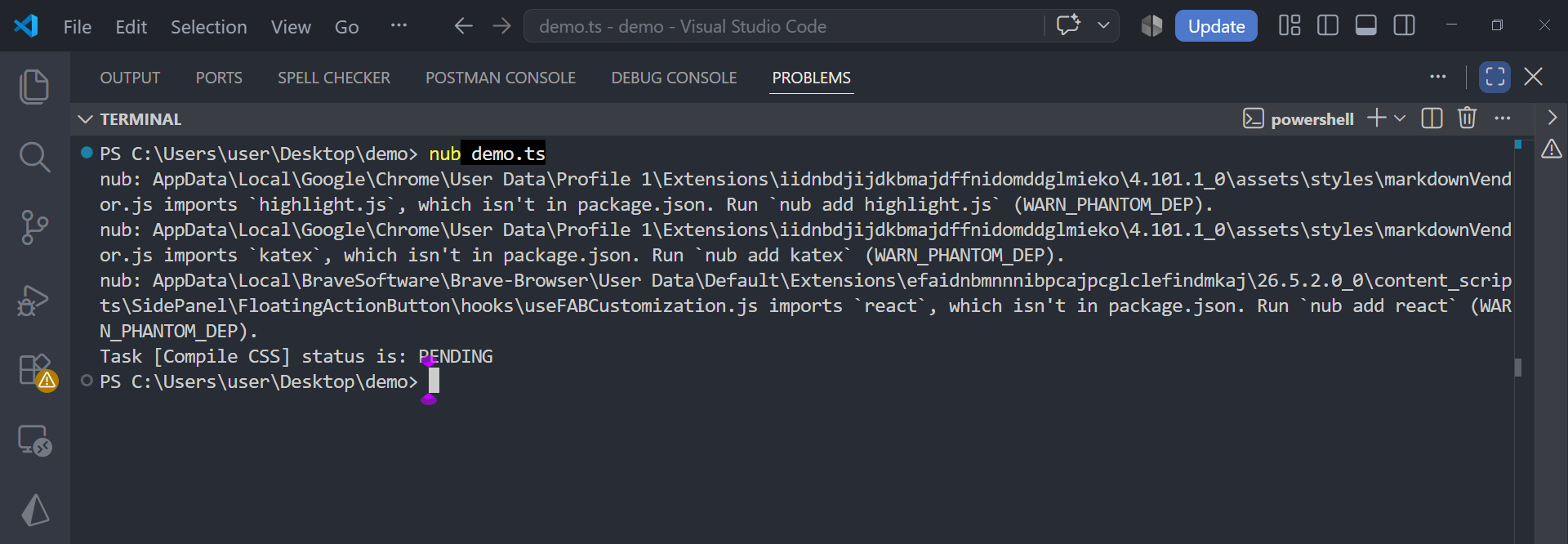
nub demo.ts
On running this command, Nub parses your TSConfig directives, processes enums and class constructors in memory, and passes the parsed execution script to Node.
Take a look at the result below:
There is also an integrated package manager built on top of the native Rust orby engine.
This engine uses a global, content-addressable storage pool, similar to pnpm.
To initialize or update your dependencies, simply run:
nub install
In addition to fast downloads, it also comes with the following security configurations:
postinstall binaries automatically.Nub integrates Node version switching natively into its Rust executable. It automatically scans your directory tree for version pinning indicators, including .nvmrc, .node-version, or the engines parameters inside package.json.
When you enter a folder, it detects the requested Node deployment and switches automatically, downloading and caching the correct platform binaries if they are not already installed on your machine.
You can also run manual switches:
nub node install 22

nub node use 22

nub node list
Rather than requiring third-party library integrations to parse environment files in development, Nub includes direct, native environment variable loading.
One more thing: it also loads configurations from .env and .env.local files automatically.
Nub advertises performance improvements of up to 20× over traditional Node.js package managers and runtime wrappers.
Rather than relying solely on Nub’s published benchmarks, I wanted to see what those numbers looked like on a real development machine.
I therefore ran my own benchmarks using Hyperfine, comparing Nub across three workloads:
The results represent measurements from my machine and should not be interpreted as universal performance figures. Hardware, operating system, software versions, file system performance, and cache state can all affect the results.
That being said, here is a breakdown of my laptop specifications:
| Component | Specification |
|---|---|
| CPU | Intel Core i7-7500U @ 2.70 GHz |
| RAM | 8 GB |
| OS | Windows 10 Pro |
| Architecture | x64 |
I tested a minimal script to measure the baseline wrapper overhead introduced by the package runner before executing actual code.
hyperfine --warmup 10 --runs 20 "nub run noop" "pnpm run noop" "npm run noop"
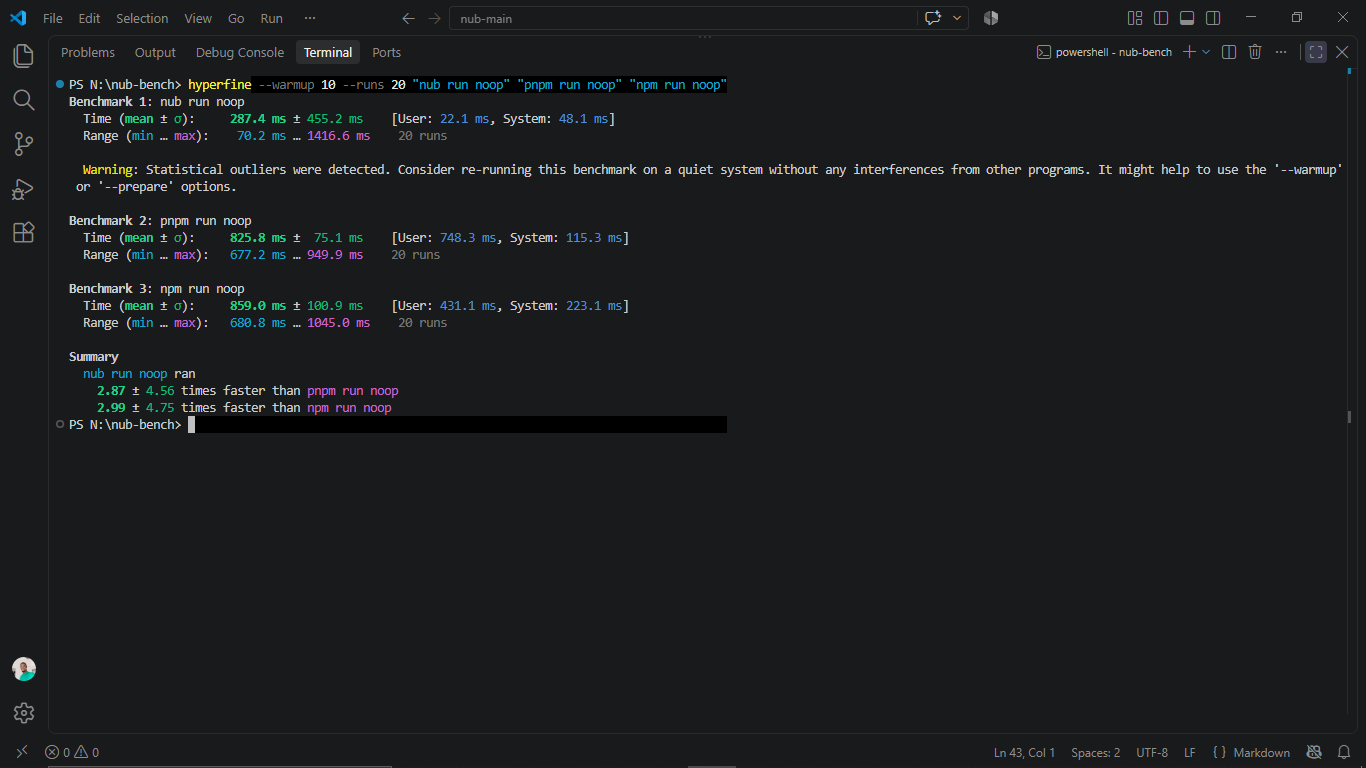
When executing a basic shell command via package manager scripts, package managers like pnpm and npm incur an average startup overhead of over 800 milliseconds.
Nub operated 2.87× faster than pnpm and 2.99× faster than npm on average.
Next, I measured how quickly Nub executes a single TypeScript file compared to standard JS execution under Node and the popular tsx loader.
hyperfine --warmup 10 --runs 20 "nub hello.ts" "tsx hello.ts" "node hello.js"
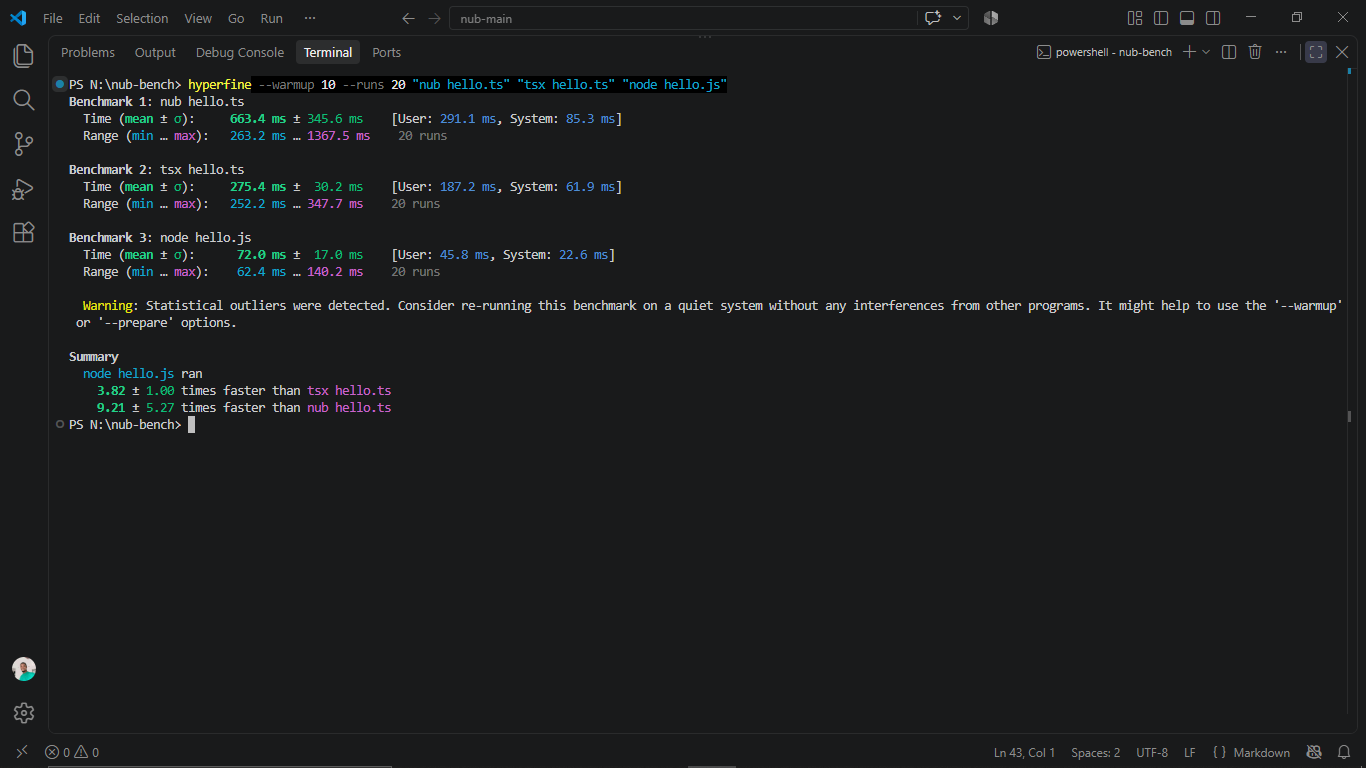
In this benchmark, node hello.js was the fastest at 72 milliseconds, but it runs a JavaScript file rather than TypeScript.
For the two tools running hello.ts directly, tsx was 3.82x faster than Node. Node’s JavaScript baseline was 9.21x faster than Nub.
Finally, I benchmarked a realistic scenario that combines package script parsing with TypeScript compilation by running a hello-ts task.
hyperfine --warmup 3 --runs 20 "nub run hello-ts" "pnpm run hello-ts"
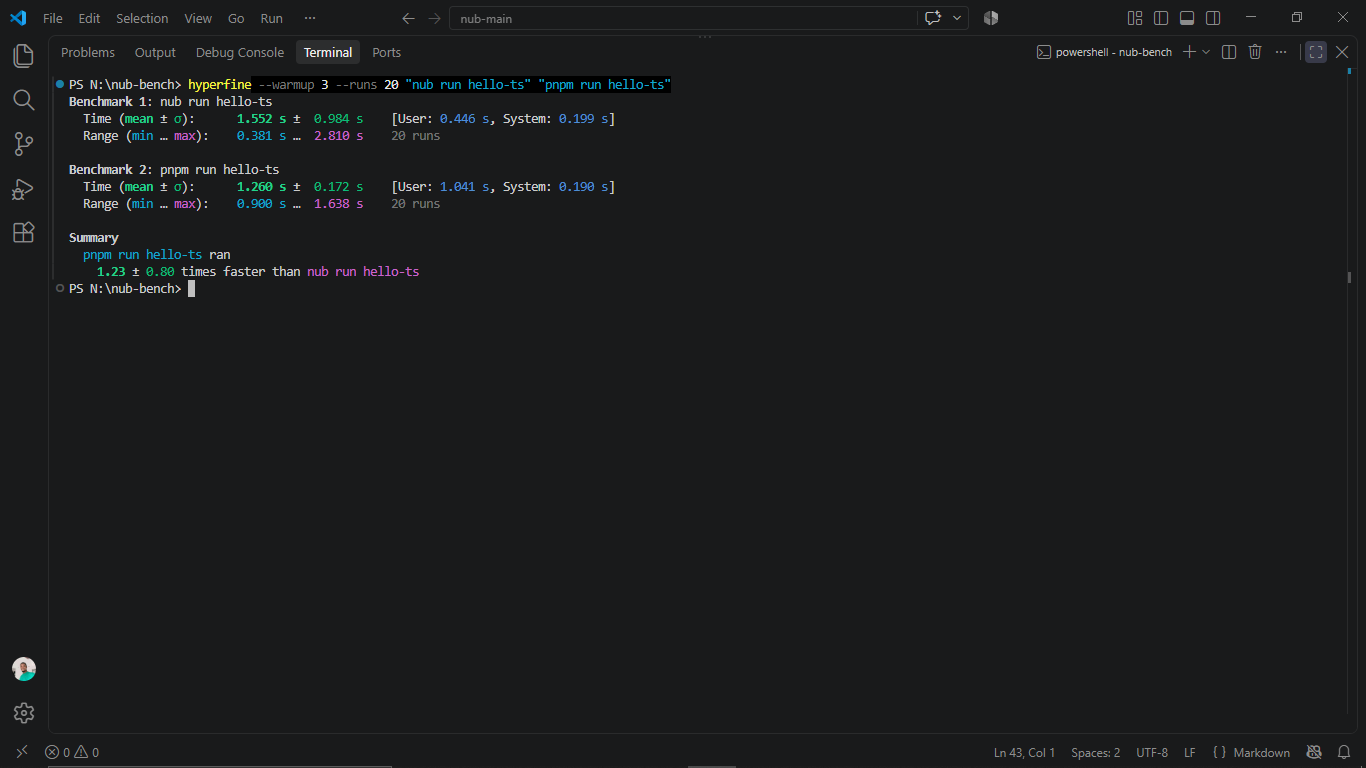
When combining script parsing overhead with TypeScript compilation, pnpm proved slightly more consistent and 1.23× faster than Nub. While Nub’s minimal execution run reached 381 milliseconds, its upper range reached 2.810 seconds.
Here is the full breakdown of the benchmarks:
| Benchmark Tool | Mean Time | Standard Dev (σ) | Min Time | Max Time |
|---|---|---|---|---|
nub run noop |
287.4 ms | ±455.2 ms | 70.2 ms | 1416.6 ms |
pnpm run noop |
825.8 ms | ±75.1 ms | 677.2 ms | 949.9 ms |
npm run noop |
859.0 ms | ±100.9 ms | 680.8 ms | 1045.0 ms |
The JavaScript ecosystem has seen a surge of modern tools aiming to fix developer experience and performance bottlenecks. Bun and Deno have gained substantial traction by rethinking runtime architecture from the ground up.
Understanding how Nub compares to these alternative runtimes helps clarify where each tool fits best in real-world projects.
Both Nub and Bun leverage Rust speed to modernize JavaScript development. However, their primary approach is different:
Deno represents another major ecosystem shift in the JavaScript landscape:
package.json, pnpm-workspace.yaml, and node_modules foldersWe have explored how Nub consolidates version switching, task execution, script running, and package management into a single, fast, Rust-powered tooling layer on top of your existing Node.js setup.
For teams who want the robust, all-in-one developer experience of Bun or Deno but cannot afford the custom runtime migration risk, deployment difficulties, or cloud platform incompatibilities, Nub shines as an excellent, zero-config compromise.
It lets you keep your reliable Node.js runtime while supercharging your everyday workflow.
 Monitor failed and slow network requests in production
Deploying a Node-based web app or website is the easy part. Making sure your Node instance continues to serve resources to your app is where things get tougher. If you’re interested in ensuring requests to the backend or third-party services are successful, try LogRocket.
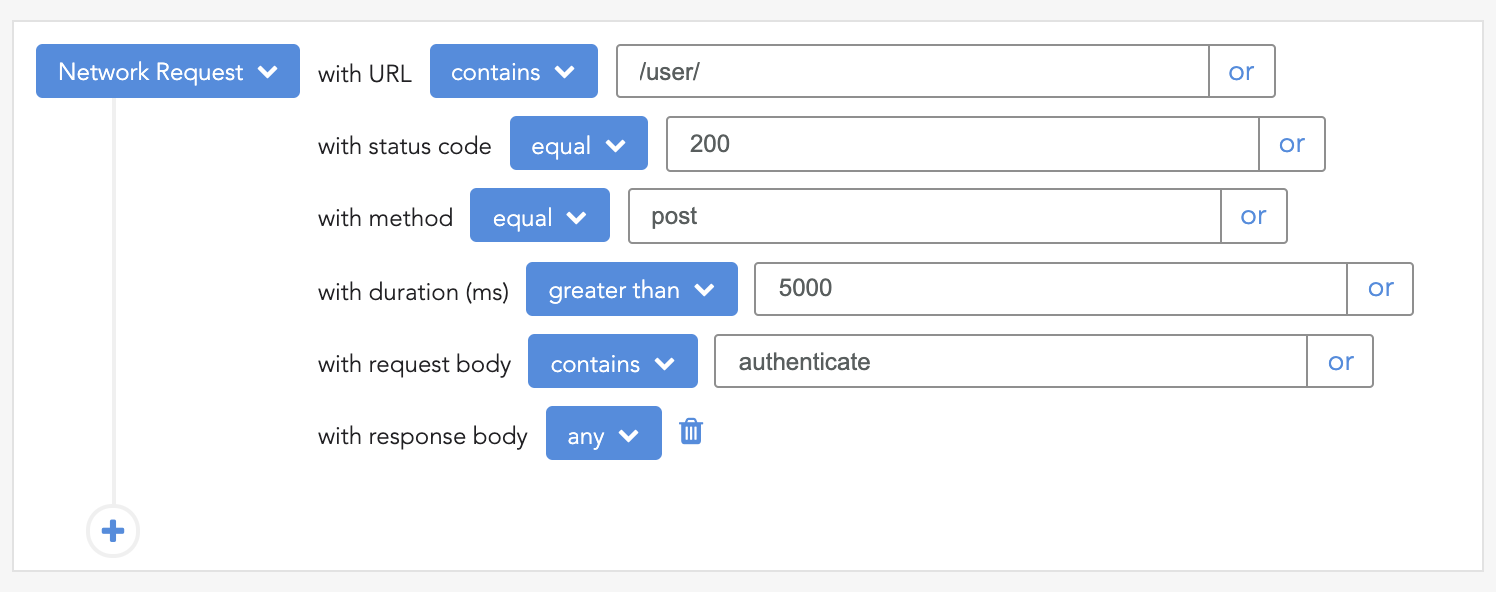
LogRocket lets you replay user sessions, eliminating guesswork around why bugs happen by showing exactly what users experienced. It captures console logs, errors, network requests, and pixel-perfect DOM recordings — compatible with all frameworks.
LogRocket's Galileo AI watches sessions for you, instantly identifying and explaining user struggles with automated monitoring of your entire product experience.
LogRocket instruments your app to record baseline performance timings such as page load time, time to first byte, slow network requests, and also logs Redux, NgRx, and Vuex actions/state. Start monitoring for free.
Debugging Rust applications can be difficult, especially when users experience issues that are hard to reproduce. If you’re interested in monitoring and tracking the performance of your Rust apps, automatically surfacing errors, and tracking slow network requests and load time, try LogRocket.
LogRocket lets you replay user sessions, eliminating guesswork around why bugs happen by showing exactly what users experienced. It captures console logs, errors, network requests, and pixel-perfect DOM recordings — compatible with all frameworks.
LogRocket's Galileo AI watches sessions for you, instantly identifying and explaining user struggles with automated monitoring of your entire product experience.
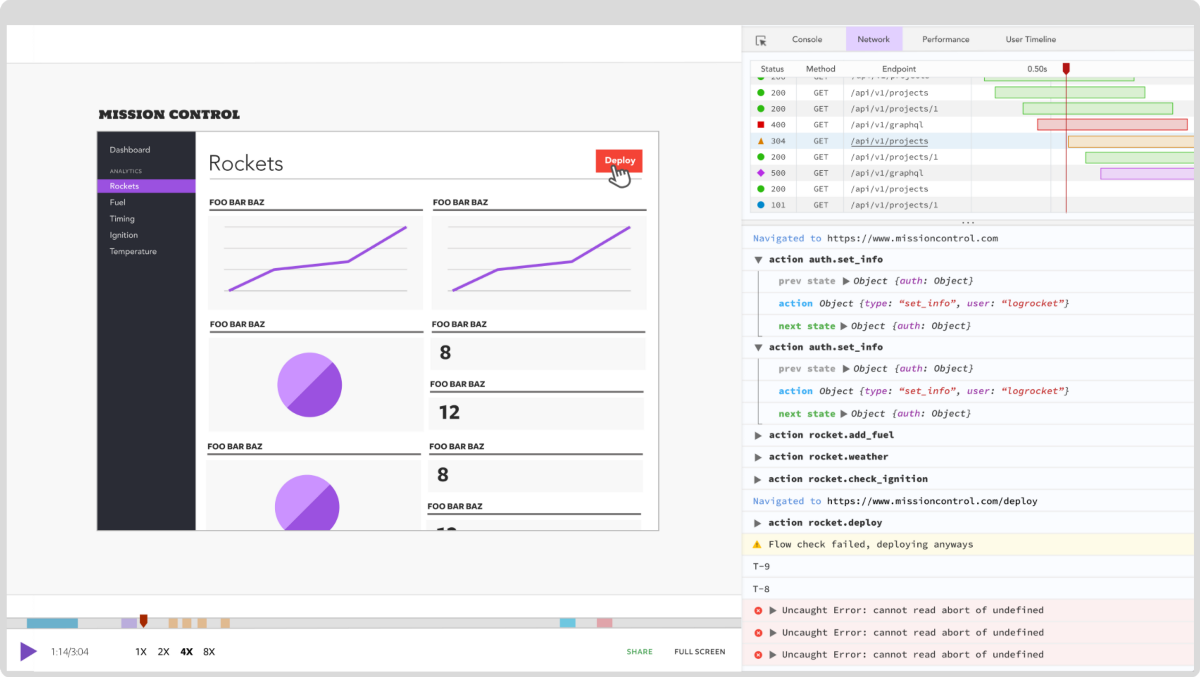
Modernize how you debug your Rust apps — start monitoring for free.

Can AI refactor legacy CSS without breaking your layout? We benchmarked 5 top AI assistants across cascade order, specificity ties, and stacking traps.

Learn how to offload long-running Gemini AI requests to Trigger.dev background jobs in Next.js using Server Actions and real-time React hooks.

Learn how to use Google’s LiteRT.js to build a browser-based OCR receipt scanner with WebGPU acceleration and on-device LLM structuring via LiteRT-LM.

Learn how to use the TypeScript Compiler API and AST traversal to extract imports and build a file dependency graph CLI.
Would you be interested in joining LogRocket's developer community?
Join LogRocket’s Content Advisory Board. You’ll help inform the type of content we create and get access to exclusive meetups, social accreditation, and swag.
Sign up now

 Learn more →