AI has changed the way designers explore ideas. What used to take hours or even days of sketching, wireframing, and prototyping can now happen in minutes. With tools like Figma Make, Cursor, and Lovable, designers can quickly generate multiple concepts, iterate on workflows, and explore far more directions than ever before. On the surface, this sounds like a huge advantage. More exploration should lead to better products. But in my experience, it’s also exposed a weakness in our design critiques, one of the most valuable practices in UX.

Traditional critiques were designed for a world where creating ideas was expensive. Today, AI has made idea generation incredibly fast, shifting the designer’s role from creating concepts to evaluating, refining, and selecting them. Yet many critique sessions still operate as if nothing has changed.
I’ve found that the most valuable conversations are no longer about the user interface itself. They’re about how the designer used AI, what context they provided, what the AI missed, and why one direction was ultimately chosen over another. In this article, we’ll explore why traditional critique structures are starting to break down, how AI is changing the role of critiques, and the changes I’ve made to keep discussions focused on product thinking rather than simply reviewing AI-assisted concepts.
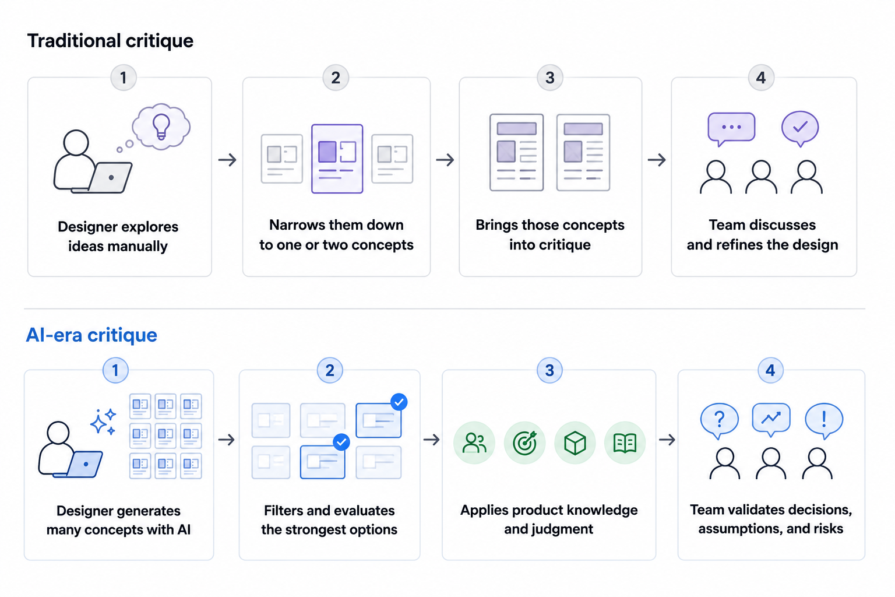
For most of my career, design critiques followed a fairly predictable process. A designer would spend several days exploring a problem, narrow their thinking down to one or two promising directions, and bring those into a critique. Because exploration took time, there was a natural filtering process before anyone else saw the work. Rather than overwhelming stakeholders with every idea, it was up to the designer to curate the strongest options based on their experience and product understanding.
For example, if I were designing a new workflow, I might sketch several different approaches before deciding which one was worth presenting. By the time I met with my team, I’d already ruled out concepts that introduced unnecessary complexity, conflicted with existing design patterns, or simply weren’t strong enough. The critique wasn’t about reviewing every idea, but instead pressure-testing the strongest one.
That process hasn’t disappeared, but AI has fundamentally changed how I get there. Recently, while exploring a new idea for a permissions dashboard, I generated multiple different layouts in a fraction of the time it would have taken manually. One concept grouped permissions into expandable cards and, on the surface, looked ready to present. But thinking ahead, it allowed administrators to edit permissions individually. Our product uses role-based permissions instead because changing access one permission at a time can be difficult to manage. Another concept reorganized the information into several tabs. While it made the interface feel cleaner, it separated related permissions that users would need to view together, creating more navigation than necessary.
At first glance, both concepts looked reasonable, but they only worked if you ignored how the product already functioned. The challenge was no longer generating concepts; it was determining which ones were actually worth pursuing.
That realization changed how I think about critiques. The work happening before a critique is no longer just creating designs. It’s evaluating AI-generated suggestions, applying product knowledge, filtering out weak ideas, and refining the strongest ones into something worth discussing. In many ways, the designer’s judgment has become more valuable, not less.
Before AI tools exploded, critiques were primarily about improving a design. A designer would spend hours exploring different approaches, arrive at a concept, and the team would help refine it through discussion and feedback. The interface naturally became the center of the conversation because that’s where most of the design effort had been spent.
Today, I think critiques need to serve a bit of a different purpose. For example, during a recent critique, one of our designers shared an AI-assisted change approval workflow that looked almost ready for implementation. My first instinct was to comment on the interaction patterns, but instead I asked them to walk us through how they used Figma Make to get there.
As they explained their process, we realized that AI had assumed every approver had the same permissions. The concept showed a single approval path, but in reality, managers could only approve some requests while administrators could approve all of them. The issue wasn’t immediately obvious from the interface itself. The most valuable part of the critique wasn’t reviewing the screens, but understanding where AI lacked context and how the designer filled in those gaps.
As AI takes on more of the exploration and execution, I’m less interested in whether a screen looks polished and more interested in understanding how the designer arrived at that solution. The most valuable conversations are no longer about choosing between two layouts or debating the placement of a button. They’re about understanding the decisions that transformed an AI-generated concept into a product-ready solution. In recent critiques with my team, I found myself asking questions like:
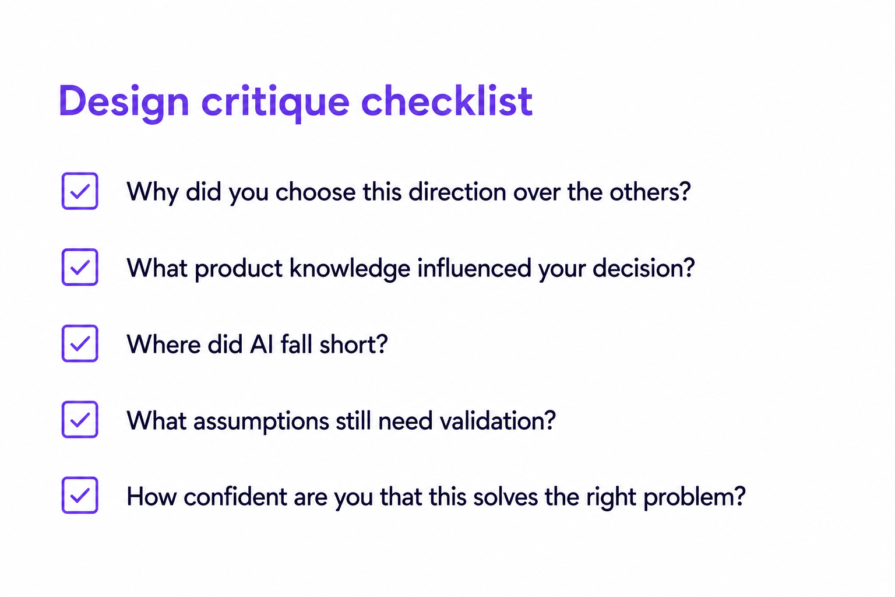
Those questions reveal far more than the interface ever could. They uncover the thinking, tradeoffs, and product knowledge behind the final design. That shift has changed how I approach critiques today.
If anything, AI has made design critiques more important, not less. The difference is that I’m no longer using critiques to generate more ideas. I’m using them to validate, filter, and build confidence in the ideas that AI helped produce. The interface is still important, but it no longer tells the whole story. I want to understand how the designer used AI, where they applied their own judgment, and what still needs to be validated before the work moves forward.
Before AI, critiques naturally started with the design. Today, I start by understanding how the designer arrived at it. Rather than immediately reviewing the interface, I’ll ask them to walk through their exploration process with questions like:
Rather than critiquing their prompt writing, I’m trying to understand the designer’s thought process. If AI wasn’t given enough context about the user, product, or design system, it’s much easier to explain why gaps appear in the final design.
I’ve also started asking designers to describe their confidence in the solution. Not whether they like it, but how confident they are that AI produced the right answer. If confidence is low, we usually uncover assumptions that still need validation. If confidence is high, I want to understand what evidence led them there. I’ve found that simply talking about confidence helps the team separate polished outputs from well-supported decisions.
Those conversations tell me much more about the quality of a solution than discussing spacing or visual polish. They often help me understand whether the designer has thoughtfully challenged AI’s suggestions instead of simply accepting them.
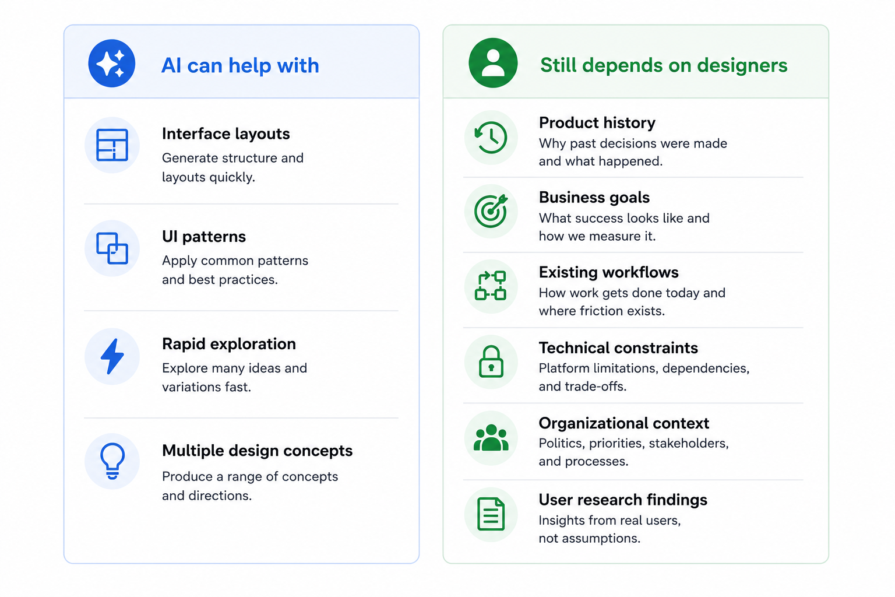
AI-assisted designs often answer the prompt well while missing everything around it. During critiques, I actively look for the context AI lacked. It doesn’t understand how adjacent features interact, the history behind product decisions, technical constraints, or the realities of your organization.
Instead of focusing on the interface, I steer the conversation toward those gaps. In one case, AI proposed a design for a job management table, but the table filter used a different pattern than the rest of our product uses. AI didn’t know to align to this pattern because it had no prior knowledge of our existing tables. It also doesn’t know about how deleting an object in one product area can break things in another, so it could suggest a user flow that wouldn’t make practical sense. However, the more context that we provide to the AI, the more it can learn about our product’s experience and how all the parts work together, and suggest smarter recommendations. This is where designers can provide the most value during the critique.
Perhaps the biggest change I’ve made is redefining what a successful critique looks like. Before AI, a successful critique often ended with: “We agree.” The interface had been refined, everyone felt aligned, and the team left with a clear direction.
Today, I’m aiming for a different outcome:
“These are the assumptions we still need to validate.”
AI makes polished solutions appear much earlier in the design process, which makes it easier to mistake visual consensus for genuine confidence. Rather than trying to resolve every open question during the meeting, I try to identify what still needs to be learned before the design moves forward.
Some of the questions I’ve started asking include:
These questions help the team align on what happens after the critique, whether that’s testing with users, exploring different concepts, or validating key assumptions. Instead of ending the meeting with a polished design everyone agrees on, we leave with a shared understanding of what we still don’t know and the fastest path to finding out.
AI hasn’t diminished the value of design critiques. If anything, it’s made them more important. As AI becomes a bigger part of the design process, the designer’s role continues to shift from creating concepts to evaluating, refining, and applying judgment to them. Critiques need to evolve alongside that shift.
For me, that means spending less time discussing the interface in isolation and more time understanding how AI was used, what context it was given, where it fell short, and how the designer applied their own product knowledge to refine the output. Those conversations consistently lead to stronger product decisions than debating another layout or button placement.
The teams that get the most value from AI won’t be the ones generating the most concepts. They’ll be the ones who use critiques to build confidence in the decisions behind the design. As AI becomes better at generating interfaces, the most valuable critiques won’t be about producing more feedback, but about better product decisions.
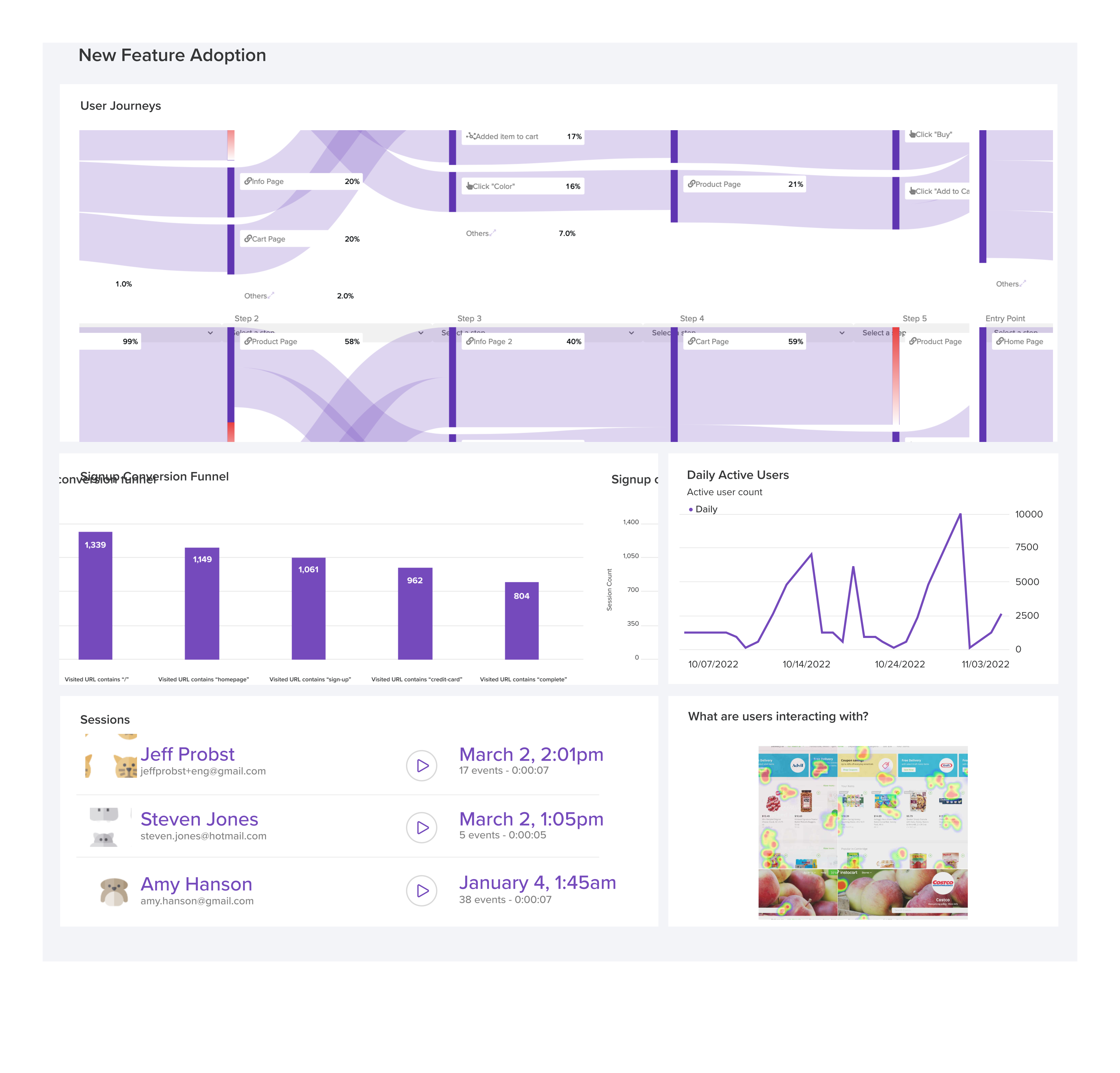
LogRocket's Galileo AI watches sessions and understands user feedback for you, automating the most time-intensive parts of your job and giving you more time to focus on great design.
See how design choices, interactions, and issues affect your users — get a demo of LogRocket today.

After years of designing and building digital products, I’m sharing 10 UX lessons that challenged my assumptions about minimalism, AI, familiarity, and more.

Brand archetypes can define your personality, but they don’t tell you what to say. The imagined speaker technique turns an abstract archetype into a real voice you can write through.
Finding the right UX research participants is hard, and AI has made verifying them even harder. Here’s how to recruit real users, screen for quality, and use synthetic participants without compromising your research.

Navigation menus aren’t always the fastest way forward. Explore how search, personalization, AI, and conversational interfaces are changing how users find what they need, and why traditional navigation still matters.



 Learn more →