AI isn’t something we’re waiting on — it’s already part of our daily UX workflow. We use it to research, brainstorm, wireframe, write copy, and analyze tests. But it doesn’t transform every stage of UX in the same way. Some areas move faster with AI. Others are still evolving. And a few parts of the process benefit more from AI in the background than at the center.
This article aims to examine where we actually have use cases for AI that have been implemented, rather than predict where it’s going to be useful in the future. By considering all of the phases of a user experience project, including research and concept, wire framing, visual design, writing content, and testing, we will be in a position to determine where we actually see the benefits of AI’s capabilities in all of those phases.
Because this shift isn’t only about speed — it’s about responsibility.
AI gives us more output, faster. But it also introduces new questions around quality, bias, and judgment. Designers aren’t just producing screens — we’re filtering, shaping, and deciding which ideas are worth bringing to life.
This is not about whether AI will “replace designers.”
It’s about how designers can design differently now that AI is here.
Before moving on, it helps to give a quick overview of how the UX process is generally structured. Every team structures UX work a little differently depending on their product, workflows, or maturity level. Some follow a simple research–design–test loop, while others include extra steps like developer handoff, documentation, or post-launch iteration. For this article, we’re looking at AI through the lens of a typical end-to-end UX process, and how these tools support (and sometimes accelerate) each stage — starting from research.
Research is the heart of UX because it provides a foundation for making all decisions that come after it. Research is basically identifying our learning needs, getting inputs from users, and creating insights out of these inputs. Currently, AI technology is increasingly contributing to fast-tracking this process by:
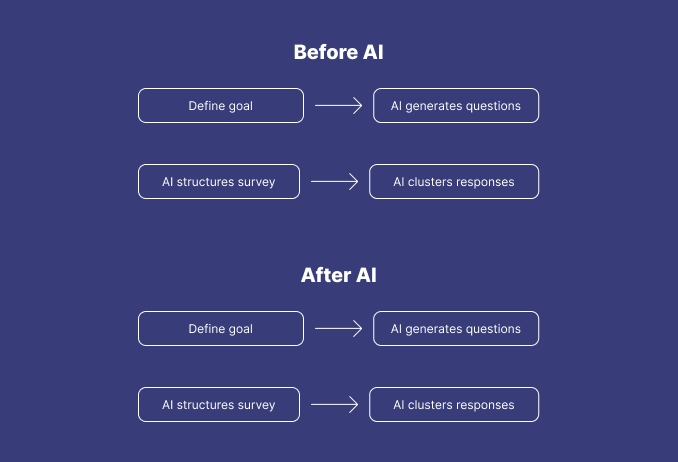
Artificial Intelligence is also excellent at the setup and synthesis phases of research work, which consume a lot of time. Now, designers’ work is less in collecting data and more in analyzing it.
AI maturity for research: High. AI makes research workflows faster, more scalable, and more structured.
The most liberating part of AI is when it comes to ideation. Applications such as Uizard enable you to articulate an idea in words and immediately view several different versions of an interface. This narrows down the gap between thinking and creation, as you’re drawing out ideas at a rate that’s proportional to words.
Nevertheless, it is likely that a pattern of familiarity will emerge in Artificial Intelligence’s output. Originality will continue to need a purposeful nudging in terms of design. This is why Artificial Intelligence is most effective when utilized in an exploratory rather than a defined manner.
One way to avoid sameness is to prompt for divergence — ask for unexpected alternatives, switch visual directions, remix outputs manually, or deliberately inject randomness into prompts. AI generates patterns; designers break them.
AI maturity for ideation: High. Best for rapid concept generation and early creative exploration.
Wireframing is perhaps an area in which AI stands out most in its capabilities. Applications such as Relume AI and Wireframe Designer can generate a structured screen design based on a prompt or a description of a feature in a matter of seconds:
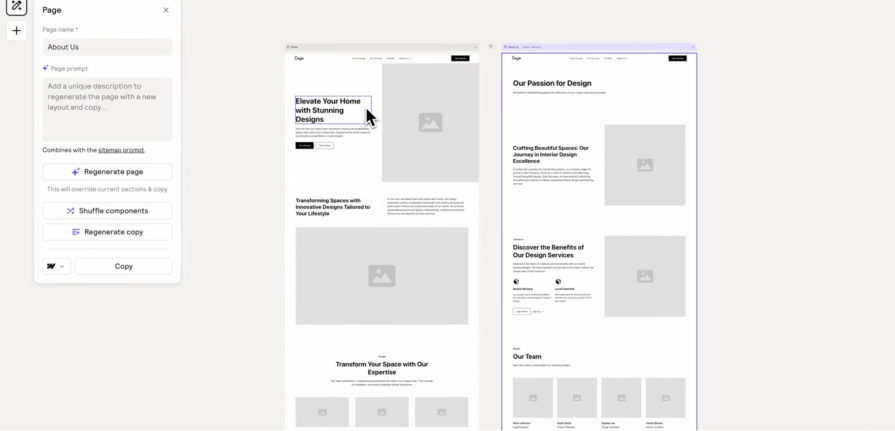
The output is a first draft, and therefore, visualizers will continue to work on hierarchy, spacing, and interactions, but it is a huge advantage to have a head start.
Fast drafts are helpful, but they can also encourage teams to skip discovery conversations and converge too early. AI accelerates layouts — but alignment and empathy still require human pacing.
AI maturity for wireframing: High. Best for rapid layout exploration and quick iteration loops.
Artificial intelligence is a valuable accelerative technology in visual design, particularly in terms of exploring styles. It is easy to quickly experiment with several visual approaches using functions in Figma, such as its AI capabilities.
Used intentionally, AI can strengthen design systems — auditing components for consistency, generating documentation, suggesting token structures, and stress-testing variations at scale. It builds faster, and we curate better.
Nevertheless, in order to have a unified visual system across screens, it is still beneficial to have a human touch in terms of brand identity alignment.
AI maturity for visual design: Medium
ChatGPT or similar AI tools are great at creating microcopies, one-time messages for onboarding, form assistance messages, labels, and empty state messages.
The real advantage is in efficiency: instead of starting from a blank screen, designers get to start with a solid draft and spend their precious time refining voice and context. This shift reduces cognitive load and maintains momentum during design iterations.
Where refinement is still needed is in the shaping of brand tone and emotional nuance-but this is a polishing step, not a structural one. The foundation AI provides is already strong.
AI maturity for UX writing: High. AI reliably handles first drafts and consistency, allowing designers to focus on voice, clarity, and intent rather than generating text from scratch.
In fact, testing remains a human-centered activity–it’s users engaging with a product to find friction. AI does not replace usability testing.
Where AI helps is after the test, during analysis. Tools such as Dovetail AI summaries may be utilized for:
AI provides clarity, not final decisions, but it makes testing easier to run more frequently.
AI Maturity for Testing: Medium. Best for speeding up post-test analysis and surfacing improvement directions.
Below is a quick analysis of how current capabilities of AI map out across those key stages of a UX process. This table shows where AI delivers strong value today and where it still benefits from human refinement:
| Research | Speeds up question creation, survey setup, and feedback synthesis | Needs direction when prioritizing insights | High | Good data access, clear research goals |
|---|---|---|---|---|
| Ideation | Rapid concept generation and exploration at the speed of language | Can default to familiar layout patterns | High | Strong design literacy & prompt skill |
| Wireframing | Instantly produces structured layouts and flow drafts | Requires refinement in spacing, hierarchy, and interaction states | High | Defined components, flow logic documented |
| Visual design | Generates style variations and mood directions quickly | Needs human adjustment for brand alignment and cohesion | Medium | Updated design system / brand tokens |
| UX writing | Produces consistent first-draft microcopy efficiently | Requires refinement for tone, personality, and nuance | High | Tone guide / voice principles |
AI works best when it’s treated as a partner in the workflow, not the decision-maker. The most effective designers aren’t “using AI more,” they’re using AI more intentionally. A few practical shifts make the difference:
The more AI integrates into the UX workflow, the more the role of the designer shifts from creator to curator and editor. Instead of spending most of our time producing artifacts, we’re spending more time defining intent, evaluating direction, and shaping meaning.
Over the next year, we’ll likely see:
In other words, AI accelerates the process of design, making the thinking behind design even more important.
This isn’t a “future of design” conversation. AI is already integrated into how teams design, deliver, and iterate digital products. But it’s not bringing benefits in an equal manner in all areas. It is greatly speeding up research, ideation, and wireframing. It is also helping with visual design and UX writing in a supporting manner. “It is one of those rare projects that will define an entire new field of product design,” she said. “It is an incredibly ambitious project that will make a huge impact.”
And beyond workflow, there’s an emotional layer. For some designers, AI feels like a superpower — reducing friction and unlocking scale. For others, it introduces uncertainty, pressure, or fear of being outpaced. Both reactions are valid, and acknowledging the human side of this shift is just as important as understanding the technical one.
“It’s a game-changing technology that will revolutionize multiple industries,” Desai said. The workflow is evolving, though in essence, UX is unchanged because it is based upon an understanding of human behavior that understands people, explores possibilities, and makes thoughtful decisions. Artificial Intelligence simply enables us to do that sooner and farther.
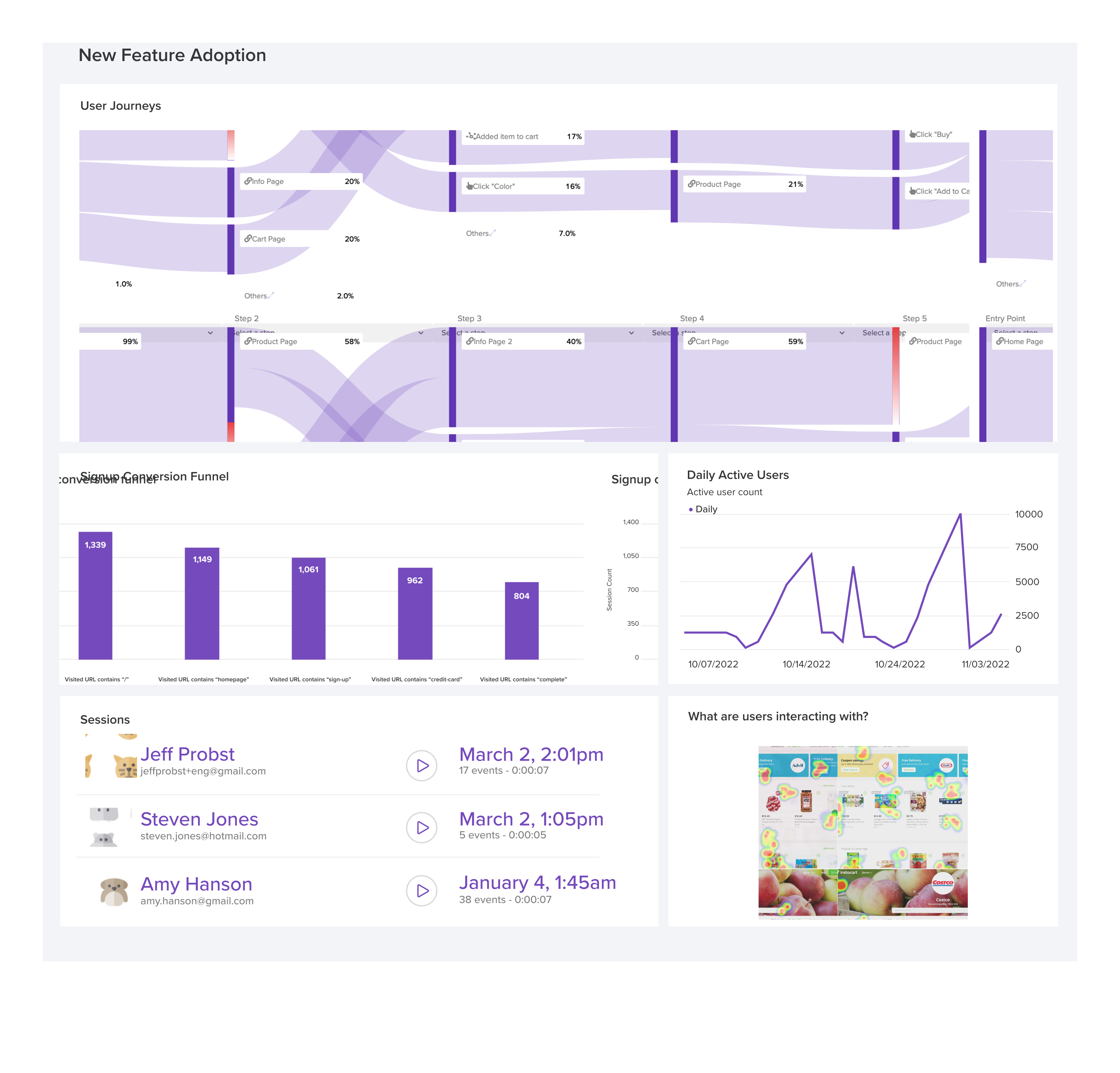
LogRocket's Galileo AI watches sessions and understands user feedback for you, automating the most time-intensive parts of your job and giving you more time to focus on great design.
See how design choices, interactions, and issues affect your users — get a demo of LogRocket today.
Explore the core principles of GUI design and learn how consistency, simplicity, feedback, accessibility, and user testing contribute to better digital experiences.

After five years in UX, I revisited the Daily UI challenge to reconnect with hands-on design. Along the way, I learned that great interfaces come from thoughtful briefs, sound judgment, and user feedback, not just better AI tools.

Learn what makes a great login screen through real-world examples and UX best practices for creating secure, accessible, and low-friction authentication flows.
Skeuomorphism helped define early digital interfaces by mimicking real-world objects to make technology more intuitive. Learn how it compares with flat design and neumorphism, why it declined, and where it still has a place in modern UX.



 Learn more →