AI has made it incredibly easy to go from an idea to something tangible. What used to take hours of wireframing, iteration, and prototyping can now happen in minutes. Tools like Figma Make have made it possible to explore multiple directions, generate polished UI, and even create working prototypes with very little effort.
What’s interesting is that while the amount of design output has increased dramatically, the quality of product thinking hasn’t necessarily kept pace. I’ve seen AI-generated concepts that look great on the surface but begin to fall apart once you start thinking about edge cases, technical constraints, or how they fit into the broader product experience. AI only knows what it’s given. It doesn’t have the same understanding of product history, organizational context, user behavior, or business goals that teams build over time.
While AI has accelerated design execution, execution was never the hardest part of UX design. The real challenge has always been understanding the problem, navigating tradeoffs, and making decisions that hold up across an entire product experience. As generating screens becomes easier, evaluating whether those screens solve the right problem becomes the new bottleneck.
AI hasn’t eliminated design work. It has shifted where the work happens.
As AI becomes more integrated into design workflows, maintaining intentionality, coherence, and strong product judgment becomes increasingly important. In this article, we’ll explore where these gaps are beginning to appear, how AI is changing design workflows, and what designers can do to ensure speed doesn’t come at the expense of thoughtful design.
One of the biggest benefits of AI that designers keep hearing from leadership teams is the removal of friction from workflows. Before AI-assisted workflows became common, many of the slower parts of the design process naturally created opportunities for reflection. Designers spent more time discussing tradeoffs, validating assumptions, and understanding the problem before jumping into solutions. Those conversations helped teams align around technical considerations, user feedback, product goals, and business priorities long before a screen ever existed.
As AI becomes more integrated into our workflows, iteration cycles are compressed. The danger isn’t that AI prevents teams from understanding the problem. It’s that the speed of generation can create pressure to move into solutions before the problem is fully understood.
When concepts can be generated instantly, it’s tempting to skip over the critical thinking stages that once happened naturally. What appears to be inefficiency on the surface often served an important purpose. The discussions, critiques, and moments of uncertainty that occurred before a design took shape helped teams build confidence that they were solving the right problem in the first place.
While faster output can be valuable, the friction embedded within many design processes was often a blessing in disguise. It created space for reflection, alignment, and better decision-making. As AI removes some of that friction, designers need to be intentional about preserving the thinking that those slower processes enabled.
One of the more interesting side effects of AI-assisted design is that generating ideas is no longer the bottleneck. The new friction is evaluating them.
In the past, a designer might bring a handful of concepts into a review session. Today, it’s possible to generate dozens of variations in the same amount of time. While that can be incredibly useful for exploration, it also creates a new challenge to separate strong ideas from weak ones.
I’ve noticed this when experimenting with AI-generated concepts myself.
The first few outputs often feel impressive because they look complete. The layouts are polished, the flows are structured, and the screens appear production-ready. But once you start reviewing them through the lens of a real product, the cracks begin to show. Important edge cases are missing. Interactions don’t align with existing patterns. Business requirements are overlooked. What initially looked like a solution turns out to be a starting point.
This is where more output can become misleading. Generating ten concepts instead of two doesn’t automatically lead to better UX. In some cases, it simply creates more noise for teams to sort through. The challenge shifts from creating options to understanding which options are actually worth pursuing. A polished prototype can create the impression that a problem has been solved when, in reality, the hard work of product thinking still needs to happen.
Understanding user needs, evaluating tradeoffs, and ensuring a solution fits within the broader product experience are still responsibilities that belong to the team. AI has made it easier to generate solutions, but it hasn’t made it easier to determine whether those solutions are the right ones.
AI tools have come a long way from the first introduction of ChatGPT, but they are still far from perfect. No matter how human-like their response sounds, it can only respond based on what they are given in the prompt and the information the model is trained on. So while a response can sound intelligent, taking a closer look can see that they are lacking in details, specifics, and correlations to other things that they don’t know about.
This limitation translates directly into AI design tools. You can generate a visually convincing dashboard in seconds, but visual polish doesn’t guarantee that the information architecture, workflows, or data relationships actually make sense. AI may not be connected to your design system, understand your component library, or know how your product has evolved over time. It can generate screens that look plausible without understanding whether they fit into the broader experience.
It may not know about the product’s history or why certain design decisions were made in the past. It doesn’t understand operational realities, technical constraints, or the cross-functional tradeoffs that shaped the product over time. Most importantly, it doesn’t understand how one decision affects the broader ecosystem.
A good example is how products evolve over time. Features rarely exist in isolation. A small change to onboarding can affect activation metrics. A change to permissions can impact support workflows. Introducing a new pattern in one area of the product may create inconsistencies elsewhere. These relationships are often invisible unless you’ve spent time working within the product and understanding how teams, systems, and users interact.
This is where UX moves beyond screen design. The most important design decisions are often about managing complexity across an entire ecosystem, something AI still struggles to reason about without significant context.
Without this context, you are left with surface-level design filled with broken edge-case handling, accessibility gaps, and fragmented patterns that don’t feel cohesive with the rest of your users’ workflows.
As a UX designer, I’m optimistic about how AI can enhance our workflows, improve collaboration, and help designers spend less time on repetitive tasks and more time solving meaningful problems. However, I’ve noticed that a lot of the conversation focuses on outputs. Teams are experimenting with prompts, comparing results, and finding ways to generate better screens, flows, and prototypes, which is understandable, but what’s received less attention is how AI changes the workflow around the work.
Recently, my team experimented with using AI to generate a new feature I was designing. The first result looked surprisingly complete. But after sharing it with engineering and product, we quickly uncovered missing permission states and technical constraints that the AI had no way of knowing about. The result wasn’t a failure, but it was a reminder that generating a solution is often the easy part.
Understanding whether that solution works within the realities of the product is where the real work begins.
Every meaningful technology shift changes more than just the tools we use. It changes how decisions get made. It changes who reviews what, when feedback happens, and how teams build confidence in their work.
AI-generated designs introduce new questions, like:
That’s why teams can’t treat AI as a shortcut around critical thinking. If anything, it makes reviews even more important. The conversation changes from wondering what to create to if the team is headed in the right direction, not just because AI outputted a solution. Teams need opportunities to challenge assumptions, validate decisions, and identify what’s missing before work moves forward.
The organizations that get the most value from AI won’t be the ones generating the most screens. They’ll be the ones that build strong review habits around AI-generated work and know where human judgment needs to step in.
For designers, this changes where we create value. As execution becomes easier, our role becomes less about producing artifacts and more about evaluating them. Understanding the problem, identifying tradeoffs, spotting gaps, and maintaining coherence across the experience become far more important than generating another variation of a screen.
I’ve found that some of the most valuable design conversations today have very little to do with creating new ideas and much more to do with evaluating them. When reviewing AI-generated concepts, I’ve started asking myself a different set of questions than I would have a few years ago:
These are questions AI struggles to answer because they require context, tradeoff analysis, and an understanding of how products evolve over time.
As a result, skills like systems thinking, prioritization, and product reasoning are becoming more valuable than ever. Designers need to be able to identify weak patterns, spot missing context, and recognize when a solution looks polished but introduces new problems elsewhere in the experience.
In many cases, knowing what not to build becomes just as important as knowing what to build.
Another challenge is maintaining consistency. AI is very good at generating individual screens or flows, but users move between features, workflows, and states. Decisions made in one area of a product often have downstream effects elsewhere. Without someone actively looking across the entire experience, it’s easy for inconsistencies and design debt to accumulate over time.
In many ways, our value is shifting from creation to curation and judgment. The designers who thrive in AI-assisted environments won’t necessarily be the ones generating the most ideas. They’ll be the ones asking the right questions, identifying what’s missing, and ensuring that every decision contributes to a cohesive product experience.
It’s seems clear that AI is here to stay and we shouldn’t shy away from it. The goal isn’t to slow down progress or avoid using new tools. The real challenge, however is ensuring that speed doesn’t come at the expense of thoughtful design. Here are a few practices that I’ve found helpful as I continue to navigate the learning curve of AI-assisted workflows.
Not every part of the design process should be sped up. Yes, AI can help generate concepts quickly, but decisions around user needs, workflows, tradeoffs, and product direction still deserve careful thought.
Before moving forward with an AI-generated solution, create intentional moments for reflection and review. Consider whether the solution actually solves the problem and whether you’ve considered alternative approaches that may be more effective. Often, AI-generated ideas serve as a great foundation to continue building on top of, rather than a one-and-done solution.
Slowing down allows teams to hone in their focus on what matters and filter out the noise.
As mentioned earlier, AI is great at generating the ideal state flow when given a brief, but real products are rarely that simple. Designers need to plan for error states, empty states, different user permissions, and ambiguous scenarios. These moments often determine whether a product feels reliable or frustrating.
When reviewing AI-generated concepts, I keep a mental checklist to review all the possible states and exceptions that could occur to ensure that it’s battle-tested and ready for production.
Strong product experiences are a result of consistency and coherence across workflows, features, and interactions. It’s common for complex products to have interdependencies where taking action in one part of the product has consequences elsewhere. An AI-generated solution may solve a problem in one area, but cause downstream effects in another. This is why system-level reviews will become crucial.
Designers should be aware of the interdependencies across features and understand how introducing a new feature may impact the overall experience. Watch out for inconsistencies across patterns, terminology, and interactions before moving forward with an AI-generated design.
As I’ve gotten used to incorporating AI into my workflow, I’ve realized that its strength is not in simply creating my designs for me. In fact, I still have an easier time creating designs manually, as I’m never too sure what AI will generate, leaving me to tweak the details, which can sometimes take as long as just creating the entire design from scratch. Instead, I’ve found that AI works best as a collaborator, like a second brain to riff ideas off of. They may not always be perfectly accurate, but they can definitely help me reason through tough problems, help me sort out my workflow when I’m uncertain how to proceed, and organize my thoughts into a plan to help me get to my solutions quicker.
By treating AI as a collaborator rather than an authority, I’m enhancing my ability to think critically by feeding it all of my thoughts. This gives me a greater level of certainty rather than just claiming its outputs as my work.
One habit I’ve become more intentional about is documenting the conversations that lead to good decisions. AI can generate solutions quickly, but critiques, collaborative sessions, and stakeholder discussions are still where much of the real learning happens. As teams adopt AI, it becomes important not to remove these conversations simply because a prototype can be generated in minutes.
The goal isn’t to preserve old processes for the sake of tradition, but to preserve the thinking that those processes enabled.
AI is making it easier than ever to generate screens, flows, and prototypes, but execution was never the hardest part of product design. The real challenge has always been understanding the problem, navigating tradeoffs, and making thoughtful decisions that hold up across an entire product experience.
As AI becomes more integrated into our workflows, it’s worth being intentional about where we apply our time and attention. Designers should challenge AI-generated outputs instead of accepting them at face value. Spend time exploring edge cases and system-wide impacts, not just the happy path. Review experiences as complete workflows rather than isolated screens. Most importantly, continue creating opportunities for critiques, discussions, and product reasoning.
The designers who get the most value from AI won’t necessarily be the ones producing the most output. They’ll be the ones who know when to slow down, ask better questions, and apply product judgment where it matters most. AI can help us explore more possibilities than ever before, but it’s still up to us to determine which ones are actually worth building.
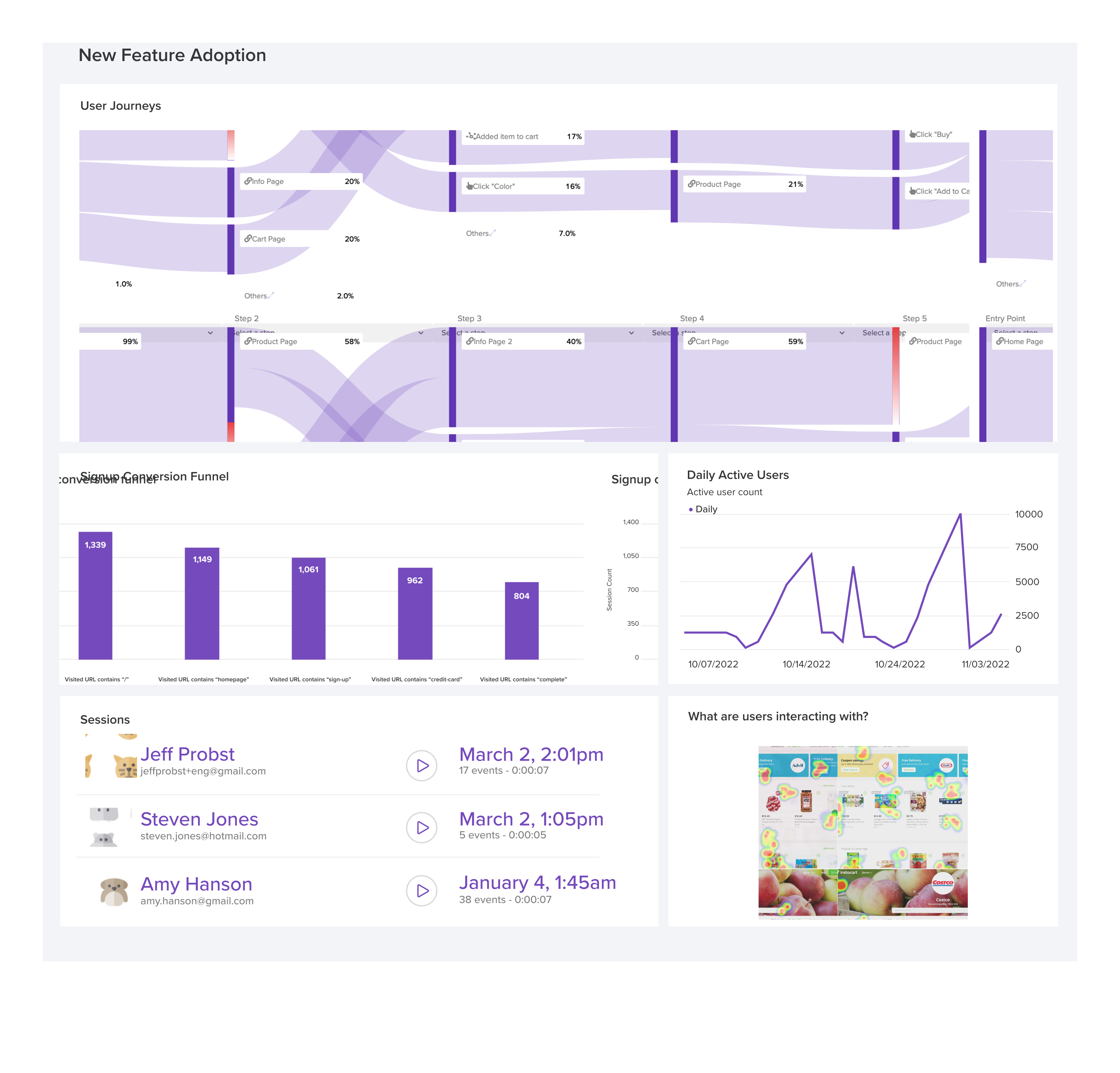
LogRocket's Galileo AI watches sessions and understands user feedback for you, automating the most time-intensive parts of your job and giving you more time to focus on great design.
See how design choices, interactions, and issues affect your users — get a demo of LogRocket today.
Your UX copy documentation isn’t just for human writers anymore. Here’s how to build a copy ecosystem that AI tools and agents can understand too.

Colors in UI aren’t just decoration. They’re the key to emotional impact, readability, and accessibility. This blog breaks down how to pick colors that don’t just look good — they work for your users.
For when you’re stuck in a UX design rut next, bring in lateral thinking. Lateral thinking will take your designs in fresh directions, solving tricky problems with unexpected creativity.
Giving designers AI tools is the easy part. I share how our team used office hours, small experiments, hackathons, and shared failures to build better AI habits together.

 Learn more →