
The future of UX design in 2027 will depend on more than how quickly AI can generate a polished screen. The harder questions are what teams choose to build, how people stay in control, and whether the resulting experience solves a real problem.
AI is changing who can create prototypes and how design work moves into code. It is also making familiar questions about research quality, accessibility, and product strategy more urgent. That creates pressure on UX roles, but it does not give us a reliable timetable for their disappearance.
My view is that designers should prepare for broader collaboration and more scrutiny of their decisions. The useful response is to build skills that help a team turn an attractive possibility into a dependable experience.
Editor’s note: Updated in October 2026 with current research and a forward-looking 2027 outlook. Predictions below are conditional, rather than claims about events that have already happened. Conceptual illustrations are retained from the original article.
Key Takeaways
The question has moved beyond whether AI can produce a wireframe. Tools can now create interactive prototypes and help move work between design and implementation. That changes the cost of exploring an idea, while increasing the importance of deciding which ideas deserve attention.
Anthropic launched Claude Design on April 17, 2026, describing a research preview for visual work including prototypes, wireframes, and presentations. Its launch announcement described design-system input and handoff to Claude Code. Those capabilities bring designers, PMs, marketers, and founders into overlapping creation workflows. They are product capabilities, not evidence that one profession can replace another.
Figma Make is another example of this shift. For a wider view of the tools and their limitations, see our overview of Figma AI and analysis of how AI is changing design engineering.
There is evidence of time savings, but blanket claims such as “research takes seconds now” oversimplify the work. In an October 23, 2026 survey of 521 UX practitioners, Nielsen Norman Group reported that AI helped respondents work faster, while output quality and data privacy remained prominent barriers. Tasks involving users saw smaller time reductions than several desk-based tasks. These are survey findings about reported experience, not a controlled measure of every team’s productivity.
The practical question is whether time saved on generation survives review, correction, and delivery. Measure the complete workflow rather than the first output.
The original article described the hiring environment of 2024. That should not be presented as a current account of late 2026 or as a forecast for 2027.
The U.S. Bureau of Labor Statistics projects 5 percent employment growth for web developers and digital designers from 2025 to 2035, with about 13,600 openings per year on average across that combined group. This is a broad U.S. occupational category. It is not a UX-only hiring forecast, a global estimate, or a guarantee that junior designers will find work easily in 2027.
A long-term projection can coexist with difficult hiring conditions in a particular city, industry, or seniority band. It also cannot tell us whether an individual layoff happened because of AI. Avoid drawing that conclusion from a company announcement or a social media thread alone.
For career decisions, examine recent roles in your target market. Look at the work employers describe, the experience they require, and whether the role has realistic access to users and decision-makers. Titles alone can hide very different expectations.
A product experience includes the screens people use, the emails they receive, the permissions they grant, the support they need, and the recovery path when something fails. Generating one part faster does not make the connections between those parts disappear.
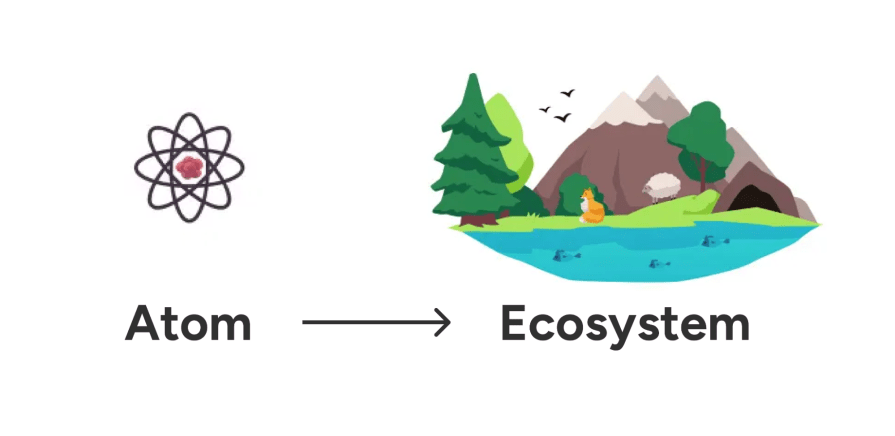
For an AI assistant that changes a booking, for example, the design problem includes interpreting intent, checking permissions, showing the proposed change, confirming the result, and recovering from an error. The chat window is only one part of that journey.
Familiar UI patterns remain valuable. Visual hierarchy and interaction details still matter, especially when users need to understand a consequential action. A broader systems view should strengthen those details rather than make them seem unimportant.
AI makes it easier for a PM to demonstrate a flow and for a designer to explore a working implementation. The boundary around producing artifacts is becoming more permeable. Accountability for decisions still needs to be clear.
The disagreement is visible in practitioner discussions. An April 2026 r/UXDesign discussion argues that designers are underestimating AI’s effect on their roles. In an October 2026 discussion about “product builders”, participants describe both broader prototyping responsibilities and concern that the label understates design work.
These are practitioner opinions and individual experiences. They help explain the debate, but they do not measure job losses or establish an industry-wide organizational model.
My take: A prototype made by someone outside design can be a useful contribution. It becomes a problem when the team treats the ability to produce it as proof that the underlying assumptions are correct. Designers should help colleagues make better decisions and make evaluation part of the shared process.
Agree on who owns problem definition, user evidence, interaction quality, technical feasibility, prioritization, and release decisions. One person may cover several responsibilities in a small team. The responsibilities still exist.
If creating the first version keeps getting easier, the bottleneck may move toward deciding whether that version is useful. More output does not automatically produce more learning.
Design reviews should ask what evidence supports the flow, which assumptions the tool introduced, and what happens outside the happy path. Compare alternatives against a defined problem rather than selecting the most polished screen. Our article on how AI changes design critiques explores that shift.
What to watch: Whether teams measure time to a tested decision and rework after handoff, alongside time to a first prototype.
As products move from suggesting actions to carrying them out, designers will need to specify the limits of that behavior. Users need a clear account of what the system is doing and useful ways to intervene.
For a scheduling assistant, that could mean displaying the meetings it proposes to move, asking for approval before sending changes, and providing a recovery path if the result is wrong. A vague loading indicator cannot carry that entire interaction.
Google’s People + AI Guidebook explains why feedback and user control matter in AI experiences. The appropriate control depends on the consequences, reversibility, and context of the action.
What to watch: Whether users can understand action scope, interrupt work, correct a result, and recover without restarting the task.
AI can help organize existing evidence or generate hypotheses. It should not silently turn an assumption into a finding about real users.
In an October 2026 comparison of synthetic and human respondents, Nielsen Norman Group found similar headline conclusions but less variation in synthetic responses. The result is a reason to examine what simulated answers leave out, rather than a justification for replacing participants.
For 2027, I expect stronger teams to become more explicit about evidence provenance: Was this statement observed, reported by a participant, inferred by a researcher, or generated by a model? That distinction matters when a minority experience or an unexpected behavior changes the decision.
What to watch: Whether research summaries link back to original evidence and whether important decisions still receive testing with relevant real users.
The original article argued that emotional design would become more important. That remains a useful direction, provided we include how a product behaves rather than only how warmly it speaks.
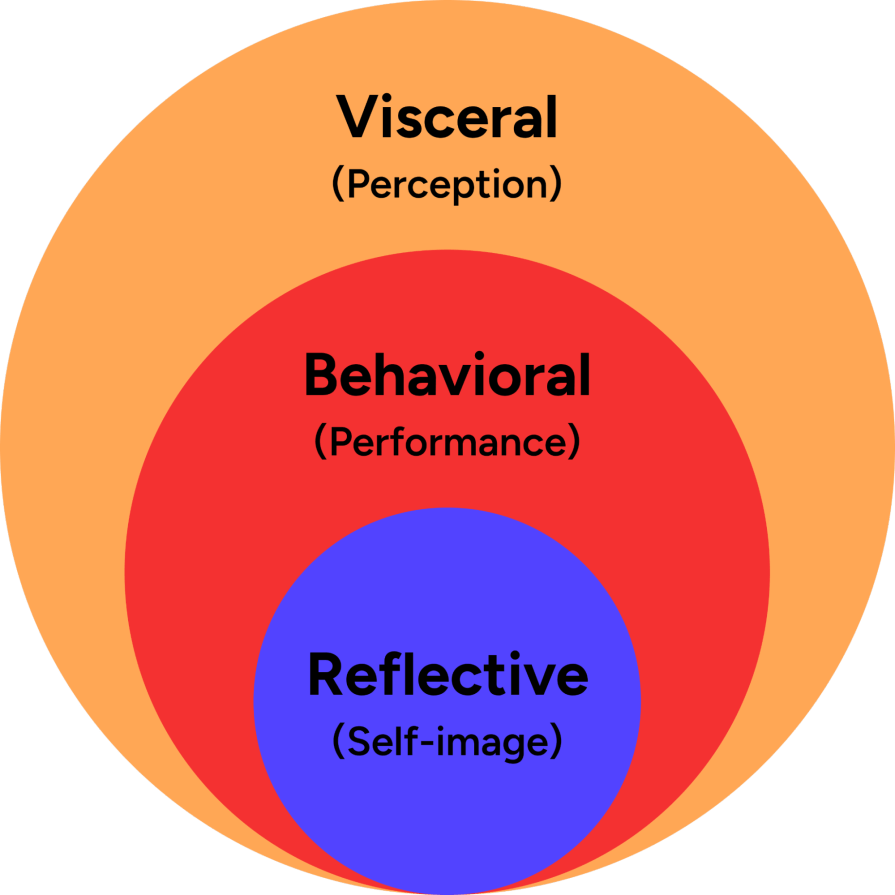
Emotional design considers the visceral level of appearance, the behavioral level of use, and the reflective level of meaning. An AI experience can undermine all three if it looks reassuring but makes unexplained decisions or fails to respect a correction.
A considerate failure message, an honest account of uncertainty, and a clear recovery action can build a more credible relationship than a cheerful personality alone. Test whether the product helps people feel capable and informed.
What to watch: Whether trust and perceived control remain strong after errors, not only during an impressive demo.
If PMs, designers, and engineers all produce working concepts, teams may spend less time translating between artifacts. They may also create competing directions faster than they can evaluate them.
Strategic design thinking becomes useful when it helps the team define a worthwhile problem, understand constraints, and choose what to test next. The goal is not to turn every designer into the entire product team.
What to watch: Whether shared creation reduces handoff friction without leaving research, accessibility, or maintenance without an owner.
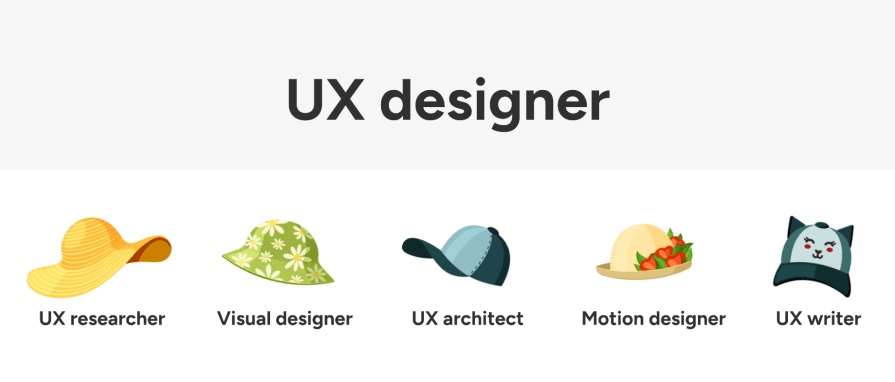
Being adaptable does not require becoming equally skilled at research, motion design, engineering, and strategy. A T-shaped skill set combines depth in a useful area with enough breadth to collaborate well.
Choose one adjacent capability that improves your current work. An interaction designer might learn more about implementation constraints. A researcher might develop stronger evaluation methods for AI-assisted synthesis. A content designer might practice recovery flows and permission language.
Include the problem, the evidence available, the alternatives considered, and the tradeoff you made. Explain which AI outputs you accepted, changed, or rejected and why. Do not claim you personally performed work that a tool generated.
Where measurement is available, connect the result to a user task and a business outcome. If an experiment was not run or causation is uncertain, say so. A credible account of limitations is more useful than an invented success metric.
Look beyond a small set of prominent technology companies. Healthcare, public services, finance, education, and enterprise software all contain substantial design problems, although their hiring conditions and domain requirements differ.
Assess the team’s UX maturity, access to research, mentorship, and expectations before deciding whether a role is a good fit. Our guide to ADPList mentorship is one place to start when you need perspective on a new domain or career direction.
Choose an outcome the team can examine: task completion, time to resolve a problem, support contacts, conversion quality, or retention. Pair business measures with safeguards so an apparent improvement does not hide user harm.
For example, a faster onboarding flow is not an improvement if more people misunderstand what they have agreed to. Explain both the intended result and the evidence needed to judge it.
For practical collaboration guidance, see how to make UX initiatives matter to PMs.
There is no reliable basis for predicting wholesale replacement in 2027. AI already performs parts of design production, and some teams may change roles or staffing. Research, prioritization, interaction quality, and accountability still require deliberate ownership. Tool capability alone does not establish an employment outcome.
It can be, depending on your interests, skills, location, and target industry. Broad U.S. digital-design employment projections are positive, but they do not guarantee a particular UX role. Review current local opportunities and realistic learning paths before making a career decision.
Prioritize research judgment, interaction design, accessibility, systems thinking, and communicating tradeoffs. Add practical AI evaluation and technical literacy where they improve your work. Keep a strong specialty instead of chasing every new tool.
Some teams may combine responsibilities, particularly when AI lowers the effort needed to create prototypes. Other teams will retain specialists. Shared tools do not remove the need to assign ownership for user evidence, prioritization, design quality, and implementation.
Synthetic responses can help explore hypotheses, but they are generated outputs rather than observations of real people. They can miss variation and unexpected behavior. Use relevant human participants to investigate experiences and validate consequential assumptions.
The most useful way to prepare for 2027 is to practice making better decisions with the tools available now. Learn where AI improves a workflow, where its output needs correction, and where direct contact with users remains essential.
I expect the boundaries of UX work to keep changing. That makes it more important to explain the value of research, careful interaction design, and responsible product choices in terms the whole team can act on. The goal remains a useful, understandable experience that people can rely on.

LogRocket's Galileo AI watches sessions and understands user feedback for you, automating the most time-intensive parts of your job and giving you more time to focus on great design.
See how design choices, interactions, and issues affect your users — get a demo of LogRocket today.
Learn how to build hero sections that load quickly, respond smoothly, and remain accessible, with practical checks for contrast, keyboard navigation, motion, media, and Core Web Vitals.
A design can look right and still fail in users’ hands. Learn how five kinds of prototype stress tests expose edge cases early, from awkward screen widths and real-world inputs to loading states, unexpected interactions, and accessibility.

Prepare your 2027 UX workflow with a practical guide to visualization tools, AI-assisted analytics, accessible charts, and a worked checkout example. Learn what to verify before acting on the data.

Explore how UX designers can use ADPList to find guidance and share experience, what to check before booking, and how its free and paid options compare with other mentorship platforms.

 Learn more →