Editor’s note: This post was last updated on 20 December 2021 to amend the title to reflect the post’s tight focus on Contentful, acknowledge other headless CMS options that have arisen since this post’s original publication, and add updated images and walkthrough steps to the Contentful profile creation step.
Let’s say I would like to create my own personal blog using React. I want to use a headless CMS for it because I don’t want to create the backend right from scratch. So I started looking for some cool headless CMSs.
Contentful was recommended a lot, so I guess it’s worth a try. This is what I plan to do:
Hmm… So I read a bit more about Contentful on the official website, and it claims that it’s not a traditional headless CMS. It’s a “Content Infrastructure” and apparently will give me more flexibility on how to structure my content.
If you ask me, though, I think it’s just a variant of a headless CMS because it satisfies the criteria for being one. If it allows you to write once and deliver anywhere, then it’s a headless CMS to me 🤷.
Anyway, I signed up for a free account and it turns out that setting it up was really easy. After I clicked on signup, I was greeted with this page:
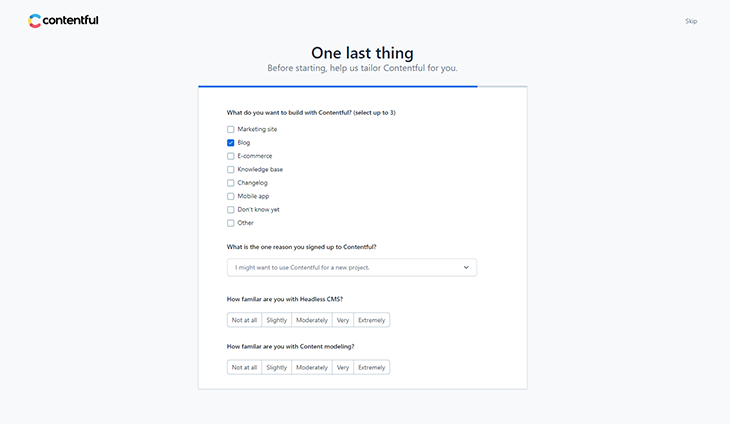
I selected “Blog” here because I just want to create a blog using Contentful for now. Then I submitted the form with all the relevant information.
Contentful automatically creates a free space for my blog. This is what I could see in my dashboard:
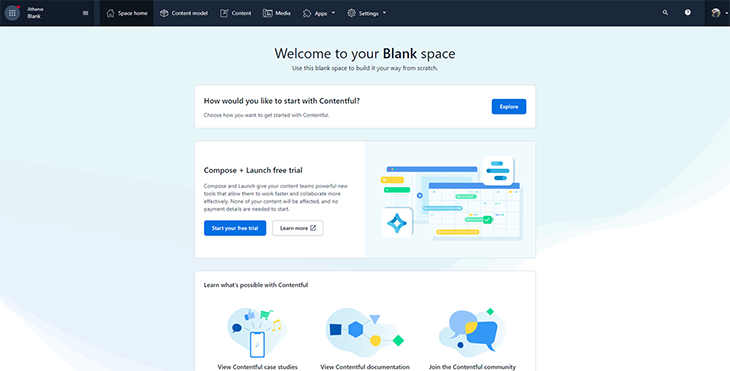
I changed the name of the space from “Blank” to something better — why would you keep it named “Blank”? I clicked Settings on the top navbar and clicked General Settings. This gave me the following screen:
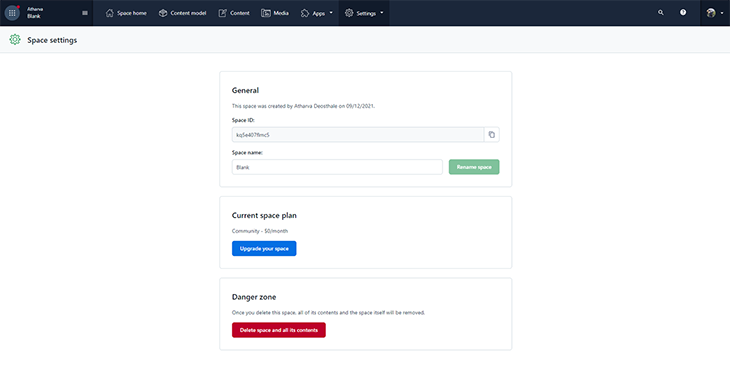
Then I changed the space name to My Blog (I honestly couldn’t get anything fancier in my mind) and I pressed Rename Space.
Now my space is ready and I can work on it.
Before I can create a blog post, I have to create something called a Content Model, which is simply the structure (or schema) of how a type of content should look. I’m choosing to think of this as a schema for my content.
I had to come up with the structure of how the posts should look, and thankfully, it was pretty easy. It was as simple as writing down what data each post needs and the type of that data. In my case, I’ve listed the required pieces of data along with their respective data types:
After writing down the required pieces of data, I went ahead and created my content model in Contentful. In the My blog space I just created, I clicked Content model on the top navigation menu and clicked Design your content model on the following page.
A modal popped up, and I filled in the name for my new Content Model. I called it “Blog Post” and started adding the fields I listed above from the sidebar on the right. By the time I was done adding all the different fields, I had something similar to the below:
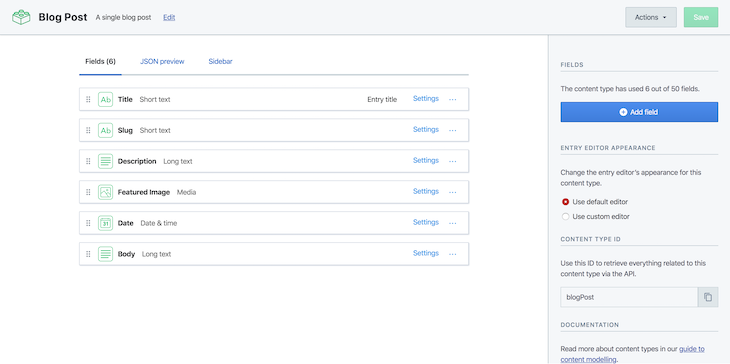
Now that I have my blog post content model (or schema, if you prefer) set up I clicked Save, and it was time to add the actual blog posts that I would pull into my React app.
Still in the My Blog space, I clicked Content on the top navigation menu and clicked Add Blog Post. If you’re following along and you created a different content model, Add Blog Post might be something different.
Anyway, clicking that button took me to a page where I could write and edit my blog posts like so:
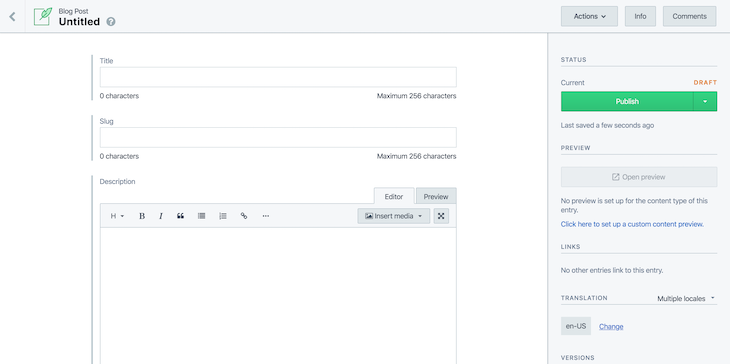
This is why I needed a CMS in the first place — a place to write and edit my blog posts so that I can deliver them anywhere I like. I went ahead and added three dummy posts so that I would have something to pull into my React app.
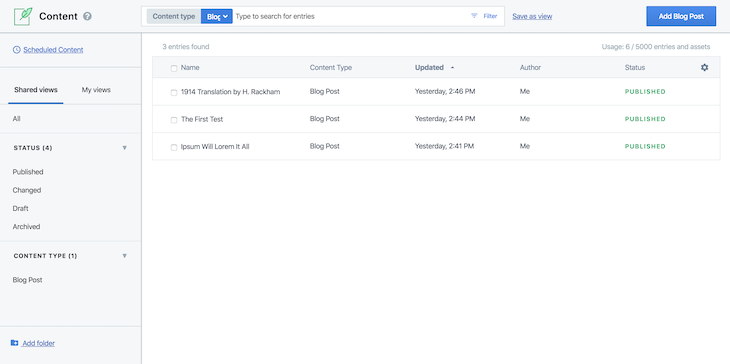
Here’s what my list of blog posts looked like by the time I was done:
OK, this is has been going well, and I feel it’s time to recap what I’ve learned so far:
Before I can integrate Contentful into my app, I actually have to create the app first. I want my blog to look exactly like the one below.
So what are the different components for this app?
App.jsx component to handle routing to the different pagesPosts.jsx component to display the list of posts on the siteSinglePost.jsx component to display a single postWell, it turns out not a whole lot. Of course, if you have your own personal site and are looking to follow this tutorial, you might have many more components, but for this case, that’s all I needed.
I ran the following scripts to set up my project and install the required dependencies:
mkdir react-contentful && cd react-contentful
npm init -y
npm i --save react react-dom react-router-dom react-markdown history contentful
npm i --save-dev parcel-bundler less
There are two particularly important packages I just installed: react-markdown and contentful.
react-markdown allows me to parse Markdown content into HTML tags. I needed it because I’m storing my post content as “Long text” in Contentful, and this means my post body will be in Markdown.
contentful is the official Node package from Contentful that will allow me to interact with its API. I needed it to retrieve my content from Contentful. Every other package is self-explanatory.
After installing all the required dependencies, I created the different files and folders I needed for this project. I’m going to leave out the content of some of the files from this tutorial, but I’ll add links so you can copy them and follow along.
mkdir public src src/components src/custom-hooks src/components/{posts,single-post}
touch public/index.html public/index.css src/{index,contentful}.js
touch src/components/App.jsx src/components/helpers.js src/components/posts/Posts.jsx src/components/posts/Posts.less src/components/single-post/SinglePost.jsx src/components/single-post/SinglePost.less
touch src/custom-hooks/{index,usePosts,useSinglePost}.js
I will not go through the code for the following files because they’re not essential to this tutorial:
public/index.htmlpublic/index.csssrc/index.jssrc/components/posts/Posts.lesssrc/components/posts/SinglePost.lesssrc/components/helpers.jssrc/custom-hooks/index.jsIf you get stuck somewhere in the tutorial, feel free to refer to the GitHub Repository.
Now that I had my project structure ready with all the required files and folders, I started writing code, and I’ll start with the most essential pieces first.
src/contentful.js
const client = require('contentful').createClient({
  space: '<my_space_id>',
  accessToken: '<my_access_token>'
})

const getBlogPosts = () => client.getEntries().then(response => response.items)

const getSinglePost = slug =>
  client
    .getEntries({
      'fields.slug': slug,
      content_type: 'blogPost'
    })
    .then(response => response.items)

export { getBlogPosts, getSinglePost }
I started with the code that interacts with Contentful to retrieve my blog posts. I wanted to query Contentful for my content, so I went through the contentful package docs and discovered that I needed to import the package and pass it a config object containing a space ID and my access token.
Getting this information was trivial and all I had to do was follow the instructions on the Contentful docs.
To get the access token, I went back to my Contentful dashboard, clicked on Settings on the top bar, and clicked on API Keys. Then I created new API keys, and I got my API keys information like this:
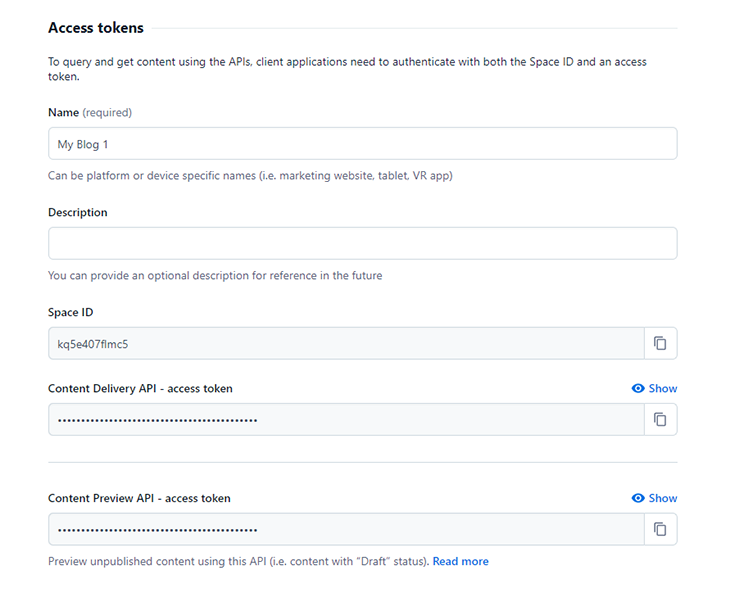
After getting my space ID and my access token, I required the contentful package and called the createClient method with a config object containing my credentials. This gave me an object, client, that allowed me to interact with Contentful.
So to recap, I wanted to retrieve:
For retrieving all my blog posts, I created a function, getBlogPosts, that did this for me. Inside this function, I called client.getEntries(), which returns a Promise that eventually resolves to a response object containing items, which is my array of blog posts.
For retrieving a single blog post, I created a function called getSinglePost, which takes in a “slug” argument and queries Contentful for any post with that slug. Remember that “slug” is one of the fields I created in my blog post content model, and that’s why I can reference it in my query.
Inside the getSinglePost function, I called client.getEntries() again, but this time, I passed a query object specifying that I wanted any content that:
Then, at the end of the file, I exported both functions so I could make use of them in other files. I created the custom Hooks next.
custom-hooks/usePosts.jsimport { useEffect, useState } from 'react'
import { getBlogPosts } from '../contentful'
const promise = getBlogPosts()
export default function usePosts() {
const [posts, setPosts] = useState([])
const [isLoading, setLoading] = useState(true)
useEffect(() => {
promise.then(blogPosts => {
setPosts(blogPosts)
setLoading(false)
})
}, [])
return [posts, isLoading]
}
The usePosts Hook allows me to retrieve my blog posts from Contentful from the Posts.jsx component.
I imported three modules into this file:
useEffect: I needed this to update the custom Hook’s stateuseState: I needed this to store the list of blog posts as well as the current loading stategetBlogPosts: This function allowed me to query Contentful for my blog postsAfter importing all the required modules into this file, I kicked off the call to fetch my blog posts by calling the getBlogPosts() function. This returns a Promise, which I stored in the promise variable.
Inside the usePosts() Hook, I initialized two state variables:
posts, to hold the list of blog postsisLoading, to hold the current loading state for the blog posts fetch requestThen, in the useEffect call, I resolved the promise I created earlier and then updated the posts state variable with the new blog posts data. I also set the loading state to be false after this was done.
At the end of this Hook, I returned an array containing the posts and the isLoading variables.
custom-hooks/useSinglePost.jsimport { useEffect, useState } from 'react'
import { getSinglePost } from '../contentful'
export default function useSinglePost(slug) {
const promise = getSinglePost(slug)
const [post, setPost] = useState(null)
const [isLoading, setLoading] = useState(true)
useEffect(() => {
promise.then(result => {
setPost(result[0].fields)
setLoading(false)
})
}, [])
return [post, isLoading]
}
The useSinglePost custom Hook is very similar to the usePosts Hook, with a few minor exceptions.
Unlike usePosts, where I kicked off the call to getBlogPosts outside of the Hook, I made the call (but to getSinglePost()) inside the useSinglePost Hook. I did this because I wanted to pass in the “slug” argument to the getSinglePost function, and I couldn’t do that if it was invoked outside the custom Hook.
Moving on, I also had the same state variables to hold the single post being retrieved, as well as the loading state for the request.
In the useEffect call, I resolved the Promise and updated the state variables as appropriate.
I also returned an array containing the post and the isLoading state variables at the end.
components/App.jsximport React from 'react'
import { Router, Switch, Route } from 'react-router-dom'
import { createBrowserHistory } from 'history'
import Posts from './posts/Posts'
import SinglePost from './single-post/SinglePost'
export default function App() {
return (
<Router history={createBrowserHistory()}>
<Switch>
<Route path="/" exact component={Posts} />
<Route path="/:id" component={SinglePost} />
</Switch>
</Router>
)
}
App.jsx is the root component responsible for routing the user to the correct page.
I imported a bunch of required dependencies. I also needed a refresher on how React Router works, so I went through this short article.
components/posts/Posts.jsxSo now that I had all my custom Hooks and querying functions setup, I wanted to retrieve all my blog posts and display them in a grid, like so:
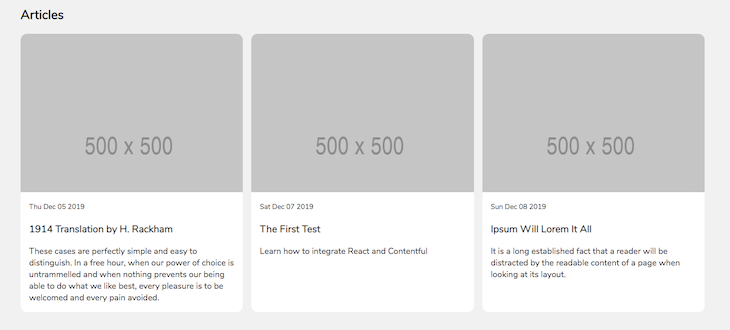
I started off with a bunch of dependency imports, among which is the usePosts custom Hook for fetching all my blog posts from Contentful. I also created a nice little helper called readableDate, which helped me parse the date the article was published into a user-friendly format.
import React from 'react'
import { Link } from 'react-router-dom'

import { usePosts } from '../../custom-hooks/'
import { readableDate } from '../helpers'
import './Posts.less'

...continued below...
I created the component next. It’s a simple functional component without any state variables to manage or keep track of.
Right at the beginning, I made use of the usePosts Hook to get my posts and the loading state. Then I defined a function, renderPosts, to iterate over the list of blog posts and returned a bunch of JSX for each post.
Inside this function, I checked the loading state first. If the request is still loading, it returns the loading message and ends execution there. Otherwise, it maps over the array of posts, and for each one, returns a <Link /> element.
This Link element will redirect my readers to the slug of whatever post they click on. Inside this link element, I also rendered some important information like the featured image of the article, the date it was published, the title, and a short description.
Finally, in the return statement of the Posts component, I called the renderPosts() function.
...continuation...
export default function Posts() {
  const [posts, isLoading] = usePosts()

  const renderPosts = () => {
    if (isLoading) return <p>Loading...</p>

    return posts.map(post => (
      <Link
        className="posts__post"
        key={post.fields.slug}
        to={post.fields.slug}
      >
        <div className="posts__post__img__container">
          <img
            className="posts__post__img__container__img"
            src={post.fields.featuredImage.fields.file.url}
            alt={post.fields.title}
          />
        </div>

        <small>{readableDate(post.fields.date)}</small>
        <h3>{post.fields.title}</h3>
        <p>{post.fields.description}</p>
      </Link>
    ))
  }

  return (
    <div className="posts__container">
      <h2>Articles</h2>

      <div className="posts">{renderPosts()}</div>
    </div>
  )
}
So, to recap, here’s what I did in this component:
I called the usePosts() custom Hook. This returns two variables, posts and isLoading. posts is either going to be empty or contain the list of blog posts on my Contentful space. isLoading is either true or false, depending on whether the request to fetch the blog posts is still pending.
I defined a renderPosts() function that will either render a loading message to the DOM or render my blog posts. It checks the isLoading variable to determine whether the blog posts are ready and then renders the appropriate content to the DOM.
In the return statement, I returned a bunch of JSX and called renderPosts().
Moving on to the next component.
components/single-post/SinglePost.jsxI also needed to render single blog posts, and to do this, I needed a SinglePost component, which should look like this:
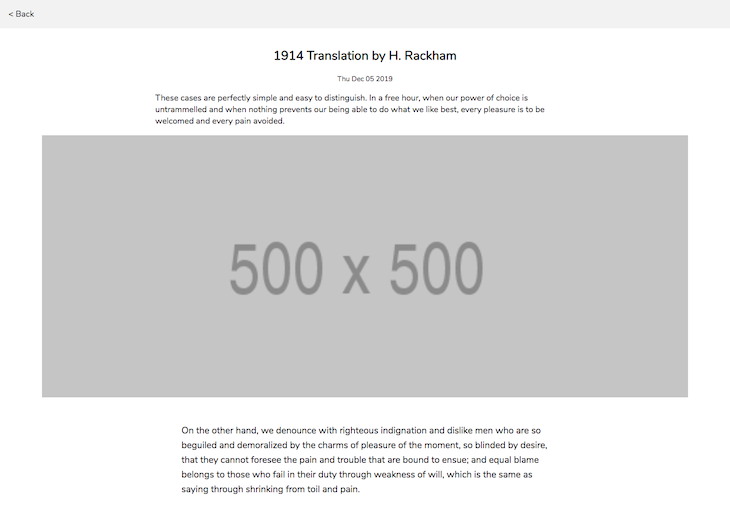
Again, I started off with a bunch of dependency imports, as usual:
import React from 'react'
import { Link, useParams } from 'react-router-dom'
import MD from 'react-markdown'

import { useSinglePost } from '../../custom-hooks'
import { readableDate } from '../helpers'
import './SinglePost.less'
There are a couple of new, unfamiliar imports here:
useParams: This will allow me to read the dynamic route parameters from React RouterMD: This will help me convert my Markdown content to HTML and render itApart from the new ones, I also imported the useSinglePost custom Hook as well as the readableDate helper.
Next, I created the actual component.
...continued...
export default function SinglePost() {
  const { id } = useParams()
  const [post, isLoading] = useSinglePost(id)

  const renderPost = () => {
    if (isLoading) return <p>Loading...</p>

    return (
      <>
        <div className="post__intro">
          <h2 className="post__intro__title">{post.title}</h2>
          <small className="post__intro__date">{readableDate(post.date)}</small>
          <p className="post__intro__desc">{post.description}</p>

          <img
            className="post__intro__img"
            src={post.featuredImage.fields.file.url}
            alt={post.title}
          />
        </div>

        <div className="post__body">
          <MD source={post.body} />
        </div>
      </>
    )
  }
...continued below...
Before I continue, I would like to talk a little bit about how useParams works. In App.jsx, I had the following snippet of code:
<Route path="/:id" component={SinglePost} />
This simply routes any request that matches the URL pattern passed to path to the SinglePost component. React Router also passes some additional props to the SinglePost component. One of these props is a params object that contains all the parameters in the path URL.
In this case, params would contain id as one of the parameters because I explicitly specified id in the path URL for this particular route. So, if I navigated to a URL like localhost:3000/contentful-rules, params would look like this:
{
  id: 'contentful-rules'
}
This is also where useParams comes into play. It will allow me to query the params object without having to destructure it from the component’s props. I now have a way to grab whatever slug is in the current URL.
OK, back to the component. Now that I had a way to get the slug of whichever article was clicked on, I was now able to pass the slug down to the useSinglePost custom Hook, and I was able to get back the post with that slug as well as the loading state for the request to fetch the post.
After getting the post object and the loading state from the useSinglePost Hook, I defined a renderPost function that will either render a loading message to the DOM or the actual post, depending on the loading state.
Also notice that towards the end of the snippet, I have this line of code:
<MD source={post.body} />
This is the React Markdown component that I need to parse my Markdown post body into actual HTML that the browser recognizes.
...continued...

  return (
    <div className="post">
      <Link className="post__back" to="/">
        {'< Back'}
      </Link>

      {renderPost()}
    </div>
  )
}
Finally, I have the return statement to render my data from this component. I added a link back to the homepage so that my users would be able to go back to the homepage easily. After the link, I simply called the renderPost() function to render the post to the DOM.
To recap, here’s what I did in this component:
I called the useSinglePost() custom Hook. This returns two variables, post and isLoading. post will either be null or an object containing the post data. isLoading is either true or false, depending on whether the request to fetch the post is still pending.
Then, I defined a renderPost() function that will either render a loading message to the DOM or render the blog post. It checks the isLoading variable to determine whether the blog post is ready and then renders the appropriate content to the DOM.
In the return statement, I returned a bunch of JSX along and called renderPost().
After writing the code for all the components and adding the appropriate styling, I decided to run my project to see if it all worked. In my package.json, I added the following scripts:
"scripts": {
    "start": "parcel public/index.html",
    "build": "parcel build public/index.html --out-dir build --no-source-maps"
  },
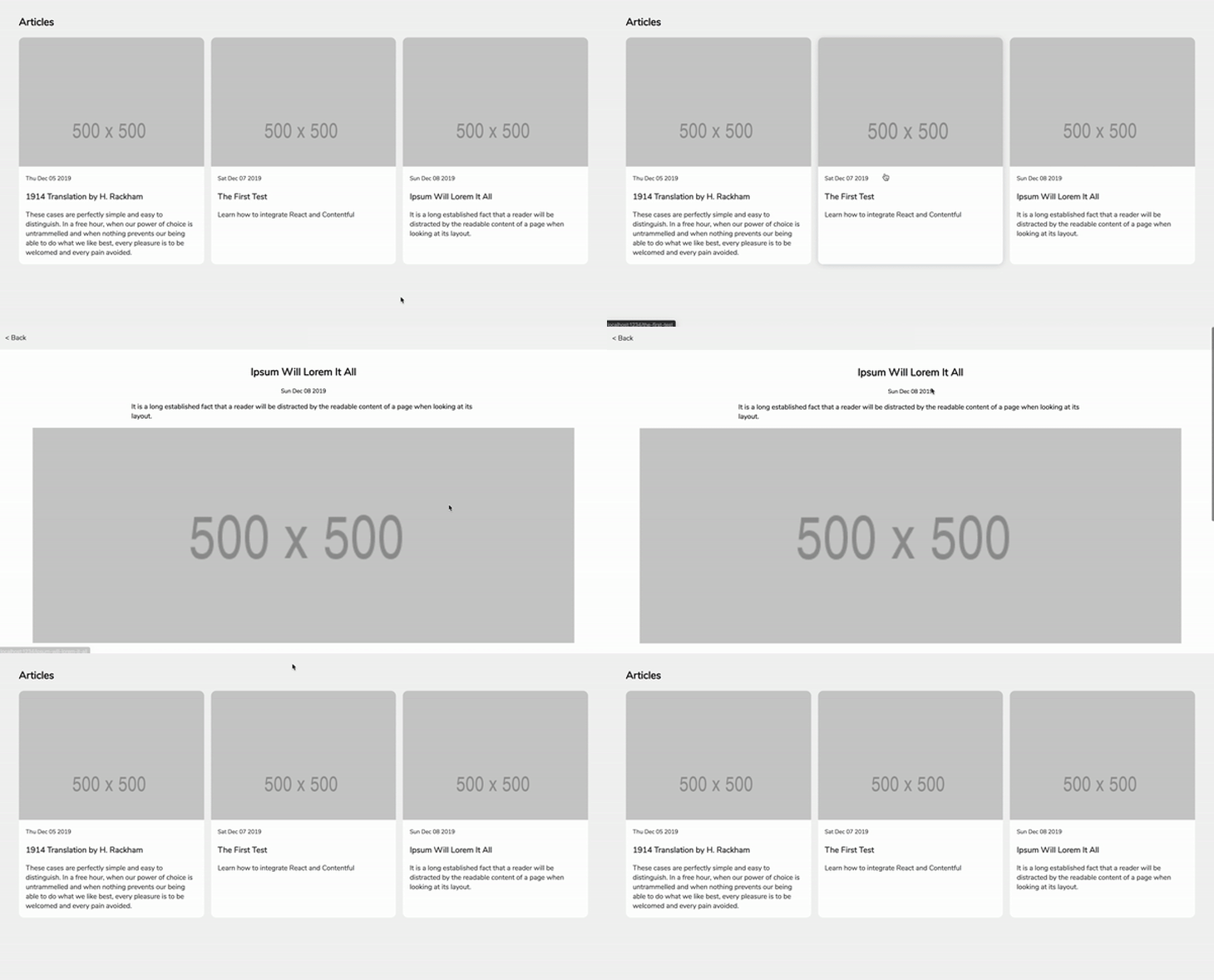
When I ran npm run start in my terminal, Parcel built my React app for me and served it over port 1234. Navigating to http://localhost:1234 on my browser displayed my app in all its glory, along with the blog posts.
I tried clicking on a single blog post and I was redirected to a page where I was able to read that blog post, so it seems that my little experiment with React and Contentful worked as I wanted it to.
I’m fully aware that this is not the best way to build something as simple as a static blog, though. There are much better options, like Next.js and Gatsby.js, that would make this process a whole lot easier and would actually result in a faster, more accessible blog by default.
But if your use case is simply to get your content from Contentful into your React app, then this guide should be helpful to you.
Install LogRocket via npm or script tag. LogRocket.init() must be called client-side, not
server-side
$ npm i --save logrocket

// Code:

import LogRocket from 'logrocket';
LogRocket.init('app/id');
// Add to your HTML:

<script src="https://cdn.lr-ingest.com/LogRocket.min.js"></script>
<script>window.LogRocket && window.LogRocket.init('app/id');</script>
Meta’s Astryx ships an MCP server and component manifest so agents query real APIs. We tested it against shadcn/ui with Claude Code across three real UI builds.

Ten AI agent skills that solve real productivity problems for senior engineers, install commands, use cases, and when each one isn’t worth the overhead.

Google holds vast training data, an evolving agentic AI IDE called Antigravity, and AdSense billions. Here’s why it’s likely to dominate the AI race.

React scheduler component libraries provide software developers with a wide range of tools to build powerful scheduling applications in their React projects.
Hey there, want to help make our blog better?
Join LogRocket’s Content Advisory Board. You’ll help inform the type of content we create and get access to exclusive meetups, social accreditation, and swag.
Sign up now


 Learn more →