
Editor’s note: This post was updated 4 February 2022 to address the release of Redux Toolkit and reemphasize this article’s focus on a bare Redux implementation.

Disclaimer: This guide focuses on a bare Redux implementation. If you’re new to Redux, the recommended way to start new apps with React and Redux is by using one of the official templates: Redux + JS template, Redux + TS template, or Create React App. These take advantage of both Redux Toolkit and React Redux’s integration with React components.
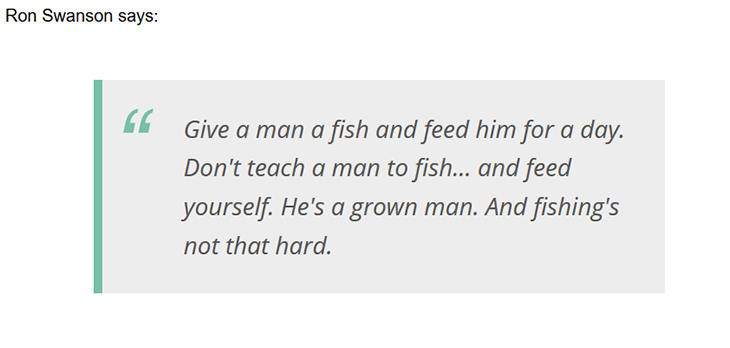
As Ron Swanson says,
Give a man a fish and feed him for a day. Don’t teach a man to fish … and feed yourself. He’s a grown man. And fishing’s not that hard.
As you know, Redux provides you with an elegant approach to managing the state of a JavaScript application. Its infrastructure is based on functional foundations and lets you easily build testable code.
However, the flow of Redux’s state management tasks is completely synchronous: dispatching an action immediately generates the chain of calls to middleware and reducers to carry out the state transition.
This brings us some questions:
In this article, we will discuss:
This should give you a good idea about how middleware works with Redux.
The common approach to integrating asynchronous tasks into the Redux architecture is to break an asynchronous action into at least three synchronous actions, each informing that the asynchronous task:
Each of these actions changes the application state and keeps it in line with what is happening during the asynchronous task execution.
Implementing this approach requires that you dispatch the action that starts the asynchronous task. When the asynchronous task ends, a callback should manage the outcome of the asynchronous task and appropriately update the state with either a positive or negative response.
That said, you may be tempted to support asynchronous actions by modifying their reducers, i.e., making sure that the reducer intercepting that action starts the asynchronous task and manages its outcome.
However, this implementation violates the constraint that a reducer must be a pure function. In fact, by its nature, the result of an asynchronous task is based on a side effect.So, let’s take a look at a couple of valid solutions to this problem.
The first approach is based on the Thunk middleware. The role of this middleware is very simple: verify if an action is a function and, if it is, execute it. This simple behavior allows us to create actions not as simple objects, but as functions that have business logic.
In order to solve our problem with asynchronous tasks, we can define an action as a function that starts an asynchronous task and delegates its execution to the Thunk middleware. Unlike the reducer, middleware is not required to be a pure function, so the Thunk middleware can perform functions that trigger side effects without any problems.
Let’s put these concepts into practice by implementing a simple application that shows a random Ron Swanson quote from a specialized API. The markup of the webpage appears as follows:
  <div>
  Ron Swanson says:
  <blockquote id="quote"></blockquote>
</div>
For the JavaScript side, you need to get the redux and redux-thunk dependencies and import a few items in the module, as shown below:
import { createStore, applyMiddleware } from 'redux';
import thunk from 'redux-thunk';
As stated before, you must first define three synchronous actions that represent changes in the state during the execution of the asynchronous task. Let’s define the following constants:
const QUOTE_REQUESTED = "QUOTE_REQUESTED";
const QUOTE_RECEIVED = "QUOTE_RECEIVED";
const QUOTE_FAILED = "QUOTE_FAILED";
As you can see, they represent the three phases we described above.
Let’s now define an action creator for Thunk:
function getQuoteAction() {
  return function(dispatch) {
    dispatch({
      type: QUOTE_REQUESTED,
    });


  fetch("https://ron-swanson-quotes.herokuapp.com/v2/quotes")
    .then(response => response.json())
    .then(data => dispatch({
        type: QUOTE_RECEIVED,
        payload: data
      }))
    .catch(error => dispatch({
        type: QUOTE_FAILED,
        payload: error
      })
    );
  }
}
The first thing you likely noticed is that the action creator getQuoteAction() returns a function, as expected. The returned function starts dispatching the synchronous action QUOTE_REQUESTED and executes fetch() to actually start the asynchronous HTTP request. Then, it dispatches one of the other two synchronous actions, according to the outcome of the asynchronous HTTP request.
Once we define the transformation of an asynchronous action into three synchronous actions, we need to manage their impact on state transitions. Let’s define the initial state of our application and the reducer that will manage quote retrieving:
const initialState = { data: [], status:"" };

function quotes(state = initialState, action) {
  switch (action.type) {
    case QUOTE_REQUESTED:
      state = Object.assign({}, state, {status: "waiting"});
      break;
    case QUOTE_RECEIVED:
      state = Object.assign({}, state, {data: […action.payload], status: "received"});
      break;
    case QUOTE_FAILED:
      state = Object.assign({}, state, {status: "failed", error: action.payload});
    break;
  }


  return state;
}
The structure of the application state consists of a data array, containing the list of quotes to show (in our case, we will have just one quote), and a status string, representing the current status of the asynchronous action. The status property is not strictly required for the correct behavior of the application, but it may be useful in order to give feedback to the user. The quotes() function implements a standard reducer by handling the three synchronous actions and generating the new application state accordingly.
The next step is to create the Redux store by specifying the use of the Thunk middleware, as shown by the following statement:
let store = createStore(quotes, initialState, applyMiddleware(thunk));
Finally, you have to manage the UI connecting it to the Redux store, as the following code shows:
const quoteElement = document.getElementById("quote");

store.dispatch(getQuoteAction());
store.subscribe(() => {
  const state = store.getState();


  if (state.status == "waiting") {
    quoteElement.innerHTML = "Loading…";
  }
  if (state.status == "received") {
    quoteElement.innerHTML = state.data[0];
  }
});
As you can see, the starting action is dispatched when the getQuoteAction() creator is called and subscribed to state changes. When a state change occurs, check the status property value and inject the text inside the blockquote HTML element accordingly.
The final result in your browser will look like the following:
Try this code on CodePen.
Redux Toolkit provides a createAsyncThunk API that encapsulates all of this logic and gives you a clean and sleek implementation of asynchronous actions. Redux Toolkit’s RTK Query data fetching API is a purpose-built data fetching and caching solution for Redux apps that can eliminate the need to write any thunks or reducers to manage data fetching.
Disclaimer: Redux Thunk’s default middleware is widely used across a number of React Redux apps. This section will provide an explanation of how it works under the hood and how you can use the powerful Redux middlewares in practice.
Redux Thunk elegantly solves the problem of managing asynchronous actions in Redux, but it forces you to make the action creator’s code more complicated by sending the HTTP request and handling the response.
If your application heavily interacts with the server, as it often does, you will have a lot of either duplicate or very similar code within the action creators. This distorts the original purpose of the action creators, which is to create an action based on parameters.
Thus, perhaps, in these cases it is more appropriate to create ad hoc middleware. The goal is to isolate the code that makes HTTP requests to the server in a special middleware and to restore the action creator to its original job.
Let’s define a constant that identifies a meta-action for the HTTP request. We’re calling it a meta-action because it is not the action that will directly modify the application state. Instead, it is an action that will trigger an HTTP request, which will cause changes to the application state as a side effect by generating other actions.
The following is our constant definition:
const HTTP_ACTION = "HTTP_ACTION";
Along with this constant, you need to define the constants that identify the actual action and its related synchronous actions to implement the HTTP requests, as we have seen before:
const QUOTE = "QUOTE"
const QUOTE_REQUESTED = "QUOTE_REQUESTED";
const QUOTE_RECEIVED = "QUOTE_RECEIVED";
const QUOTE_FAILED = "QUOTE_FAILED";
Now, you need the meta-action creator — the action creator that takes a plain action object as input and wraps it in order to create an asynchronous action to be handled via HTTP. The following is the meta-action creator that we are going to use:
function httpAction(action) {
  const httpActionTemplate = {
    type: "",
    endpoint: null,
    verb: "GET",
    payload: null,
    headers: []
  };


  return {
    HTTP_ACTION: Object.assign({}, httpActionTemplate, action)
  };
}
You may notice that it returns an object with the HTTP_ACTION constant as its only property. The value of this property comes out from the action passed as a parameter combined with the action template. Notice that this template contains the general options for an HTTP request.
You can use this meta-action creator whenever you want to create an asynchronous action that will involve an HTTP request. For example, in order to apply this approach to retrieve the random Ron Swanson quotes described before, you can use the following action creator:
function getQuoteAction() {
  return httpAction({
    type: QUOTE,
    endpoint: "https://ron-swanson-quotes.herokuapp.com/v2/quotes"
  });
}
As you can see, any asynchronous action that involves an HTTP request can be defined by invoking the httpAction() meta-action creator with the minimum necessary data to build up the request. You no longer need to add the logic of synchronous actions generation here because it was moved into the custom middleware, as shown by the following code:
const httpMiddleware = store => next => action => {
  if (action[HTTP_ACTION]) {
    const actionInfo = action[HTTP_ACTION];
    const fetchOptions = {
      method: actionInfo.verb,
      headers: actionInfo.headers,
      body: actionInfo.payload || null
    };


    next({
      type: actionInfo.type + "_REQUESTED"
    });


    fetch(actionInfo.endpoint, fetchOptions)
      .then(response => response.json())
      .then(data => next({
        type: actionInfo.type + "_RECEIVED",
        payload: data
      }))
      .catch(error => next({
        type: actionInfo.type + "_FAILED",
        payload: error
     }));
  } else {
    return next(action);
  }
}
The middleware looks for the HTTP_ACTION identifier and appends the current action with a brand new action using the _REQUESTED suffix. This new action is inserted in the middleware pipeline via next(), sends the HTTP request to the server, and waits for a response or a failure. When one of these events occurs, the middleware generates the RECEIVED or FAILED actions, as in the thunk-based approach.
At this point, the only thing you need to change to achieve the same result as in the thunk-based approach is the store creation:
let store = createStore(quotes, initialState, applyMiddleware(httpMiddleware));
You are telling Redux to create the store by applying your custom httpMiddleware, instead of the Thunk middleware. The implementation of the reducer and the UI management remain as before.
You can try the implementation of this approach on CodePen.
In summary, we discovered that any asynchronous action can be split into at least three synchronous actions. We exploited this principle to implement two approaches for managing asynchronous actions while using Redux.
You may consider the first approach, based on the standard Thunk middleware, the easier of the two, but it forces you to alter the original nature of an action creator.
The second approach, based on custom middleware, may seem more complex at a first glance, but it ends up being much more scalable and maintainable.
Writing middleware for Redux is a powerful tool; Redux Thunk is one of the most widely-used middleware for async actions. Thunk is also a default async middleware for Redux Toolkit and RTK Query.
If you want a simple API integration for your Redux apps, RTK Query is a highly recommended option.
Install LogRocket via npm or script tag. LogRocket.init() must be called client-side, not
server-side
$ npm i --save logrocket

// Code:

import LogRocket from 'logrocket';
LogRocket.init('app/id');
// Add to your HTML:

<script src="https://cdn.lr-ingest.com/LogRocket.min.js"></script>
<script>window.LogRocket && window.LogRocket.init('app/id');</script>

Compare the top AI development tools and models of September 2026. View updated rankings, feature breakdowns, and find the best fit for you.

Which Markdown library is right for your React docs site? We rebuilt the same documentation app using TanStack Markdown and react-markdown to compare bundle size, setup complexity, and performance.

Can a Rust toolkit speed up Node.js? We tested Nub’s script running, package management, and benchmarks to see how it compares to Bun and Deno.

Compare React Native Track Player and Expo Audio across background playback, lock-screen controls, queue management, licensing, and developer experience.
Would you be interested in joining LogRocket's developer community?
Join LogRocket’s Content Advisory Board. You’ll help inform the type of content we create and get access to exclusive meetups, social accreditation, and swag.
Sign up now


 Learn more →




