
Postgres is a powerful relational database management system, it can handle large workloads from a single machine to that of a data center. It is highly scalable and widely popular. In this article, we will be learning how to set up a remote Postgres database server to use for your projects. This article setup will allow Postgres connection from any IP address and will not cover specific/authorized IP connection.

In this step, you will be installing Postgres on your server. The first thing to do is SSH into your server by running:
ssh server_user@server_ip
Note:
server_useris your server user you would like to log in with
server_ipis the IP address of your server
Then input your relevant user password or SSH key password if any. Next, update your server packages and dependencies by running:
sudo apt-get update
When that is done, install Postgres by running:
sudo apt-get install postgresql postgresql-contrib
This will install Postgres along with its associated dependencies. When the process is complete, switch the user to postgres to be able to execute Postgres commands with Postgres default user by running:
su - postgres
The server user will be switched from root to postgres. You can access the Postgres shell by running:
psql
You will be shown something similar to this:
postgres@logrocket:~$ psql
psql (10.12 (Ubuntu 10.12-0ubuntu0.18.04.1))
Type "help" for help
postgres=#
In this step, you will be creating a new user that will be used to access your Postgres database remotely. To create a new user, exit the Postgres shell by executing:
\q
While still being logged in as postgres run the following command to create a new user:
createuser --interactive --pwprompt
A prompt will be shown to you asking you to input your desired user role, name, password, and if you want the user to be a superuser. Here is an example:
Enter name of role to add: cleopatra
Enter password for new role:
Enter it again:
Shall the new role be a superuser? (y/n) y
I named my user role cleopatra and I made my user a superuser. A superuser is a user that has all the privileges available on a Postgres instance. Next, we will be assigning cleopatra to a database. To do this, run the following command:
createdb -O cleopatra egypt
This command above will create a new database named egypt and assign cleopatra to be the database user.
In this step, we will look at how to configure Postgres to accept external connections. To begin, open the configuration file with your preferred editor:
nano /etc/postgresql/10/main/postgresql.conf
Look for this line in the file:
#listen_addresses = 'localhost'
Uncomment, and change the value to '*', this will allow Postgres connections from anyone.
listen_addresses = '*'
Save and exit the file. Next, modify pg_hba.conf to also allow connections from everyone. Open the file with your preferred editor:
nano /etc/postgresql/10/main/pg_hba.conf
Modify this section:
# IPv4 local connections:
host    all             all             127.0.0.1/32            md5
To this:
# IPv4 local connections:
host    all             all             0.0.0.0/0            md5
This file stores the client authentication, each record specifies an IP address range, database name, username, and authentication method. In our case, we are granting all database users access to all databases with any IP address range, thus, letting any IP address connect. Save and exit the file. Next, allow port 5432 through the firewall by executing:
sudo ufw allow 5432/tcp
Finally, restart Postgres to apply all the changes you have made to its configuration by running:
sudo systemctl restart postgresql
In this step, you will be connecting to your server from an external machine. Connect to the remote Postgres database by running:
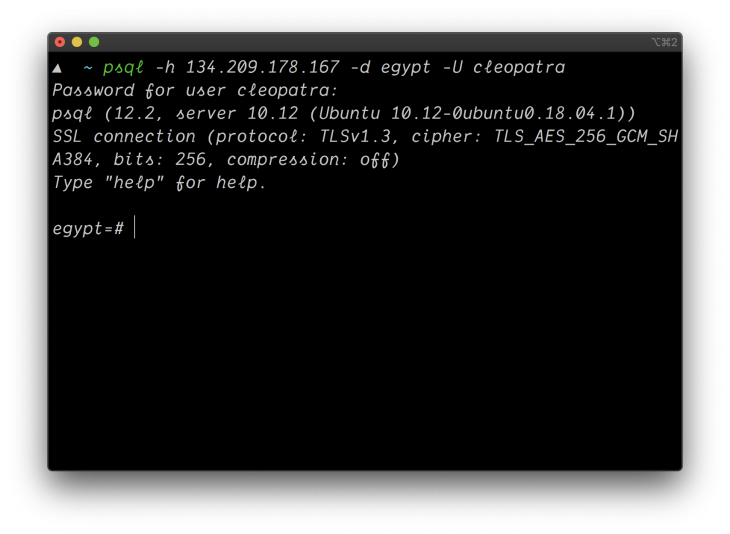
psql -h {server_ip} -d egypt -U cleopatra
Where {server_ip} is your server IP address, you will get a prompt to type your user password, if the credentials match you’ll be logged into the Postgres shell for cleopatra and database egypt.
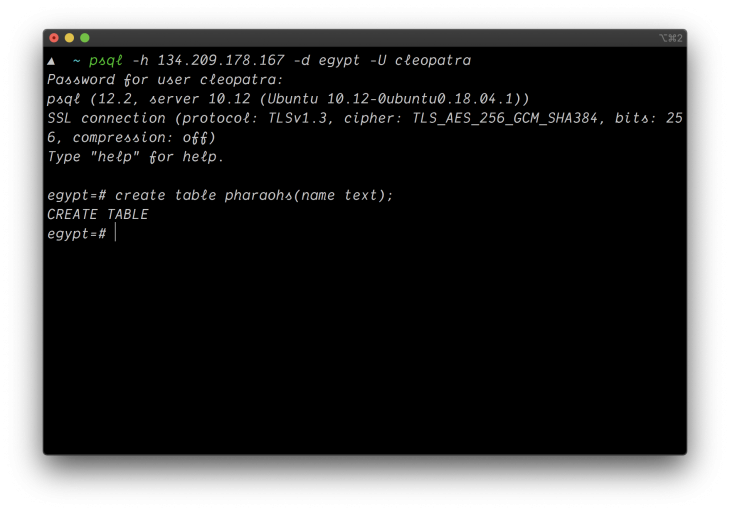
Create a new table and name it pharaohs by executing the following in the Postgres shell:
create table pharaohs(name text);
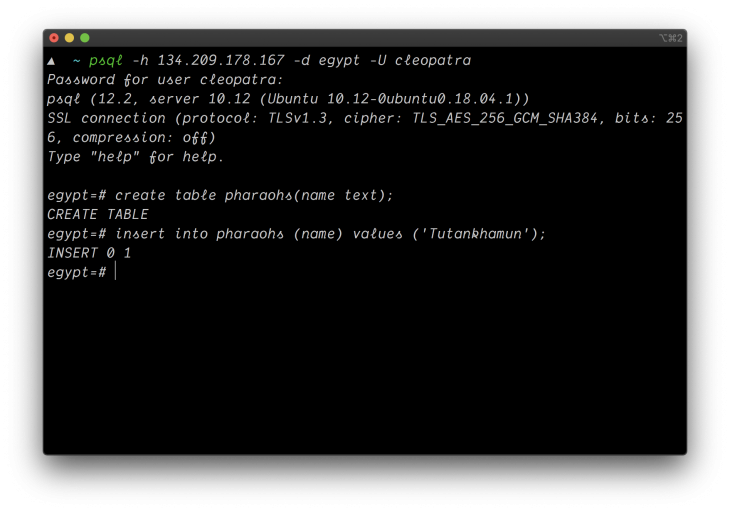
Next, add a record to the pharaohs table, you will be adding Tutankhamun as a string to the table by running the following in the Postgres shell:
insert into pharaohs (name) values ('Tutankhamun');
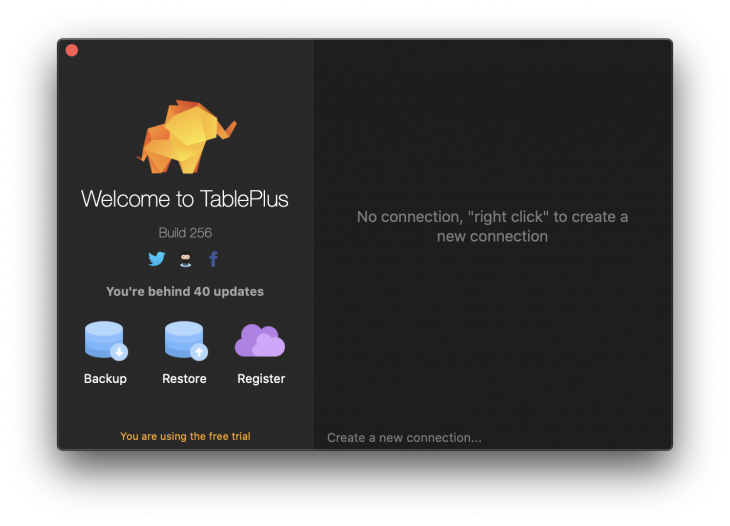
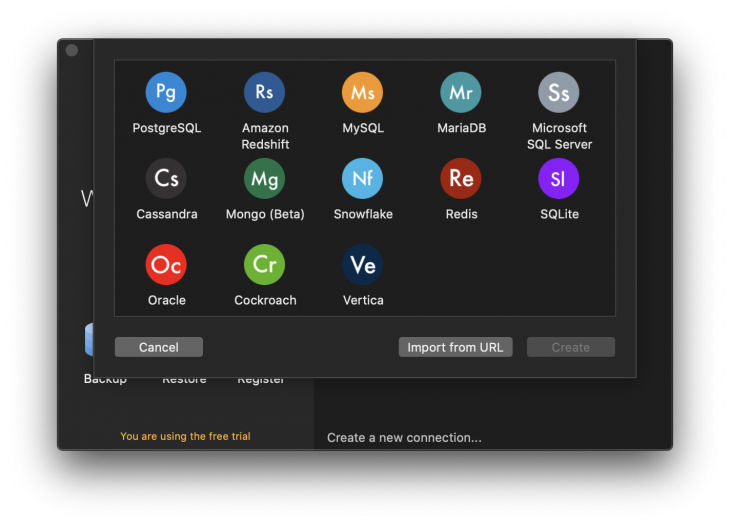
Next, we will be accessing our database using a GUI (Graphical User Interface) tool like tablePlus which enables you to visualize data away from the command line interface to see if we can find the records we created. Open TablePlus and click on Create a new connection.
Select Postgres from the dropdown
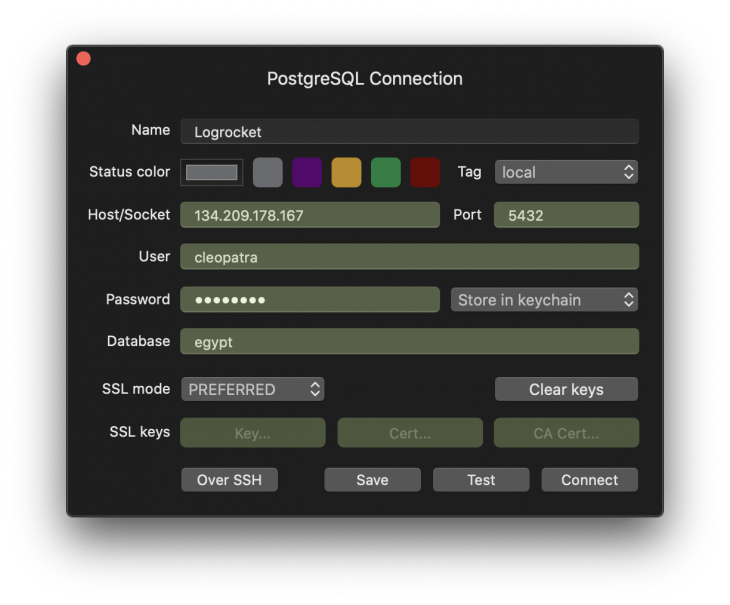
Input credentials
Note:
Postgres default port is5432
Ignore the SSL regions (we won’t cover this topic in this post)
 If your credentials are correct, you will be shown a GUI panel to view your database records in which you will find the table created and the record we added to it.
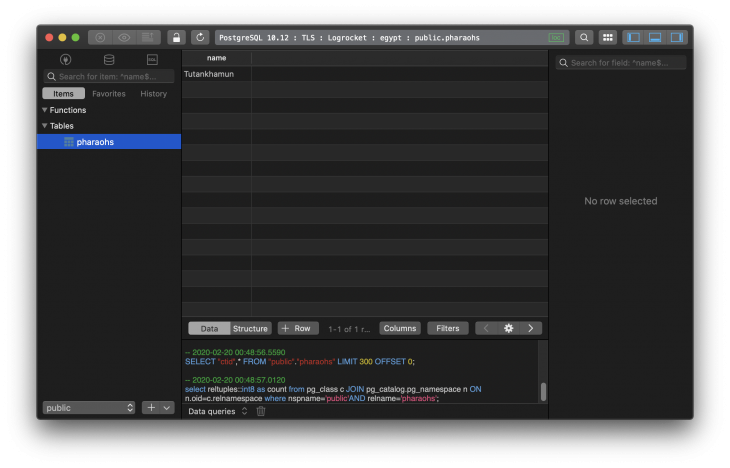
As shown in the image, we can see the pharaohs table we created earlier and the record we added to it. Our remote database is ready!
We have seen how to configure a Postgres database server for remote access. With this knowledge, you can set up a database server for your next project. In production, there are some security measures you will have to keep in mind. For example, only allowing the specified IP address and not allowing root access to your server, you can learn how to set this up in this article.

Compare the top AI development tools and models of September 2026. View updated rankings, feature breakdowns, and find the best fit for you.

Which Markdown library is right for your React docs site? We rebuilt the same documentation app using TanStack Markdown and react-markdown to compare bundle size, setup complexity, and performance.

Can a Rust toolkit speed up Node.js? We tested Nub’s script running, package management, and benchmarks to see how it compares to Bun and Deno.

Compare React Native Track Player and Expo Audio across background playback, lock-screen controls, queue management, licensing, and developer experience.
Hey there, want to help make our blog better?
Join LogRocket’s Content Advisory Board. You’ll help inform the type of content we create and get access to exclusive meetups, social accreditation, and swag.
Sign up now






